Contact Forge
approvedby @raulanatol
Obsidian is the source of truth for your contacts; sync a chosen subset one-way to macOS Contacts, with desync alerts. - This plugin has not been manually reviewed by Obsidian staff.
Contact Forge
Obsidian is the source of truth for your contacts. Sync a chosen subset one-way to macOS Contacts, with clear alerts when the two drift out of sync.
macOS only. Contact Forge shells out to osascript (JXA) to talk to Contacts.app,
so it requires a desktop Obsidian on macOS. Nothing leaves your device.
Why
Most Obsidian contact tools pull from Apple/Google/iCloud into your vault. Contact Forge does the opposite: you keep the full record — notes and all — in Obsidian, and push only the fields needed to identify callers, emails, and messages into a dedicated Contacts group. iOS benefits automatically via iCloud.
This is a deliberate inversion of raulanatol/obsidian-mac-sync-contacts
and a plugin-native take on the ideas proven by czottmann/obsidian-people.
Screenshots
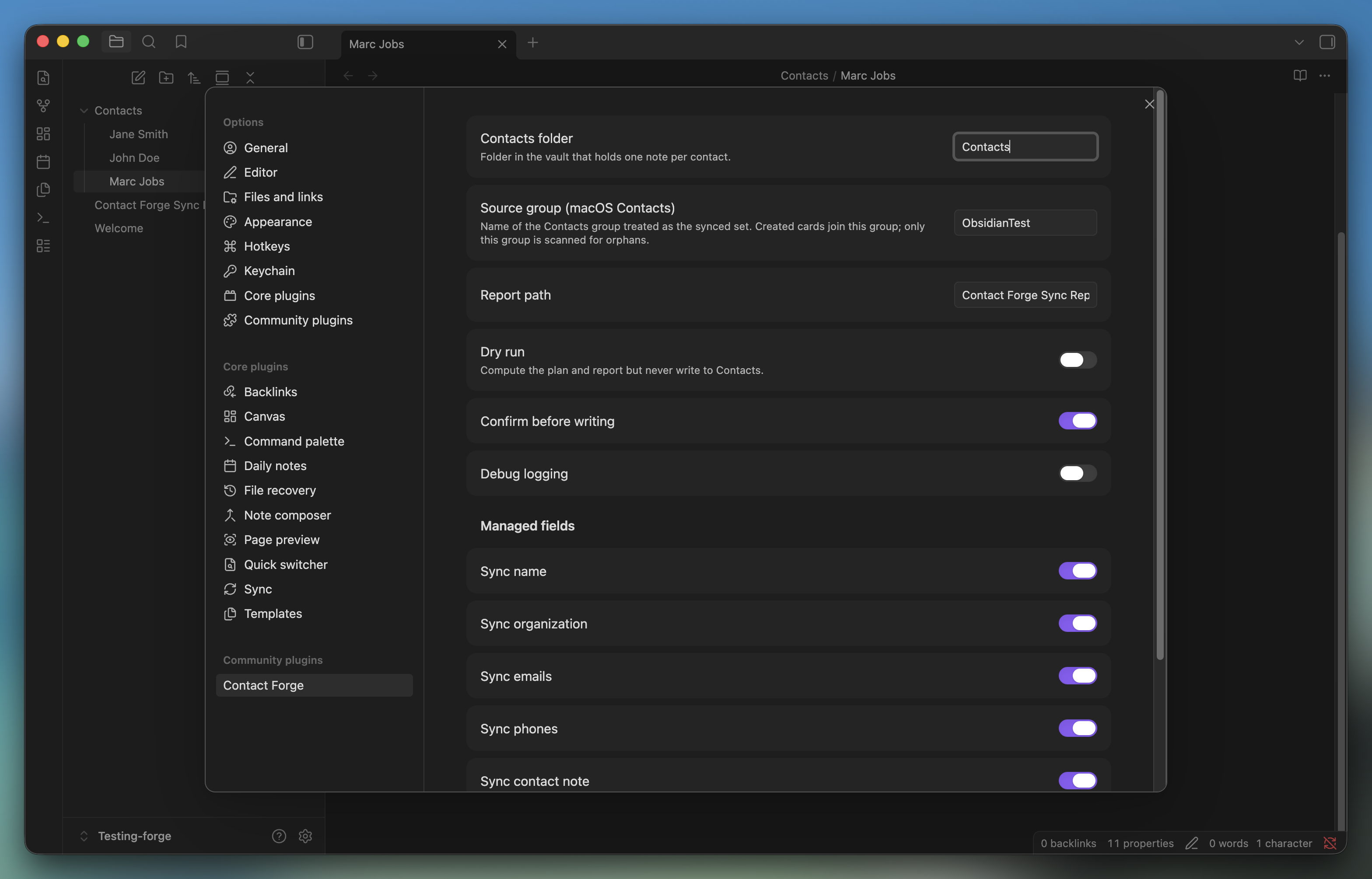
Settings — choose the contacts folder, the source Contacts group, and which fields are managed.
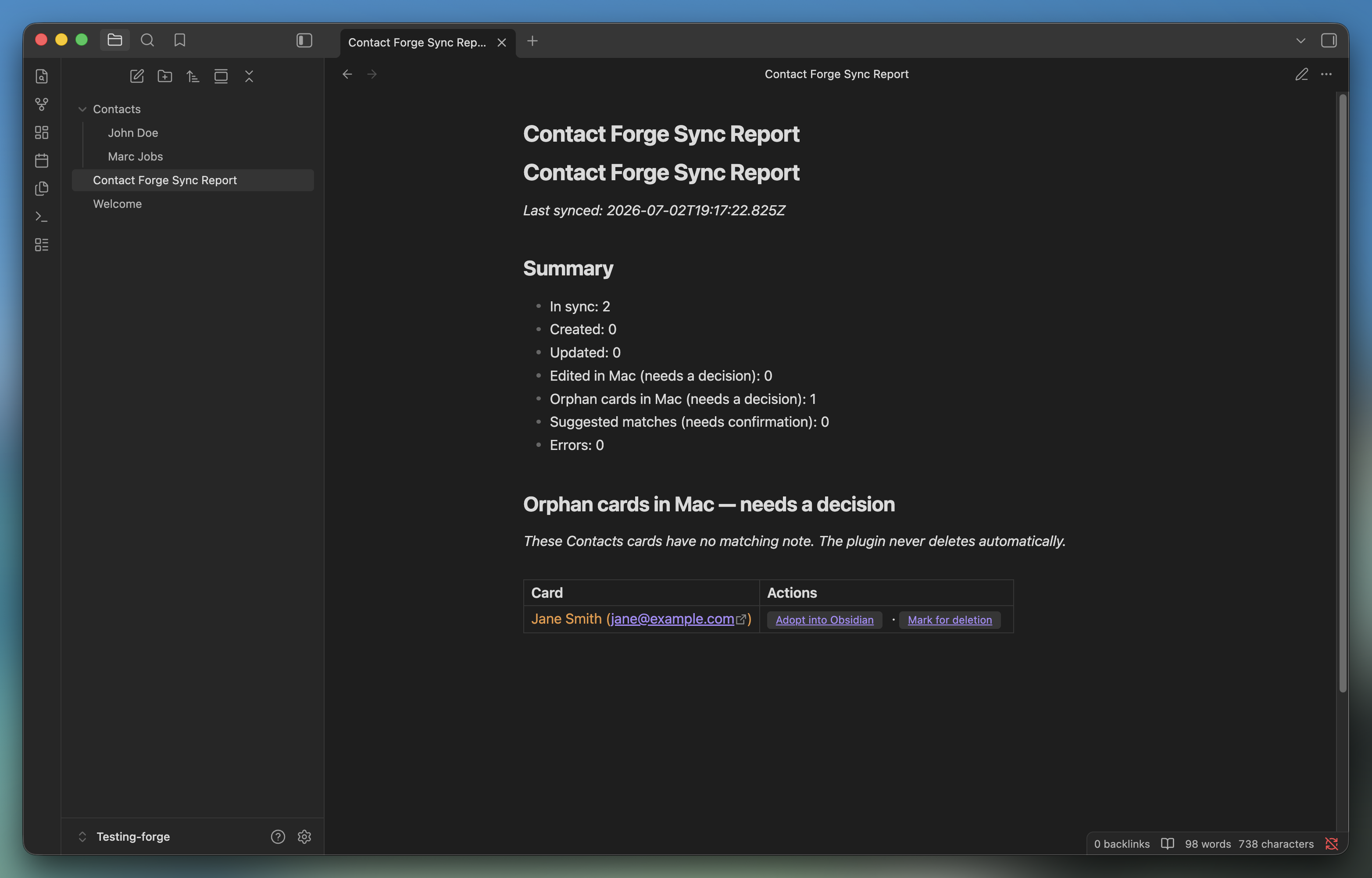
Sync report — every run's desync alerts, one row per actionable card, with click-through actions.
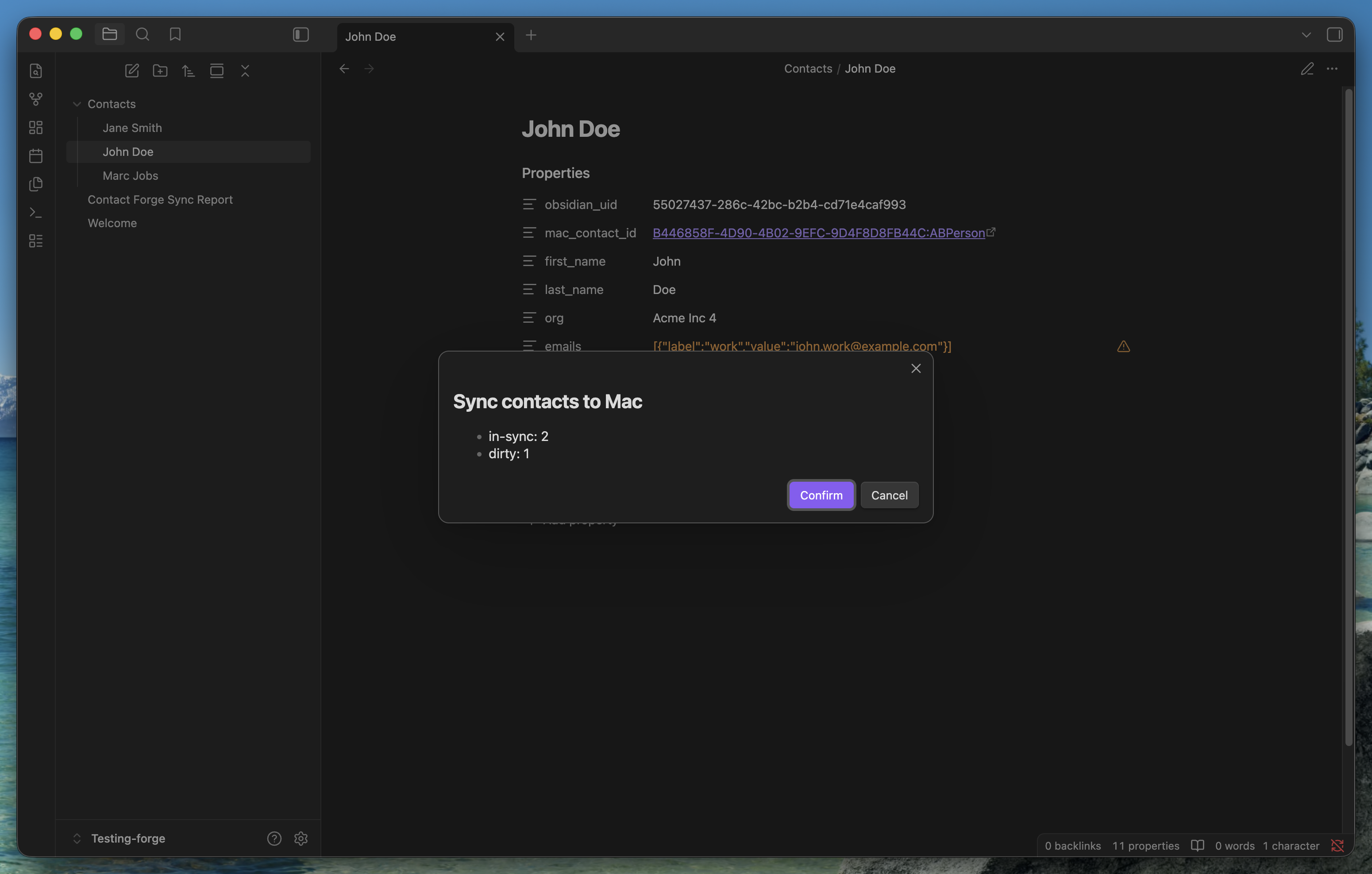
Confirm before writing — a summary modal before anything touches Contacts.app.
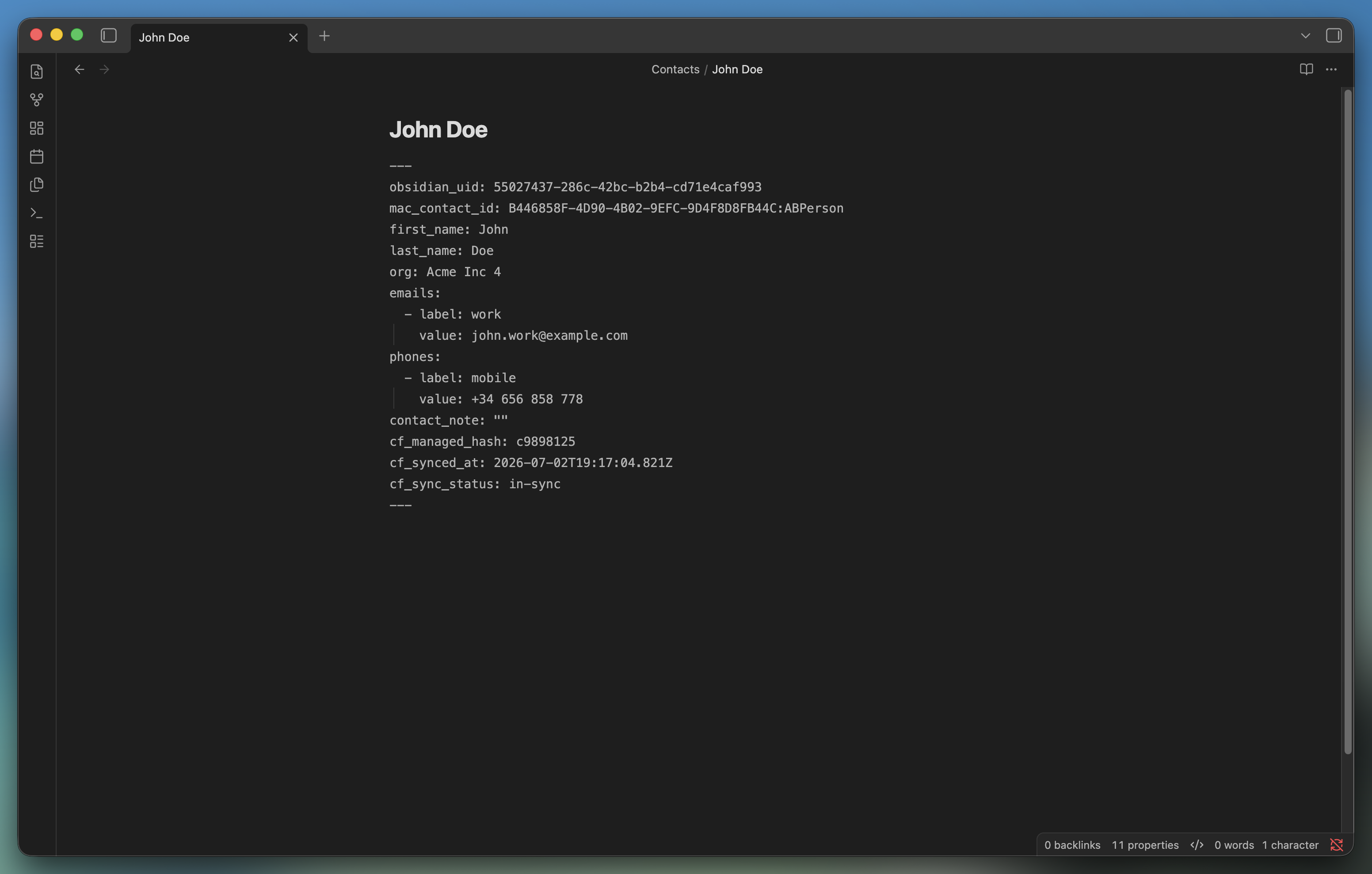
The contact note — frontmatter holds the managed fields; the body stays freeform.
How it works
- One markdown note per contact under a configurable folder (default
Contacts/). - Frontmatter holds the structured, managed fields: name, org, emails, phones, and
a
contact_note. The body is freeform and never synced. - Each note has an immutable
obsidian_uid(UUID). On sync, the matching Mac card is stamped with acf-uid:marker and anobsidian://back-link, so matching survives renames and Contacts re-indexing. - A manual command reconciles notes against the cards in a chosen Contacts group, then pushes changes. Managed fields are push-only: edits made in Contacts are overwritten (and surfaced first — see below). Photos, groups, and any unmanaged field are never touched.
Sync outcomes
Every run writes a Sync Report note. Each contact lands in one bucket:
- in-sync — nothing to do.
- updated — note changed in Obsidian, pushed to Mac.
- created — note had no card yet; a card was created in the source group.
- edited-in-mac — the card diverged but the note didn't. Contact Forge does not silently overwrite; you choose Overwrite from Obsidian or Pull into Obsidian.
- orphan-mac — a card in the group has no matching note. You choose Adopt into Obsidian or Mark for deletion (the plugin never deletes anything itself).
- suggestion — a weak name+email match; confirm or ignore.
Safety
- Dry run and confirm-before-write are available (recommend trying dry run first).
- The plugin only reads/writes the one Contacts group you configure.
- No network calls, no telemetry. Everything runs locally through
osascript.
This plugin requests capabilities beyond the typical Obsidian plugin because syncing to Contacts.app has no alternative on macOS. For transparency:
- Shell execution (
child_process): the only way to talk to Contacts.app isosascript -l JavaScript. There is no Obsidian or Node API for it. - Filesystem access (
fs, outside the vault): JXA payloads are written to a temp file inos.tmpdir()and passed toosascriptby path, then deleted. This avoids the argv length limits and quoting bugs that come with inlining large scripts viaosascript -e. No vault or user file is ever touched throughfs. - Vault enumeration (
vault.getMarkdownFiles()): Obsidian has no folder-scoped listing API, so the plugin lists all markdown files and filters to the configured contacts folder client-side before reading anything.
Install
Community plugin (pending review) or manual — see docs/INSTALLATION.md.
First run: grant System Settings → Privacy & Security → Automation → Obsidian → Contacts. Use the Test Contacts access command to trigger the prompt.
Commands
- Contact Forge: Sync contacts to Mac
- Contact Forge: Dry-run (report only, no writes)
- Contact Forge: Test Contacts access
- Contact Forge: Bulk adopt all orphan contacts into Obsidian
- Contact Forge: Create contact note from template
- Contact Forge: Open sync report
Development
pnpm install
pnpm run dev     # esbuild watch
pnpm test        # pure unit tests (hash + reconciler)
pnpm run build   # typecheck + production bundle
The reconciliation engine (src/sync/Reconciler.ts) and hashing (src/core/hash.ts)
are pure and fully unit-tested. See docs/BUILD_PLAN.md for the
full architecture and the phased build plan.
License
MIT © Raúl Anatol
For plugin developers
Search results and similarity scores are powered by semantic analysis of your plugin's README. If your plugin isn't appearing for searches you'd expect, try updating your README to clearly describe your plugin's purpose, features, and use cases.