Cooklang
approvedby rveciana
Display and edit recipes written in the Cooklang format.

Cooklang
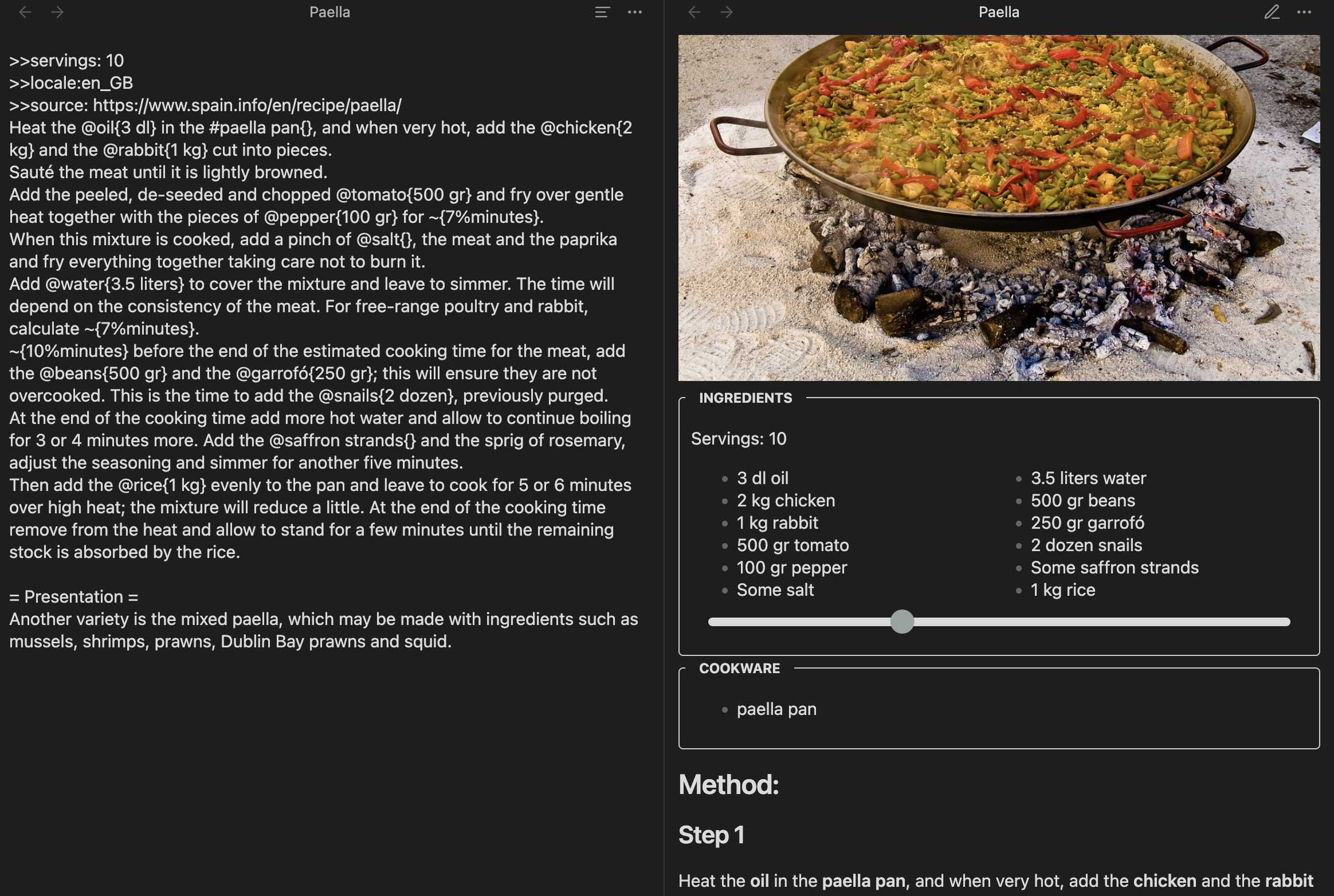
This plugin allows you to edit and view recipes written in the Cooklang format.
Installation
- You can find this plugin in the Community Plugins section inside the Settings.
- To develop, you can download the code into the .obsidian/plugins folder in a vault and run
npm installandnpm run devto see the changes.
Features
-
Multi language: The titles for the sections (i.e. ingredients, cookware and so on) will be translated into the recipe language or the one configured in the Obsidian settings
-
Scale quantities: The slider in the ingredients part allows multiplying or dividing the amounts
Searching
Obsidian won't search files that aren't of the extension *.md by default. Since cooklang has the .cook extension, any search will gnore the files, which is really impractical. Fortuntely, there's a workaround:
- Install the
omnisearchplugin - Open its settings
- Add the word
cookat the sectionAdditional TEXT files to index
The search has to be done from the sidebar search icon, but it works perfectly.
Changelog
- 0.0.10: Choose quantities as fractions or decimals
- 0.0.9: Support webp images, add languages
- 0.0.8: Initial version. Can edit, view, and select the language
Acknowledgments
-
This plugin is obviously inspired by cooklang-obsidian by deathau. I wanted to learn how to code for Obsidian and add multi-language capabilities to the Cooklang plugin.
-
The plugin is using cooklang-ts, which passes all the tests and seems better than the other JavaScript alternatives.
For plugin developers
Search results and similarity scores are powered by semantic analysis of your plugin's README. If your plugin isn't appearing for searches you'd expect, try updating your README to clearly describe your plugin's purpose, features, and use cases.