Daily Prompt
approvedby erl-koenig
Set up custom prompts and automatically fill them into your daily notes.
Daily Prompt Plugin
This Obsidian plugin allows you to set up daily prompts and automatically fill them into your daily notes.
Demo
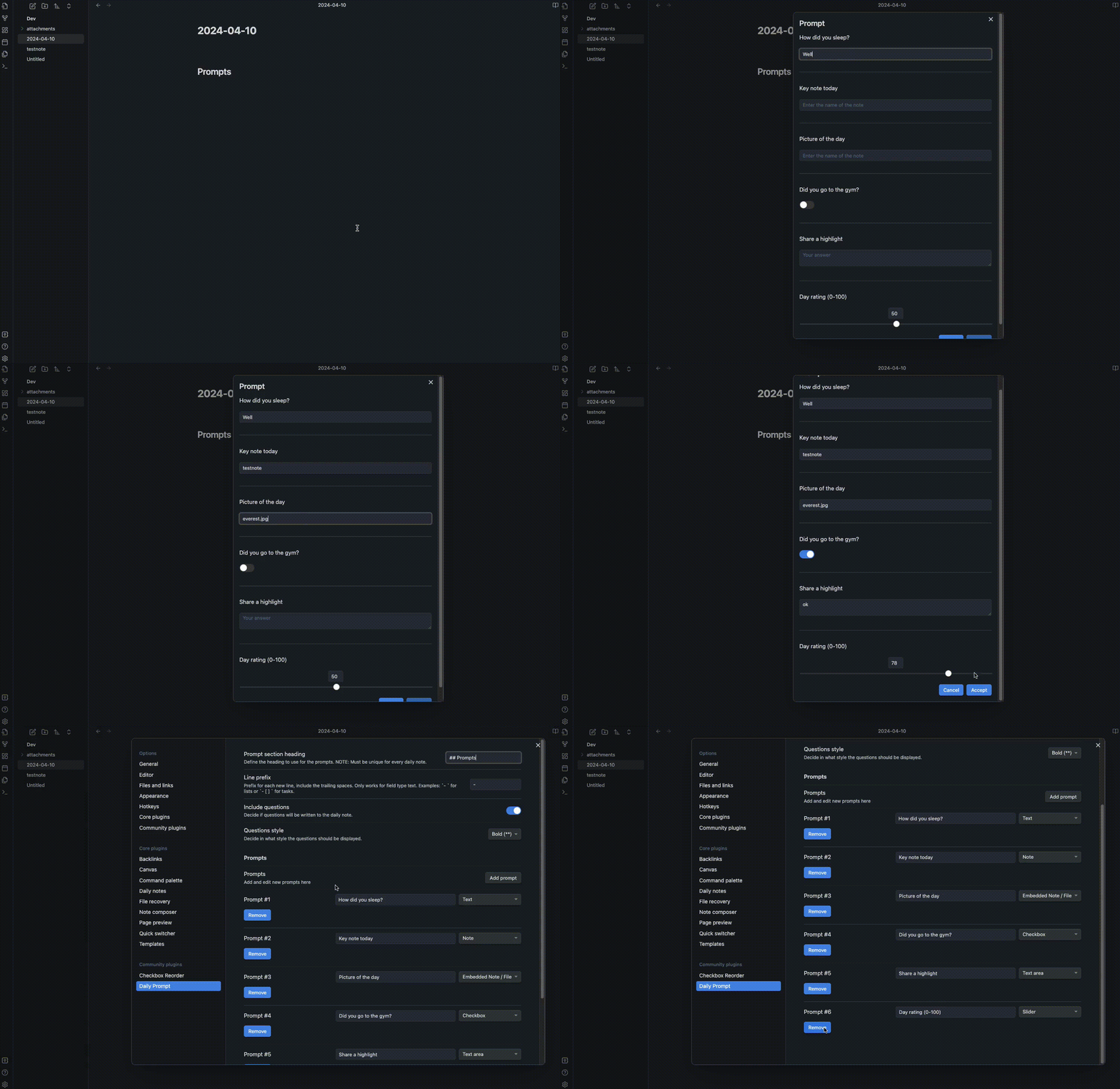
Features
- Define a set of prompts for each day.
- Specify the file type (Text, Note, Embedded Note / File, Checkbox, Text area, slider)
- Automatically fill prompts into your daily notes.
- Creates a daily note if it doesn't already exist.
- Customize prompt section heading and line prefix.
Usage
Setting up Prompts
- Open the plugin settings by navigating to Settings > Daily Prompt.
- Under "Prompts", you can add, edit, and remove prompts.
- Define the prompt section heading and line prefix under "General settings".
Using Prompts
- Use the command palette (
Ctrl/Cmd + P) and type "Open prompt" to open the prompt dialog. - Answer the prompts provided.
- Click "Accept" to fill the prompts into your daily note.
Settings
Prompt section heading
Define the heading to use for the prompts. Note: Must be unique for every daily note.
Line prefix
Prefix for each new line, include the trailing spaces. Examples: - for lists or - [ ] for tasks.
Support
For questions, issues, or feature requests, please visit the plugin's GitHub repository.
Say Thanks 🙏
This plugin is developed by Erl-koenig.
If you find this plugin helpful, consider supporting its development


For plugin developers
Search results and similarity scores are powered by semantic analysis of your plugin's README. If your plugin isn't appearing for searches you'd expect, try updating your README to clearly describe your plugin's purpose, features, and use cases.