by theluckystrike
Get notices when date properties in a filtered base come due.
Date Property Alerts
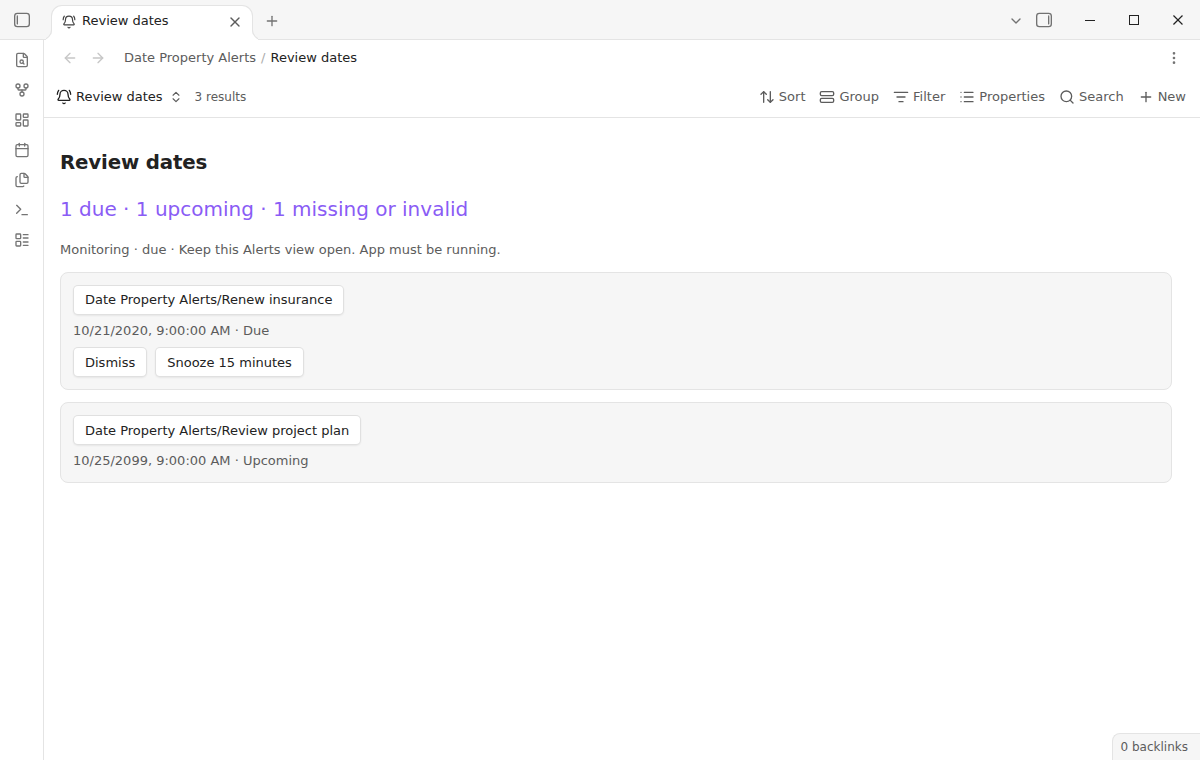
Get a notice when a note's date property comes due. Add an Alerts view to a base, choose a property, and let the existing Bases filter select the notes to watch. Contract renewals and project reviews can live in normal notes with date properties.
Free includes all alert sources, due notices, opening notes, dismissal, a 15-minute snooze, and saved delivery history. Pro adds one-hour, one-day and custom snooze durations: $15 one time or $5 a month. See Pro or get the $15 one-time offer.
Keep an Alerts view or embed open while Obsidian runs. Notices appear inside the app on desktop and mobile. Closing the app, suspending it on a phone, closing the view, or switching that view to a table stops monitoring for that source. Use it for a working dashboard; it cannot deliver an alarm while your device sleeps.
Features
Filtered note dates
Use the core Bases filter editor to choose a folder, status, tag, or any supported expression. The Alerts view receives the resulting rows directly from Bases. Its source respects both the base filter and the view filter, including the configured row limit.
The list shows due dates first, followed by upcoming dates. Missing or invalid values are counted above the list so that a mistyped date does not silently look like a scheduled reminder. Click a note's name to open it in another tab and keep the source available.
Notices with delivery history
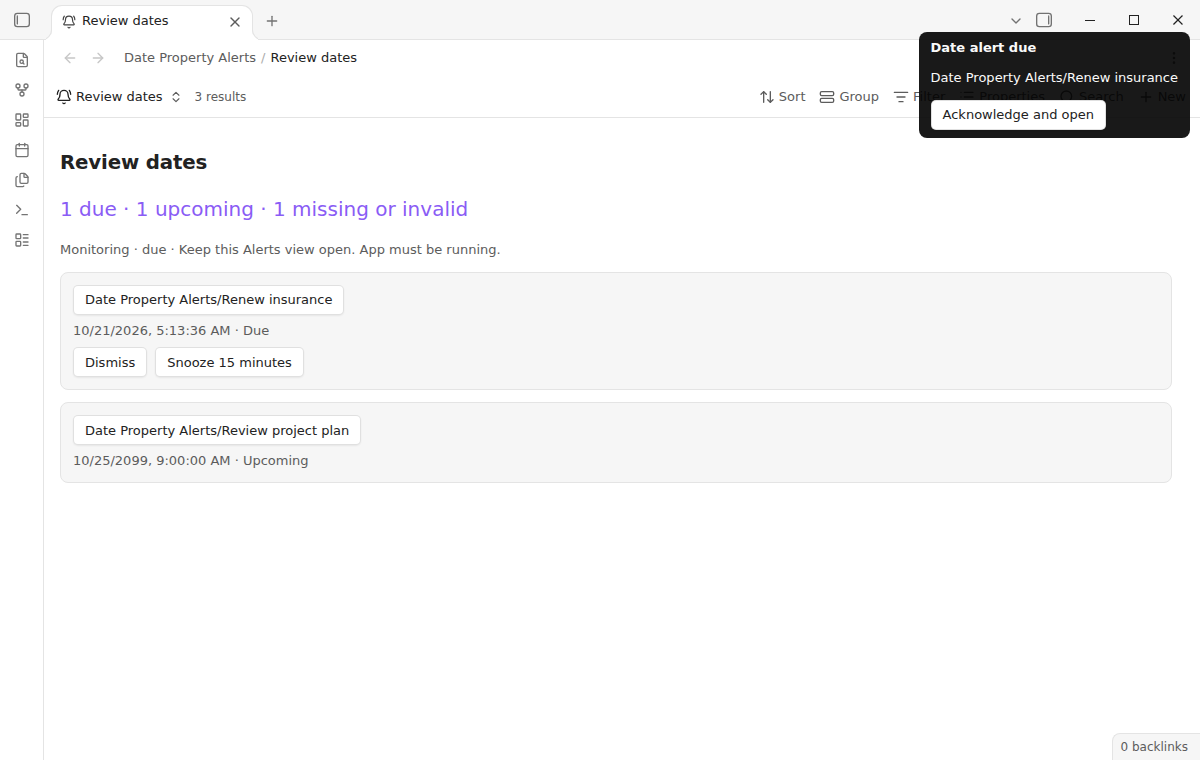
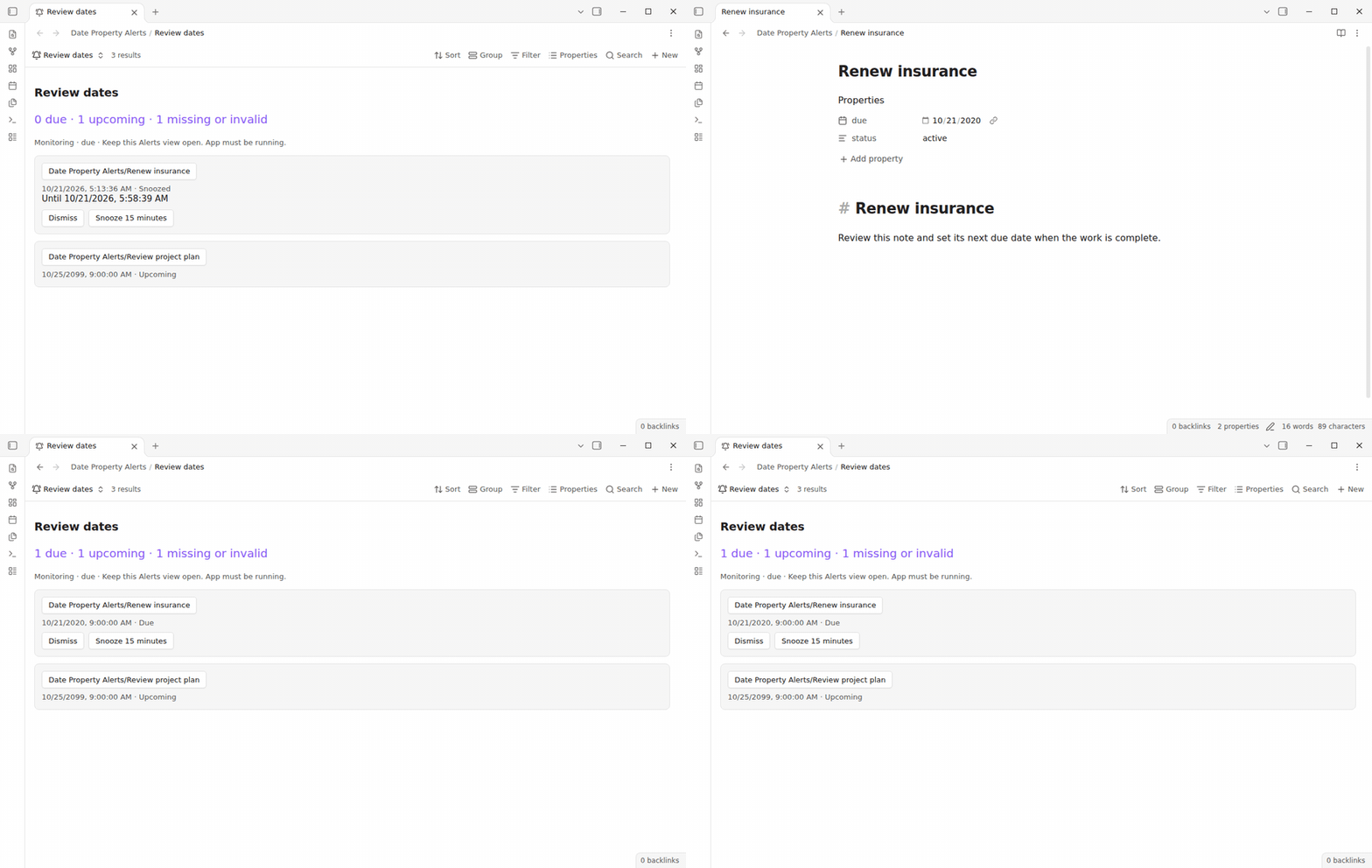
Each newly due note gets a persistent notice. Click it to acknowledge the alert and open the note. Until that click, delivery remains unread, even if Obsidian is behind another window. Checks run when query data changes and every 30 seconds while the view is loaded. On startup, previously unknown past dates appear in the list without sending notices. Snoozed dates still alert after their wake time. Newly due dates alert while the source is open.
Each clicked notice is remembered on this device for this vault. History older than 90 days and paths that no longer exist are removed. Opening the same source twice does not repeat its alerts. Dismiss hides the row and keeps the current date quiet. Delivered rows remain visible but do not count as due. Identity uses the note path, property and stored date text, so changing the hour option or device timezone never resets acknowledgement. These actions never edit notes.
Free and custom snooze
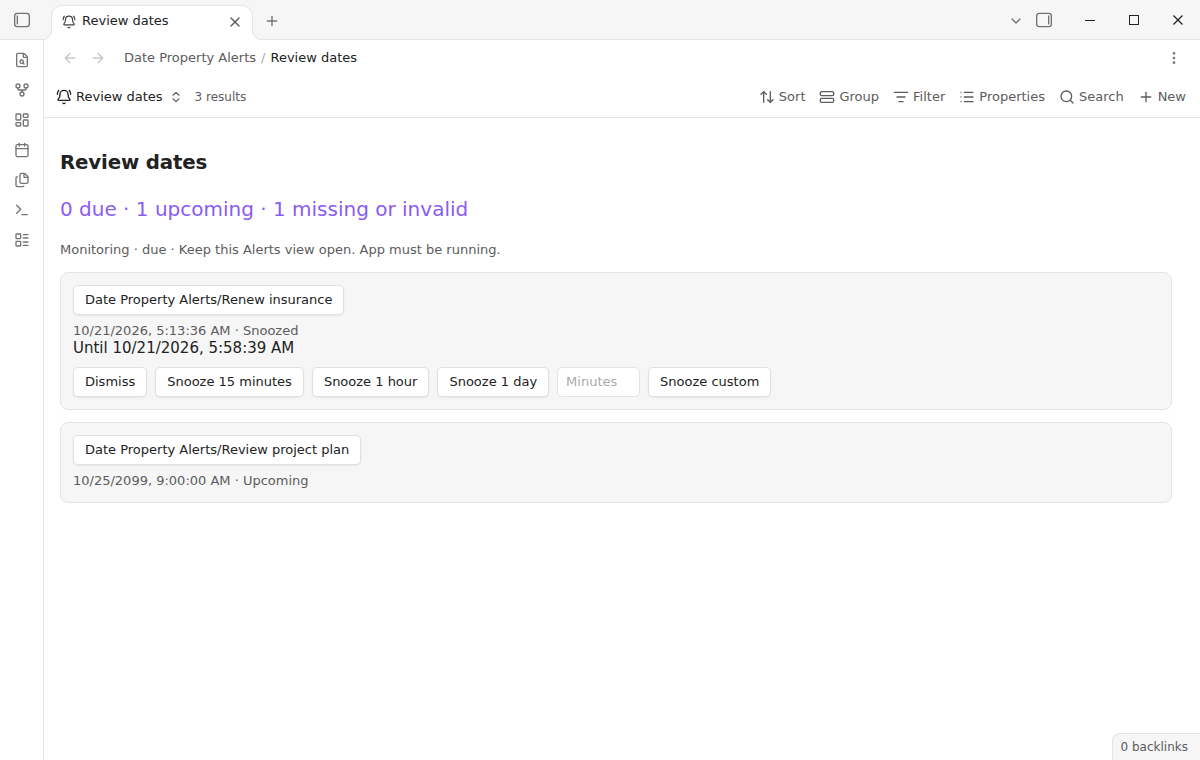
Free includes Snooze 15 minutes for every due entry. Pro adds one hour, one day, and a custom duration from 1 to 10,080 minutes. Snooze requests another reminder without moving the original due date. The list shows the wake time. A snooze is stored locally and sends another notice after its wake time when the source is available. Existing snoozes still finish if your Pro access ends.
Install
Install Date Property Alerts from Community plugins when it is available in the directory, then enable it. For a manual installation, put the release's main.js, manifest.json, and styles.css in a date-property-alerts folder under your vault's community plugins folder. Reload Obsidian and enable the entry. Use the minimum app version shown in the manifest or a newer release.
Enable the core Bases plugin before setting up a source. No task manager, external notification service, account, or payment is needed for free alerts.
Usage
Add a property named due to a note and set its type to Date or Date and time. Use a value such as 2026-10-25 or 2026-10-25T14:30. A quoted ISO timestamp with Z or an explicit offset also works. Empty fields, lists, numbers, and prose such as next Friday are not accepted.
Create a base and add an Alerts view from the view selector. Open its options and select the note date property. The default is due. Set the date-only hour if you prefer something other than 09:00. Filter for active notes, then inspect the counts.
Date-only values use the selected hour in your device's timezone. Times without an offset use that timezone too. An offset timestamp identifies the same instant wherever you travel. Impossible calendar days and explicit local times skipped by daylight saving are rejected. Date-only reminders move forward to the next valid local time when the selected hour is skipped. ISO timestamps can include milliseconds and lowercase t or z. Dates are displayed using your device's locale.
For a daily dashboard, embed the base in a note and select its Alerts view. Keep that dashboard loaded. If you use several bases, matching note, property, and stored date combinations share delivery history. Different properties have separate identities even if their dates are equal. Renaming a note gives it a new path and therefore a new identity.
Settings
View options control the date property, the hour for date-only values, and Enable notices. Turn notices off to inspect the list without consuming delivery history. Turning them back on resumes alerts for monitored dates. Past dates first seen after startup stay quiet until you snooze them or change their date. A delivered item remains visible for review rather than disappearing from your source.
The plugin settings page explains source setup and contains optional GitHub Sponsors controls. There is no startup sales notice. Sign in only if you want extra snooze durations. The alert list and free controls continue to work without that connection. Delivery and snooze state use device storage, so another phone or computer maintains its own history even when the notes sync.
FAQ
Does this read task lines? It reads a note property, not checkboxes or inline reminder markers. The separate Reminder plugin supports task reminders; this view serves notes selected by Bases.
Will a phone show a system push while the app is closed? No. This release sends in-app notices only. Mobile operating systems can suspend Obsidian in the background. Use a dedicated alarm tool when a missed background notification would matter.
Why is a note missing? Check its filter, the view's row limit, the selected property, and the value format. A Delivered entry has had its notice clicked on this device. Dismiss removes the row from this view without editing the note. Snooze a quiet past entry if you want a new notice.
Can I repeat the same date automatically? Recurrence is not included. Set a new due date to schedule another review. Changing a date back to a previously delivered stored date keeps that earlier delivery history.
Payment, account and network
The core features are free. Pro features need a GitHub Sponsors sponsorship of theluckystrike: $5 a month or more, or $15 once. A total payment of $15 meets the payment requirement for Pro without further payment. Sign-in and the checks below still apply. Your notes stay readable and editable with or without Pro.
GitHub handles the payment. Sponsor at https://github.com/sponsors/theluckystrike. You need no account for the free features. Pro needs the GitHub account that sponsors.
Until you select "Sign in with GitHub" in the settings, Date Property Alerts makes no network requests. Sign in uses the GitHub device flow. Date Property Alerts sends its public client ID and the scope read:user to https://github.com/login/device/code and shows you a code. While you enter the code at https://github.com/login/device, it asks https://github.com/login/oauth/access_token every few seconds to check the sign-in status. The scope permits profile reads only. GitHub needs this access to show the sponsorship tier. It grants no repository scope and no write access.
After sign in, Date Property Alerts sends one query to https://api.github.com/graphql. It checks if the signed-in account sponsors theluckystrike. It asks for the tier and the total payment to theluckystrike. The plugin reuses a successful check for 7 days. Failed checks can retry after 6 hours. Select Refresh to request an earlier check. It sends no note content, file names or other vault data, and it has no telemetry.
After a successful check, Pro can work offline for up to 14 days. Sign out or a negative sponsorship answer turns Pro off. The plugin stores the GitHub token through the secret storage API of Obsidian. It does not put the token in its saved settings or its local sponsorship data. The local storage of this device keeps your GitHub login, the tier and the time of the last check. Sign out clears the token. You can also revoke the access in your GitHub settings, under Applications.
Support
Visit NoteMods for support. Include the app version, property format, and a small sample base when reporting a problem. Remove private note content before sharing an example. This product uses the MIT license and public Obsidian APIs.
For plugin developers
Search results and similarity scores are powered by semantic analysis of your plugin's README. If your plugin isn't appearing for searches you'd expect, try updating your README to clearly describe your plugin's purpose, features, and use cases.