Repeat
approvedby prncc
Review notes using periodic or spaced repetition.
Obsidian Repeat Plugin
Review notes using spaced repetition from right within Obsidian.
Mark any note for repetition with the repeat property. Notes become due according to their schedule and appear in a dedicated Repeat view. All repetition state is stored in the note's frontmatter, making it easy to understand and edit.
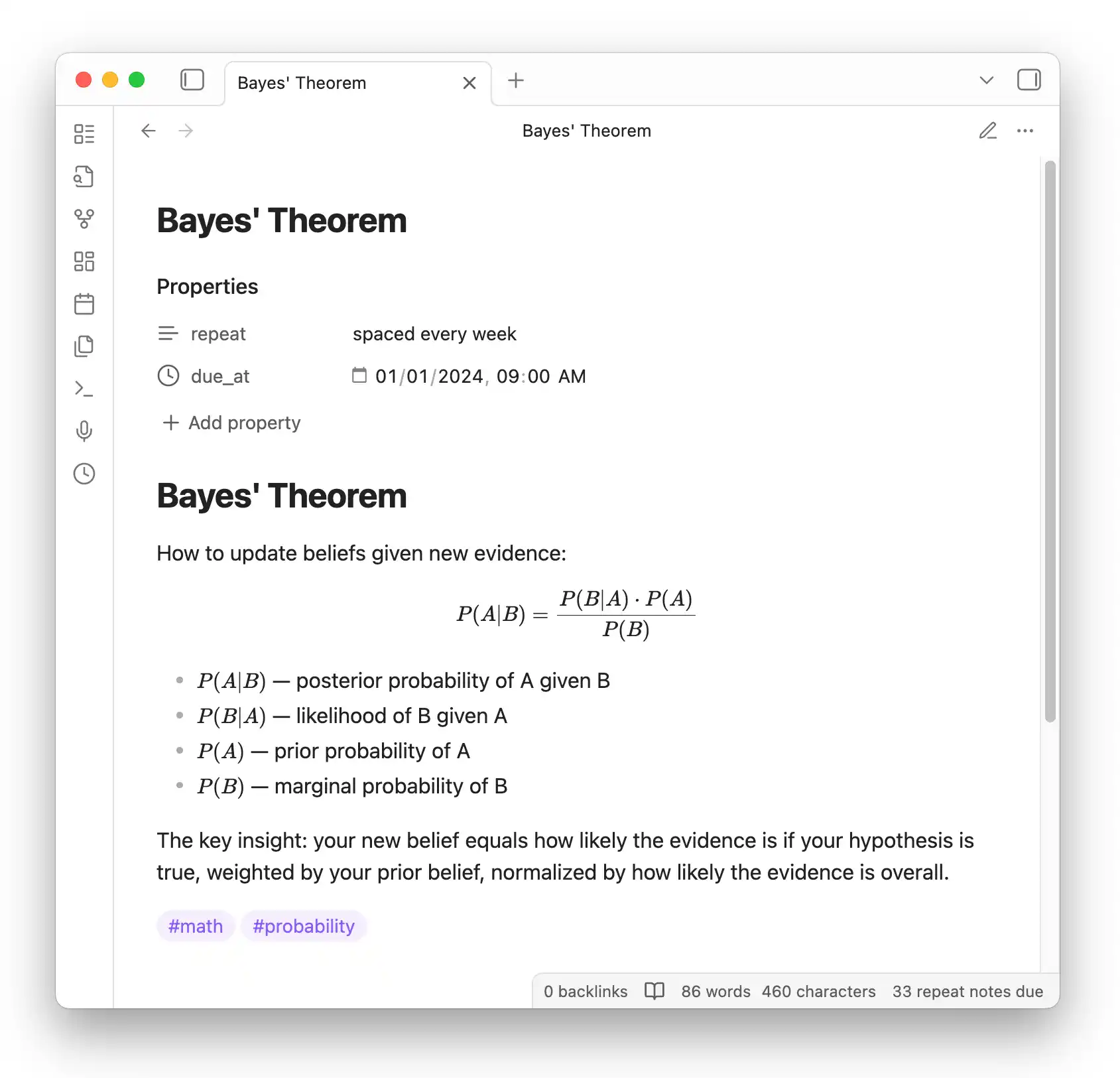
Quick Start
- Install Dataview and Repeat Plugin from Community Plugins
- Add a
repeatproperty to any note (e.g.,repeat: every week) - Open the Repeat view via the clock icon or
Repeat: Review due notescommand
Marking Notes for Repetition
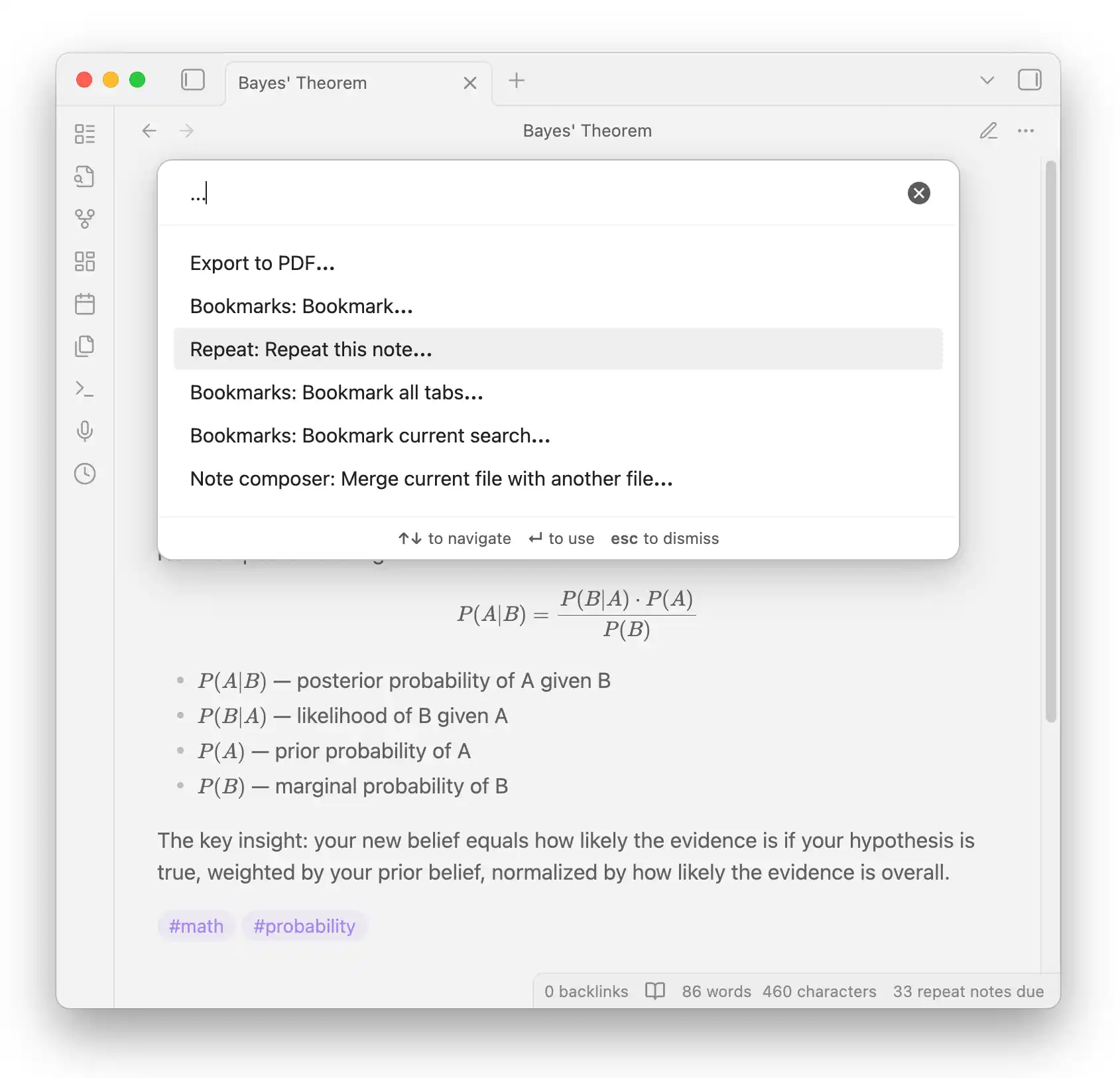
Add a repeat property to any note. You can also use the Repeat: Repeat this note... command:
Periodic Repetition
Notes become due after a fixed interval:
daily,weekly,monthly,yearlyevery day,every week,every month,every yearevery 3 days,every 2 weeks, etc.every monday,every tue, thu,every sat and sun
Spaced Repetition
Add spaced to choose when to review next during each review:
spaced daily,spaced weekly,spaced monthlyspaced every 3 days,spaced every 2 weeks, etc.
Other Options
- Hidden content: Add
hidden: trueto obscure the note body during reviews (click to reveal) - Evening reviews: Add
in the eveningto the repeat value (e.g.,every day in the evening) - Disable repetition: Use
repeat: never(oroff,no,false)
Reviewing Notes
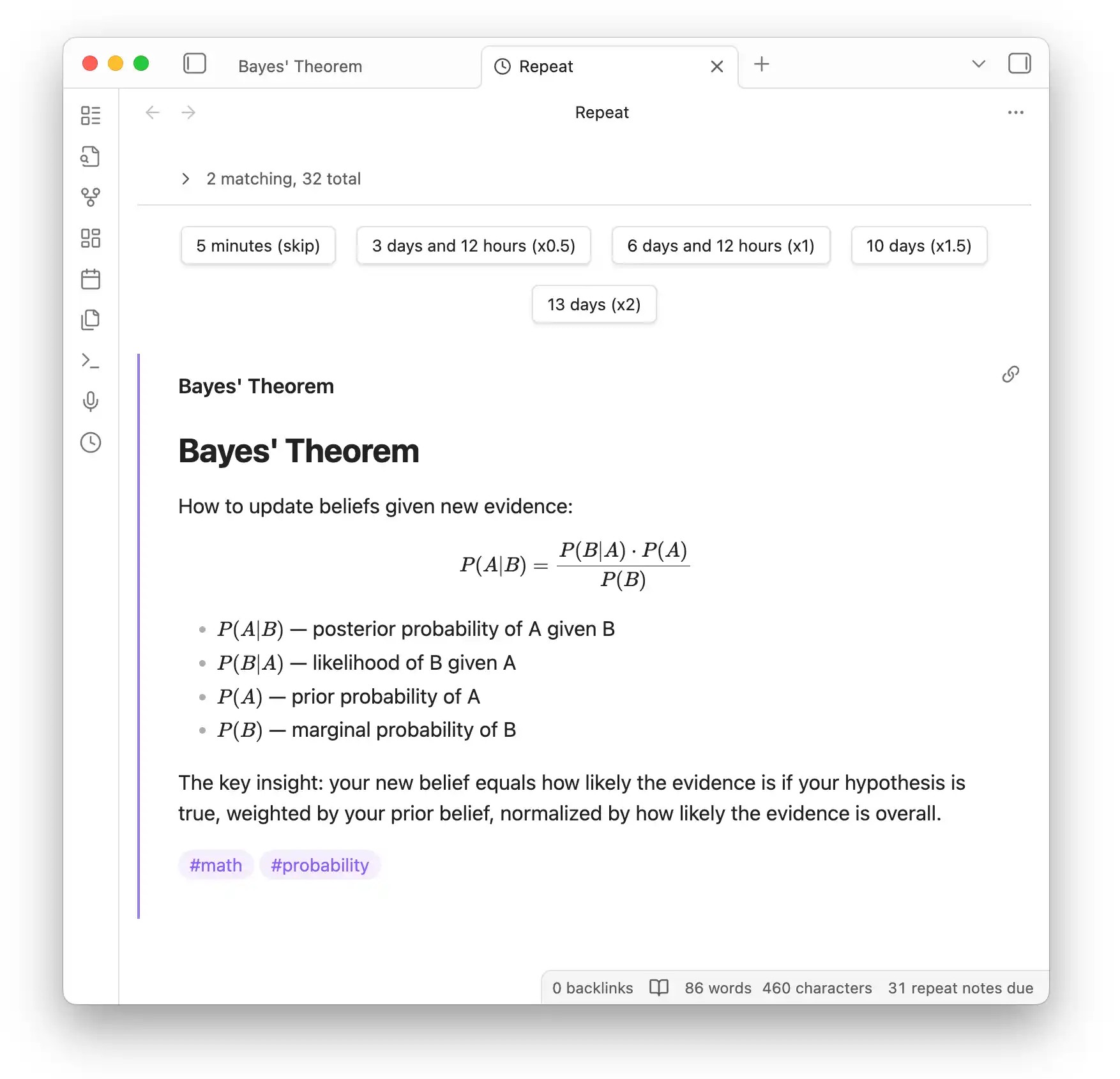
Open the Repeat view to see due notes. Click a button to schedule the next review:
Filtering
Click the note count to expand filter options. Filter by tags or any Dataview source expression:
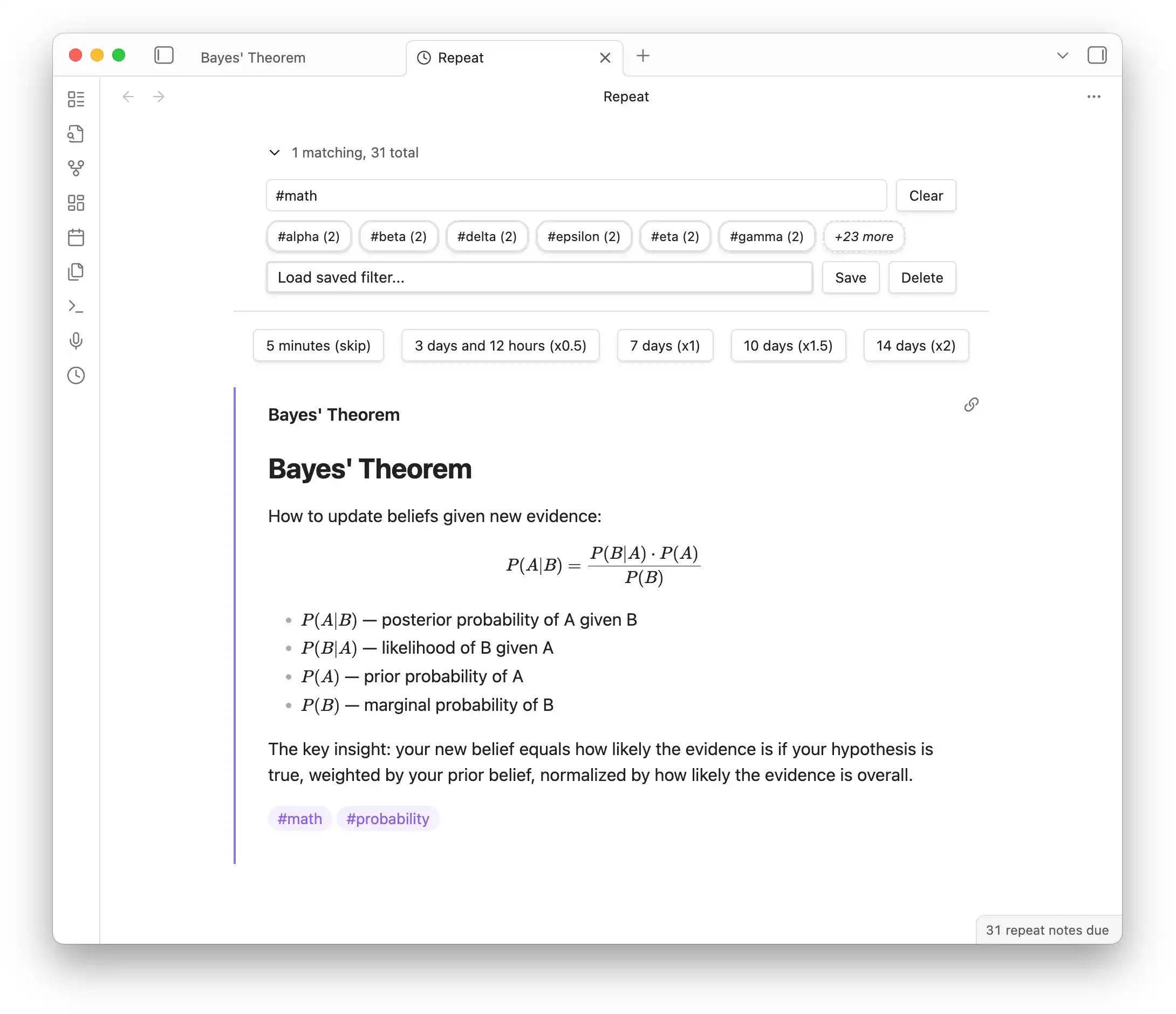
- Click tag shortcuts to filter (e.g.,
#math) - Use expressions like
#math OR #physics - Save frequently-used filters for quick access
How Scheduling Works
- Periodic: Due dates stay evenly spaced. If you miss reviews, the note catches up to the next occurrence.
- Spaced: You pick a multiplier (x0.5, x1, x1.5, x2) to adjust the interval each review.
- Skip: The
5 minutes (skip)button bumps the due time without changing the schedule. - The
due_atproperty is calculated automatically after each review.
Installation
Install from Settings > Community plugins > Browse:
- Dataview Plugin (required)
- Repeat Plugin
Resources
- GitHub Issues — Report bugs or request features
- obsidian-scripts — Bulk add
repeatto existing notes - Development:
yarn install && yarn dev
For plugin developers
Search results and similarity scores are powered by semantic analysis of your plugin's README. If your plugin isn't appearing for searches you'd expect, try updating your README to clearly describe your plugin's purpose, features, and use cases.