by Alin AM Morosanu
Insert dates and times in your own formats from a calendar, a ribbon icon, commands or an inline trigger.
Daystamp
Insert dates and times into your Obsidian notes in your own formats, from a calendar, a ribbon icon, commands or an inline trigger.
All four ways share the same named presets, so a format you set up once works everywhere.
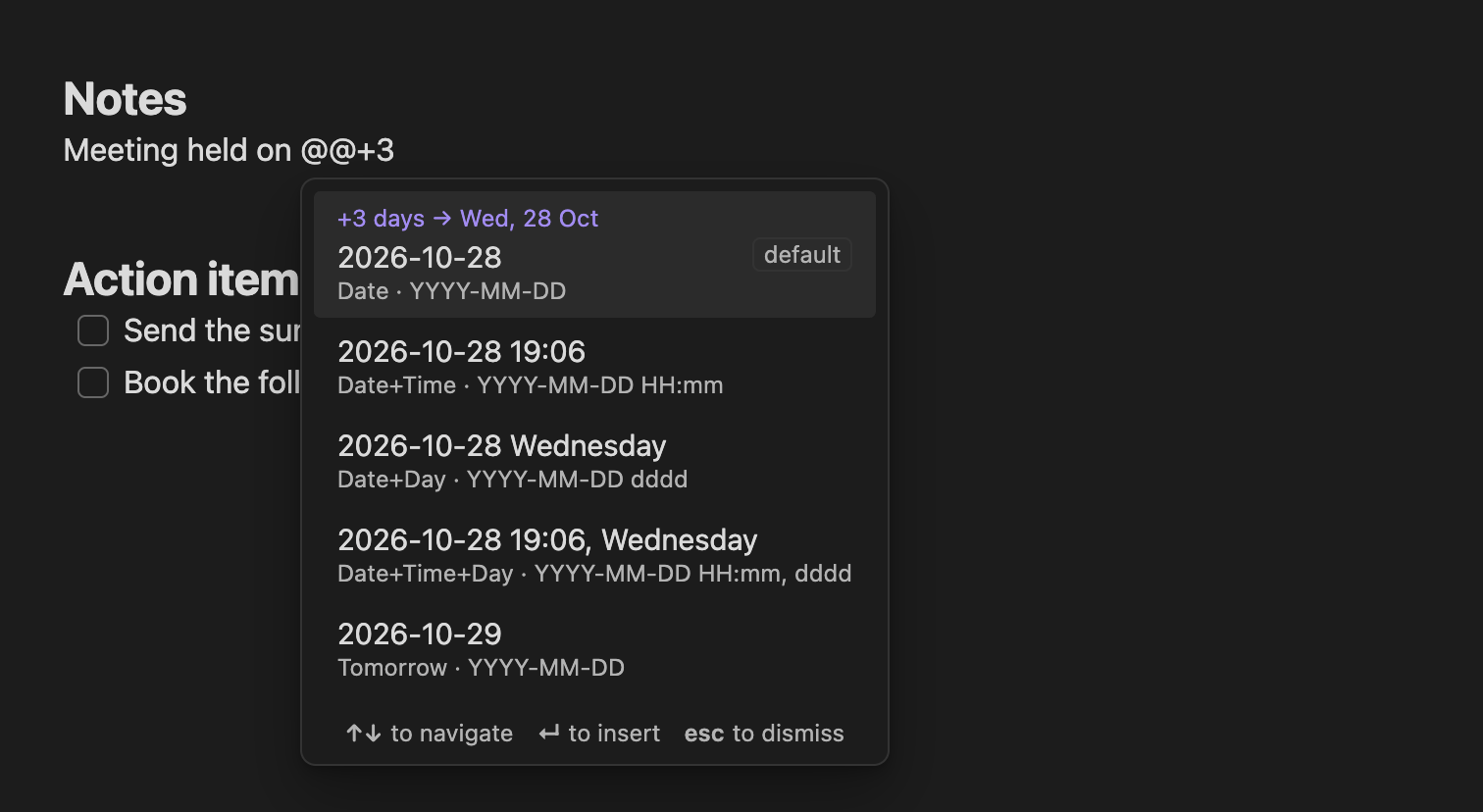
Features
- Ribbon icon: one click inserts your default preset.
- Inline trigger: type
@@for a list of presets.@@+3shifts the date three days ahead,@@-1gives yesterday, and@@timefilters by name. - Calendar: pick any day with the mouse or keyboard, choose a preset, and see exactly what will be inserted.
- Commands: one per preset, for the command palette, Slash commands and hotkeys. Renaming a preset keeps its hotkey.
- Presets: any moment.js format, day offsets (Tomorrow, Next week), and optional links to your daily notes, such as
[[2026-10-25|Sunday 25 October]]. - Works on desktop and mobile, follows Obsidian's language, and is fully keyboard and screen-reader accessible.
Screenshots
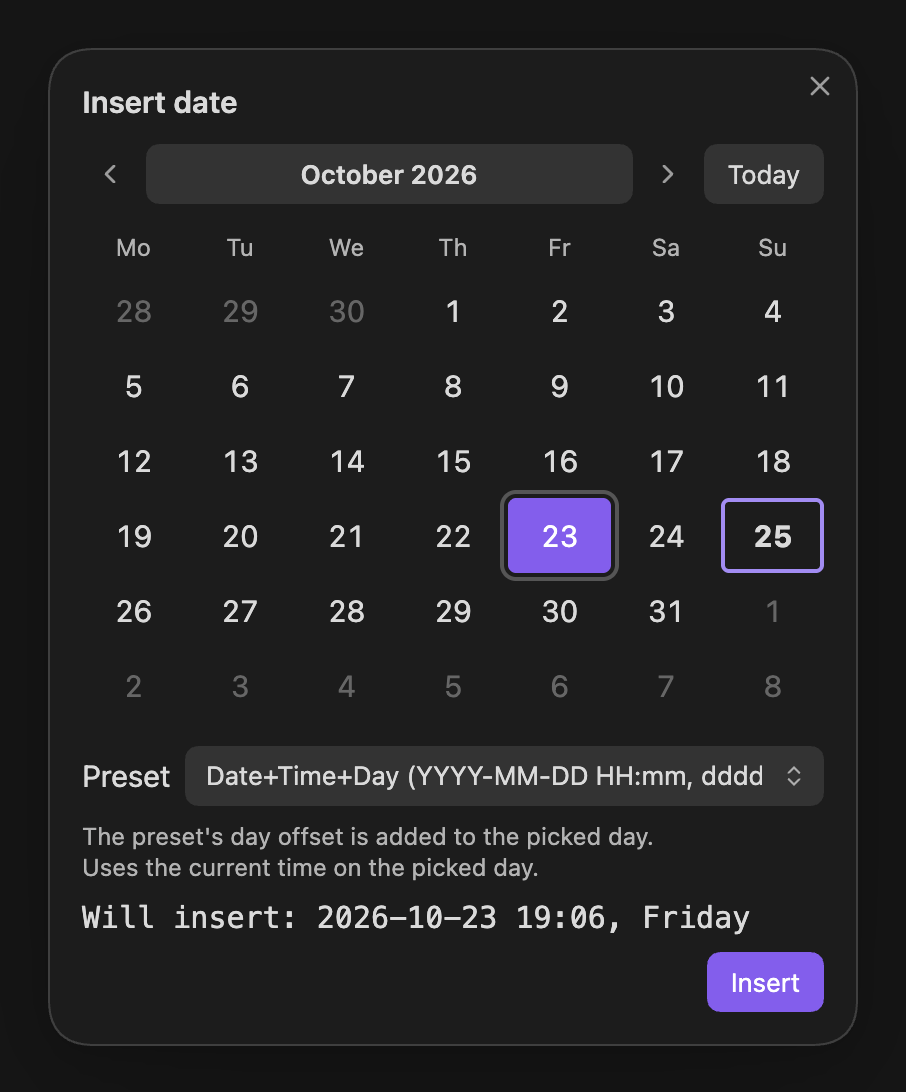 Calendar: pick a day, choose a preset, see the result before inserting. | 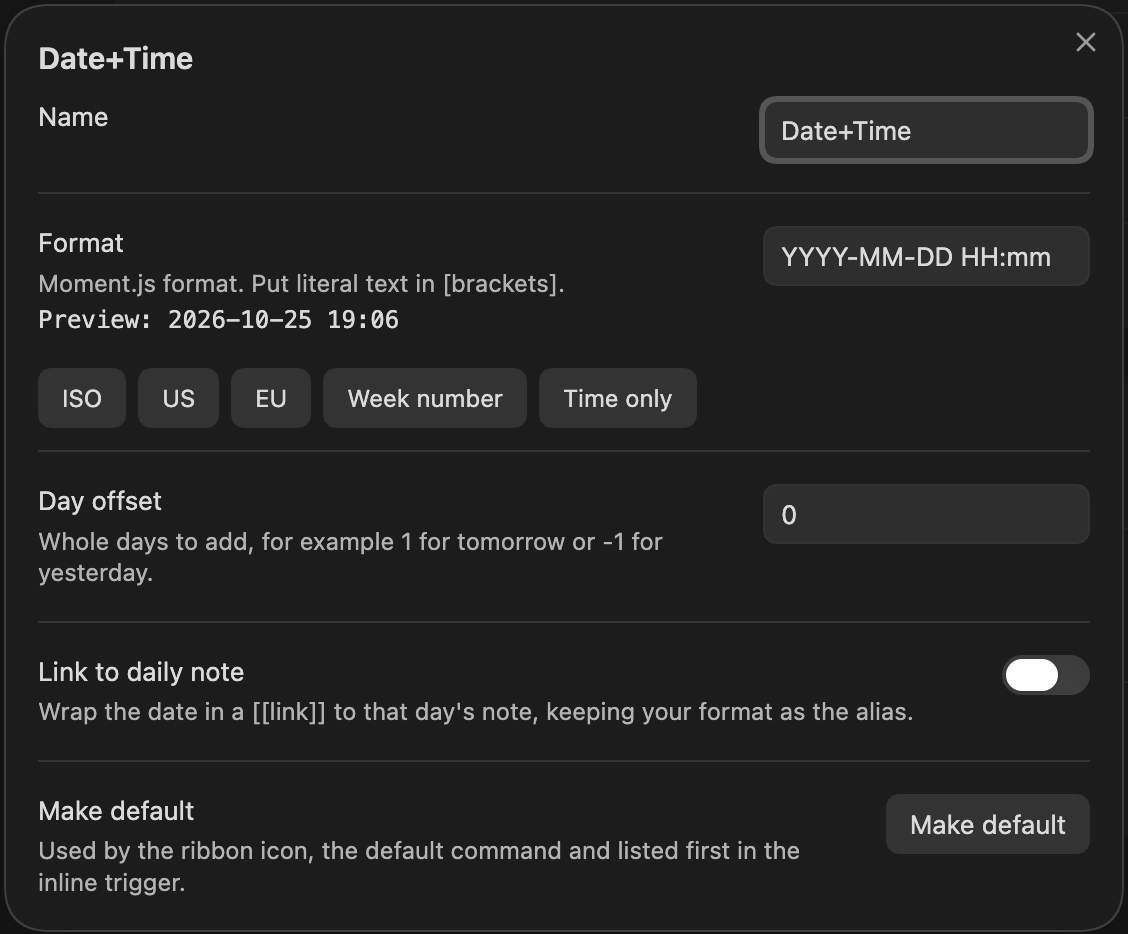 Preset editor: format with live preview, day offset, link to daily note. |
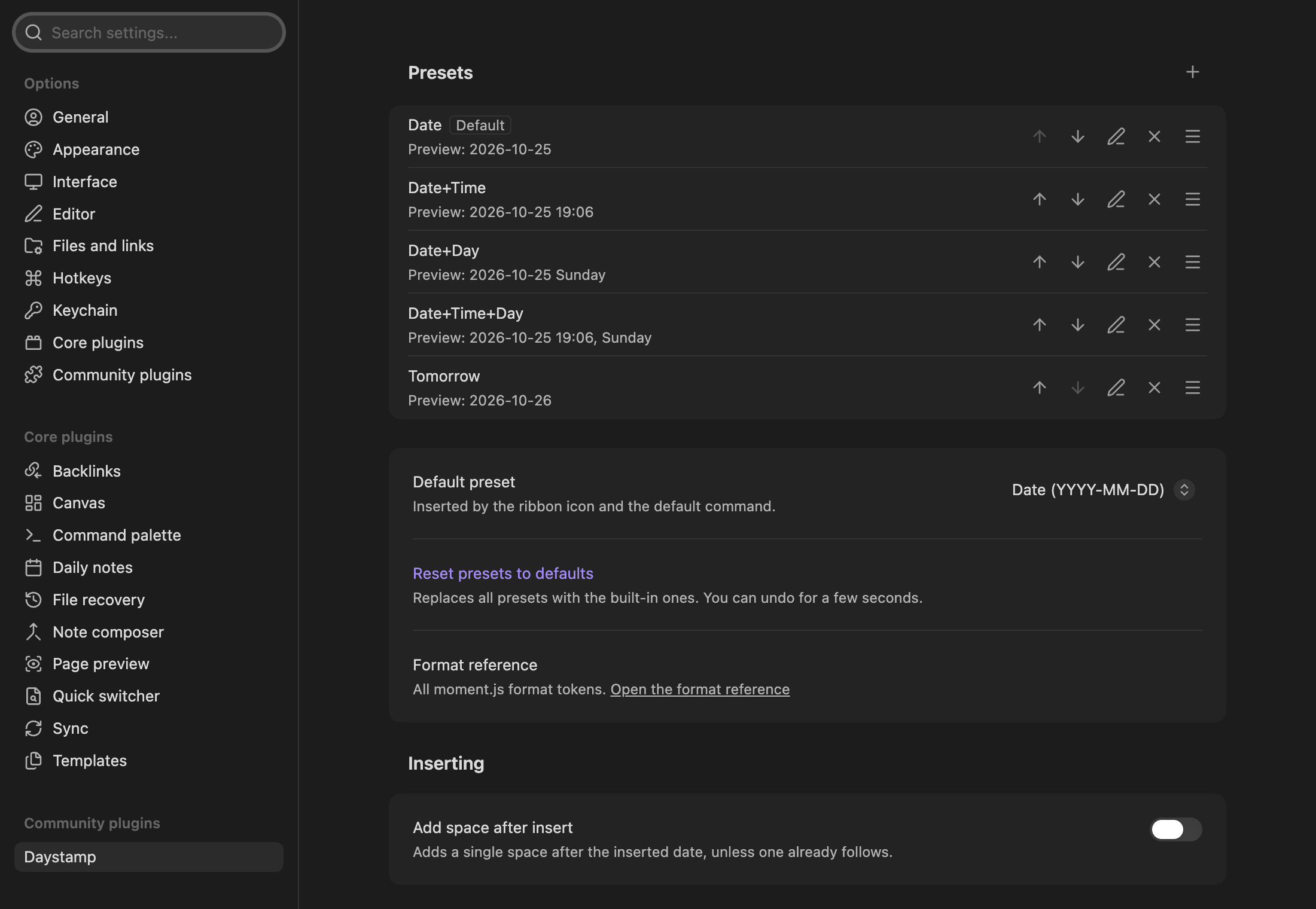 Settings: manage presets, the default, the trigger and more. Every option shows up in Obsidian's settings search. | |
Built-in presets:
Date 2026-10-25
Date+Time 2026-10-25 14:30
Date+Day 2026-10-25 Sunday
Date+Time+Day 2026-10-25 14:30, Sunday
Tomorrow 2026-10-26
Install
Daystamp needs Obsidian 1.13.0 or later. Until it's listed in the Community plugins directory, install it by hand: see Getting started.
Documentation
- Users: start with Getting started, then browse the how-to guides, reference and FAQ.
- Developers: see CONTRIBUTING and the developer docs.
Privacy
Daystamp makes no network requests and collects no telemetry. It writes only its own settings file and doesn't use the clipboard. It reads the core Daily notes date format to build links. Details: Privacy and security.
Support
Found a bug or have an idea? Open an issue. For security problems, see the security policy.
License
MIT © 2026 Alin Morosanu
For plugin developers
Search results and similarity scores are powered by semantic analysis of your plugin's README. If your plugin isn't appearing for searches you'd expect, try updating your README to clearly describe your plugin's purpose, features, and use cases.