Double row toolbar
approvedby lorens-osman-dev
Adds a second row to the toolbar on mobile devices, allowing for more quick access buttons.
Double row toolbar
Adds a second row to the Obsidian toolbar on mobile devices, allowing for more quick access buttons.
What the plugin do screenshot.
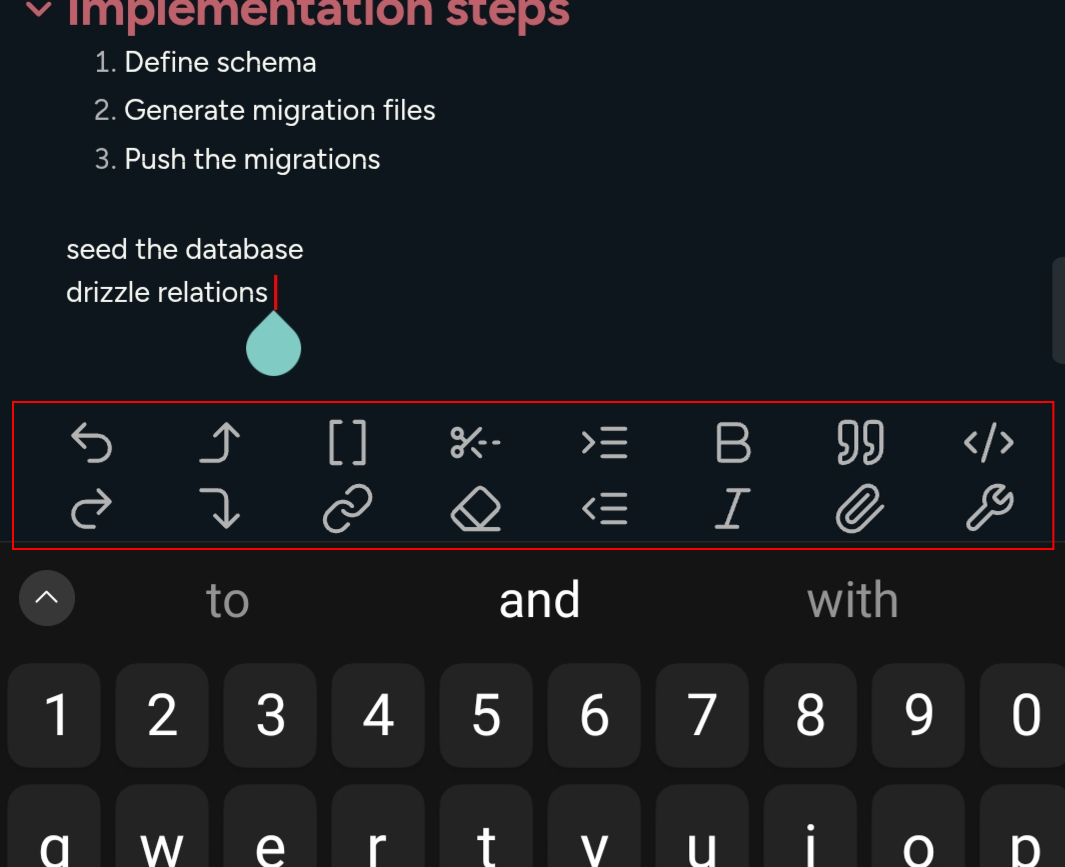
Recommended Toolbar.
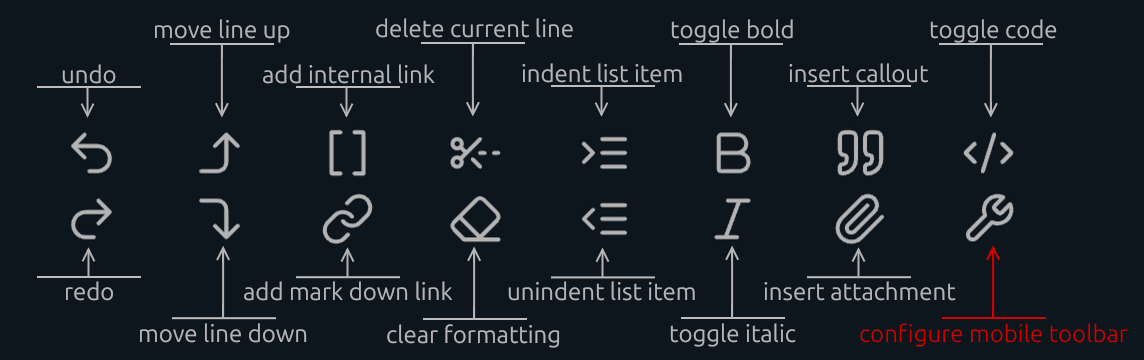
How to add delete current line button.
- Open a note and tap inside the editing area to show the toolbar.
- Tap the `configure mobile toolbar` button.
- Find `Double row toolbar : Delete current line` and add it to `Manage toolbar options`.
- If you can't find it, scroll to the bottom. In the `Add global command` section, search for `Double row toolbar : Delete current line`.
Bottom Offset
NEW: The plugin allows you to adjust the vertical position of the mobile toolbar to ensure it doesn't overlap with system gestures (like the home bar on iOS/Android) or other UI elements.
-
Usage:
-
Open Settings > Double Row Toolbar.
-
Use the Bottom Offset slider to move the toolbar up or down.
-
The changes apply instantly in the editor.

For plugin developers
Search results and similarity scores are powered by semantic analysis of your plugin's README. If your plugin isn't appearing for searches you'd expect, try updating your README to clearly describe your plugin's purpose, features, and use cases.