Dualyze Structure
approvedby DualyzeAI
Turn long notes into structured knowledge: split notes, parent links, structure index, and MOC. - This plugin has not been manually reviewed by Obsidian staff.
Dualyze Structure
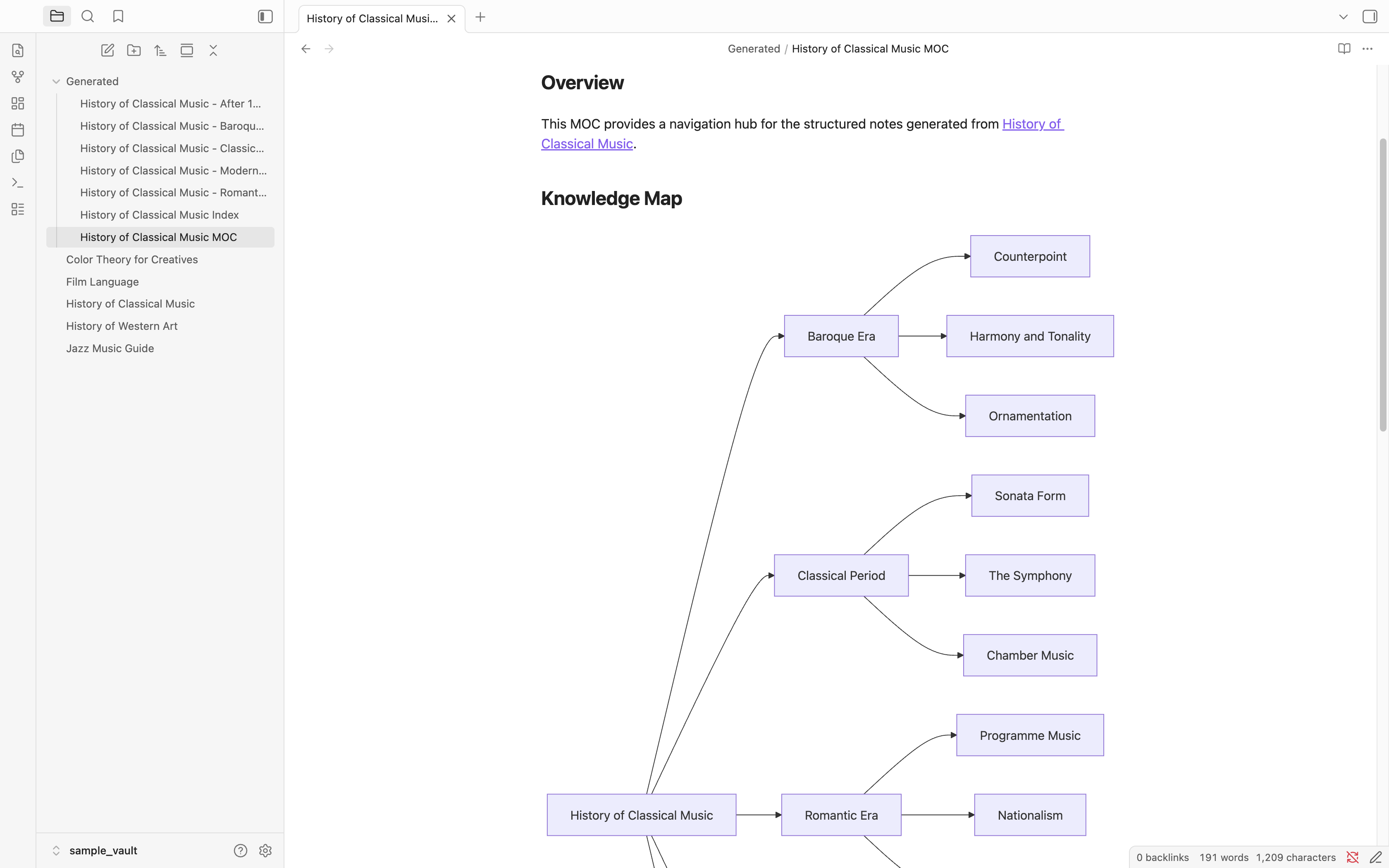
Turn long notes into structured notes, indexes, and visual knowledge maps automatically.
Before
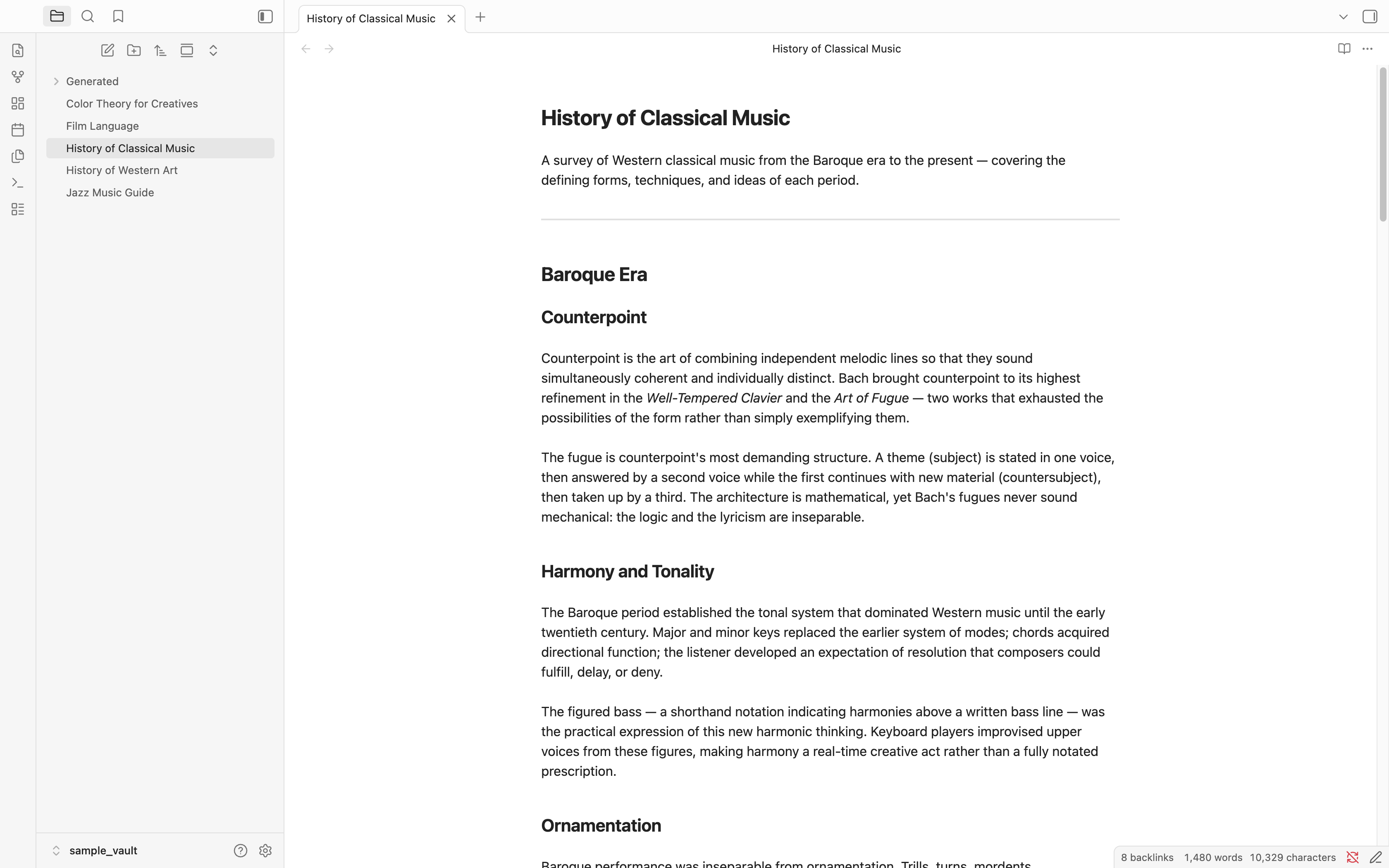
A long note with multiple sections and subtopics.
Create Structure
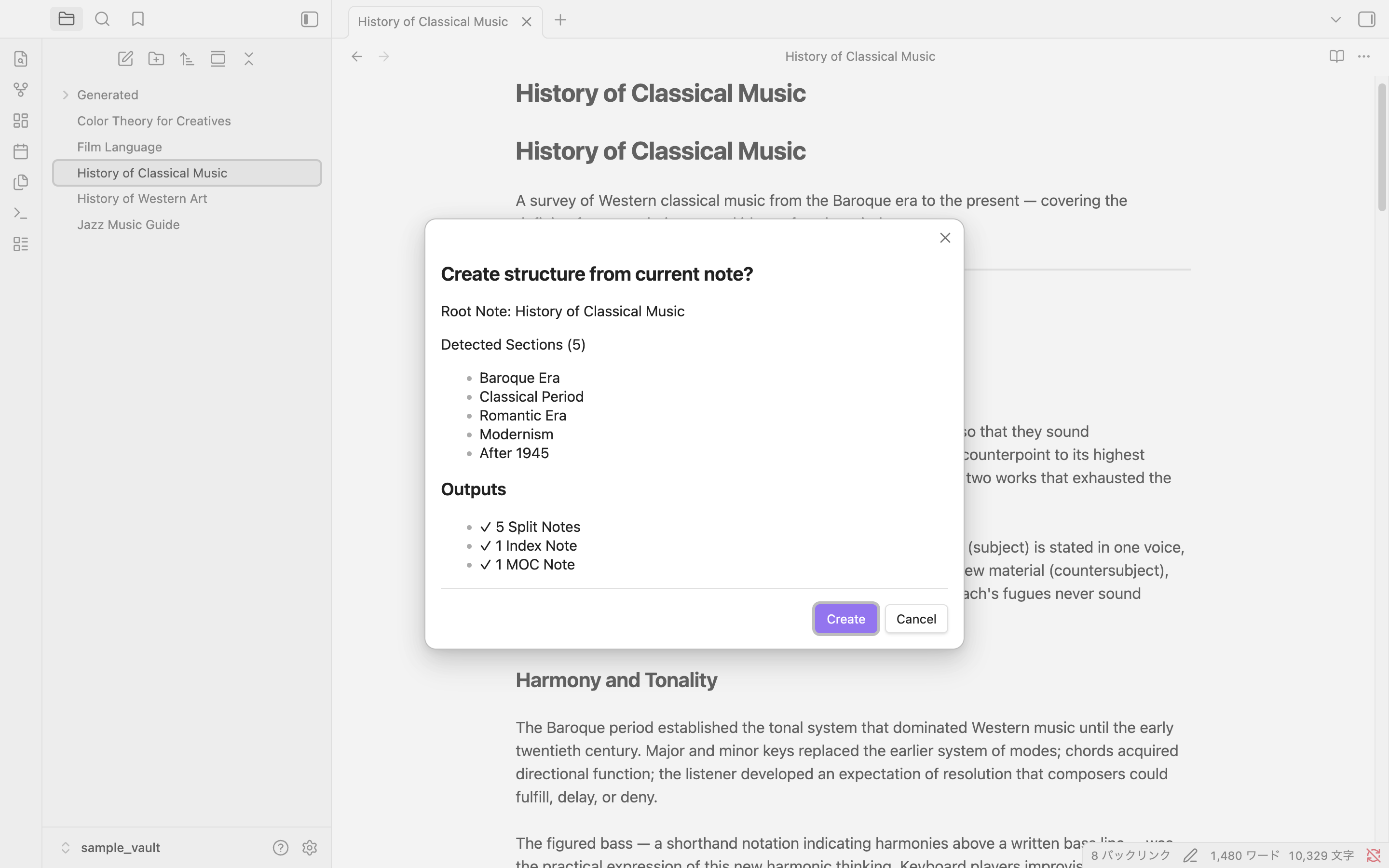
Preview detected sections before generating.
After
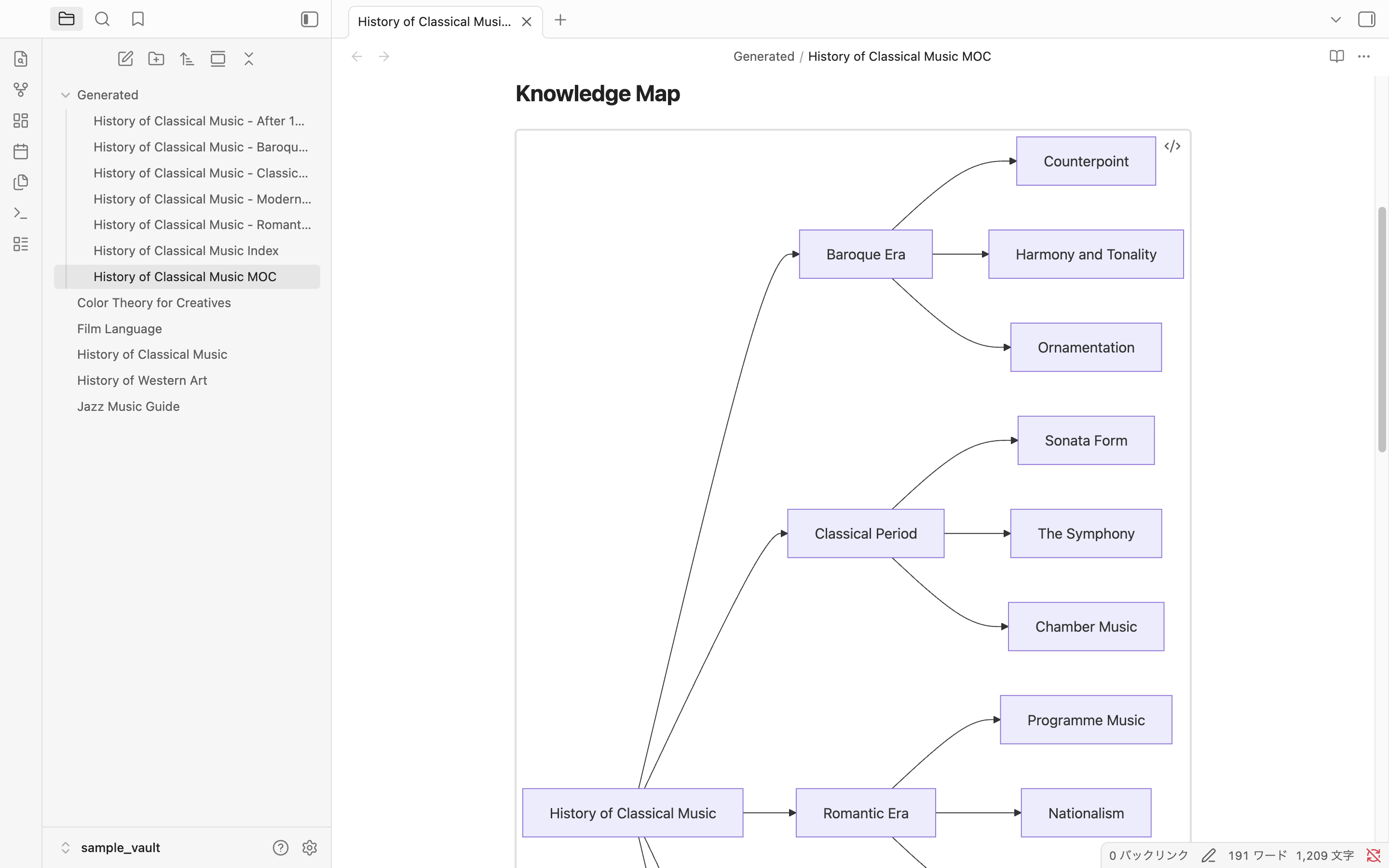
Generate split notes, structure index and visual knowledge maps.
📖 Step-by-step Tutorial
See how Alice turns a 5,000-line AWS note into:
- 11 focused notes
- A Structure Index
- An MOC
- A navigable knowledge base
→ Read the complete tutorial: How Alice Turned a 5,000-Line Note into a Structured Knowledge Base
Features
| Feature | Description |
|---|---|
| Structure Split | Each ## section becomes an independent note. ### and deeper headings stay inside their parent. |
| Parent Links | Every split note gets parent: "[[Source Note]]" in its frontmatter for backlink navigation. |
| Structure Index | The original note is converted to a clean link list — your navigation hub. |
| Knowledge Map | Automatically generates a visual knowledge map in the MOC using Mermaid flowcharts. |
| MOC Generation | A Map of Content lists all related notes and serves as an overview of the whole topic. |
Example
See a complete AWS example:
How to Run It
Three ways to trigger the command:
Right-click in the editor — open any note, right-click the body, select Create Structure.
Right-click in the file explorer — right-click a note in the left sidebar, select Create Structure.
Command palette — Cmd+P (Windows: Ctrl+P), type Dualyze Structure: Create Structure.
Confirmation Dialog
Before writing any files, the plugin shows a preview of what will be created.
The dialog lists every section it detected, and shows exactly how many files will be generated. Click Create to proceed or Cancel to abort — nothing is written until you confirm.
Generated Files
Structure Index (the original note, rewritten)
# History of Classical Music

## Structure

- [[History of Classical Music - Baroque Era]]
- [[History of Classical Music - Classical Period]]
- [[History of Classical Music - Romantic Era]]
- [[History of Classical Music - Modernism]]
- [[History of Classical Music - After 1945]]
Split Note (with parent link)
---
parent: "[[History of Classical Music]]"
---

# Baroque Era

Counterpoint is the art of combining independent melodic lines...
MOC (with Knowledge Map)
# History of Classical Music MOC

Generated from:
[[History of Classical Music]]

Sections: 5

## Overview

This MOC provides a navigation hub for the structured notes generated from [[History of Classical Music]].

## Knowledge Map

(Mermaid flowchart generated automatically)

## Related Notes

- [[History of Classical Music - Baroque Era]]
- [[History of Classical Music - Classical Period]]
...
Learn by Example
See how Structure Split automatically generates an MOC and Knowledge Map:
Settings
Settings → Community Plugins → Dualyze Structure (gear icon).
| Setting | Default | Description |
|---|---|---|
| Output folder | Generated | Folder for split notes and MOC (relative to vault root) |
| Generate MOC | On | Whether to generate the MOC file |
| Knowledge visualization | Mermaid Flowchart | Visual style for the Knowledge Map in the MOC: Mermaid Flowchart / Text Tree / None |
| File naming style | Spaced | Spaced: Title Index.md / Title MOC.md — Dot: Title.structure.md / Title.moc.md |
Sample Vault
The docs/ folder in this repository is a ready-to-open Obsidian vault with five demo notes and the plugin pre-installed.
| Note | H2 Sections | H3 Sections | Best for |
|---|---|---|---|
| History of Classical Music | 5 | 3 per section | Flowchart depth demo |
| History of Western Art | 6 | 2–3 per section | Large note demo |
| Film Language | 5 | 2–3 per section | Narrative structure |
| Jazz Music Guide | 5 | 0–3 per section | Mixed hierarchy |
| Color Theory for Creatives | 5 | 2–3 per section | Creative topic |
To try the sample vault:
- Download or clone this repository
- Open the
docs/folder as a vault in Obsidian - Trust community plugins when prompted
- Open any sample note → right-click → Create Structure
Documentation
Tutorials
Installation
Community Plugins (recommended)
- Obsidian Settings → Community Plugins → Browse
- Search for Dualyze Structure
- Install → Enable
Manual
- Download
main.jsandmanifest.jsonfrom Releases - Place them in your vault's
.obsidian/plugins/dualyze-structure/folder - Restart Obsidian → Settings → Community Plugins → enable Dualyze Structure
How Splitting Works
- Notes are split at every
##(H2) heading ###(H3) and deeper headings stay inside their parent H2 note- Lead text before the first
##is not included in split notes - File names follow the pattern
<Note Title> - <Section Heading>(example:History of Classical Music - Baroque Era) - Characters invalid in file names (
/ \ : # ^ [ ] |) are replaced with-or removed - Running the plugin a second time on the same note appends
-1,-2, etc. — the original is never overwritten
License
MIT
For plugin developers
Search results and similarity scores are powered by semantic analysis of your plugin's README. If your plugin isn't appearing for searches you'd expect, try updating your README to clearly describe your plugin's purpose, features, and use cases.