DXF Viewer
approvedby eweinhoffer
View, measure, and embed DXF drawings in your vault. - This plugin has not been manually reviewed by Obsidian staff.
↓ 288 downloadsUpdated 4mo agoMIT
DXF Viewer
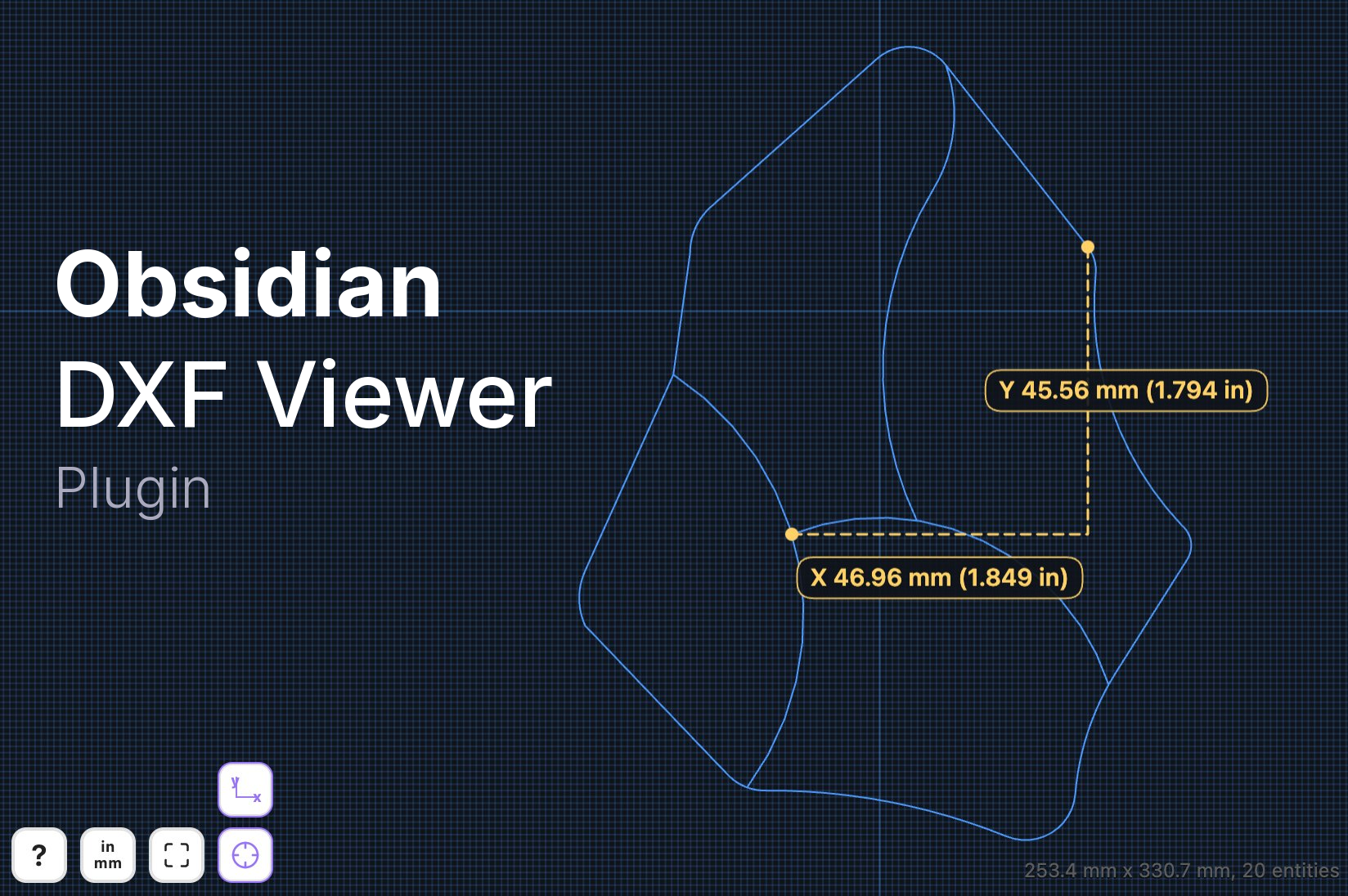
View, measure, and embed DXF drawings in your vault.
📚 Features
- Open
.dxffiles in a dedicated Obsidian view. - Render DXF embeds inside notes in reading mode with
![[drawing.dxf]]. - Pan, zoom, and reset the view with a zoom-all control.
- Measure between vertices, curve centers, and diameters of circles and arcs.
- Show direct distance or X/Y component measurements.
- Auto-detect drawing units from DXF metadata, with manual override when needed.
🛠️ Installation
Community plugins
- Open Settings → Community plugins.
- Select Browse, search for DXF Viewer, and install it.
- Enable DXF Viewer.
Manual installation
- Download
manifest.json,main.js, andstyles.cssfrom the latest GitHub release. - Create
<your vault>/.obsidian/plugins/dxf-viewer/. - Copy those three files into that folder.
- Reload Obsidian and enable the plugin.
🚀 Usage
- Open a
.dxffile from your vault, or embed one in a note with![[file.dxf]]. - Drag on trackpad or click and drag with mouse to pan.
- Pinch on trackpad or use
Cmd/Ctrl + scroll wheelto zoom. - Select the ruler button to enter measurement mode.
- Select two vertices, two curves, or a mix of both to measure distance.
- Select a circle or arc to measure its diameter.
- Double-click to clear the current measurement.
- Select the units button if the drawing needs a manual inch/mm override.
📋 Notes
- Desktop-only for the initial release.
- Embed rendering is intended for reading mode.
- Measurement display can follow the drawing units or show both metric and imperial values.
- Grid spacing follows the selected drawing units.
✍️ Author
Developed by Eric Weinhoffer

📄 License
MIT
For plugin developers
Search results and similarity scores are powered by semantic analysis of your plugin's README. If your plugin isn't appearing for searches you'd expect, try updating your README to clearly describe your plugin's purpose, features, and use cases.