Easy Tracker
approvedby hunter-ji
Instantly track goals and habits. Simple, beautiful, and configuration-free.
Easy Tracker
English | 简体中文
Easy Tracker is an Obsidian plugin for ultra-simple goal and habit tracking in any note.
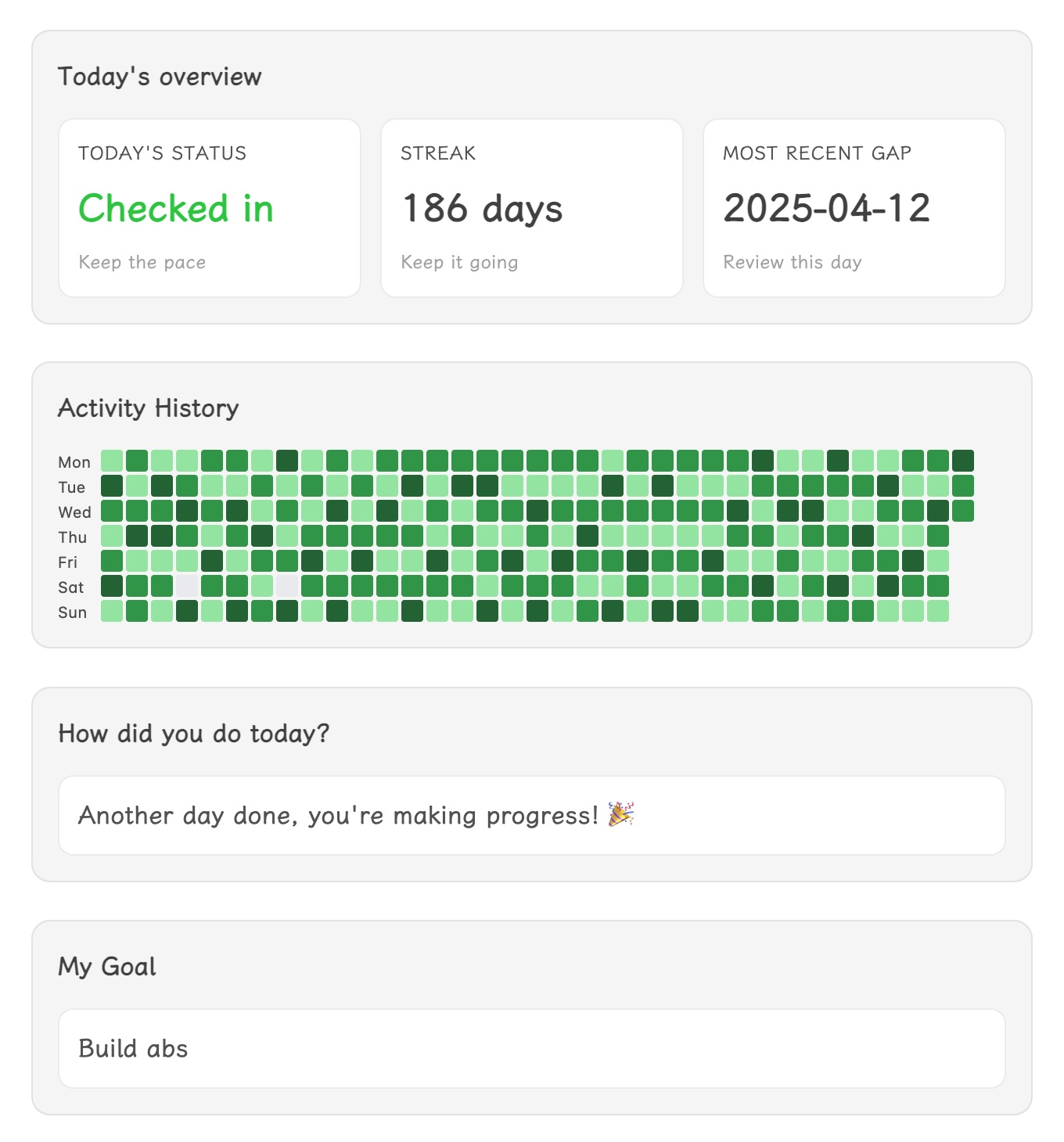
Track progress toward a single goal directly inside one file—just insert the ready-made tracker modules and log your daily effort with one click. No setup, no system building: add all you need with a single command.
What It Does
- Instantly insert a set of tracker modules (overview, heatmap, buttons, goal card) into any note.
- Log your daily progress by clicking a button—your check-ins are saved as plain text.
- Review streaks, gaps, and annual progress in a glance.
- Customize modules: add, remove, or rearrange blocks as you like.
- Supports English and Simplified Chinese, and lets you choose week start day.
How To Use
- Install and enable Easy Tracker in Settings → Community plugins.
- Open any note you want to use for tracking.
- Run the command palette and select
Insert check-in componentto add all modules at once. - Click a button each day to record your effort—no extra setup required.
- Optionally, use commands to insert or remove individual modules.
Modules
- Daily overview: Shows today's status, streak, and last missed day.
- Year calendar heatmap: Visualizes your annual progress.
- Check-in buttons: One-click logging; labels and values are editable.
- Goal card: Displays your motivational message.
All data is stored as plain text in your note—easy to search, sync, or edit.
Customization
- Edit button labels/values by changing the text inside the block.
- Move or remove modules as you wish.
- Adjust week start in Settings → Easy Tracker.
No complex setup—just insert, click, and track.
For plugin developers
Search results and similarity scores are powered by semantic analysis of your plugin's README. If your plugin isn't appearing for searches you'd expect, try updating your README to clearly describe your plugin's purpose, features, and use cases.