by czjeff1995
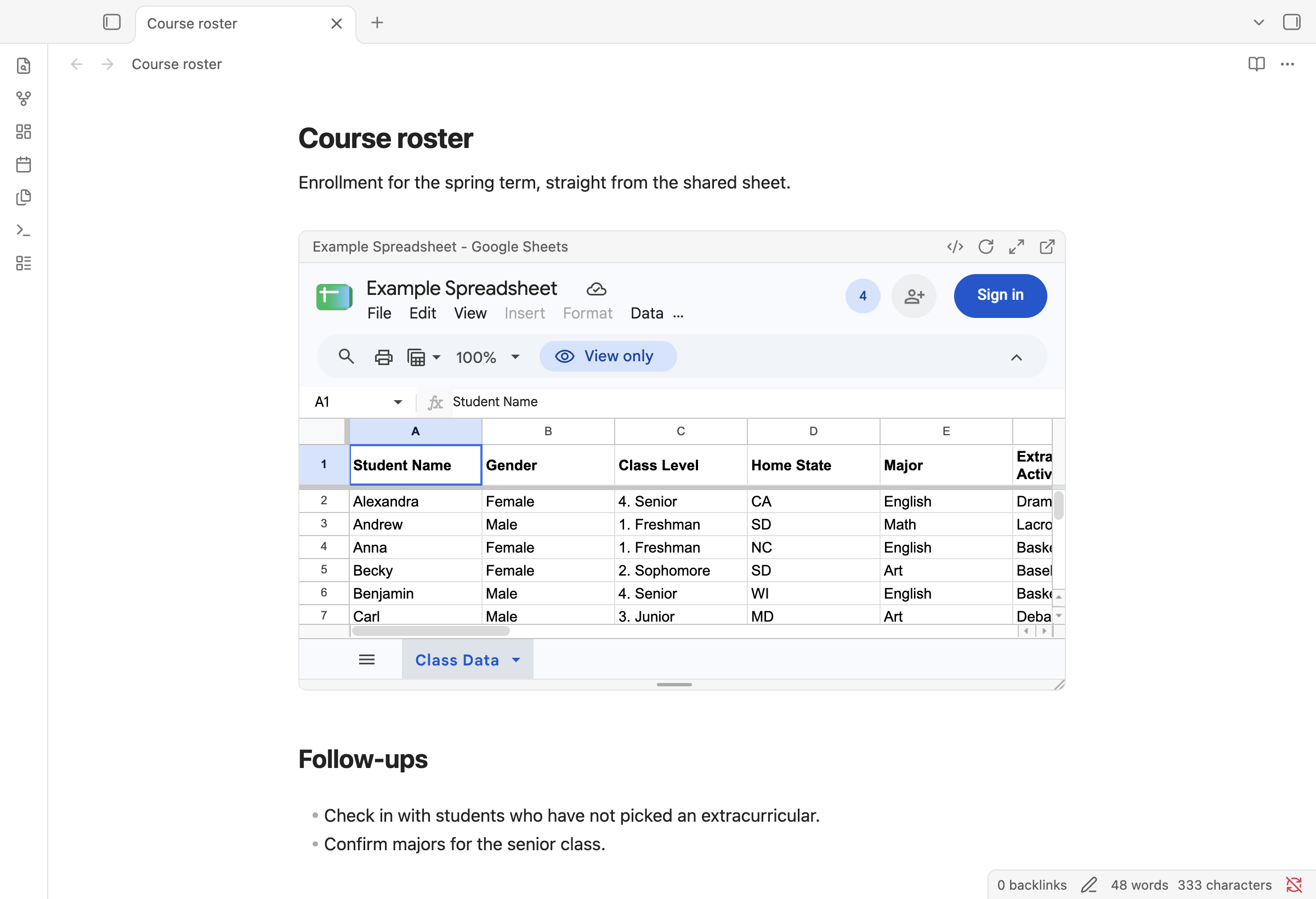
Embed live Google Docs, Sheets and Slides in notes from their sharing links, signed in with your Google account, with drag-to-resize.
Embed Google Docs
Live Google Docs, Sheets and Slides inside your Obsidian notes. Sign in once, and every document opens right in the note, ready to read, edit and comment on. Desktop only.
Quick start
- Run Sign in to Google from the command palette.
- Paste a Google Docs, Sheets or Slides link on an empty line. It turns into
an embed:
![[https://docs.google.com/document/d/…/edit]] - That's it: the document loads in your note.
What you can do
- Resize an embed by dragging its bottom edge or corner. Size and mode
- Pick a view per document: full editor, editor without menus, or read-only. Size and mode
- Insert from Google Drive or create a new file without leaving Obsidian. Adding documents
- Open a document in its own tab for more room. Embed buttons
- Turn an embed into a snapshot: a copy of the document right in your note, to search it or read it offline. Snapshots
- Dark mode: documents turn dark along with your theme. Settings
Size and mode
Drag the bar under an embed to change its height, or the corner to change the width too. The size is saved in the link:
| You write | You get |
|---|---|
![[link]] | full width, default height |
![[link|600]] | 600 px tall |
![[link|800x600]] | 800 px wide, 600 px tall |
A single number is the height, not the width as for images.
Add a mode to choose how that one document opens:
| Mode | Shows |
|---|---|
edit | the full editor |
minimal | the editor without menus |
preview | a read-only page |
Mix them in any order: ![[link|600 preview]]. Without a mode, the
Embed mode setting decides.
Adding documents
- Paste a Google link on an empty line and it becomes an embed. Pasted into text, it stays a plain link.
- Insert from Google Drive (command palette): browse or search your recent Docs, Sheets and Slides. Click one to embed it at the cursor.
- New document, New spreadsheet, New presentation (command palette): create the file in your Google Drive and embed it.
Embed buttons
| Button | Does |
|---|---|
Edit link </> | shows the link text so you can edit it (live preview) |
| Reload | reloads the document |
| Replace with snapshot | swaps the embed for a copy of the document (more) |
| Open in new tab | gives the document a whole tab; Ctrl/Cmd+Alt-click for a split |
| Open in browser | opens it in your web browser |
Snapshots
Replace with snapshot swaps an embed for a copy of the document, right in your note. The copy turns up in search and works offline and on your phone.
| Google file | Becomes |
|---|---|
| Docs | the document's text, with its pictures |
| Sheets | a table of the tab you're on |
| Slides | an embedded PDF |
- Pictures and PDFs go where your vault keeps attachments (Settings → Files and links).
- It's a copy: editing it doesn't change the Google document.
- Changed your mind? In the editor, Undo brings the embed back.
Signing in
- Run Sign in to Google from the command palette, or click Sign in in the plugin settings.
- You stay signed in across restarts, and every embed uses that account.
- Public documents work without signing in.
- Sign out of Google signs you out.
Google says "This browser or app may not be secure"? Set a different User agent in the settings, for example a current Firefox one.
Why not Obsidian's own web viewer? It can't sign in to Google: Obsidian changes the sign-in requests, and Google refuses them. This plugin uses a browser session of its own that Obsidian leaves alone.
Settings
| Setting | What it does |
|---|---|
| Embed mode | how documents open when the link doesn't say |
| Default height | height of embeds whose link has no size |
| Embed pasted links | turn Google links pasted on an empty line into embeds |
| Dark documents | in a dark theme, invert document colors (pictures inside too) |
| User agent | leave empty unless sign-in fails |
Good to know
- Main window only. In pop-out windows, embeds show an Open in browser button instead, because an Electron bug would crash Obsidian.
- Embeds reload when you scroll far away and back, since Obsidian unloads them to save memory. Resizing in reading view reloads them too.
- Links inside a document open like any other web link in Obsidian.
- "Publish to the web" links embed read-only and need no sign-in.
- Several Google accounts? A link with
/u/1/opens as your second one.
Privacy and network use
- The plugin loads pages from Google only (
docs.google.com,accounts.google.comand what those pages load). It collects no data and sends nothing anywhere itself. - A Google account is needed for private documents and for editing.
- Snapshots are downloaded from Google's own export links into your vault.
- Your sign-in is stored by Obsidian in a session named
persist:embed-google-docs, outside your vault. Sign out of Google clears it.
Install
In Obsidian: Settings → Community plugins → Browse, search for Embed Google Docs, then install and enable it.
By hand: download main.js, manifest.json and styles.css from the
latest release
into <vault>/.obsidian/plugins/embed-google-docs/, then enable the plugin
under Settings → Community plugins.
Development
npm install
npm run build   # or `npm run dev` to rebuild on every change
To release, set the new version in manifest.json and package.json, commit,
and push a tag with that version (git tag 0.1.2 && git push origin 0.1.2).
GitHub Actions builds the plugin, attests the files and publishes the release.
License
For plugin developers
Search results and similarity scores are powered by semantic analysis of your plugin's README. If your plugin isn't appearing for searches you'd expect, try updating your README to clearly describe your plugin's purpose, features, and use cases.