Emoji Picker
approvedby alifa98
An Emoji Picker that allows you to insert the latest released emojis in your notes.
Emoji Picker plugin for Obsidian
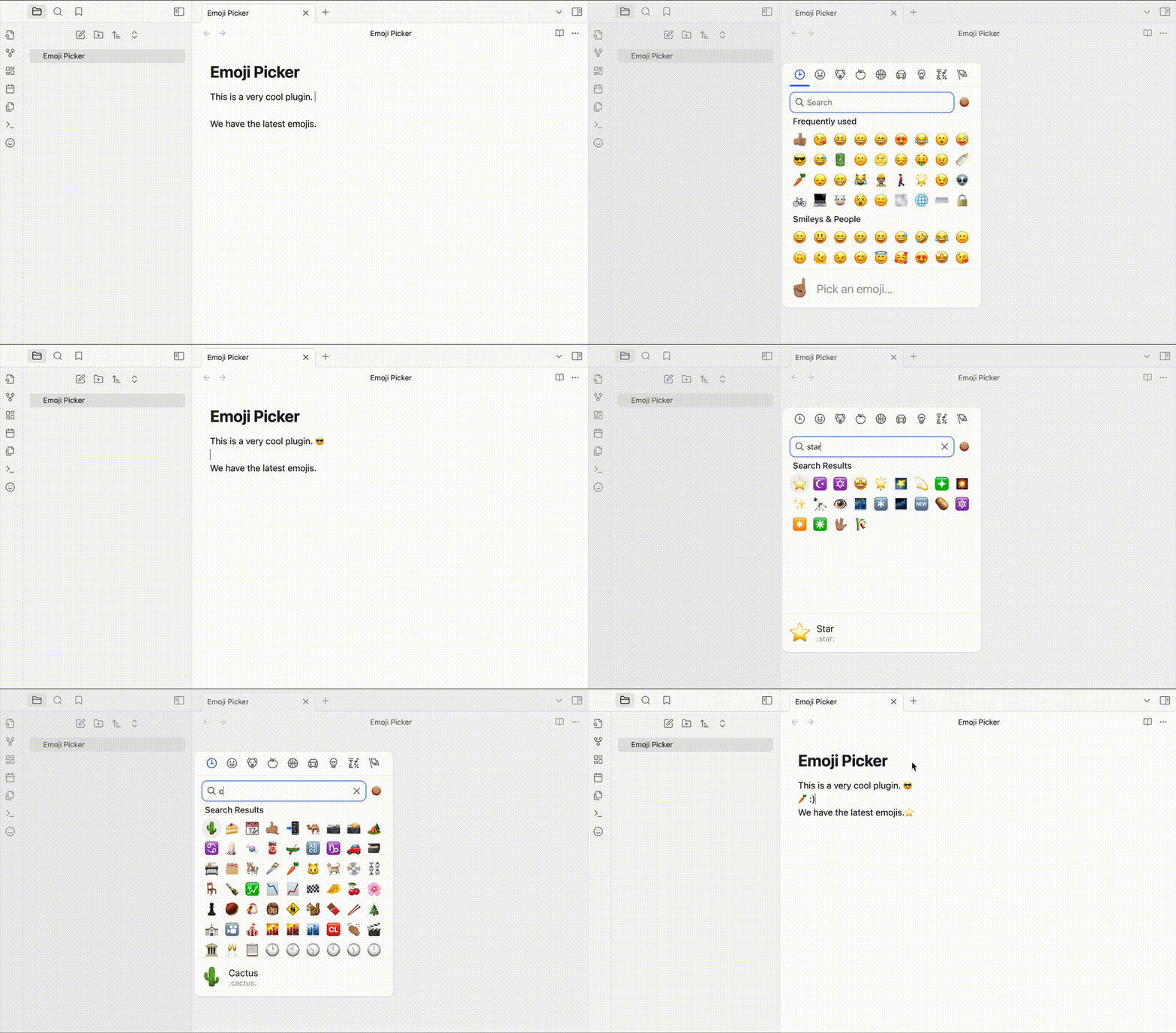
This plugin adds a button to the editor toolbar that opens a modal with a searchable emoji picker. Clicking an emoji inserts it at the cursor position in the editor.
You can also set a hotkey to open the emoji picker.
The recommended hotkey is Ctrl+., but you can set it to any key combination you like.
Why use this plugin?
Unlike other plugin this plugin is using the latest versions of the emoji and also have the search functionality along skin tone and category selection which lacks in other plugins and core features of the operating systems that provides emojis picker.
Emoji Version
As of November 2024, we are using the emoji-mart library so the emoji version is 15.
Installation
From within Obsidian
- Open Settings > Community plugins > Browse
- Search for "Emoji Picker"
- Click "Install"
- Go to "Installed plugins" and enable the plugin
- Set a hotkey for the plugin in the settings; the command to set is
Emoji Picker: Select and Insert Emoji
Manual installation
- Download the latest release from the releases page. (You can download the zip file from the latest release it includes the three files needed for the plugin or you can simply download the
main.js,styles.css, andmanifest.jsonfiles from releases) - When you got the files, create a folder in your vault's
.obsidian/plugins/directory namedemoji-picker. - Put
main.js,styles.css, andmanifest.jsonin the created folder, such asVaultFolder/.obsidian/plugins/emoji-picker/. - Reload Obsidian.
- Enable the plugin in the settings.
- Set a hotkey for the plugin in the settings; the command to set is
Emoji Picker: Select and Insert Emoji
For plugin developers
Search results and similarity scores are powered by semantic analysis of your plugin's README. If your plugin isn't appearing for searches you'd expect, try updating your README to clearly describe your plugin's purpose, features, and use cases.