Emoji Toolbar
approvedby oliveryh
Quickly search for and insert emojis into your editor.
Emoji Toolbar - Obsidian Plugin
This plugin for Obsidian allows you to quickly search for and add emojis to your editor.
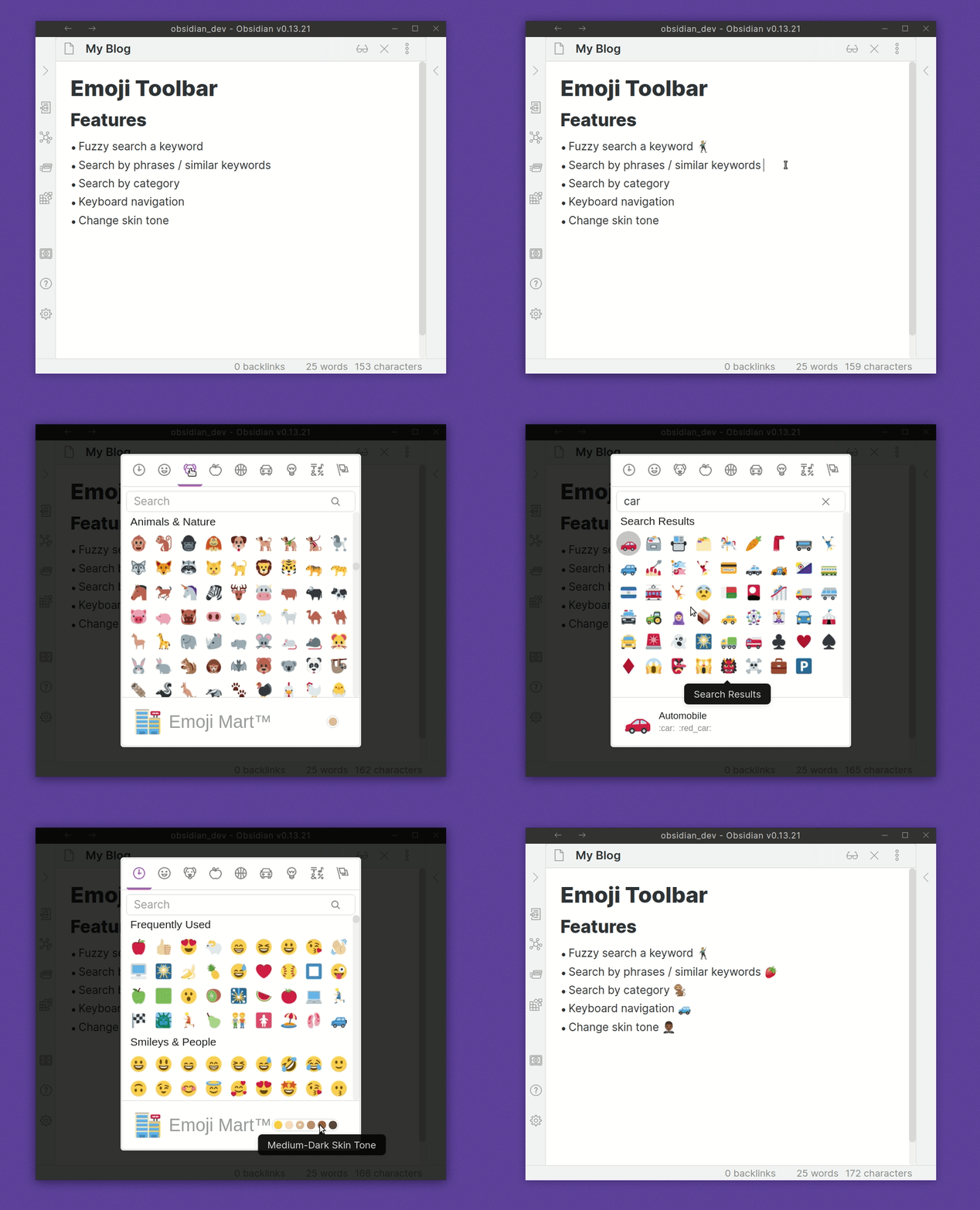
Usage
After enabling the plugin, you'll find a new hot key setting called Emoji Toolbar: Open emoji picker. Set this to whatever you like. Once clicked it will allow you to search through a list of emojis.
Start typing a word to filter through the list. You can insert the emoji into the editor by either clicking on it, or use the arrow keys and then press enter to insert the emoji.
Features
- Skin Tone Support
- Fuzzy / Semantic Search Matches
- Select Recently Used Emoji
- Twitter emoji formatting for preview and insert modal for improved emoji support. This can be toggled on/off in the Emoji Toolbar settings tab.
Install
Within Obsidian
- Click Settings | Third Party Plugins
- Ensure that Safe mode is turned off
- Click on Community plugins "Browse"
- Look for Emoji
Thanks
- A big thanks to liamcain for producing the obsidian-react-starter which the basis of v0.3.0+ is made from
- Also to Emoji Mart
For plugin developers
Search results and similarity scores are powered by semantic analysis of your plugin's README. If your plugin isn't appearing for searches you'd expect, try updating your README to clearly describe your plugin's purpose, features, and use cases.