Expiration-Date-Tracker
approvedby raboro
Keep track of all expiration dates, for example, for your groceries.
Obsidian-Expiration-Date-Tracker-Plugin




With this plugin you can keep track of all the expiration dates of your items such as groceries.
Using
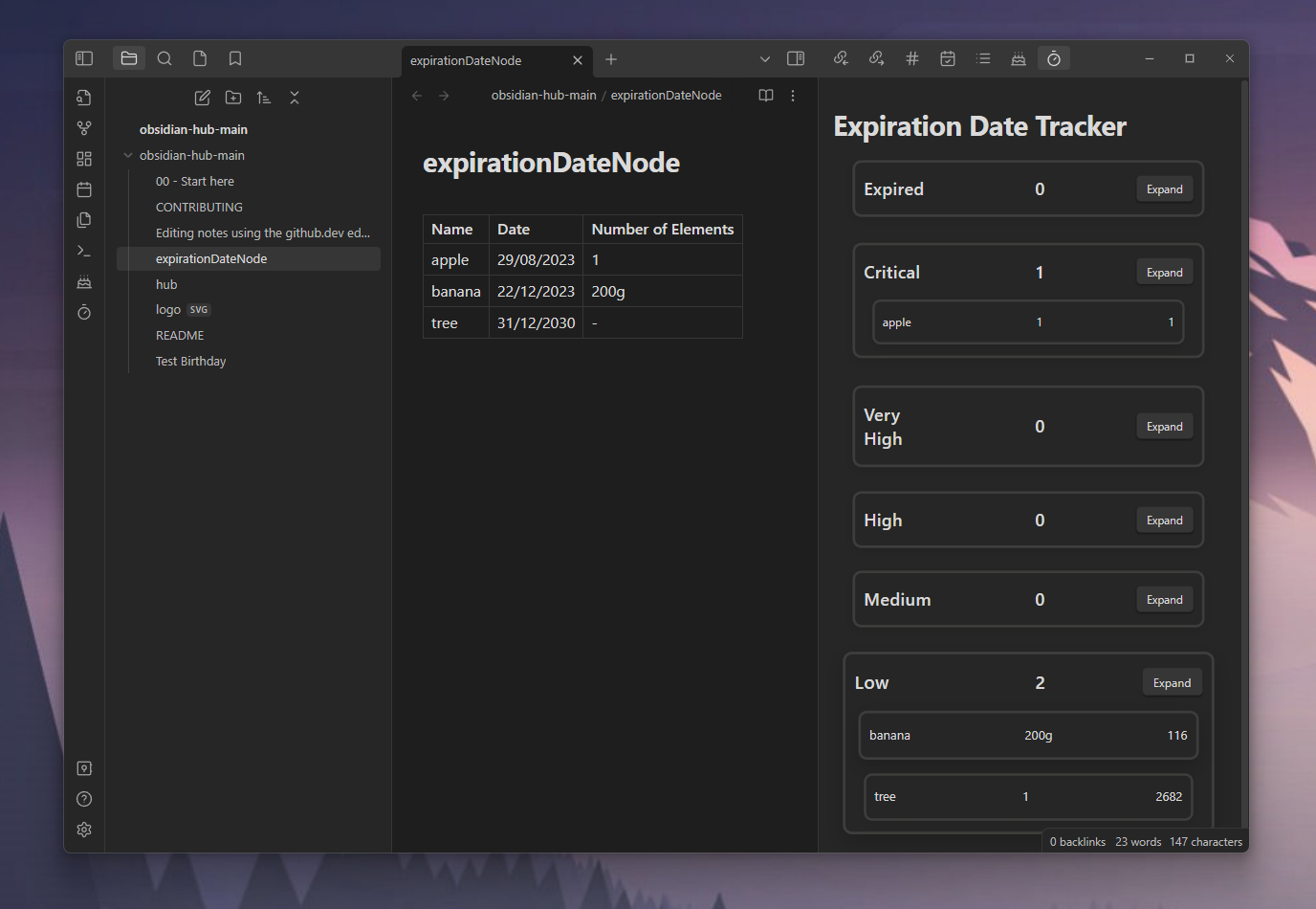
You need a file containing all the expiration data. To find the file you need to add the location in the settings. After that you can add your items in a table:
| Name | Date | Number of Elements |
|---|---|---|
| apple | 29/08/2023 | 3 |
| banana | 22/12/2023 | 200g |
After that you can click on the ribbon icon or use the Track Expiration Dates command to trigger the data collection. Then all items are displayed in a separate view. You also get a notice for all expired items.
The Expiration Category contains the category name, the items within this category and the expand button. This button will show/hide all your items within this category. The Item contains the name, the number of elements (which can be a number like 10 apples of a string like 200g banana) and the days till it expires.
Commands
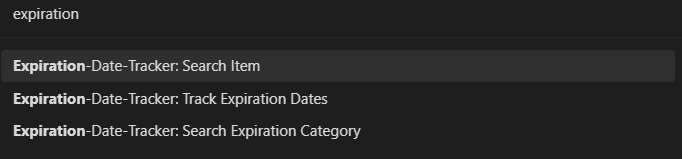
You can search for a specific item or category or track all your expiration dates. The data you searched for will be displayed in a modal.
Settings
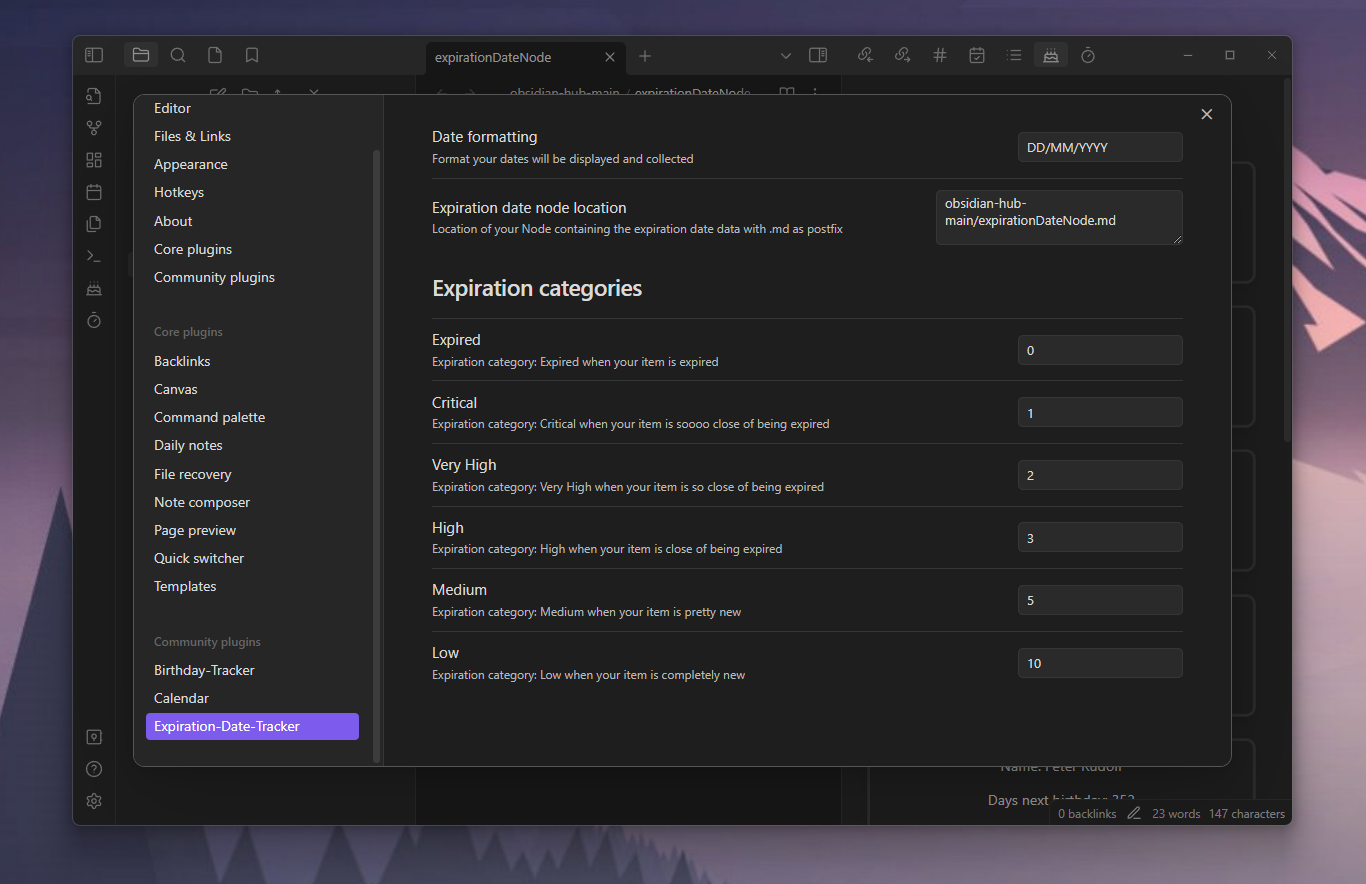
You can set a date formatting. The default is: DD/MM/YYYY. This is needed to collect your dates and display them. Also you can set the location of the file containing the expiration data. This must include .md as postfix. The default value is: expirationDateNode.md.
You can also set all thresholds for the expiration categories. The default values are (in days):
- Expired: 0,
- Critical: 1,
- Very High: 2,
- High: 3,
- Medium: 5,
- Low: 10
For example if your item will expire in 6 days, it´s in the Low expiration category.
For plugin developers
Search results and similarity scores are powered by semantic analysis of your plugin's README. If your plugin isn't appearing for searches you'd expect, try updating your README to clearly describe your plugin's purpose, features, and use cases.