Fluent OneNote
approvedby Jeff1024
A beautiful, 2-pane navigation plugin for Obsidian notes, inspired by Microsoft OneNote. - This plugin has not been manually reviewed by Obsidian staff.
Fluent OneNote
A beautiful, ultra-fast 2-pane navigation plugin for Obsidian notes, inspired by Microsoft OneNote and Fluent Design principles.
[!NOTE] If you are looking for a local alternative to Microsoft OneNote, Evernote, UpNote, Bear, or Joplin directly inside your Obsidian vault, Fluent OneNote brings a familiar, high-performance 2-pane navigation system across Notebooks, Sections, and Pages.
Quick Setup & Recommended Workflow
1. Assign a Global Hotkey (Highly Recommended)
Fluent OneNote is designed around an instant, distraction-free popup workflow.
- Open Obsidian Settings -> Hotkeys.
- Search for
Fluent OneNote: Open navigation popup. - Assign your preferred shortcut (e.g.
Ctrl + Shift + O,Alt + O, orCtrl + Shift + A).
Whenever you need to switch notes or capture a thought, press your hotkey, browse or search across sections, and press Enter to jump right into the note without leaving your typing flow.
Key Features
1. 2-Pane Navigation Architecture
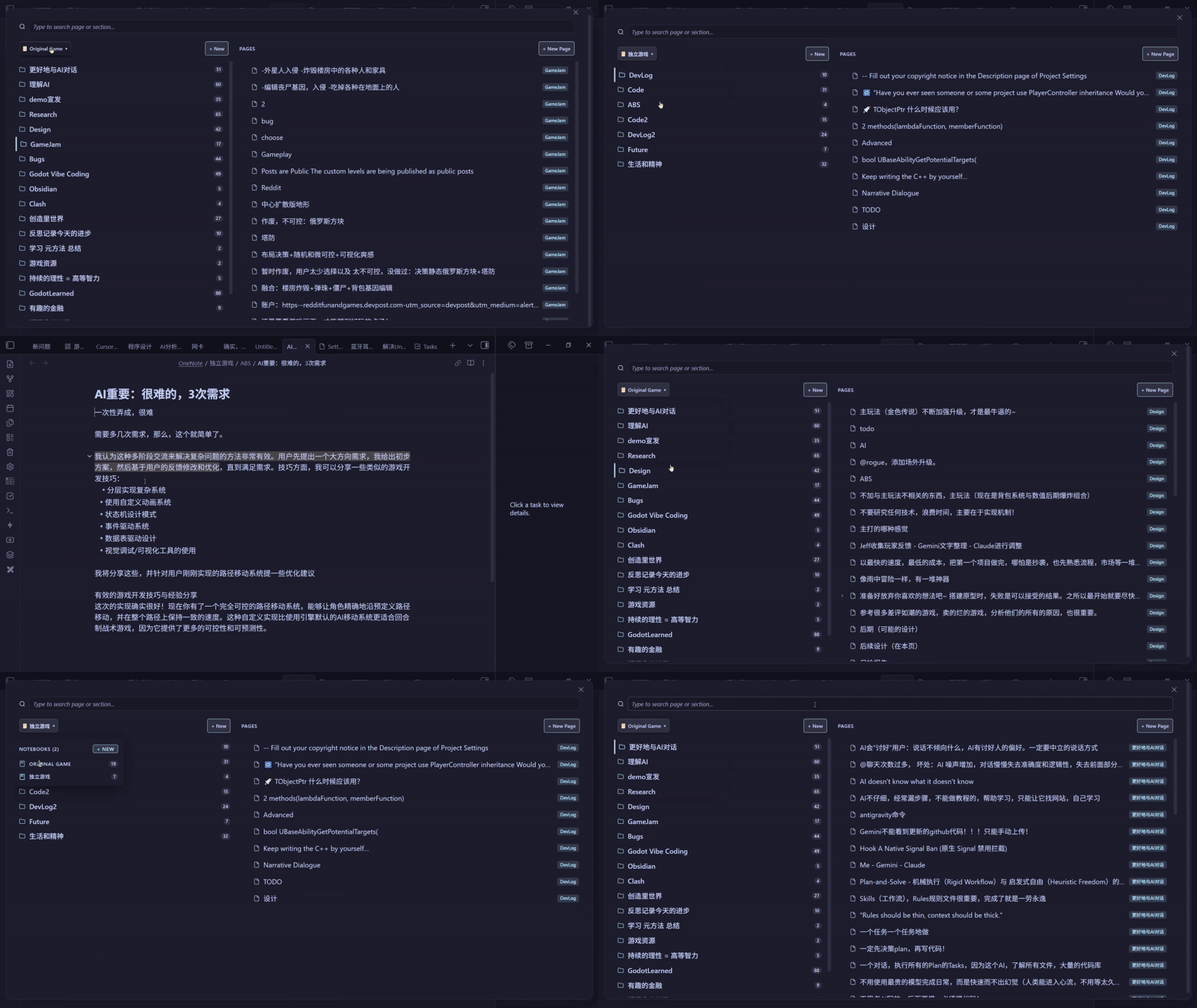
- Sections Column (Left): Displays section folders under the active Notebook as clean cards with note counters. The header features a sleek OneNote-style Notebook Selector dropdown.
- Pages Column (Right): Displays all notes and nested sub-pages belonging to the selected section.
- Cross-Pane Focus: Seamlessly jump focus between sections and pages with arrow keys or mouse clicks.
2. Floating Popup & Fast Keyboard Navigation
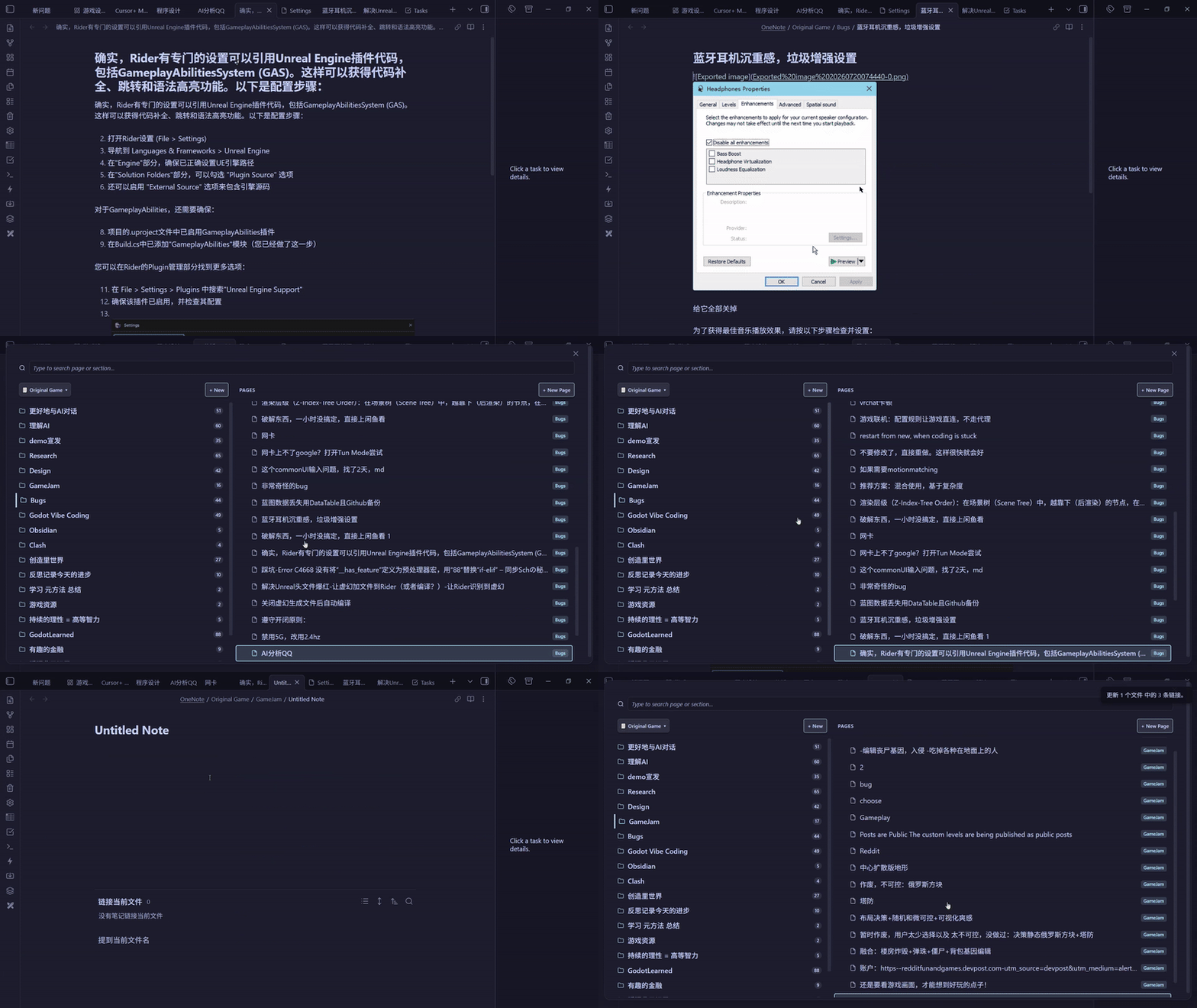
- Access your entire notebook hierarchy from anywhere in Obsidian.
- Instant keyboard navigation with arrow keys, quick selection, and background tab opening.
3. Instant Search-as-you-Type with Full IME Support & Global Scope Toggle
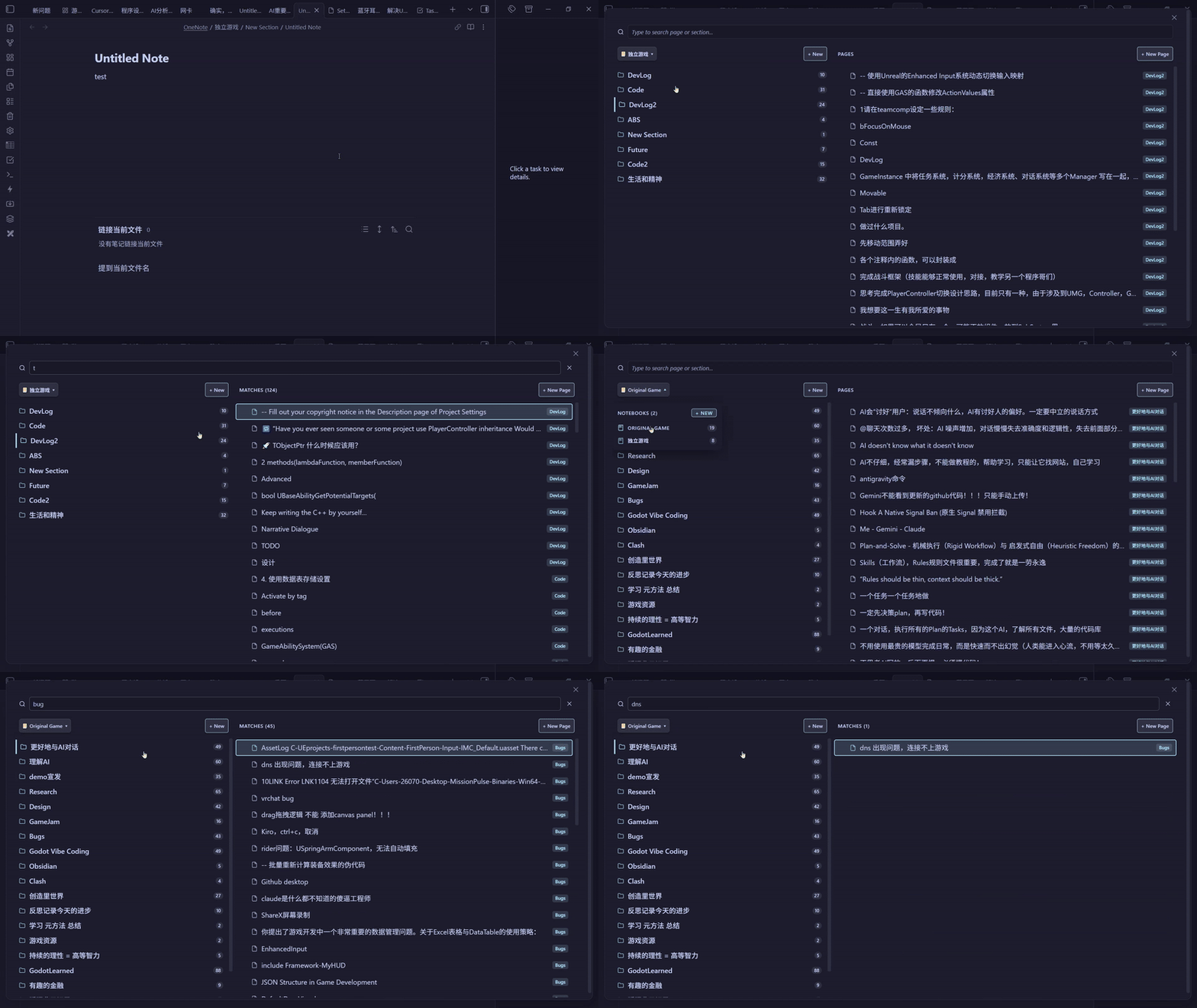
- Instant Focus & Zero Lag: The search input receives instant focus on modal open.
- Full IME Compatibility: Complete support for Chinese, Japanese, and Korean IMEs (e.g., WeChat Keyboard / 微信输入法, Microsoft Pinyin, Sogou Pinyin) from the very first keystroke without dropped composition or popup delays.
- Global vs Scoped Search Scope Toggle:
- Single Notebook Search (
📓 Current): Default search strictly scoped to the active notebook with dynamic placeholder (Search in "<Notebook>"...), showing section badges. - Global Vault Search (
🌐 All): Instant one-click toggle in the search bar header to search across all notebooks and recursive sub-page hierarchies simultaneously, displaying full path badges (Notebook / Section).
- Single Notebook Search (
- In-Box Navigation: Navigate search results with
ArrowUp/ArrowDownwhile remaining in the search box; pressEnterto open.
4. Physics Drag & Drop & Uniform rAF Auto-Scroll
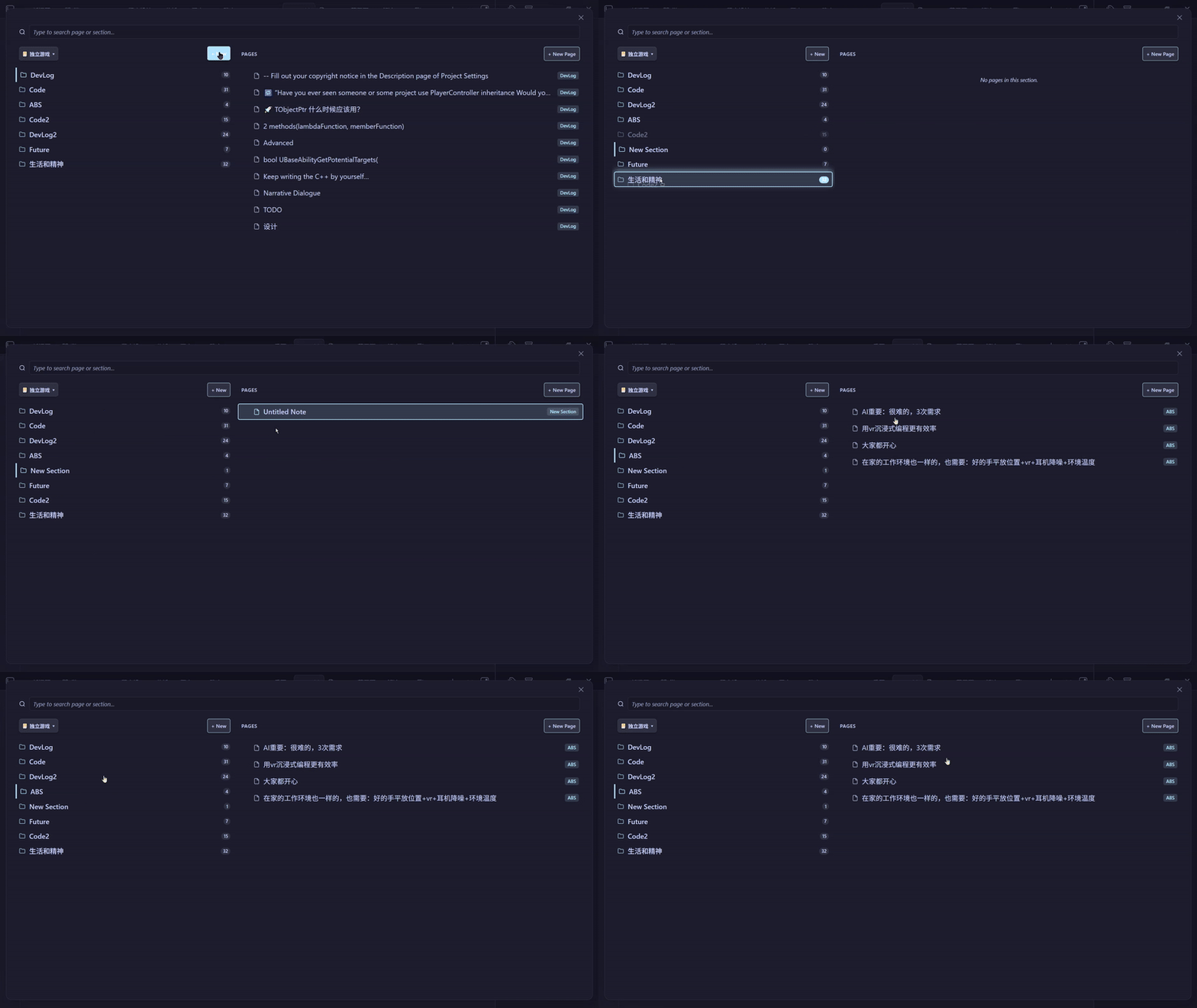
- High-Performance Physics Engine: Reorder Notebooks, Sections, and Pages with 0ms visual latency and zero reactivity lag.
- Uniform rAF Auto-Scroll: Generous 60px linear-damping edge auto-scroller allows smooth list scrolling while dragging items.
- Anti-Flicker Protection: Child elements are shielded during drag to eliminate mouse coordinate jitter and indicator ghosts.
- Cross-Pane Moves: Drag any Page onto a Section or Notebook folder card to move the note into that directory.
5. Custom Order Management (Export, Import & Reset)
- Export Order: Export your custom drag-and-drop notebook, section, and page arrangement to a standalone
.jsonfile via the native file save dialog. - Import Order: Import a previously exported
.jsonconfiguration to restore custom orderings across devices. - Clear Order: Reset all custom orderings back to default alphabetical order with a confirmation warning dialog.
6. Folder-Note Sub-Page Hierarchy
- Supports multi-level nested sub-pages with collapsible chevrons (
> / ∨). - When a folder and a markdown note share the same name within a section, they automatically fuse into a parent "Folder-Note".
- Safe deletion un-nests child notes to the parent section, protecting nested notes from accidental data loss.
7. Recent Pages Quick Switcher
- Dedicated command (
Fluent OneNote: Open recent pages list) to quickly access your most recently opened notes with timestamps.
8. Customizable Dimensions & Theme Accent Colors
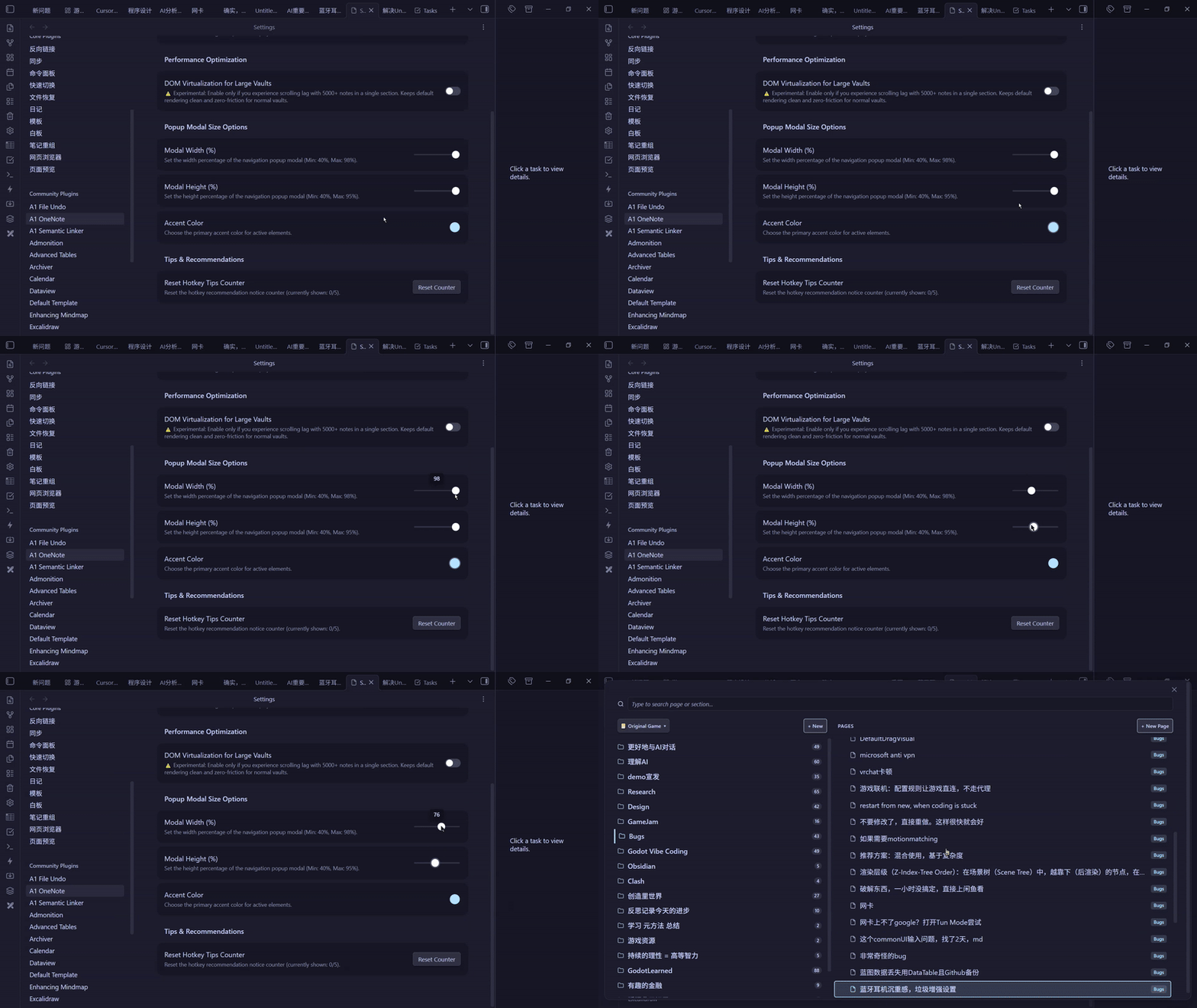
- Customize the popup modal width (40%–98%) and height (40%–95%) to fit your screen size.
- Pick a custom accent color to harmonize with your Obsidian theme.
9. Dual Display Modes
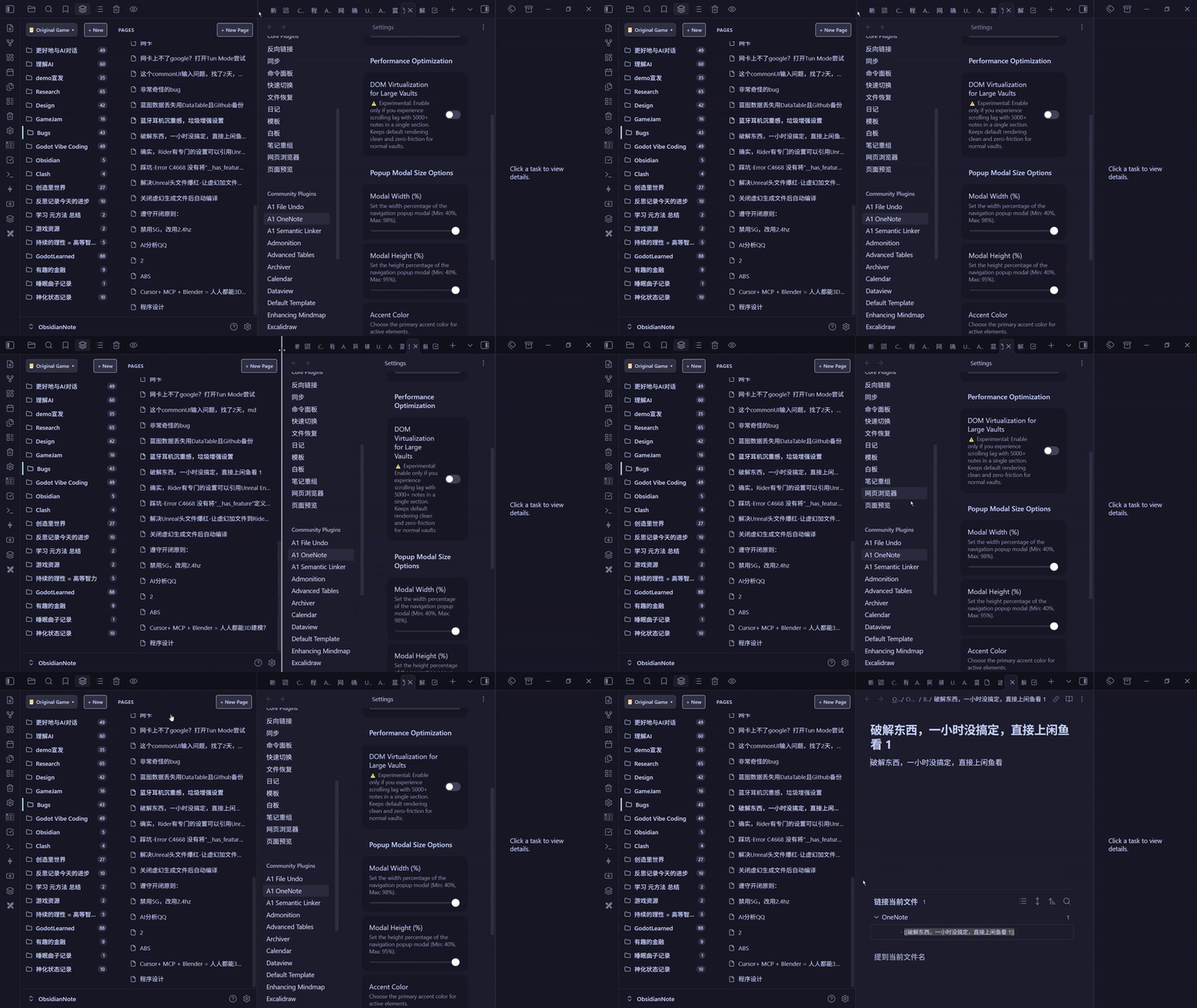
- Choose between Floating popup only or Both (sidebar + floating popup) in plugin settings depending on your layout preference.
Keyboard Controls Cheatsheet
| Action | Shortcut / Interaction | Description |
|---|---|---|
| Open Navigation Popup | Custom Hotkey (Ctrl+Shift+O) | Open floating 2-pane navigation modal |
| Open Sidebar View | Command: Open navigation sidebar | Open persistent sidebar tab view |
| Open Recent Pages | Command: Open recent pages list | Open recent notes fuzzy switcher |
| Navigate Items | ArrowUp / ArrowDown | Move selection vertically in active pane |
| Jump to Pages Pane | ArrowRight (on Section) | Shift active focus into the Pages column |
| Return to Section Pane | ArrowLeft (on Page) | Shift active focus back to the Section row |
| Toggle Sub-pages / Expand | ArrowRight / ArrowLeft | Expand or collapse nested sub-pages |
| Open Note & Dismiss | Enter / Space | Open note in active editor and close popup |
| Open in Background Tab | Middle-Click / Ctrl+Click / Ctrl+Enter | Open in new tab without closing popup |
| Open Feature Guide | Click (?) button in header | Open full interactive features & shortcuts guide |
| Create New Note | Ctrl + N (or + New Page button) | Create a new note inside active section |
| Search Notes | Type any key | Search across all notes with instant IME support |
| Clear Search / Close | Escape | First press clears query; second press closes modal |
| Delete Note Safely | Delete / Backspace (on Page) | Move note to trash with sub-page protection |
| Inline Rename | F2 (hover/focus) / Right-Click -> Rename | Edit notebook, section, or note name inline |
| Context Menu | Right-Click on any item | Native actions (Rename, Delete, Create Section/Note) |
Configuration Options
Go to Obsidian Settings -> Community Plugins -> Fluent OneNote:
- Root Folder Path: The base directory scanned for OneNote-style notebooks (default:
OneNote). Folders within act as Notebooks, sub-folders as Sections. Leave empty (or/) to scan your entire vault as notebooks. - Display Mode: Toggle between
Floating popup onlyandBoth (sidebar + floating popup). - Global Search by Default: Toggle whether the search popup defaults to searching across all notebooks or only the current notebook.
- DOM Virtualization: Optional viewport optimization for sections containing large numbers of notes.
- Popup Modal Width / Height: Adjust the width (40%–98%) and height (40%–95%) of the popup modal.
- Accent Color: Pick a custom accent color for focus highlights and active badges.
- Custom Order Management:
- Export Custom Order: Save custom ordering to a
.jsonfile. - Import Custom Order: Restore ordering from a
.jsonfile. - Clear Custom Order: Revert all orderings to alphabetical sort (includes confirmation dialog).
- Export Custom Order: Save custom ordering to a
- Reset Hotkey Tips Counter: Reset the recommendation notice counter.
License
This project is licensed under the MIT License.
Keywords
onenote onenote alternative evernote upnote bear joplin notebook navigation 2-pane view sections and pages subpages fluent design quick switcher hotkey navigation physics drag and drop
For plugin developers
Search results and similarity scores are powered by semantic analysis of your plugin's README. If your plugin isn't appearing for searches you'd expect, try updating your README to clearly describe your plugin's purpose, features, and use cases.