Focus Zen Mode
approvedby Red
A focused writing zen mode with centered current line and theme switcher. - This plugin has not been manually reviewed by Obsidian staff.
obsidian-focus-zen-mode
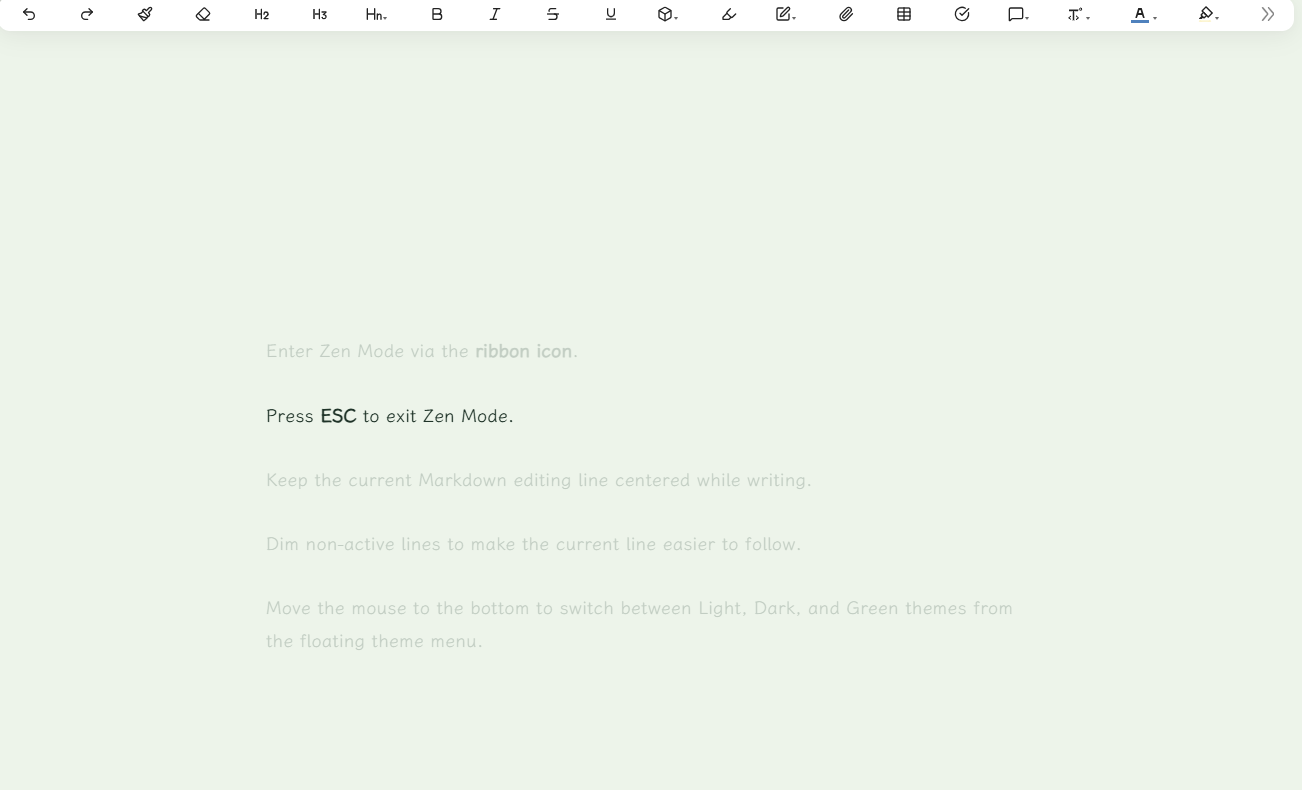
Focus Zen Mode is an Obsidian plugin for focused Markdown writing. It hides distracting workspace UI, centers the active editor line, and provides a compact theme switcher for light, dark, and green writing modes.
Features
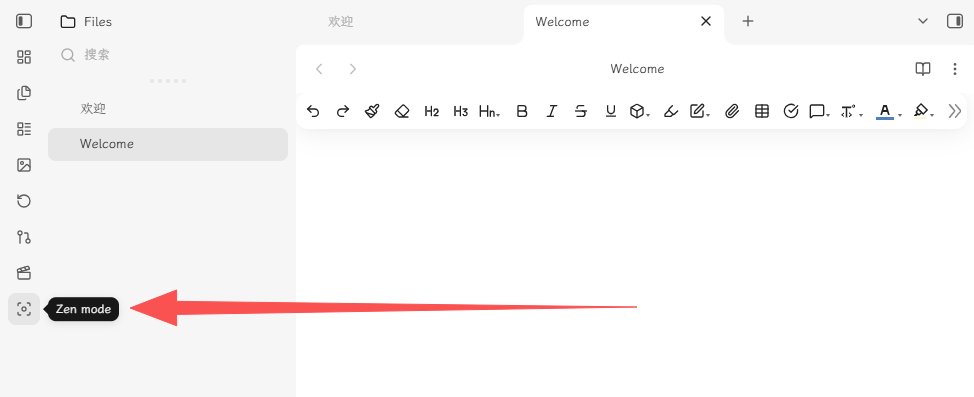
- Enter Zen Mode via the ribbon icon.
- Press ESC to exit Zen Mode.
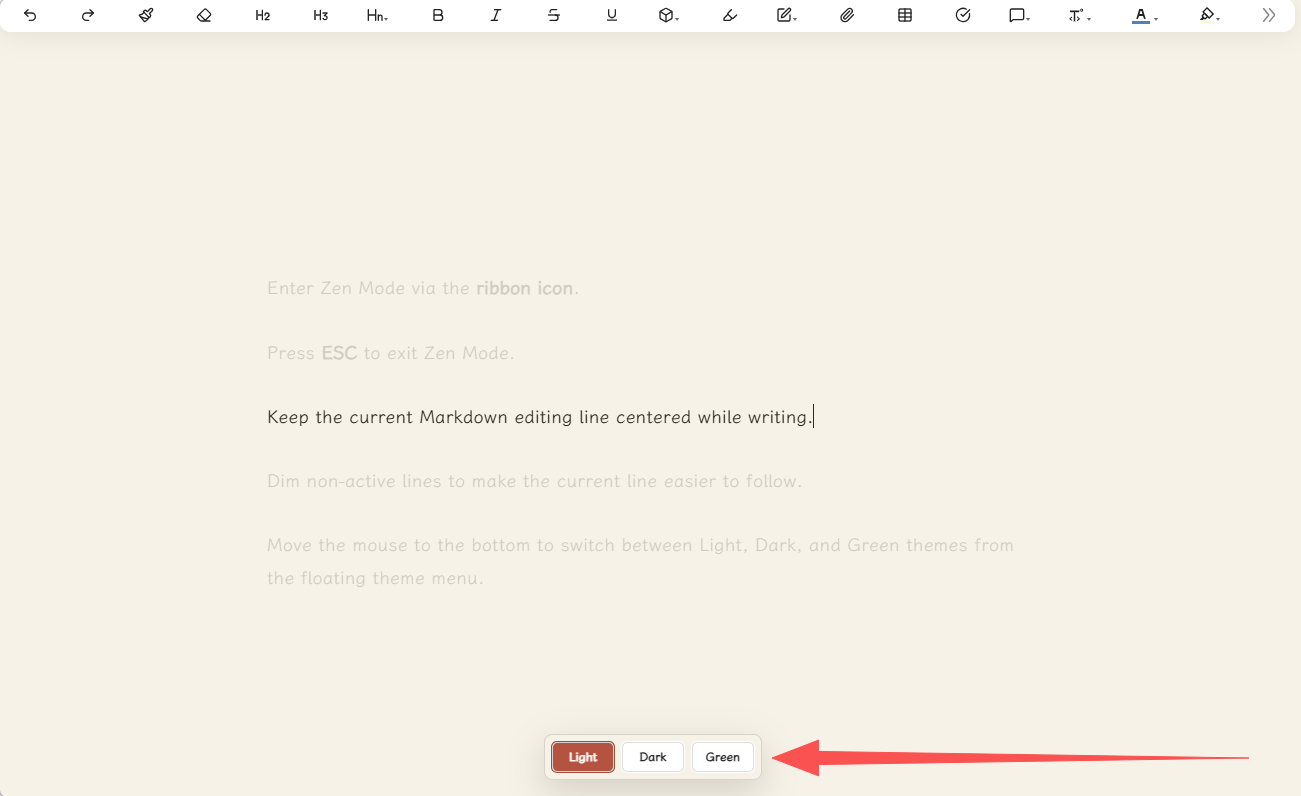
- Keep the current Markdown editing line centered while writing.
- Dim non-active lines to make the current line easier to follow.
- In Zen Mode, move the mouse to the bottom to switch between Light, Dark, and Green themes from the floating theme menu.
Installation
Method 1: Community Plugins (Recommended)
Once listed on the community store, you can install it directly:
- Go to Settings > Community plugins > Browse.
- Search for Focus Zen Mode.
- Click Install, then Enable.
Method 2: Manual Installation
-
Create this folder inside your vault:
.obsidian/plugins/focus-zen-mode/ -
Copy these files into that folder:
main.js styles.css manifest.json -
Restart Obsidian.
-
Open Settings > Community plugins and enable Focus Zen Mode.
Usage
Open a Markdown note in editing mode, click the ribbon focus icon. Move the mouse to the bottom of the screen to switch themes.
License
MIT License. See LICENSE for details.
obsidian-focus-zen-mode(中文)
禅意模式是一款专注于 Markdown 写作的 Obsidian 插件。它会隐藏干扰性的工作区界面,将当前编辑行居中显示,并提供一个简洁的主题切换器,支持浅色、深色和绿色三种写作模式。
功能特性
- 通过 侧边栏图标 进入禅意模式。
- 按 ESC 键退出禅意模式。
- 写作时保持当前 Markdown 编辑行居中显示。
- 淡化非活动行,让当前行更易聚焦。
- 禅意模式下,鼠标移动到底部,通过浮动主题菜单在浅色、深色和绿色主题之间切换。
安装方法
方式一:社区插件市场(推荐)
上架后可直接安装:
- 打开 设置 > 第三方插件 > 浏览。
- 搜索 Focus Zen Mode。
- 点击 安装,然后点击 启用。
方式二:手动安装
-
在你的 Obsidian 仓库中创建以下文件夹:
.obsidian/plugins/focus-zen-mode/ -
将以下文件复制到该文件夹中:
main.js styles.css manifest.json -
重启 Obsidian。
-
打开 设置 > 第三方插件,启用 Focus Zen Mode。
使用方法
在编辑模式下打开一个 Markdown 笔记,点击侧边栏中的专注图标。将鼠标移动到屏幕底部切换主题。
许可证
MIT 许可证。详情请参阅 LICENSE。
For plugin developers
Search results and similarity scores are powered by semantic analysis of your plugin's README. If your plugin isn't appearing for searches you'd expect, try updating your README to clearly describe your plugin's purpose, features, and use cases.