Ghost Fade Focus
approvedby skipadu
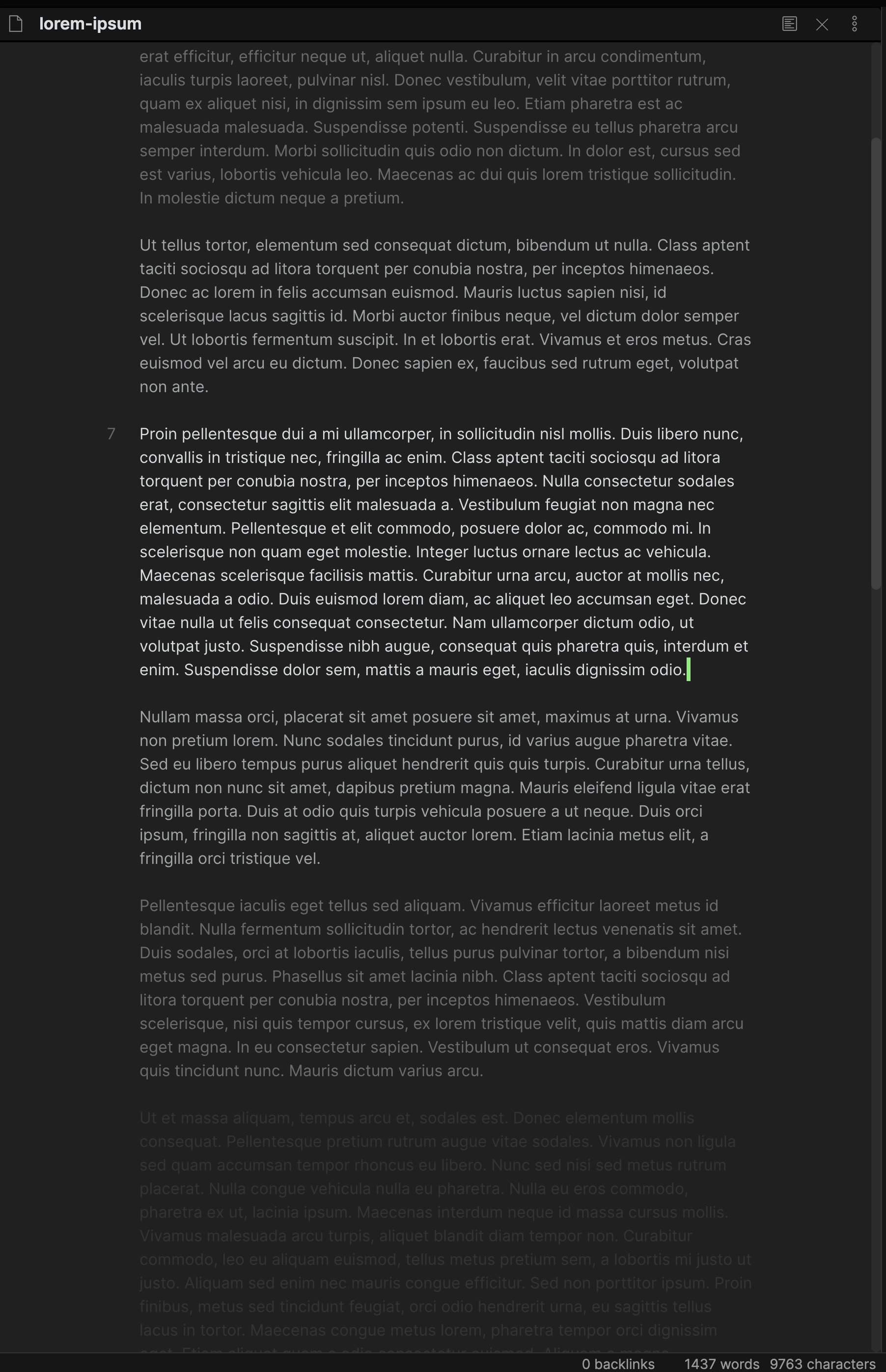
Focused on the current line, others faded like a ghost!
Ghost Fade Focus
This is a plugin for Obsidian that help you focus to your writing. It will fade step by step 5 lines above and below of the current line where the cursor is located.
Screenshots
How to use
When you enable the plugin, it will start to fade lines after cursor activity; moving cursor to another line or move at least a character forward or backward. You can toggle it on/off with the command and if you wish, you can bind shortcut key for it.
Manual installation
If you want to install this plugin manually or if it does not show up in the Obsidian Community plugins search.
- Download the
.zipfile from the latest release. - Unzip it to your vault's
.obsidian/pluginsfolder. - Reopen Obsidian or press the "Reload plugins" button in the Community plugins settings page.
- Enable the plugin in the "Installed plugins" section by using the toggle switch after the Ghost Fade Focus plugin.
For plugin developers
Search results and similarity scores are powered by semantic analysis of your plugin's README. If your plugin isn't appearing for searches you'd expect, try updating your README to clearly describe your plugin's purpose, features, and use cases.