Focus Mode
approvedby ryanpcmcquen
Add a toggle to hide interface elements so you can focus on your note.
Obsidian Focus Mode
Add Focus Mode to Obsidian.
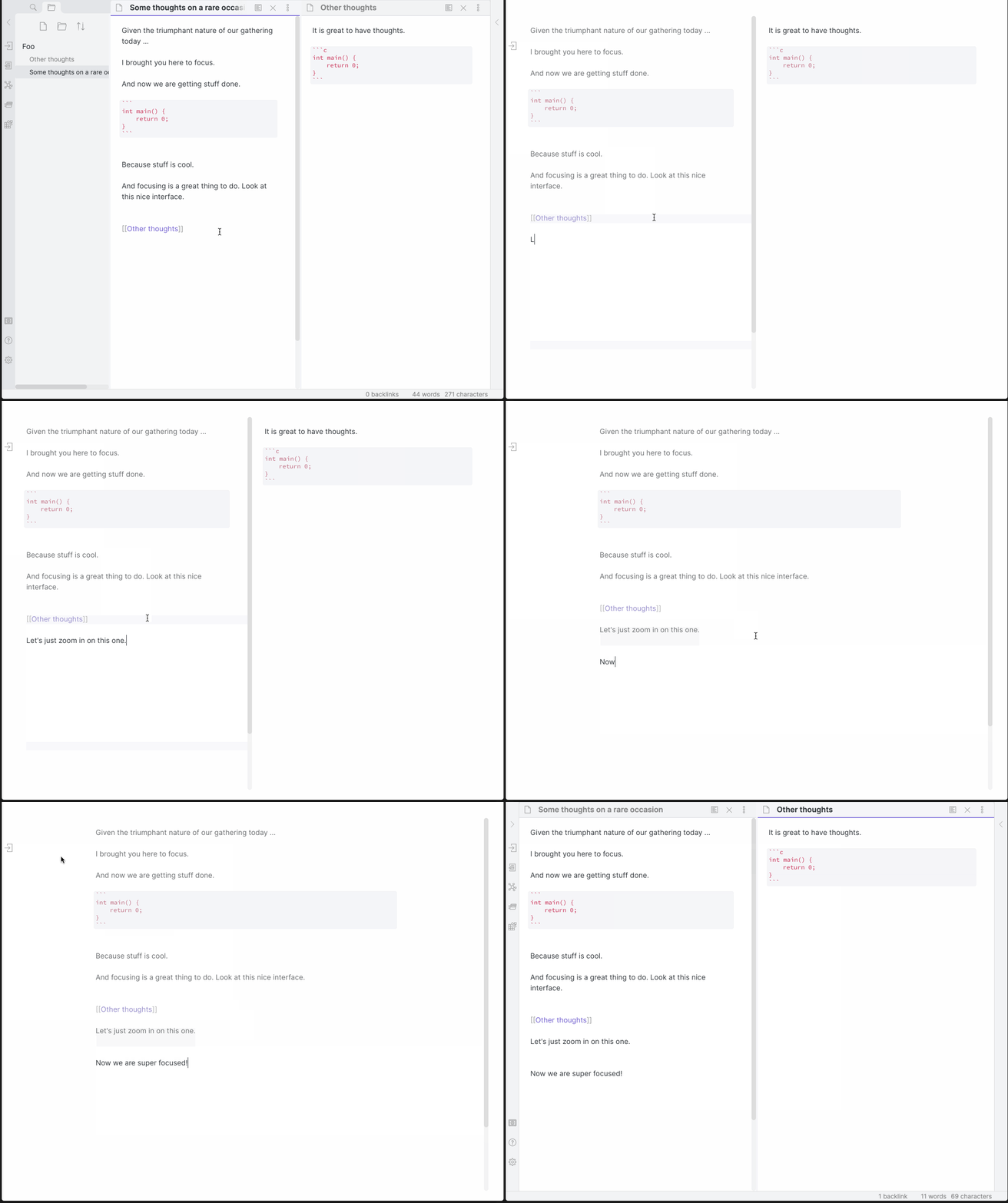
Now with Super Focus Mode (Shift + Left Click), which will only focus on the active pane. The original behavior still exists on a normal Left Click.
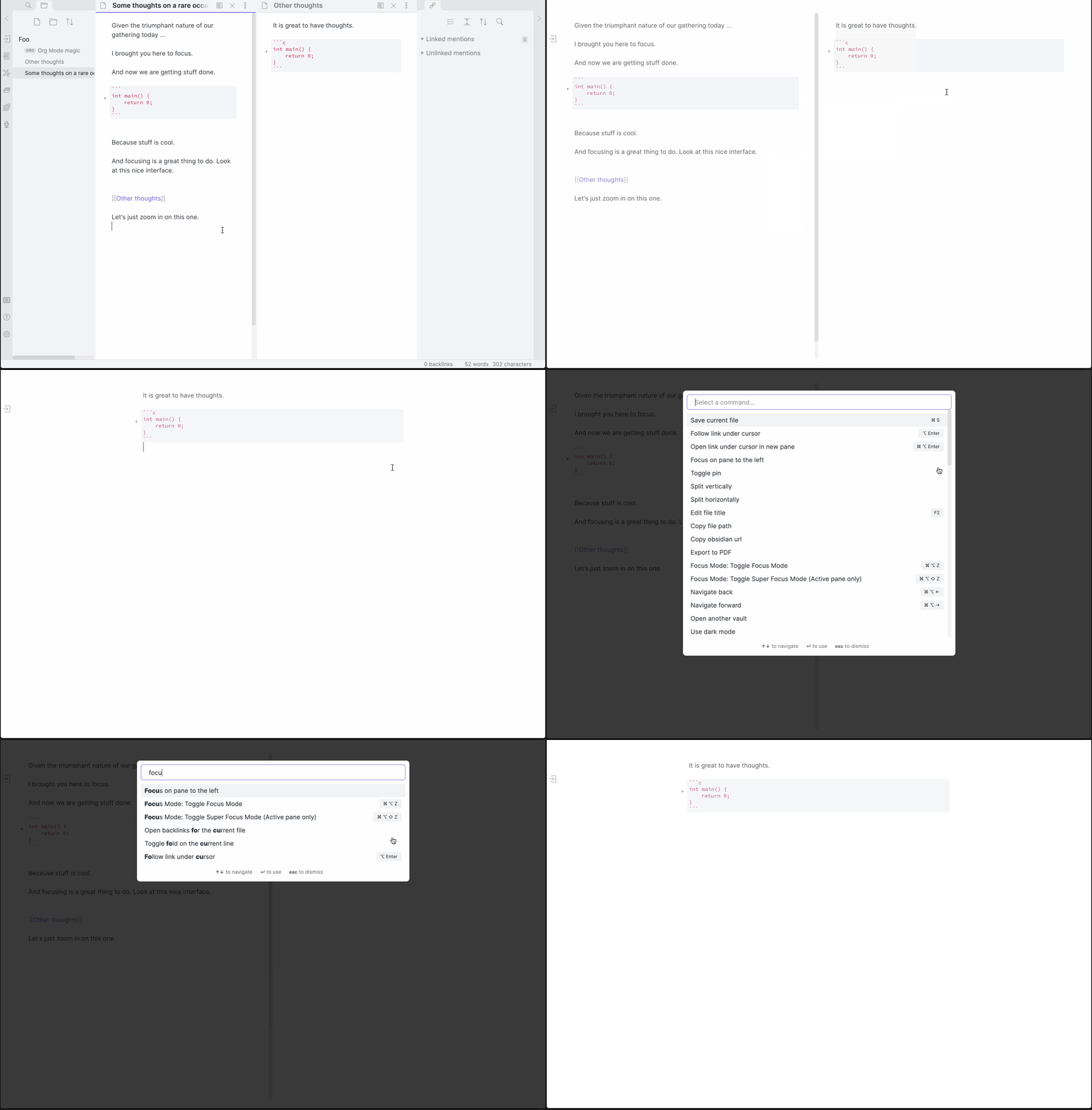
Hotkeys
| Hotkeys | Action |
|---|---|
| Cmd/Ctrl + Alt + Z | Toggle Focus Mode |
| Cmd/Ctrl + Alt + Shift + Z | Toggle Super Focus Mode (Active pane only) |
Customizing the plugin's appearance:
Classes are added to document.body depending on the state. focus-mode exists in Normal and Super Focus modes, while super-focus-mode, only exists in Super Focus Mode (surprise!).
The following CSS snippet added to a vault will remove the opacity on non-active lines:
.focus-mode .cm-s-obsidian .cm-line:not(.cm-active),
.focus-mode .cm-s-obsidian div:not(.CodeMirror-activeline) > .CodeMirror-line {
    opacity: 1 !important;
    filter: saturate(1) !important;
}
Manually installing the plugin:
- Copy over
main.js,styles.css,manifest.jsonto your vaultVaultFolder/.obsidian/plugins/obsidian-focus-mode/.
For plugin developers
Search results and similarity scores are powered by semantic analysis of your plugin's README. If your plugin isn't appearing for searches you'd expect, try updating your README to clearly describe your plugin's purpose, features, and use cases.