Material Icon Theme
approvedby GilbertzzzZZ
Material Design icons for the file explorer, matched by file name, extension and folder name. - This plugin has not been manually reviewed by Obsidian staff.

Material Icon Theme
Material Design icons for Obsidian



English | 简体中文
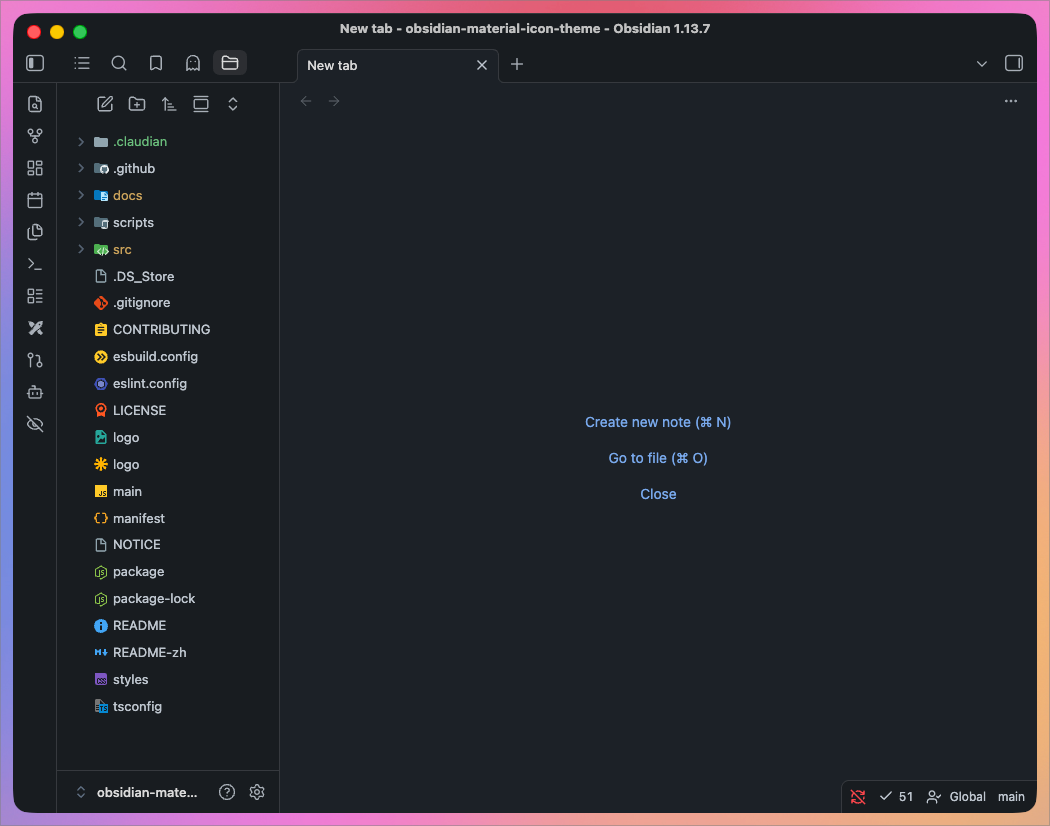
File icons
🏞️ Show all available file icons

Folder icons
🏞️ Show all available folder icons
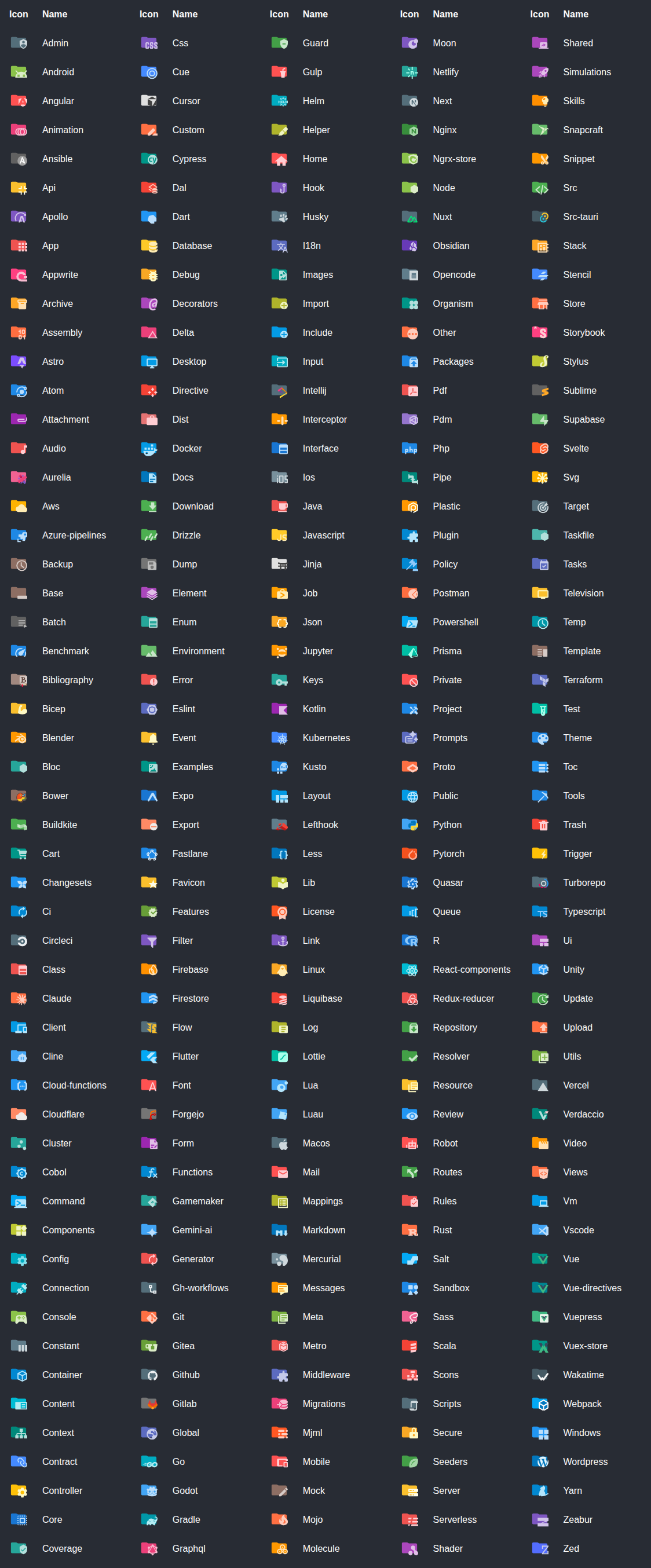
Table of Contents
Features
- Material Design file & folder icons for the Obsidian file explorer
- 1126 icons covering 2135 file names, 1379 extensions and 269 folder names
- Custom icon associations through a searchable picker
- Independent toggles for file and folder icons
- Settings UI in 10 languages
- Easy to use, and it follows your light / dark theme live
Getting Started
Requires Obsidian 1.13.0 or newer.
-
Install the plugin
Downloadmain.js,manifest.jsonandstyles.cssfrom Releases into.obsidian/plugins/material-icon-theme/. -
Enable the plugin
Open Settings → Community plugins and turn on Material Icon Theme. -
Enjoy your new icons
The file explorer picks them up immediately — no restart needed.
Release tags match
manifest.jsonexactly (e.g.1.0.0, notv1.0.0), as Obsidian requires.
Build from source
git clone https://github.com/GilbertzzzZZ/obsidian-material-icon-theme.git
cd obsidian-material-icon-theme
npm ci
npm run build
cp main.js manifest.json styles.css /path/to/vault/.obsidian/plugins/material-icon-theme/
Customization
Everything lives under Settings → Material Icon Theme.
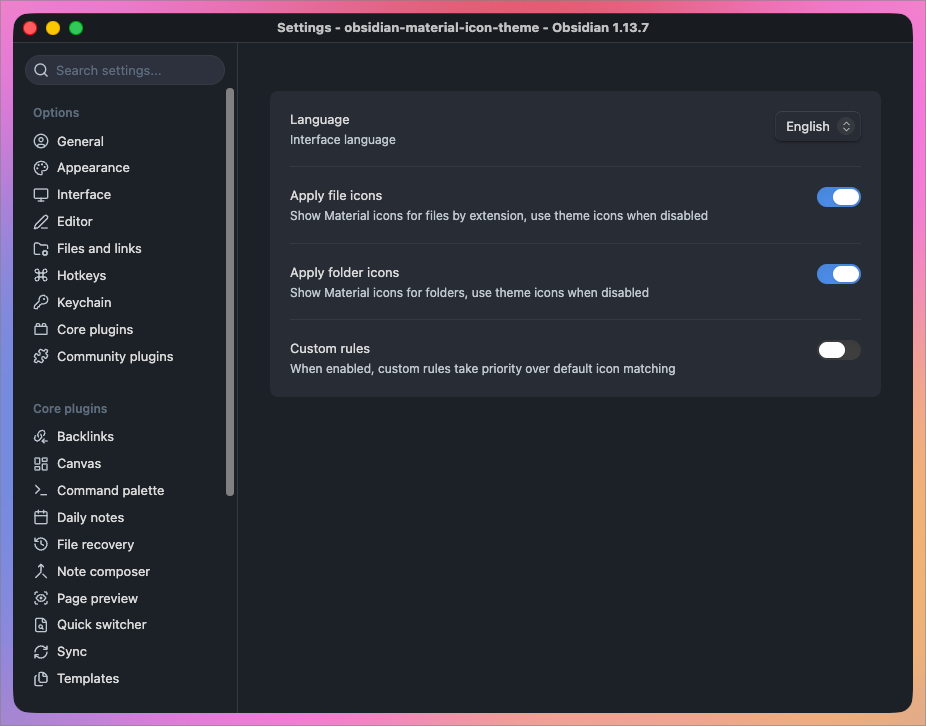
File & folder icon toggles
File icons and folder icons switch on and off independently. Turning either off hands that half of the explorer back to your theme's own icons.
Custom icon associations
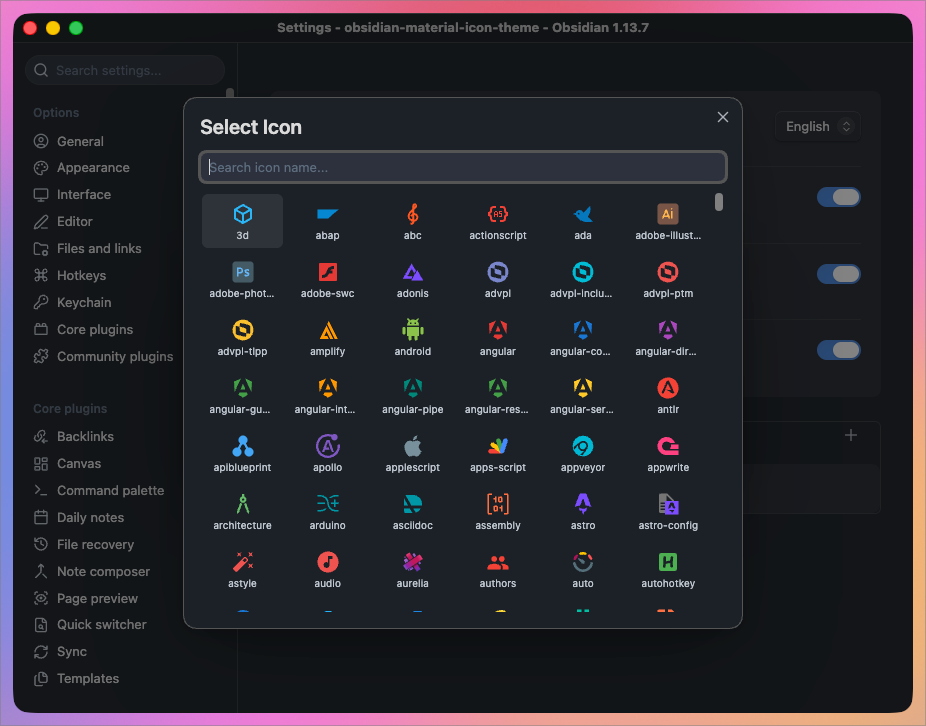
Map any file extension to any icon in the library. Custom rules take priority over every built-in match while enabled.
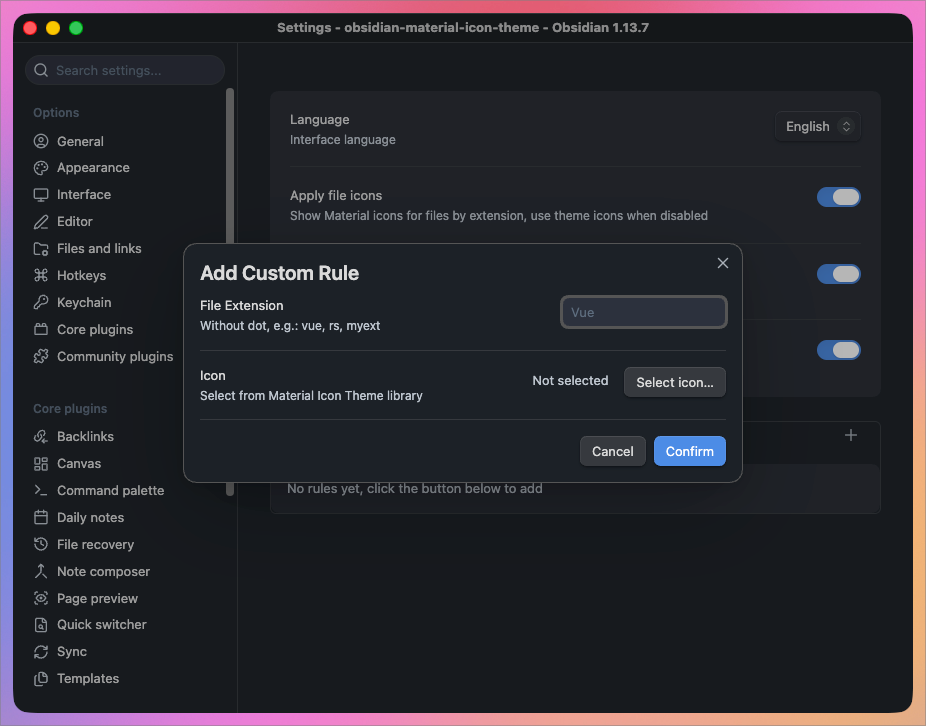
Enter the extension without its leading dot (vue, rs, myext), then pick an icon. Compound extensions work as well — a rule for d.ts wins over one for ts.
Search the full library by name when choosing:
Interface language
The settings UI ships in English, 简体中文, 繁體中文, 日本語, 한국어, Deutsch, Français, Español, Русский and Português, switchable from the top of the settings tab.
Icon matching
Files resolve in this order, first match wins:
| Priority | Rule | Example |
|---|---|---|
| 1 | Custom rules, when enabled | myext → any icon you pick |
| 2 | Directory-scoped filename | .config/prettierrc, .github/FUNDING.yml |
| 3 | Exact filename | CLAUDE.md, Makefile, docker-compose.yml |
| 4 | Longest matching extension | d.ts before ts |
| 5 | Default file icon | anything unmatched |
Folders resolve by name against the folder icon table and fall back to the generic folder icon. Open and closed states swap as you expand and collapse.
Matching is case-insensitive throughout, so CLAUDE.md and claude.md resolve alike.
Development
npm ci
npm test              # regression tests
npm run dev           # watch mode (does not regenerate icon data)
npm run build         # full production build
npm run build-icons   # regenerate src/icon-data.ts only
| Path | Purpose |
|---|---|
src/main.ts | Plugin logic |
src/icon-data.ts | Generated icon registry and lookup tables |
scripts/build-icons.mjs | Extract SVGs from material-icon-theme → src/icon-data.ts |
styles.css | Icon and settings styles |
src/icon-data.ts is generated — do not edit it by hand. To add mappings upstream does not ship, edit the custom block near the end of scripts/build-icons.mjs and re-run npm run build-icons.
Both main.js and src/icon-data.ts are gitignored, so run npm run build after cloning.
Icon sources
Icon artwork comes from Material Icon Theme, consumed through the material-icon-theme npm package, which in turn draws on:
Contributing
Issues and pull requests are welcome.
See CONTRIBUTING.md for development, tests, upstream updates and releases.
-
🐛 Report a bug or request an icon
Open an issue with your Obsidian version, plugin version, and steps to reproduce. -
💡 Submit a change
Create a pull request.
Missing an icon for a file type? It is usually worth requesting it upstream too, so every editor benefits.
License
MIT. The bundled icon artwork carries its own upstream licence — see NOTICE.
For plugin developers
Search results and similarity scores are powered by semantic analysis of your plugin's README. If your plugin isn't appearing for searches you'd expect, try updating your README to clearly describe your plugin's purpose, features, and use cases.