Forms
approvedby sorinmircea
Publish beautiful forms and get responses straight to your vault.
Forms
Publish beautiful forms and get responses straight to your Obsidian vault
How does it work
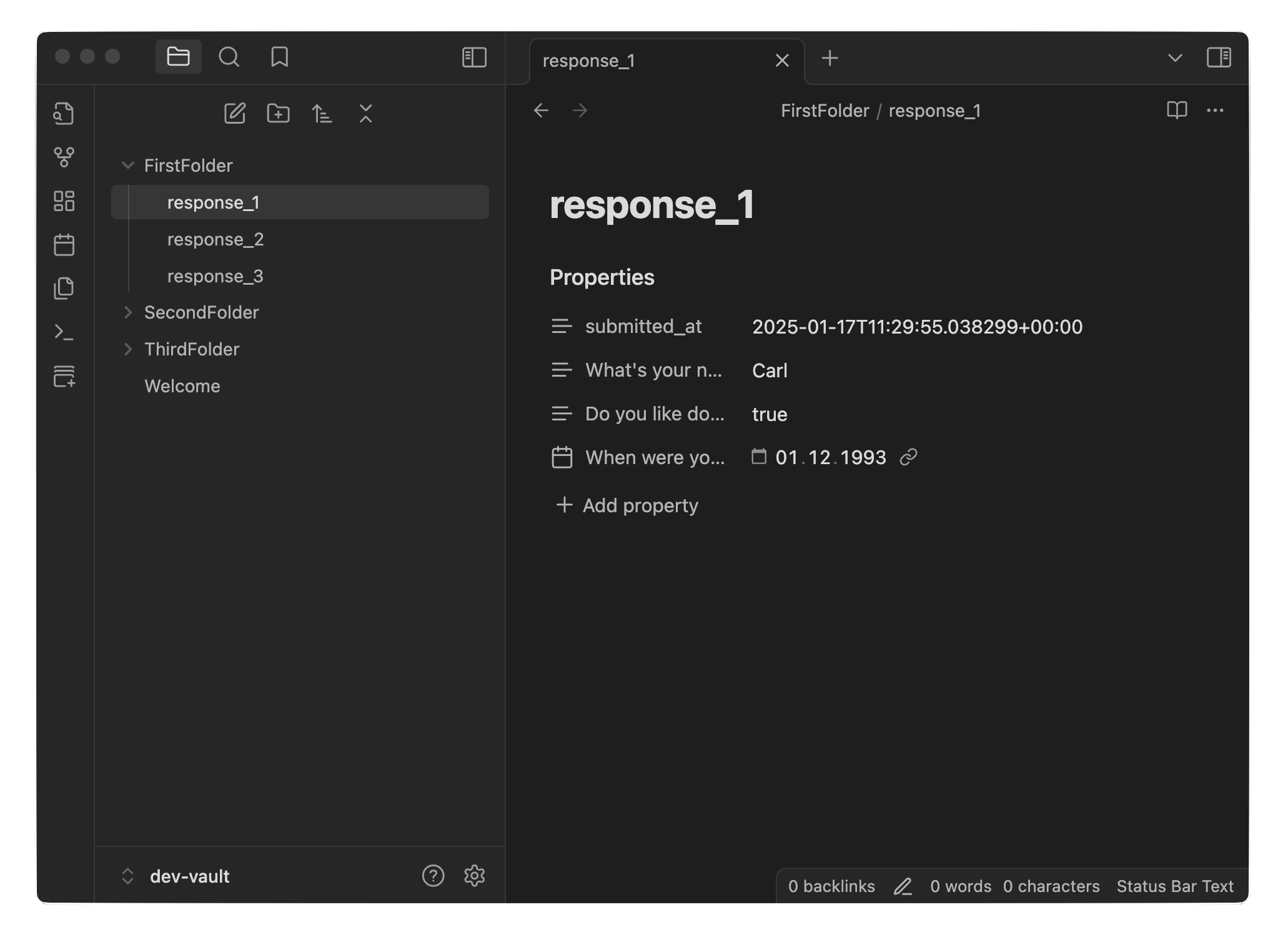
Link a folder from your Obsidian vault and use the web interface to easily create, edit, and manage forms. Obsidian will sync automatically, so all your filled form entries stay up to date in your vault.
1. Form Creation
-
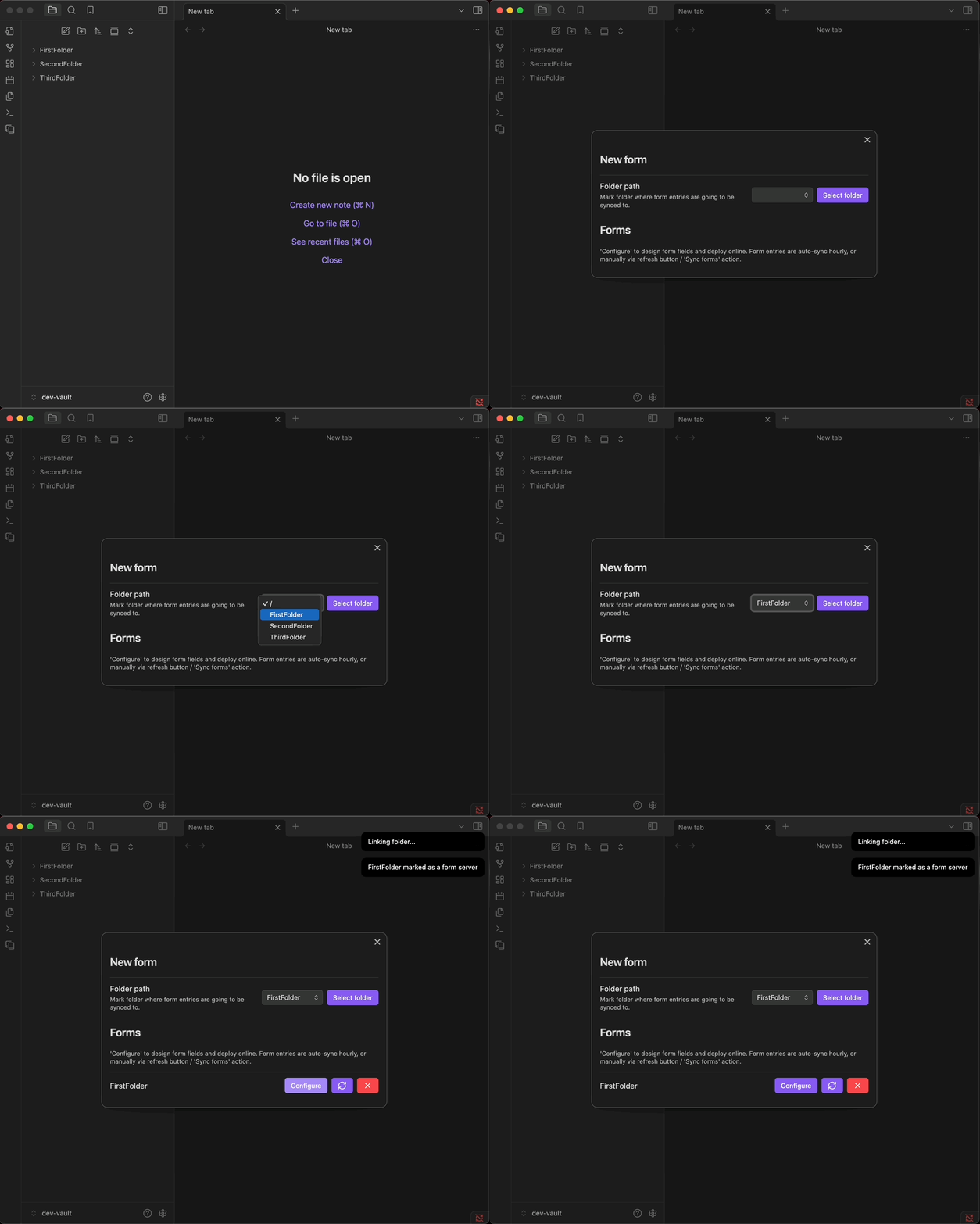
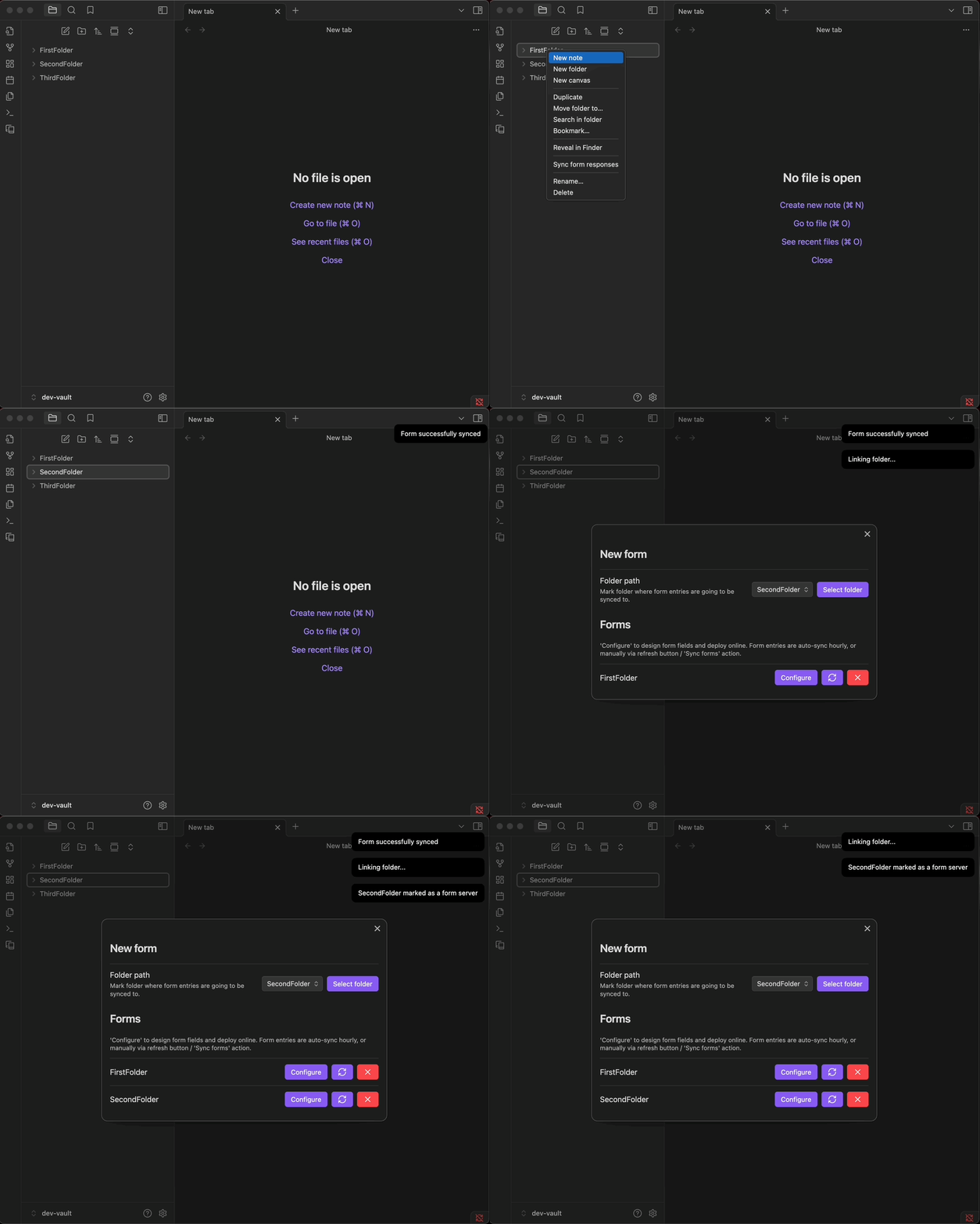
Create forms directly from Obsidian in two ways:
- Using the left ribbon icon
- Using the folder context menu (right-click)
-
Choose an Obsidian folder as the home directory for the form.
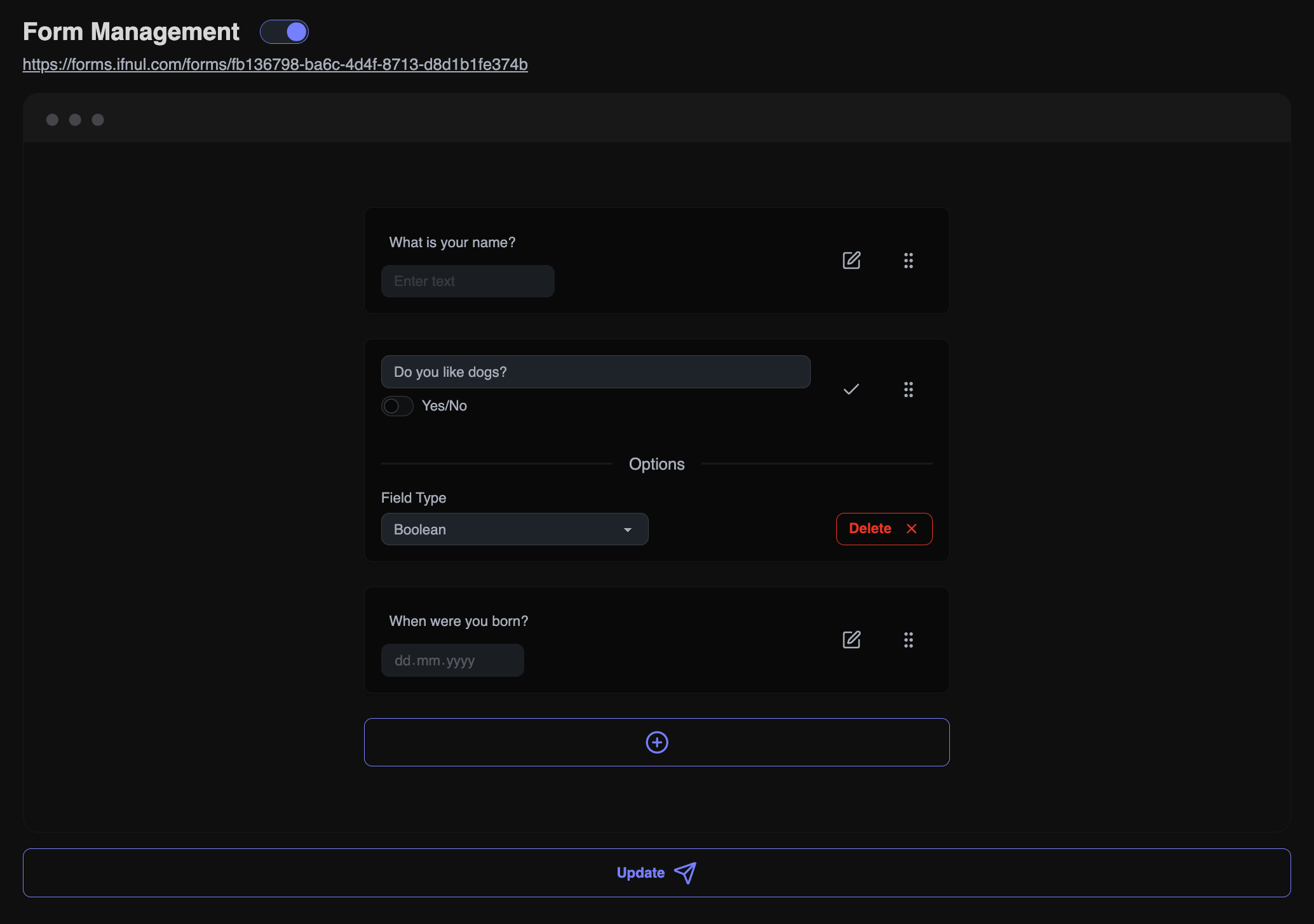
2. Setting Up Questions
- Link the form with your account on the website.
- Fill in the structure of the questions.
3. Publishing 🎉
- Publish the form to allow others to complete it.
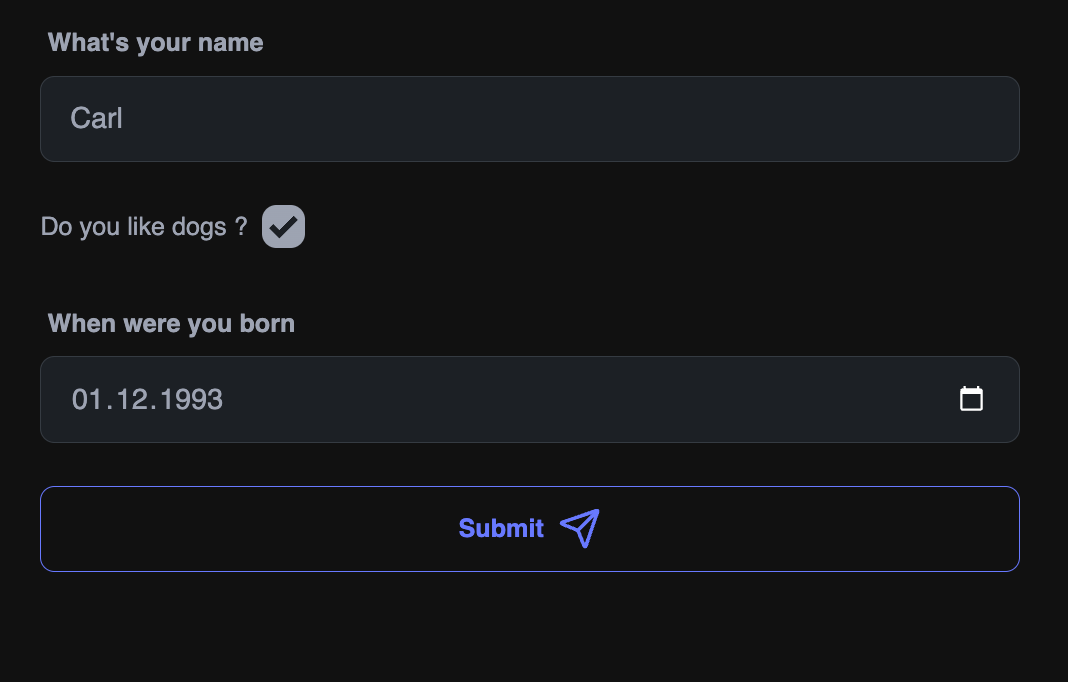
4. View Submissions
- Responses start appearing in your Obsidian vault.
Payment plan
You can publish one form for free under the Free Plan. For additional forms, choose between $6 per year or a one-time $10 lifetime deal.
For plugin developers
Search results and similarity scores are powered by semantic analysis of your plugin's README. If your plugin isn't appearing for searches you'd expect, try updating your README to clearly describe your plugin's purpose, features, and use cases.