Fountain Editor
approvedby Chuang Caleb
Fountain (screenplay) syntax highlighting in the editor.

Obsidian Fountain Editor
An Obsidian plugin for Fountain syntax formatting in the editor.
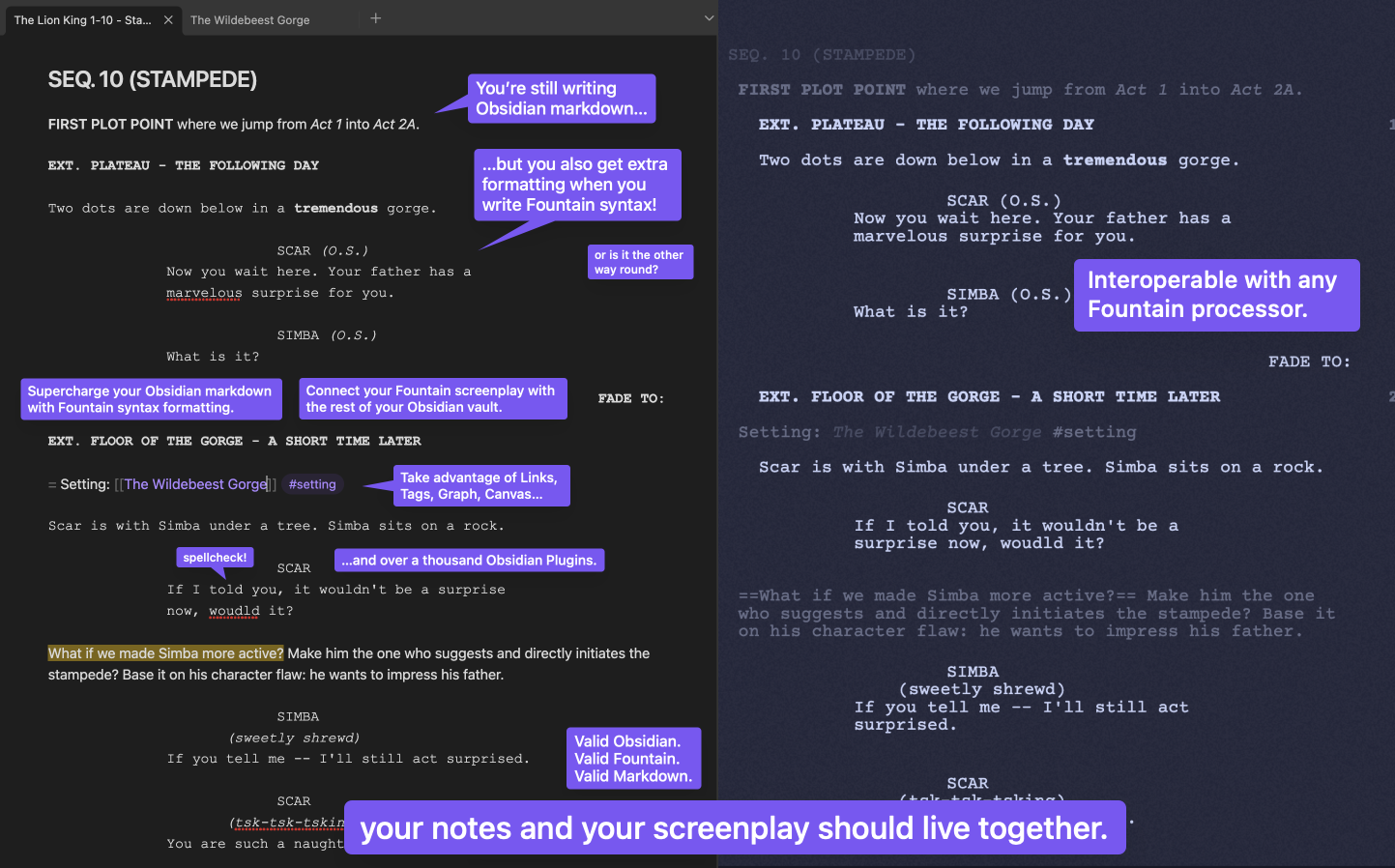
📺 Youtube Demo: Obsidian Fountain - Live Editor (Plugin Showcase)


🔗 Quicklinks
🔨 Usage
🏁 Quickstart
- 📥 [⭐ Recommended] Open the installation prompt in Obsidian
- 📄 Mark a markdown note for Fountain formatting by one of the following:
- Use a
.fountain.mdextension - Add a
fountaintag to the Properties frontmatter - Add
cssclasses: fountainto the Properties frontmatter
- Use a
- 🎨 You will get automatic syntax highlighting/styling according to the Fountain syntax!
Try copy-pasting this into a note:
---
cssclasses:
  - fountain
---

# Opening Hook

> THE STINK LINK <

FADE TO:

EXT. PUBLIC RESTROOM - DAY

A POLICE OFFICER steps into a dingy restroom. She winces.

POLICE OFFICER (V.O.)
I _smell_ a rat...

= Use Fountain's Synopsis to escape into [[regular markdown]]! #so-cool

%%
You can use **Obsidian comment blocks** to escape into markdown too!

> [!tip] Strip these Obsidian comments out with the Obsidian Longform plugin!

%%
🧰 Toolset
Markdown
A lightweight markup syntax that uses simple plaintext formatting for easy conversion other formats.
Obsidian ↗
A markdown-based note-taking app with a focus on knowledge management: linking and organizing information.
Fountain ↗
A lightweight markup syntax for writing screenplays with simple plaintext formatting — just like Markdown.
Fountain Editor - Obsidian Plugin
This plugin integrates Fountain syntax into Obsidian’s editor!
Other Plugins & External Tools
Effortlessly incorporate other Obsidian plugins, and external screenplay tools and apps!
Huh???
You: “I like your funny words, magic man! What are all these different names? I’m new to all this!” Read more →
🌟 Key Features
💰 100% Free
No premium tier, no hidden charges. Everything, for $0.
📝 Author with Obsidian
One app for your research, references, ideating, outlining, drafting, writing. All linked. Unopinionated workflow.
💱 Intuitive Hybrid Syntax
Fountain + Markdown. Interleaved and complementary, with simple design for opt-in and opt-out!
⚡ Supercharge with Other Plugins
2k+ Obsidian plugins to further extend custom functionality and create the perfect writing app just for you.
🔧 Fine-Tune Your Styles
Fully exposed CSS Variables, for every syntax token, to tweak to pixel perfection.
[!TIP] Full documentation wiki can be found at obsidian-fountain-editor.chuangcaleb.com. Check it out!
You may also want to check out the similar Obsidian Fountain plugin!
For plugin developers
Search results and similarity scores are powered by semantic analysis of your plugin's README. If your plugin isn't appearing for searches you'd expect, try updating your README to clearly describe your plugin's purpose, features, and use cases.