by Precieux Fassinou
A colorful 3D view of your vault: one color per top-level folder, soft glow, starfield, search and neighbor highlighting.
Galaxie 3D
A colorful 3D view of your Obsidian vault.
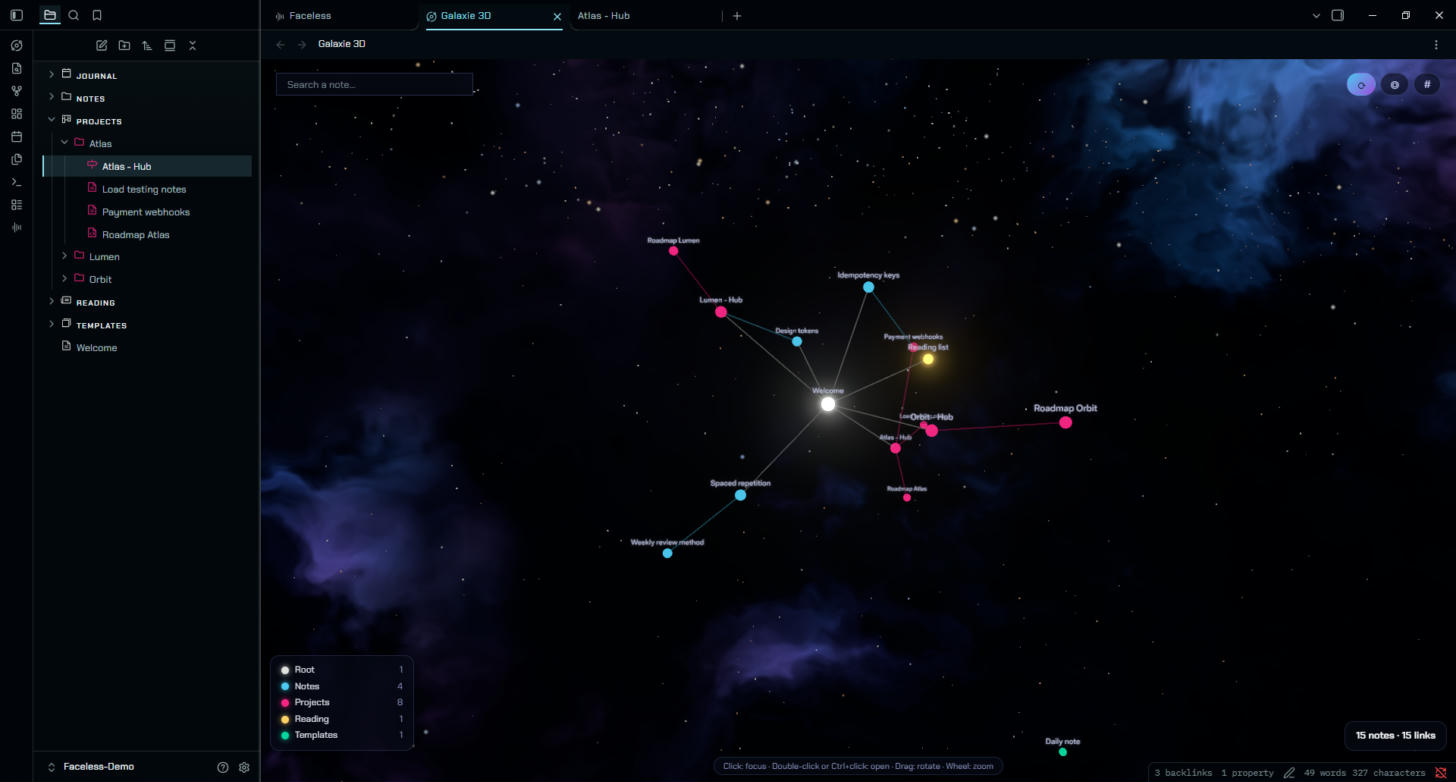
- One color per top-level folder, so the shape of your vault reads at a glance. Pick your own colors: click a folder's dot in the legend, or use the Folder colors section of the settings (each color can be reset to the default).
- Node size grows with the number of links; the most linked notes keep their name visible.
- Soft glow, fixed-size starfield, particles flowing along the links of the selected note.
- Search box, click to focus a note and its neighbors, double-click (or Ctrl+click) to open it.
- Click a folder in the legend to hide or show it. Optional tags as nodes.
- Pauses rendering when the view is hidden, to save battery.
The interface follows Obsidian's language (English or French).
Usage
Run the command Open 3D galaxy or click the orbit icon in the ribbon. The view opens in its own tab.
| Action | Effect |
|---|---|
| Click | Focus a note and highlight its neighbors |
| Double-click / Ctrl+click | Open the note |
| Drag | Rotate |
| Wheel | Zoom |
Settings: glow intensity, tags, orphan notes, particles, number of always-visible names, folder colors.
Privacy
No network requests, no telemetry, no files read or written outside your vault. Everything is computed from Obsidian's own link index.
Building
npm install
npm run build   # writes dist/main.js
Built on 3d-force-graph and three.js (MIT).
Français
Vue 3D colorée du vault : une couleur par dossier principal, halo doux, fond étoilé, recherche, mise en valeur des voisins. Couleurs personnalisables : clic sur la pastille d'un dossier dans la légende, ou section Couleurs des dossiers des réglages. Commande Ouvrir la galaxie 3D. Clic : centrer · double-clic ou Ctrl+clic : ouvrir · glisser : tourner · molette : zoom. Aucune requête réseau, aucune télémétrie.
For plugin developers
Search results and similarity scores are powered by semantic analysis of your plugin's README. If your plugin isn't appearing for searches you'd expect, try updating your README to clearly describe your plugin's purpose, features, and use cases.