Vault Orrery
approvedby Elliott Park
A 3D graph where folders are stars and notes orbit them. Replay how your vault grew. Works offline. - This plugin has not been manually reviewed by Obsidian staff.
Vault Orrery
Your vault as a star system. Folders become stars, notes orbit them, and a Genesis timeline replays how the whole thing grew. Every body on screen is a note you can be reading a second later. Runs entirely offline.
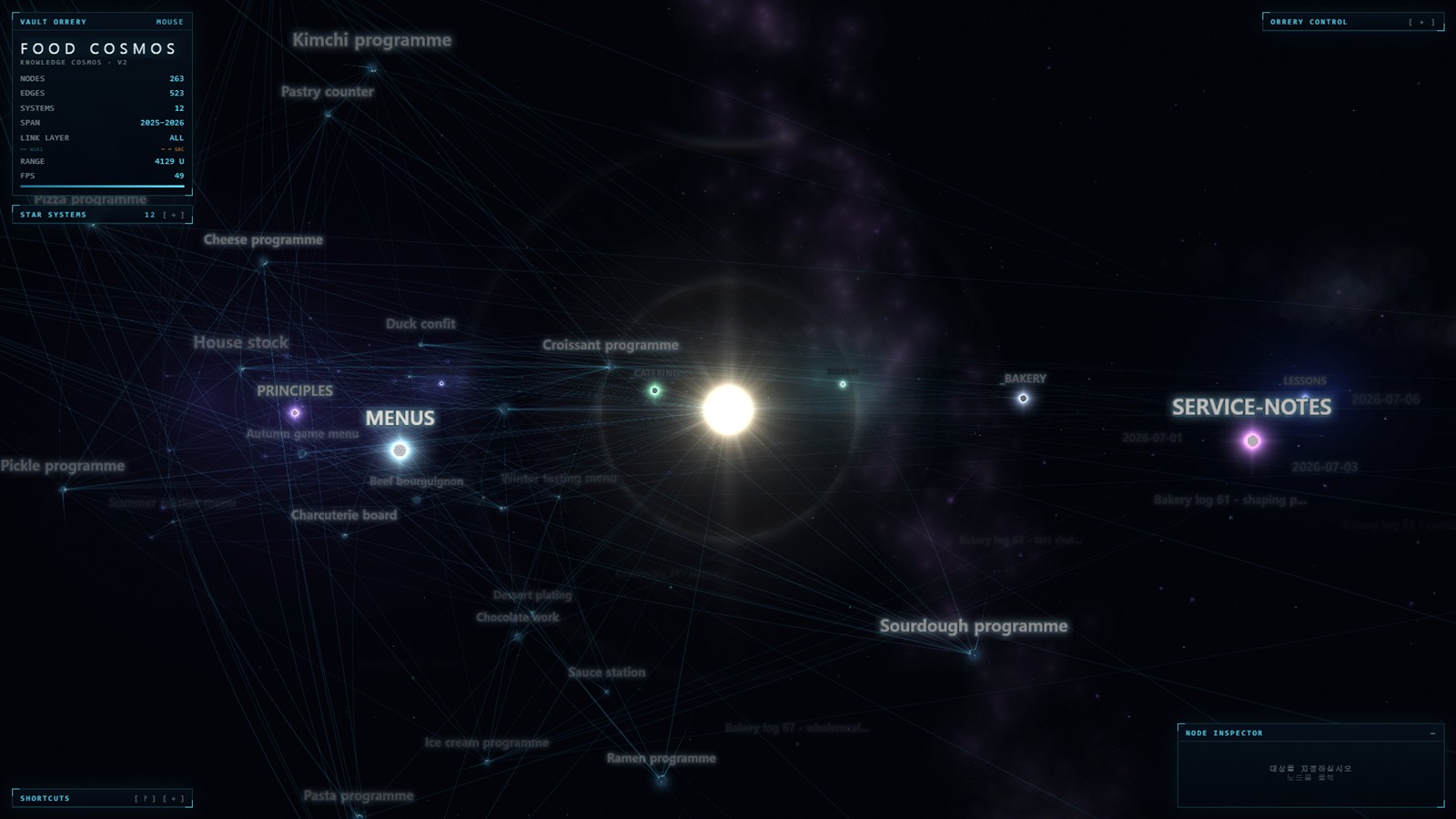
Not another galaxy graph
Several plugins draw your vault as a starfield. If a prettier graph is all you want, those are lighter and you should use one of them. This one is an orrery, and three things follow from that:
Folders are star systems, not another colour of dot. Each folder is a lit system sitting in its own gas, with its notes in orbit round its star. The shape of the vault is the shape of the picture, so a crowded folder looks crowded and an orphaned one sits out on its own.
Genesis plays the vault's formation. Press G and the cosmos rewinds to
void and condenses forward to today, note by note, in the order you actually
wrote them. Nothing else here does this, and it is not an animation of the
finished graph — it is the vault's own history, scrubbable.
It is wired into the editor. Ctrl/Cmd-click a planet and the note opens beside the orrery. The note you are editing carries its own beacon. Show in Vault Orrery is on every note's context menu, and every mode is a command you can bind a key to.
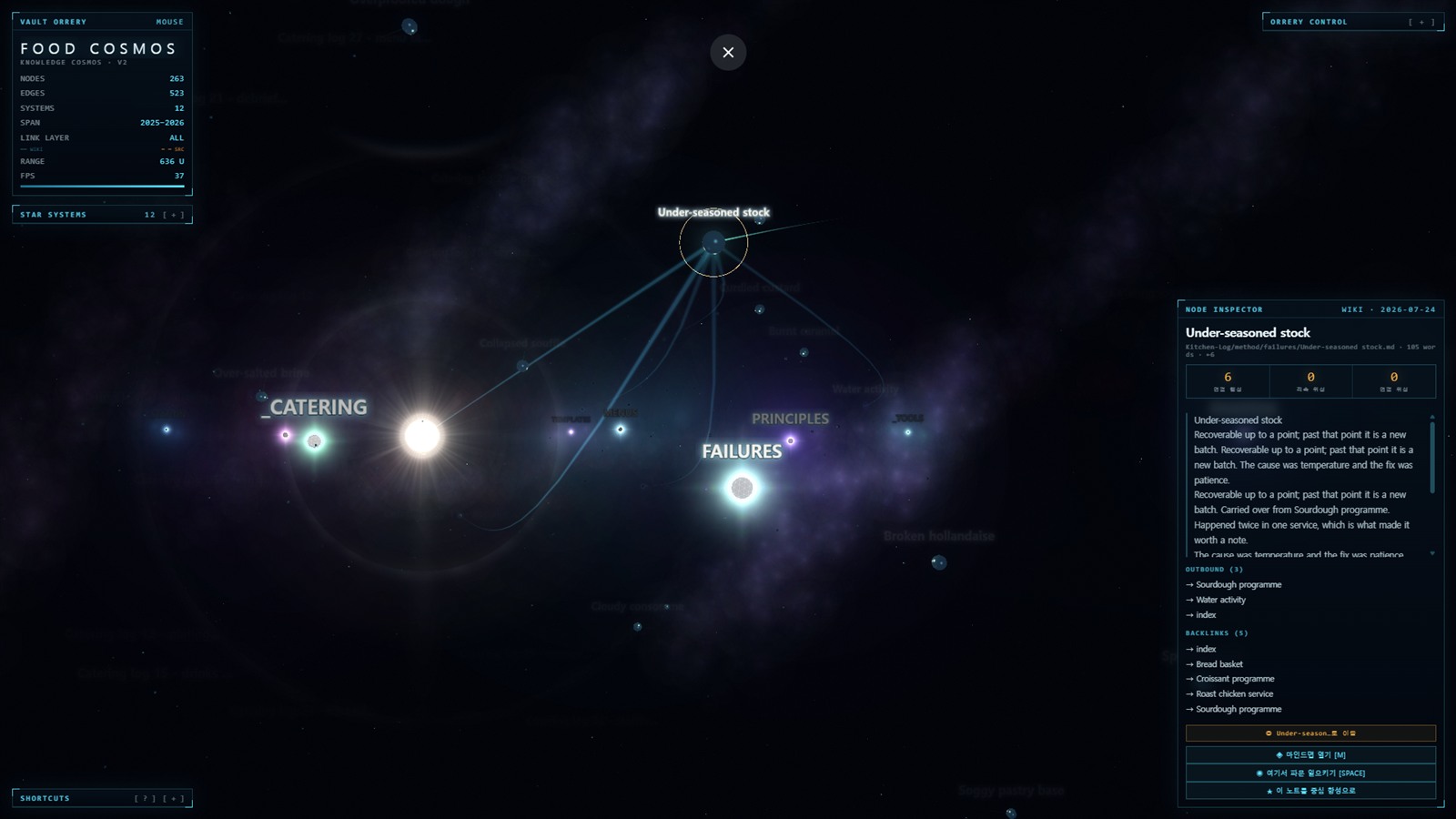
What it does
- Folders are stars, notes are planets, cited sources are moons. Orbits open from a flat disc into a sphere on one knob.
- Genesis —
G— plays the vault from void to present, with a scrubber. - Mind map —
M— one note's neighbourhood, two hops out, in place. - Search —
/— notes, controls and actions in one box. - Ripple —
SPACE— a wave along the links from the selected note. - Poster —
P— a high-resolution PNG of the cosmos with no HUD. - Ambient sound —
U— every note has a pitch; off until you ask. - Broken links, counted in the status panel and named in the inspector. Click the count to keep only the notes carrying them.
- Properties — a note's front matter is on the inspector and in the search
box, so
status: blockedis a thing you can look for. - Route — pick two notes and the shortest way between them lights up, with the rest of the vault held down to a trace.
- 한국어 · English · 日本語 · 中文, switchable without reloading.
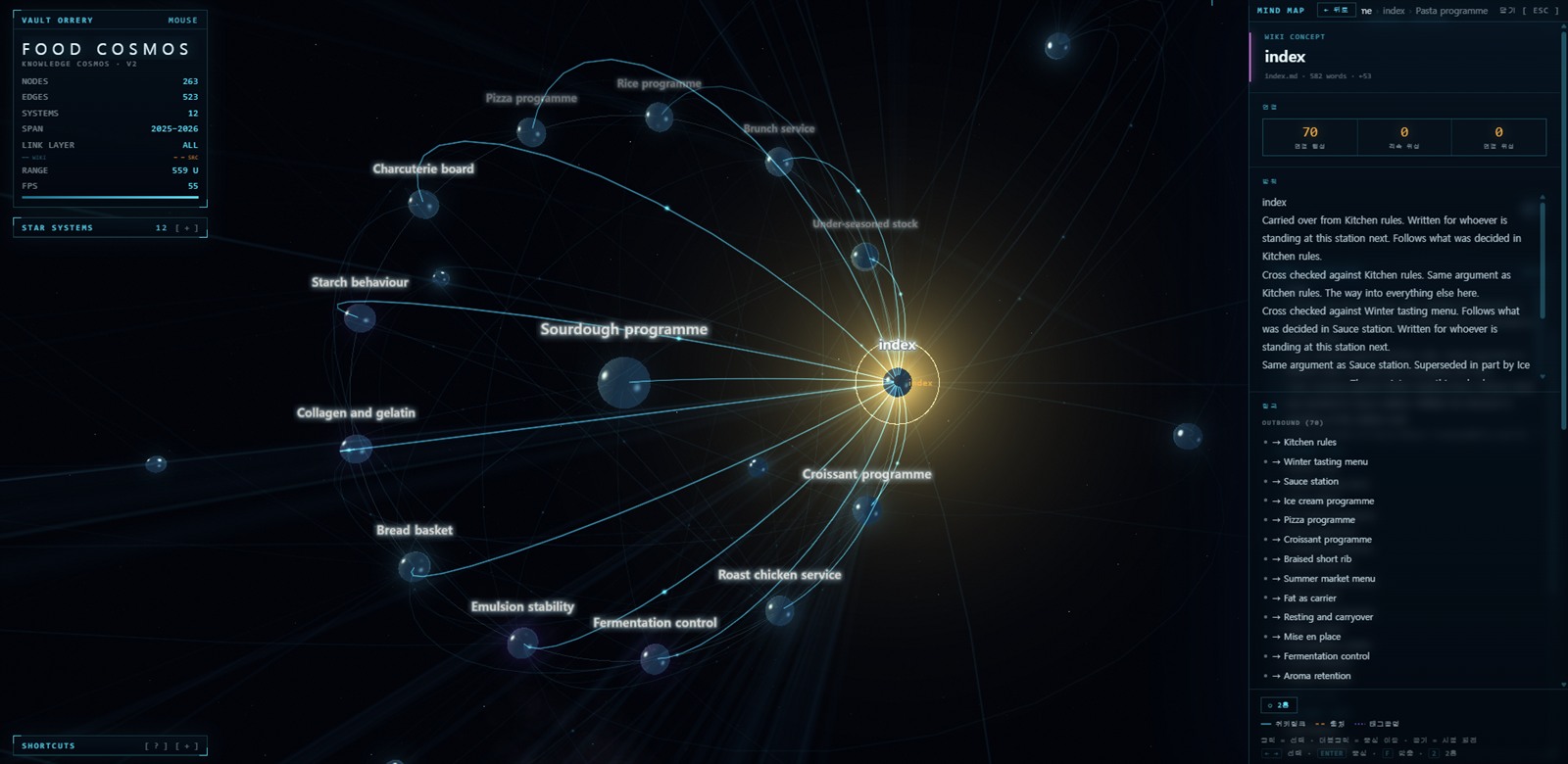
The graph is Obsidian's own. Links, backlinks and tags come from the index
Obsidian already keeps, so a link written through an alias resolves rather than
counting as broken, an embed counts as a link, and a #tag in a paragraph
counts alongside the ones in the front matter.
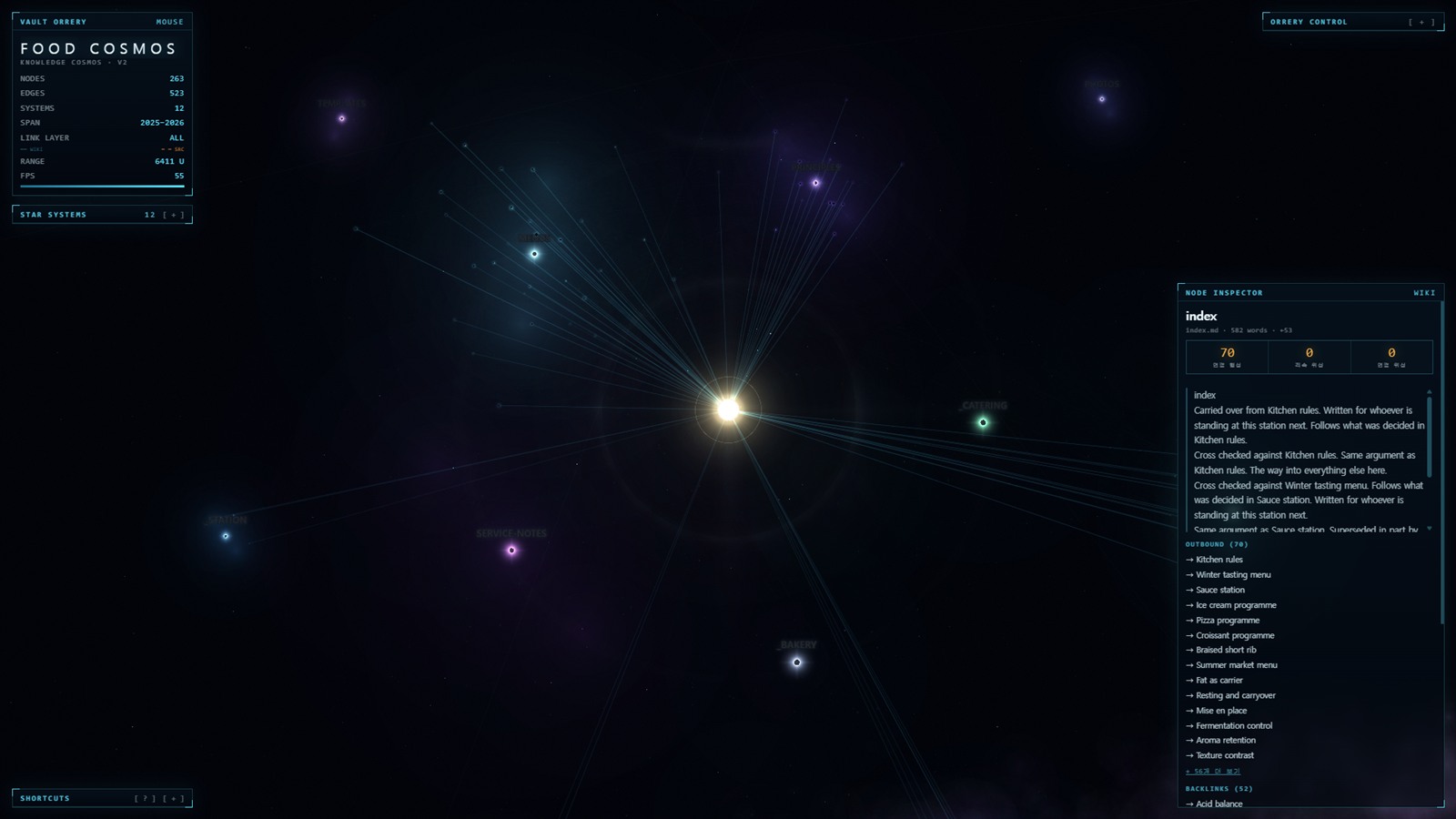
The vault stays current. Notes written, created, renamed or deleted while the view is open re-derive the cosmos — camera and selection left where they were, and no loading curtain over a view you are using.
Controls
O · ctrl/cmd-click | open the note in Obsidian |
/ | search |
M · double-click | mind map |
G | Genesis — play the vault's formation |
SPACE | ripple from the selected note |
P | save a poster (high-resolution PNG, no HUD) |
L | cycle the link layer — ALL · WIKI · SOURCE · BRIDGE · OFF |
X | the reference plane on the layout's own plane |
U | ambient sound |
R · H | reset view · hide HUD |
? | the guide — every key above with a line on what it does |
| drag / wheel | orbit · zoom |
| right-drag · shift-drag | pan · move a node |
The first time a vault loads, a card names the four moves that are enough to
get going. Any key dismisses it. ? — or the [ ? ] in the SHORTCUTS title
bar — opens the full guide, which explains each of the above and the three
things that have no key: the broken-link filter, the route, and BRIDGE. The
four-move card is one click away at the bottom of it.
Privacy, in one paragraph
No network access at runtime. At all. No server, no telemetry, no
analytics, no update check, no remote font, no CDN — the plugin makes zero
outbound requests, and npm run check is that claim automated over the built
bundle. It reads every markdown file in the vault, because the shape of the
vault is what is being drawn and a graph of a subset is a different vault's
picture. Reading goes through Obsidian's own cache, and your excluded-files
patterns are applied first, so a note you have hidden is never opened at all.
→ The long version, and how to verify it
Large vaults
The MAX NODES ceiling ships off: a cap that silently drops half a vault is worse than a slow first minute, and the slider is right there. If a big vault runs slowly, turn BLOOM and the four LIGHT knobs off first, then lower LINK GLOW and STARFIELD. Rendering stops entirely when you are not looking at the view, so an orrery in a background tab costs nothing.
Installation
From the community plugin browser: Settings → Community plugins → Browse → "Vault Orrery" → Install.
Manually: copy main.js, manifest.json and styles.css from the release
into <vault>/.obsidian/plugins/vault-orrery/, then enable it in Settings.
Those three files are the whole plugin — three.js is bundled into main.js, so
nothing is fetched at runtime.
Desktop only: the renderer needs WebGL.
Going deeper
- How the picture is made — the grade, the glow, and the two knobs that decide how tightly the cosmos is packed.
- The astronomy is not decoration — what is actually simulated, and what is deliberately not to scale.
- The hub, and hearing the vault — how the central star is chosen, and what the sound is playing.
- Privacy and excluded files
- Performance on large vaults
- Development — the engine is a single openable HTML page; this is how it becomes the plugin.
- Contributing
- Changelog
License
MIT — see LICENSE.
This plugin bundles three.js (MIT) and nothing else, and does not fetch it from a network at runtime. Full notice and licence text in THIRD-PARTY-NOTICES.md.
For plugin developers
Search results and similarity scores are powered by semantic analysis of your plugin's README. If your plugin isn't appearing for searches you'd expect, try updating your README to clearly describe your plugin's purpose, features, and use cases.