Git File Explorer
approvedby mateusmolina
Add relevant git information of detected git repositories to the file explorer.
★ 26 stars↓ 3,644 downloadsUpdated 4mo agoMIT
Obsidian Git File Explorer
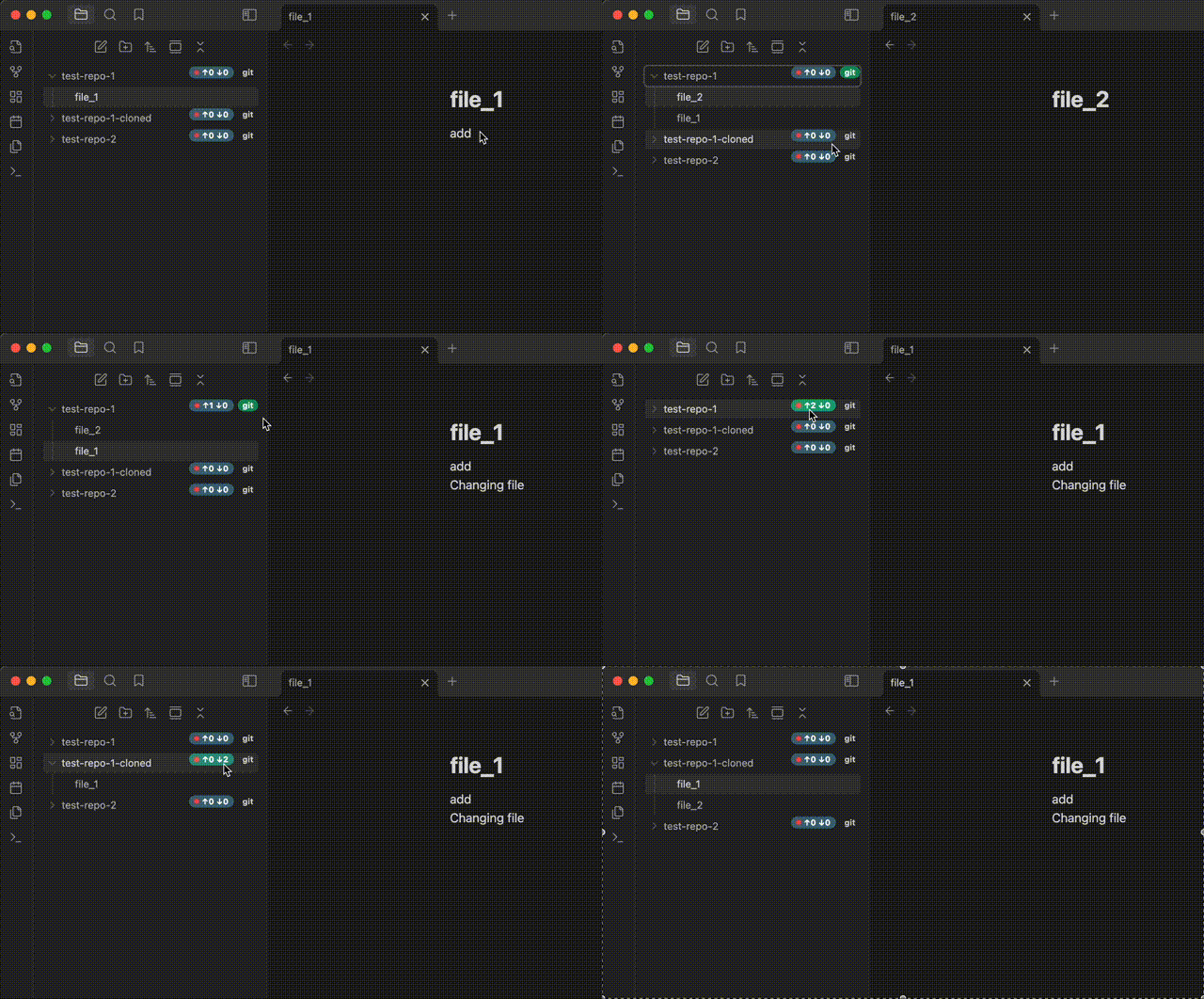
This plugin brings Git to Obsidian's file explorer. Once enabled, it displays commit status, sync state, and changed files directly next to each repository in your vault.
Features
Git Changes Widget
- Number of changed files displayed next to each detected repository in the file explorer
- Clicking on the widget prompts the user for a commit message (adjustable in the settings)
- After submitting, the component automatically stages and commits all changes in a single commit
- Option to automatically generate commit messages in the format "Backup @ {iso-timestamp}"
Git Sync Widget
- Shows the number of commits to be pulled and pushed from the remote
- Upon clicking, starts a sync process: pull (--no-rebase) followed by push to remote
- Provides visual feedback of the sync status directly in the file explorer
- Auto-sync feature: Automatically synchronize repositories on a schedule
- Configure auto-sync on startup to sync repositories when Obsidian starts
- Set custom auto-sync frequency (in minutes) for periodic background synchronization
- Visual indicator shows when auto-sync is active for a repository
Git Diff Tool Integration
- Right-click context menu option to open the git diff tool for files and folders
- Easily visualize changes to files directly from the file explorer
- Works with any file or folder within a git repository
- Compatible with your system's default git diff tool
File Explorer Enhancements
- Changed files can be highlighted in the file explorer with customizable styling
- Choose between colored text or margin highlight with colored text
- Visual indicators help quickly identify which files have uncommitted changes
Repository Management
- Context menu option to initialize new Git repositories directly from the file explorer
- Automatically detects and monitors Git repositories throughout your vault
Installation
- In Obsidian, go to Settings > Community plugins
- Disable Safe mode if it's enabled
- Click "Browse" and search for "Git File Explorer"
- Install the plugin and enable it
Requirements
- Obsidian v0.15.0+
- Git must be installed and accessible in your system's PATH
- Plugin is desktop-only (not compatible with mobile)
Configuration
Several options are available in the plugin settings:
- Git Changes Widget — show or hide the commit status widget in the file explorer
- Git Sync Widget — show or hide the pull/push sync widget
- Commit message prompts — prompt for a custom message on each commit, or auto-generate one
- Changed file highlighting — choose between colored text or margin highlight to mark uncommitted files
For plugin developers
Search results and similarity scores are powered by semantic analysis of your plugin's README. If your plugin isn't appearing for searches you'd expect, try updating your README to clearly describe your plugin's purpose, features, and use cases.