Advanced Graph View
approvedby n23eos
Alternative graph view for large vaults with 3D visualization, clusters, PageRank and color schemes. - This plugin has not been manually reviewed by Obsidian staff.
Advanced Graph View
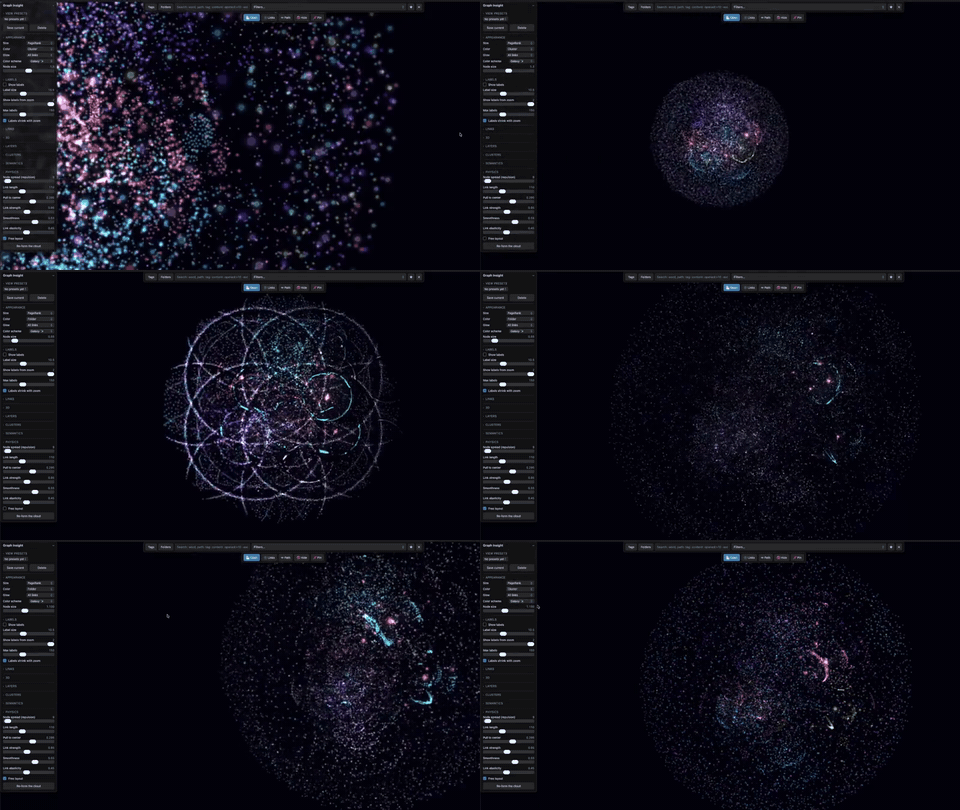
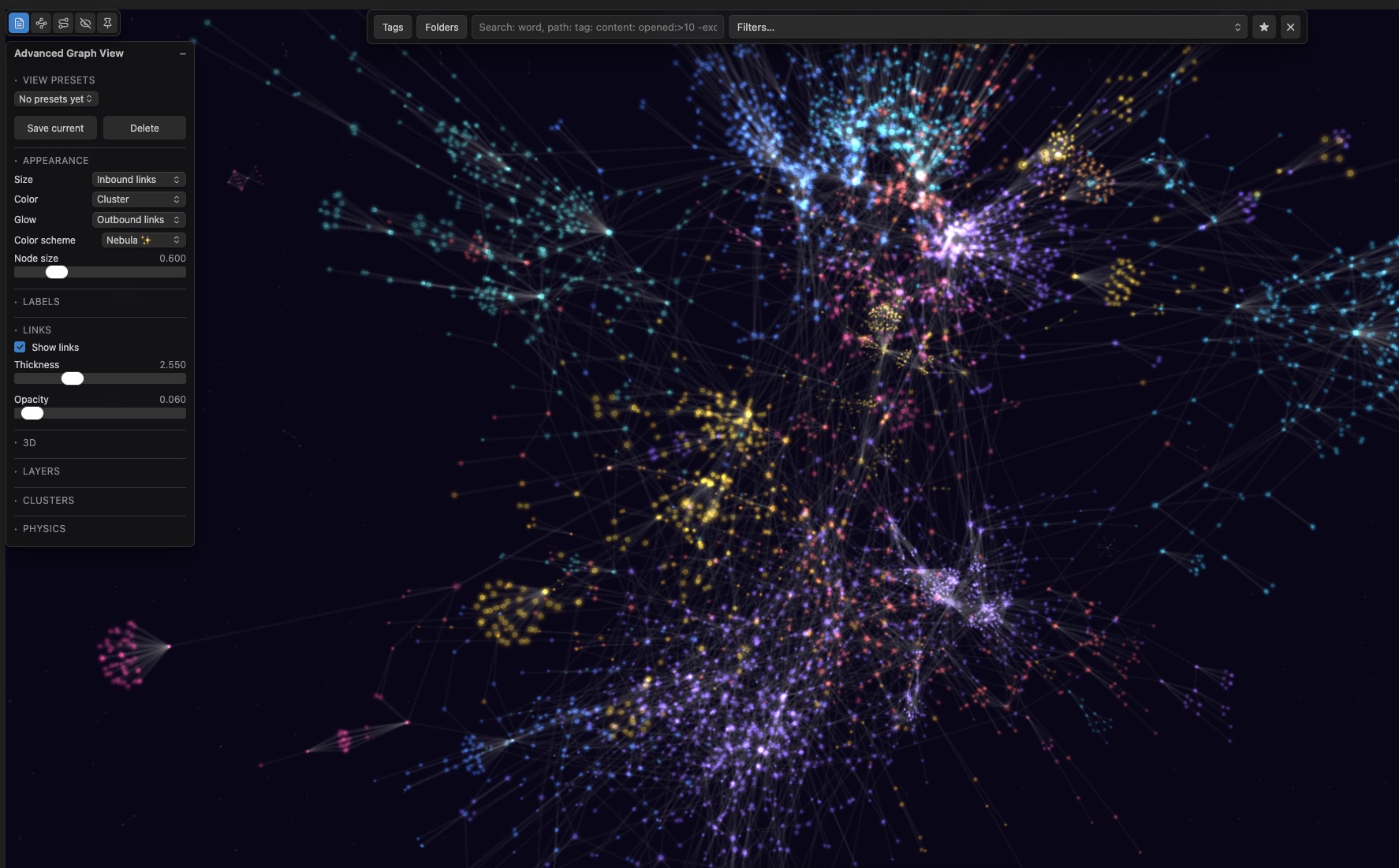
Advanced Graph View replaces Obsidian's built-in graph for vaults of 5,000 to 50,000 notes, where the default view collapses into a hairball. Any metric can drive node size, color or glow: PageRank, how often a note is opened, edit recency, note age, link counts, folder, tag or cluster. Rendering runs on WebGL through Pixi.js with the force layout in a Web Worker, so 10,000 nodes stay interactive. Louvain clustering names communities by TF-IDF, and overlays mark orphans, dead ends and broken links. Note opens are logged locally and compacted by day, month and year, exportable to CSV or erasable at any time.

Desktop only. The renderer leans on WebGL and two Web Workers; the plugin declares
isDesktopOnly: trueand will not load on Obsidian mobile.
Installation
Not yet in the Community Plugins directory. Two ways to install:
BRAT (recommended — gets updates automatically)
- Install the BRAT plugin from Community Plugins and enable it.
- Command palette → BRAT: Add a beta plugin for testing.
- Paste
n23eos/advanced_graph_viewand confirm. - Settings → Community Plugins → enable Advanced Graph View.
Manual
- Download
main.js,manifest.jsonandstyles.cssfrom the latest release. - Create
<your vault>/.obsidian/plugins/graph-insight/and drop the three files in. - Reload Obsidian, then enable Advanced Graph View in Settings → Community Plugins.
The folder must be named
graph-insight— that is the plugin id, kept stable so existing installs keep their usage history.
Open the graph with the ribbon icon (git-fork) or the command Advanced Graph View: Open graph view.
Requires Obsidian 1.13.0 or newer.
Features
- Metric-driven node encoding — assign any metric to size, color, or glow: PageRank, open frequency (all-time / 90 / 30 / 7 days), edit recency, note age, in/out links, file size, folder, tag, or cluster. Default: size = PageRank, color = edit recency.
- WebGL rendering (Pixi.js v8) — 10,000+ nodes at 50+ FPS. Force layout runs in a Web Worker; the UI thread never computes physics.
- Usage tracking — fully local log of note opens (counted after 5s of active viewing). Day-level buckets compact into months and years. Export to CSV or wipe at any time.
- Clusters — Louvain community detection with automatic TF-IDF naming, cluster bubbles, per-cluster zoom and hide.
- Overlays — orphans (no inbound links), dead ends (no outbound), broken links, each with live counters.
- Search & filters — native graph syntax (
path:,tag:,file:,-exclude) plus new operators:opened:>10,opened:30d>5,edited:<30d,created:>2024-01-01,links:>5,inlinks:0,unresolved:>0,cluster:"name". Live highlight while typing, Enter to hard-filter, saved presets. - Focus mode — double-click a node to see only its N-hop neighborhood (depth 1–4) with distance-based fading. Esc to exit.
- Explore mode — travel the graph one link at a time, No Man's Sky style: point the mouse down a link, click, and the camera flies to the note at the other end. See below.
- Local graph pane — a sidebar view of the neighborhood around whatever note you have open, in 3D or flat. A depth slider (1–4 hops) sets how far it reaches, rings are colored and faded by distance from the root, and the camera frames the cloud on its own. Open it from the toolbar or the command palette; the depth and 3D toggle are remembered.
- Local graph export — write the neighborhood out as a Markdown note beside the root: one section per depth ring, direction arrows on the first ring (→ outgoing, ← incoming, ↔ mutual), and each deeper note names the note it was reached through. Clickable wikilinks, so the map lives inside your vault.
- Camera that frames itself — in 2D the view fits the whole graph after the layout settles and after switching a preset; panning or zooming by hand cancels it, so your framing always wins. Nodes never shrink below 2.5 px on screen, and the layout spread scales with vault size so large vaults don't fly apart and small ones don't clump.
- Side pane — a toolbar toggle: a click opens the note in a pane beside the graph rather than over it, and the next note you click replaces it in that same pane. The graph never leaves the screen.
- Follow active note — a toolbar toggle: open a note anywhere in the vault and the camera moves to it and marks it. It stands aside while explore mode is flying the camera, and when the note is filtered out it leaves your filter alone rather than clearing it. In focus mode it rebuilds the neighborhood around the new note instead of panning.
- Pins — hold a note in place against the physics. Pinned notes are ringed, survive graph rebuilds and restarts, and a lasso selection can be pinned or released in one go.
- Commands for everything — every layer, the timeline, cluster bubbles, physics, 3D, explore and focus mode have command-palette entries, so you can bind whichever ones you use to your own hotkeys.
- Color schemes — categorical palettes for folders/tags/clusters and gradient scales for metrics, plus glowing "galaxy" schemes with additive blending. On a light theme the brightest scheme colors are dimmed so nodes stay visible, and switching theme repaints the graph immediately.
- View presets — bundled recipes you switch between in one click, including four diagnostic ones: Orphans, Broken links and Dead ends light only what matches and name it, and Attention map sizes by PageRank against color by opens in the last 90 days, so a big cold node is a hub you have stopped reading. Save your own alongside them.
- Timeline — watch your vault grow month by month with a play button and an activity sparkline.
- Session trail — animated arrows retrace your navigation path through the vault, with replay.
- Insights dashboard — totals, top notes by opens and PageRank, cooling hubs (important but stale), 90-day activity.
- Export — current view as PNG, graph data as JSON or GEXF (Gephi), and your settings as a profile you can import into another vault.
Explore mode
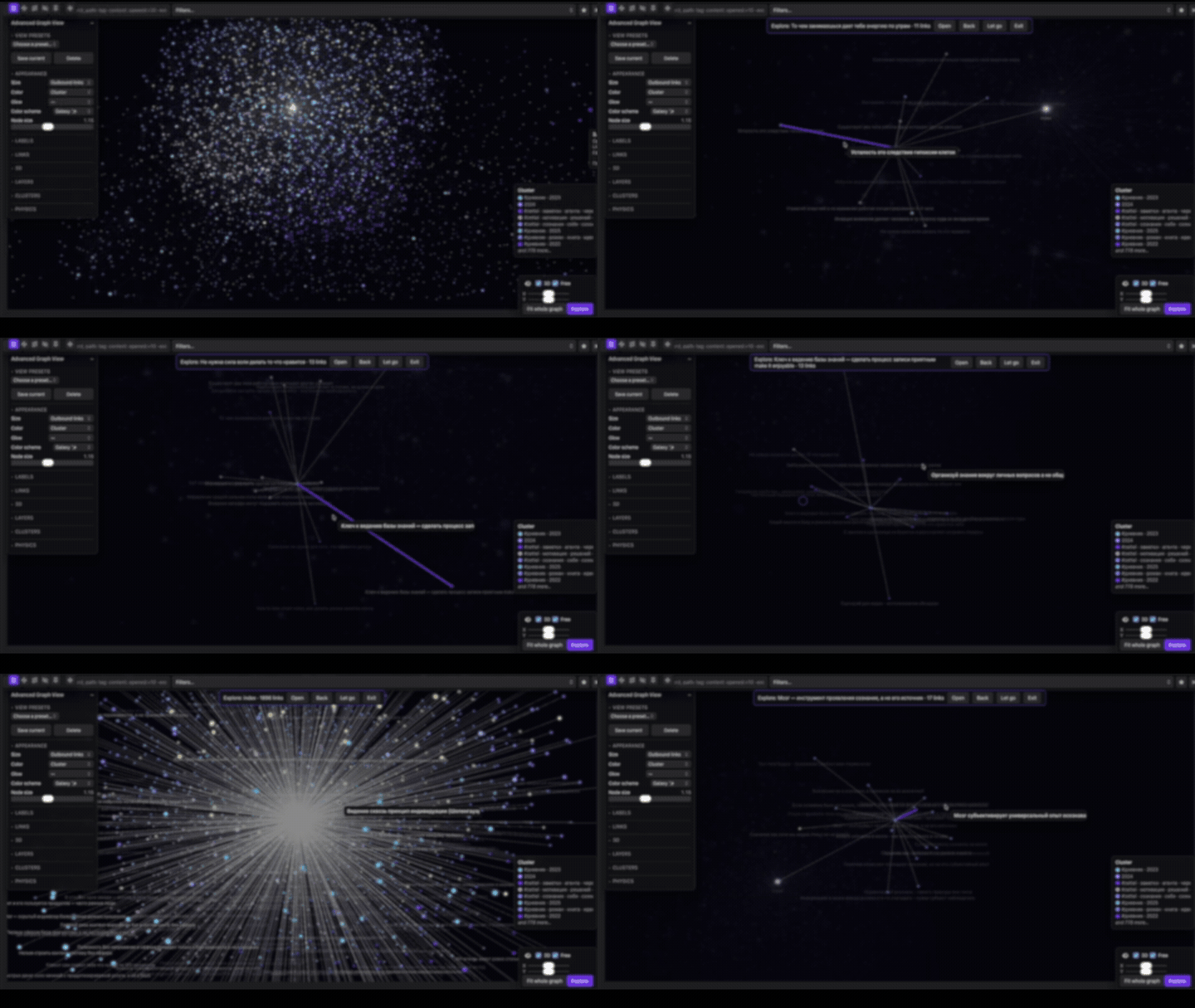
The camera sits on one note. Its links fan out, the notes at their far ends are the only ones lit and named, and the rest of the vault falls back to a dim backdrop. Sweep the mouse toward a link and it brightens, gains an arrow, and the note it leads to is named at the cursor — click to fly there, and that note becomes the new center.
Aiming is by direction, not by pixel: you point at a link rather than hitting the line, so a hub with fifty overlapping links stays navigable. Nothing moves on hover alone — every trip is a deliberate click.
Backspace retraces the trail, Space lets go of the current note so you can pick the next one anywhere in the vault, Esc leaves. Open puts the current note in a new tab without interrupting the trip. Hops keep the scale you set with the wheel and move only what the camera looks at. Physics pauses and 3D switches on for the duration — at runtime only, your saved settings are never written to.
Permissions and behavior
The plugin review surfaces the capabilities a plugin uses. Here is what this one does and why:
| Capability | Why it is needed |
|---|---|
| Vault enumeration | The graph is the list of notes and links — every node comes from getMarkdownFiles() and metadataCache. Nothing leaves your machine. |
| Vault read | Note bodies are read only for content: search, via cachedRead. |
| Clipboard | Write-only, and only from the lasso menu item "Copy list of paths". The clipboard is never read. |
| Dynamic code execution | Comes only from the Web Workers (layout and metrics), which are instantiated from inlined source. No user content is ever evaluated as code. |
Privacy & network
- No telemetry. No analytics. Everything stays on your machine.
- The plugin makes no network requests at all.
Data
Plugin data lives in .obsidian/plugins/graph-insight/data/:
| File | Contents |
|---|---|
usage.json | aggregated open counts |
positions.json | saved node positions and pinned notes |
Settings → Advanced Graph View has buttons to export usage as CSV, clear statistics, or reset all plugin data.
Languages
The interface follows Obsidian's own app language. Twelve locales ship with the plugin:
English, Deutsch, Español, Français, Italiano, 日本語, 한국어, Polski, Português (Brasil), Русский, Українська, 简体中文.
Anything else falls back to English, as does a regional variant with no file of its own (fr-CA → fr). Changing the app language takes effect after the plugin reloads.
Translations live in src/i18n/locales/, one file per language, all typed against en.ts — a locale missing a key fails the build, so no release can ship a half-translated file. Only English is native; the rest are machine-translated and corrections are welcome.
Mobile
Not supported. The plugin is marked isDesktopOnly: true: the layout and metrics Web Workers plus a 10k-node WebGL scene are past what mobile Obsidian handles comfortably, and shipping a version that loads but crawls is worse than not loading at all.
Development
npm install
npm run dev        # watch build
npm run build      # typecheck + production build
npm test           # vitest suite
npm run typecheck
npm run lint
npm run verify     # lint + typecheck + tests, same gate as CI
CI (.github/workflows/ci.yml) runs lint, typecheck, tests and a production build on every push and pull request. Tagged pushes additionally run .github/workflows/release.yml, which builds, attests provenance and publishes the release assets.
Architecture notes: force layout (d3-force) and PageRank/Louvain (graphology) each run in their own Web Worker, inlined into main.js as Blob workers. Edges render as a single GPU line-list mesh — position updates write into a vertex buffer instead of rebuilding geometry.
Feedback
The plugin is in beta and bug reports are the fastest way to make it better.
Report a bug or request a feature
The form asks for your plugin/Obsidian version, OS, vault size and the steps you took, so an issue can usually be reproduced without any follow-up questions. No sign-in required; email is optional.
License
MIT
Support
If this project was useful to you, feel free to support further development:


For plugin developers
Search results and similarity scores are powered by semantic analysis of your plugin's README. If your plugin isn't appearing for searches you'd expect, try updating your README to clearly describe your plugin's purpose, features, and use cases.