Hierarchical Outgoing Links
approvedby jasonmotylinski
Displays outgoing links in a tree structure.






Hierarchical Outgoing Links
Overview
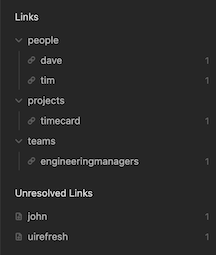
Displays outgoing links for the active document as a hierarchy based on the folder structure of the references.
Rather than showing a flat list of outgoing links, this plugin groups them into a collapsible tree that mirrors how your notes are organized into folders within your vault. For example, if a note links to recipes/breakfast/pancakes and recipes/dinner/pasta, the tree would look like:
recipes/
├── breakfast/
│   └── pancakes
└── dinner/
    └── pasta
The categories you see in the tree (e.g., "recipes", "breakfast", "dinner") are your vault's folder names, not tags or auto-generated labels.
Motivation
In the age old folders vs tags debate I tend to lean heavier on physically structuring notes into high level categories. The tag hierarchy display provides a nice overview of tags and how they relate to each other and I wanted something similar that leveraged the folder structure to display outgoing links as a tree.
Example
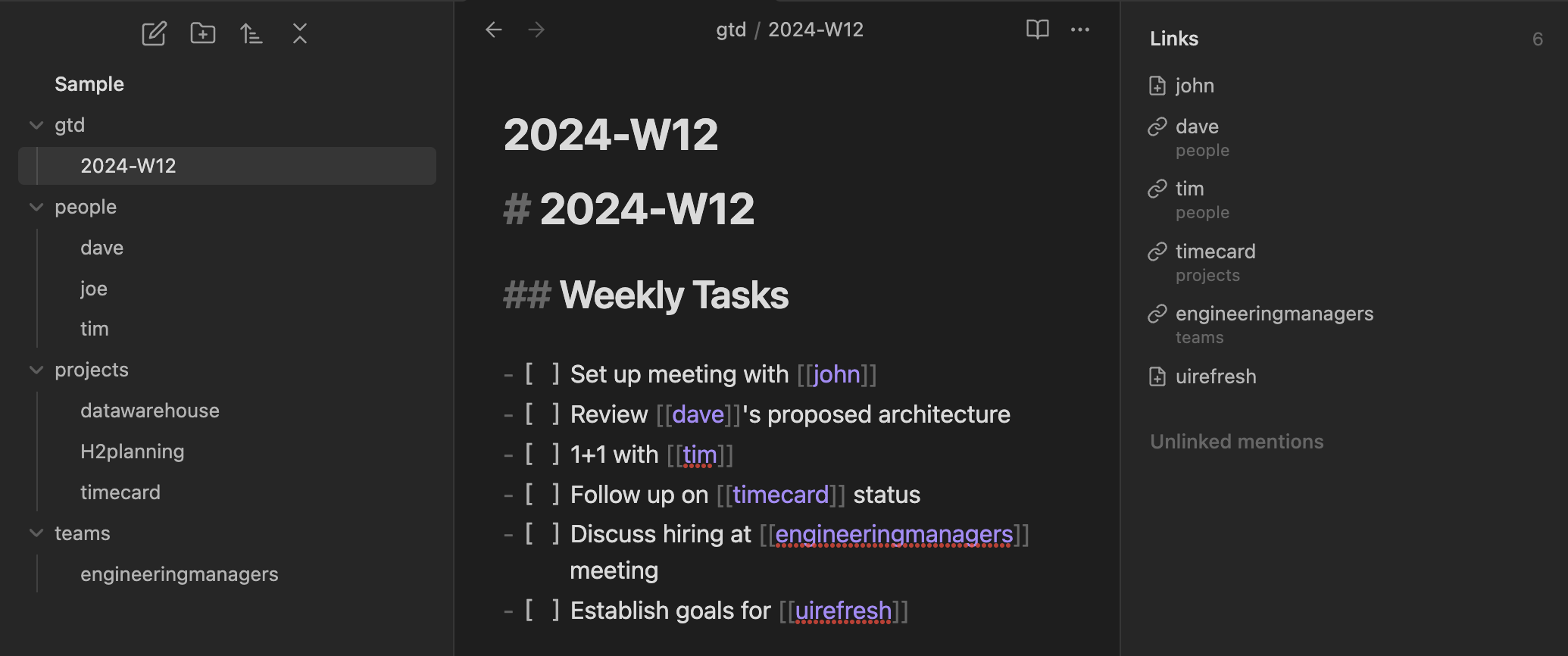
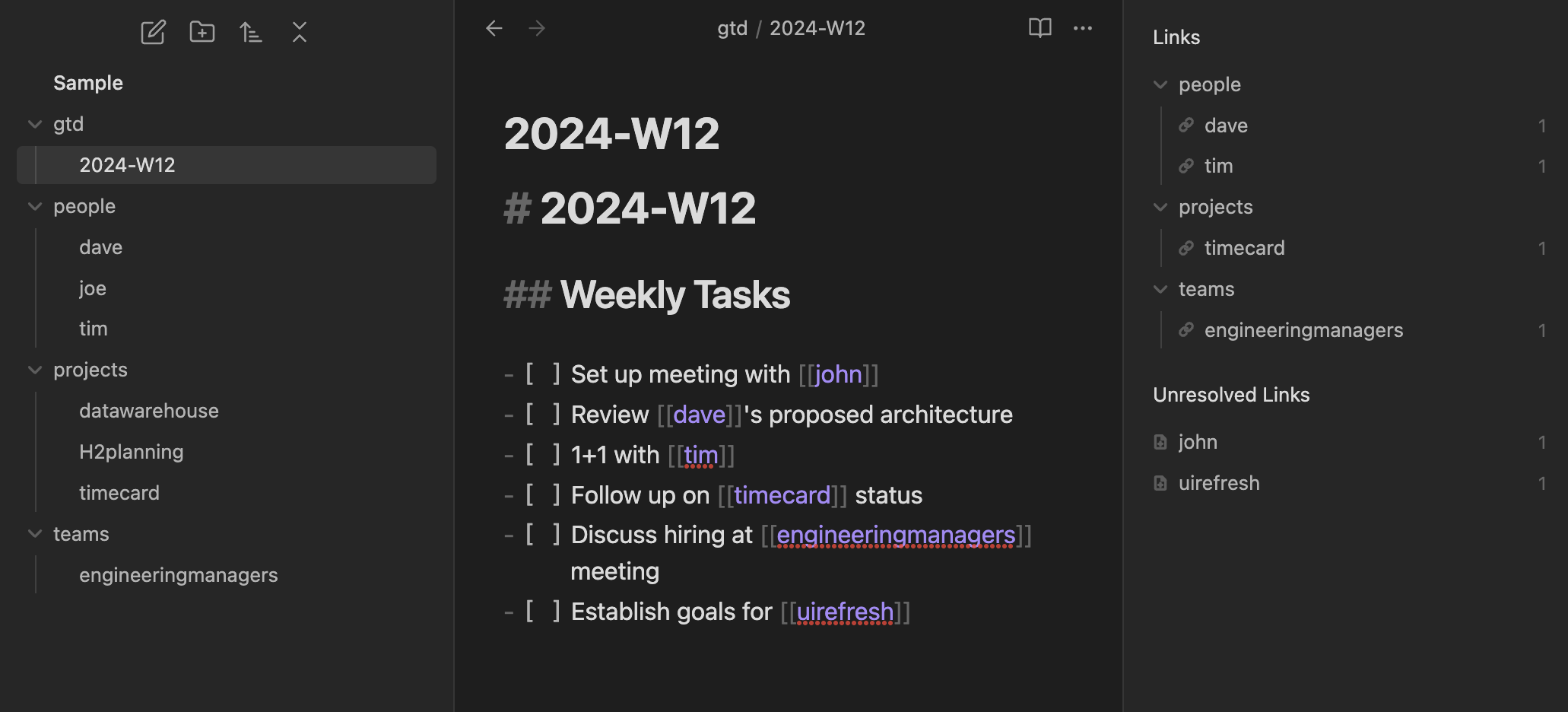
Here's a comparison of the core plugin vs the hierarchical outgoing links plugin in action.
This is how the out-of-the-box core outgoing links plugin displays links:
This is how this plugin displays links:
Features
- Collapsible tree structure allows you to easily focus on what what is most important
- Clickable links to references
- List of unresolved links indicating any dangling references which you might want to create.
- Ability to exclude items from the hierarchy using a regular expression
Filtering
The plugin has the ability to filter out items in the list based on a regular expression. This comes in handy when you want to remove all images or PDFs from displaying. The exclude filter is configurable in the Settings menu.

When a filter is being applied to the hierarchy a filter icon displays at the top of the plugin.

Commands
The following commands are available in the Obsidian Command Palette:
| Command | Description |
|---|---|
| Show hierarchical outgoing links | Displays the panel in the event it was closed |
Settings
The following settings are available in the settings window:
| Setting | Description |
|---|---|
| Exclude files filter | A regular expression which will filter out any match. Helpful if you want to remove images and PDFs |
Development
Setup
npm install
Running
npm run dev

For plugin developers
Search results and similarity scores are powered by semantic analysis of your plugin's README. If your plugin isn't appearing for searches you'd expect, try updating your README to clearly describe your plugin's purpose, features, and use cases.