Hotlines
approvedby Steve Crutchfield
Grab your attention by highlighting entire lines matching keywords or regex patterns with custom styles. - This plugin has not been manually reviewed by Obsidian staff.
🖍️ Hotlines
Highlight whole lines in your notes that match keywords or regex patterns — with custom background, text color, weight, and CSS. Great for making TODO, PROBLEM, IMPORTANT, or any marker you use jump off the page.
Highlighting is automatic based on plain text in your note, no callout or other added markdown syntax required.
Works in both Reading Mode and Live Preview, on desktop and mobile.
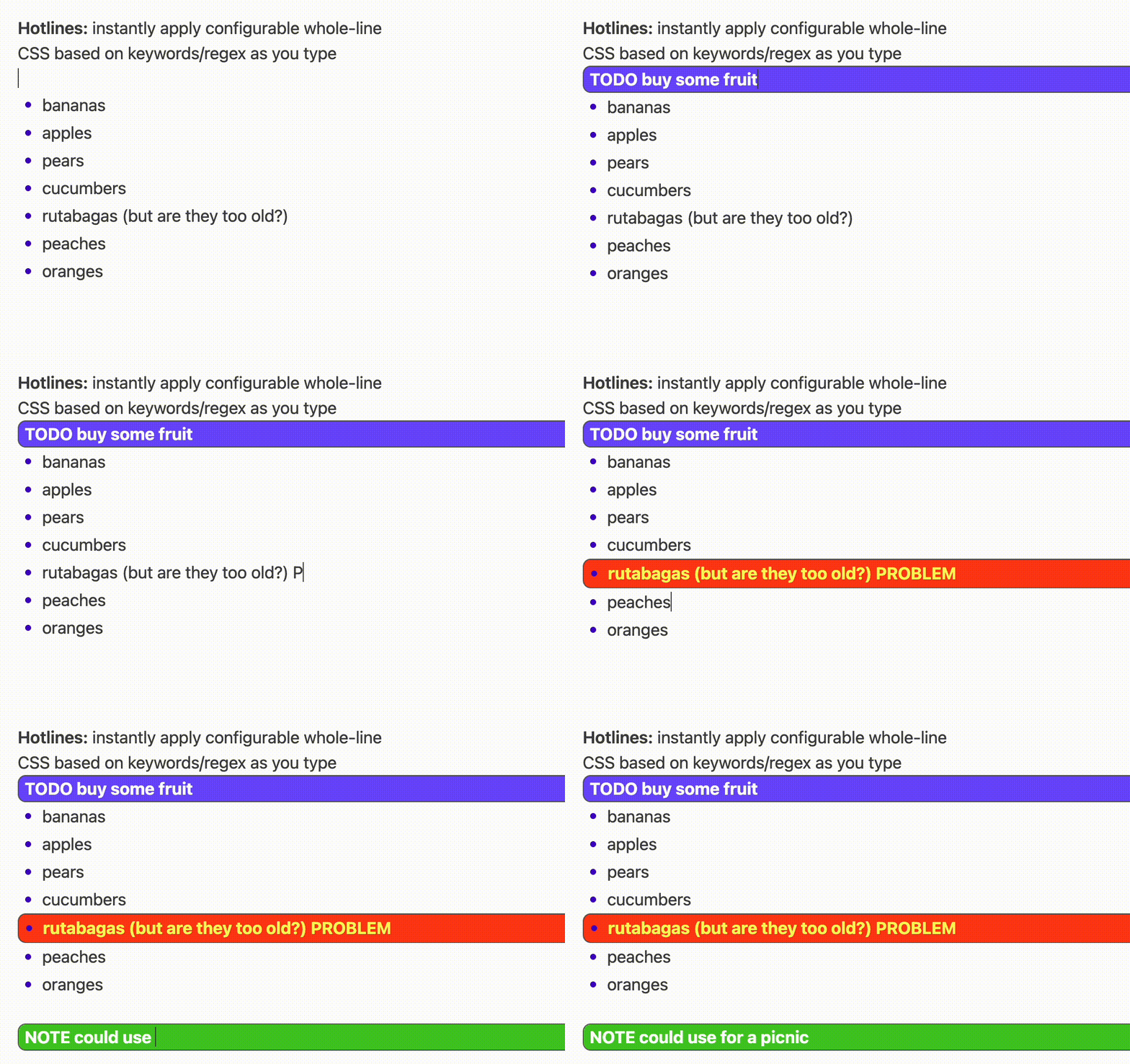
I like the aDHL plugin; Hotlines is simpler but adds the ability to style with any custom CSS (in particular I wanted to customize the font color as well as the background). aDHL adds lots of other nice features though—check it out too.
Features
- Regex or keyword matching — each rule highlights any line containing a match.
- Full-row highlight — the background spans the whole row, not just the matched word, while bullets, list indentation, and dashes keep rendering on top.
- Reading mode and Live Preview — consistent look in both, including inside callouts, soft-wrapped paragraphs, list items, and plain code blocks.
- Per-rule styling — background color, text color, bold, italic, and a full custom CSS field for anything else (borders, radius, underline, opacity…).
- First matching rule wins — order your rules to control precedence.
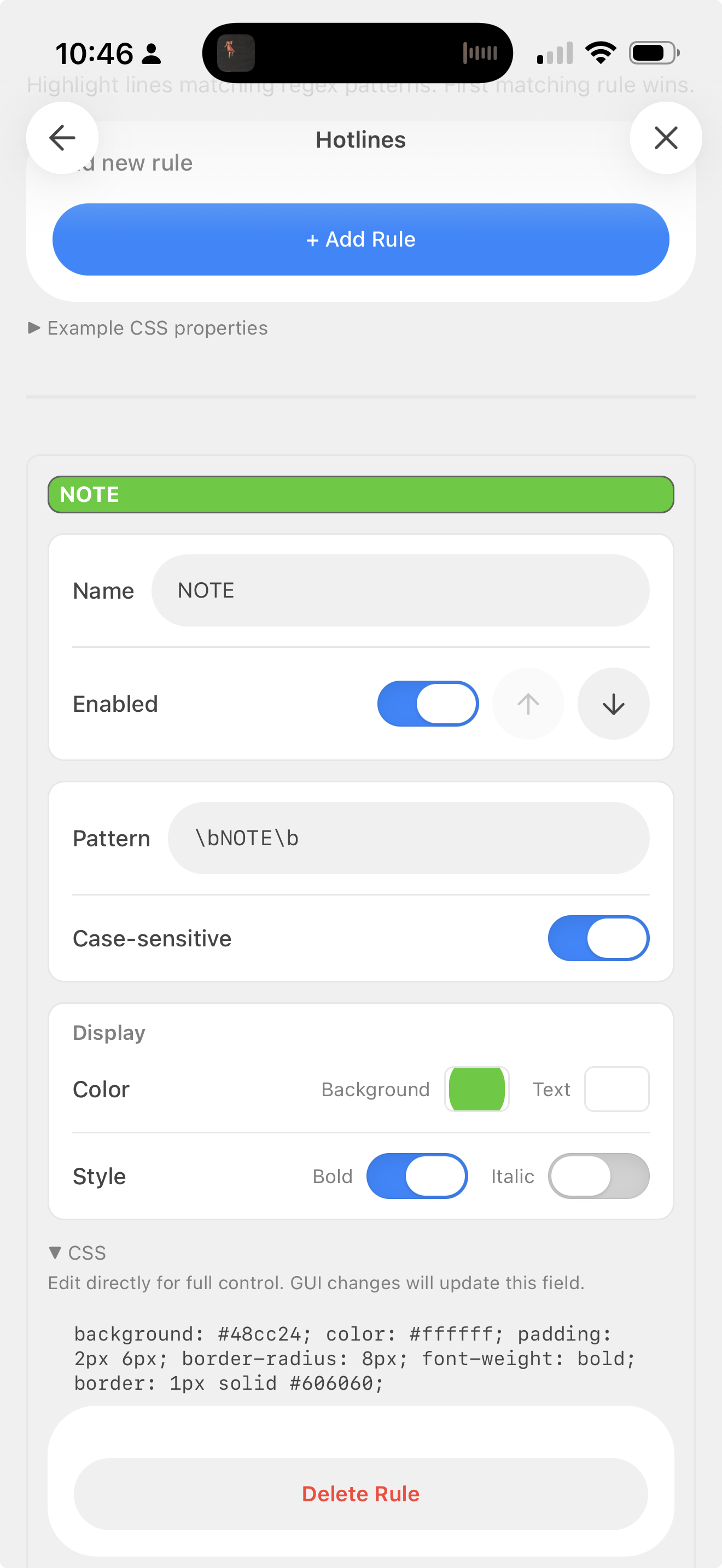
- Mobile-friendly settings — grouped, touch-sized controls.
Screenshots
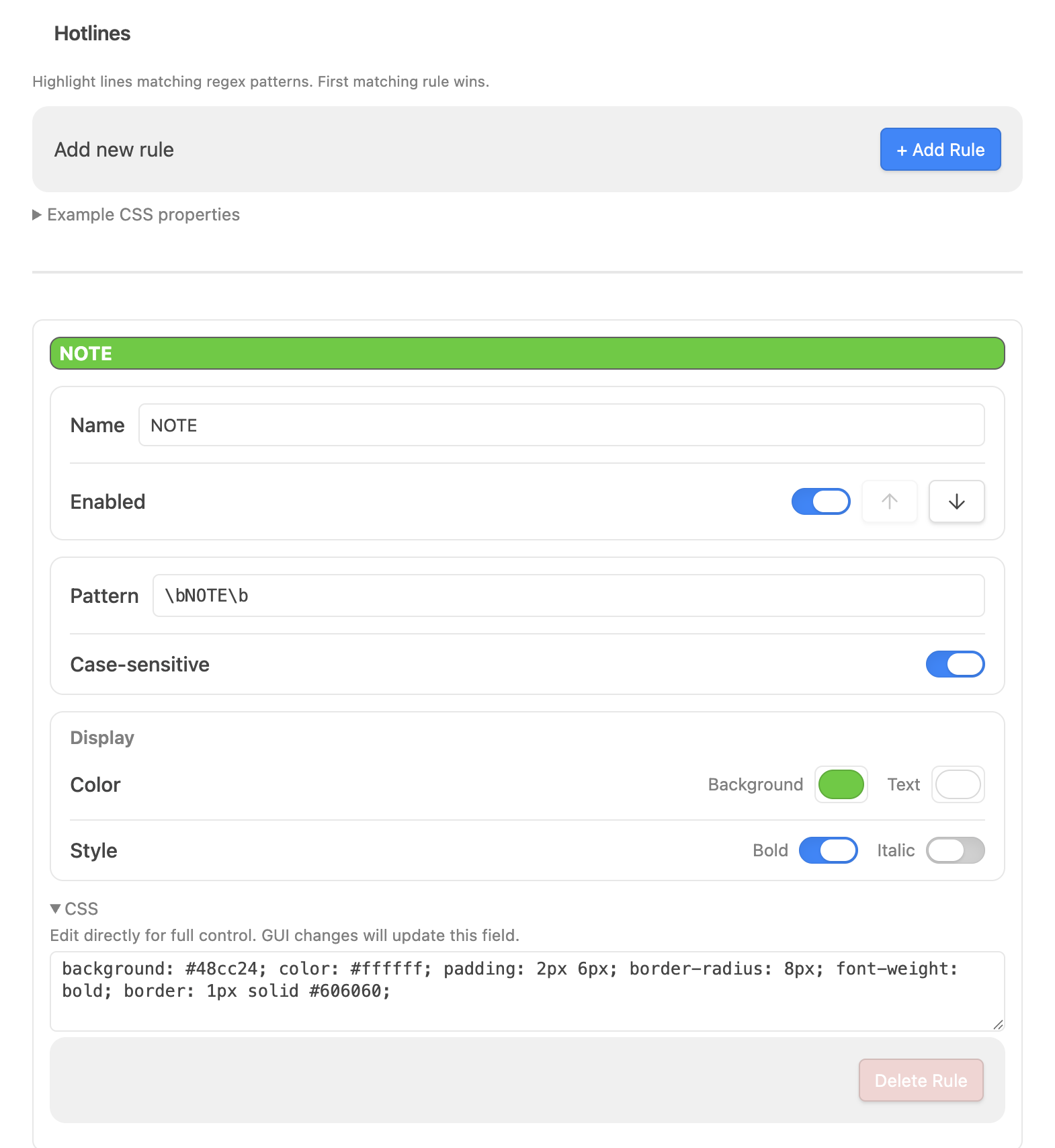
Settings — rule editor
Mobile settings
Installation
Manual
- Create a folder named
hotlinesin your vault's.obsidian/plugins/directory. - Copy
main.jsandmanifest.jsoninto it. - In Obsidian, open Settings → Community plugins, enable Hotlines (you may need to reload or toggle "Restricted mode" off first).
[!NOTE] The plugin ships with four starter rules —
NOTE,PROBLEM/BUG,TODO, andCONTINUE— which you can edit or delete.
Usage
Open Settings → Community plugins → Hotlines to manage rules.
Each rule has:
| Field | What it does |
|---|---|
| Name | A label for the rule (shown on the colored preview bar). |
| Enabled | Toggle the rule on/off. Use the ↑ / ↓ buttons to reorder — earlier rules win on a line that matches more than one. |
| Pattern | A (JavaScript) regular expression (no slashes needed, so you can also just put a keyword here). Any line whose text matches gets highlighted. |
| Case-sensitive | When off, matching ignores case. |
| Color | Background and text colors (color pickers). |
| Style | Bold and/or italic. |
| CSS | The raw CSS applied to the highlight. The color/style controls write into this; you can also edit it directly for full control. |
Simple example patterns
| Goal | Pattern |
|---|---|
The word TODO | \bTODO\b |
PROBLEM or BUG | \b(PROBLEM|BUG)\b |
TODO next (with whitespace) | \bTODO\s+next\b |
A @mention | @\w+ |
Lines starting with ! | ^\s*! |
Custom CSS
The CSS field (collapsible, under each rule) holds the exact style applied to matching rows. The GUI controls edit only their own property, so anything else you add by hand is preserved when you tweak a color or toggle bold.
Some properties you can drop in:
background: #2563eb;
color: #ffffff;
font-weight: bold;
font-style: italic;
padding: 2px 6px;
border-radius: 8px;
border: 1px solid #606060;
border-left: 4px solid #fbbf24;
text-decoration: underline;
opacity: 0.9;
[!NOTE] In Live Preview, layout-shifting properties (
padding/margin) are stripped automatically so they don't disturb list indentation or the editor cursor — the row still gets its full-width background.
Behavior notes
- Callouts & soft-wrapped paragraphs — only the matching line is highlighted, not the whole block.
- Lists — the highlight spans the full row and the bullet sits on it; sibling bullets stay aligned.
- Plain code blocks (no language) — only the matching line(s) are highlighted.
- Language-tagged code blocks (e.g.
```cpp) are intentionally not highlighted — syntax highlighting splits each line into many tokens, so reliable per-line matching isn't possible there.
Compatibility
- Desktop and mobile (
isDesktopOnly: false). - Tested against Obsidian's default theme and Minimal; custom themes should generally work, but very custom list/callout styling may affect spacing.
License
MIT — do what you like.
Author
Steve Crutchfield — @crufi
For plugin developers
Search results and similarity scores are powered by semantic analysis of your plugin's README. If your plugin isn't appearing for searches you'd expect, try updating your README to clearly describe your plugin's purpose, features, and use cases.