Highlight By Line
unlistedby Tracy Wong
Highlights text lines in markdown using designated markers and provides an interactive color palette on line numbers to update those markers.
Highlight By Line
Highlight By Line is an Obsidian plugin that lets you easily highlight individual lines in your notes using a simple %hl-color% marker syntax.
It brings intuitive, colorful highlighting to both Reading and Live Preview modes—with a beautiful palette and instant visual feedback.
✨ Features
- Highlight any line with a color using
%hl-yellow%,%hl-blue%, etc. - Works in both Reading & Live Preview:
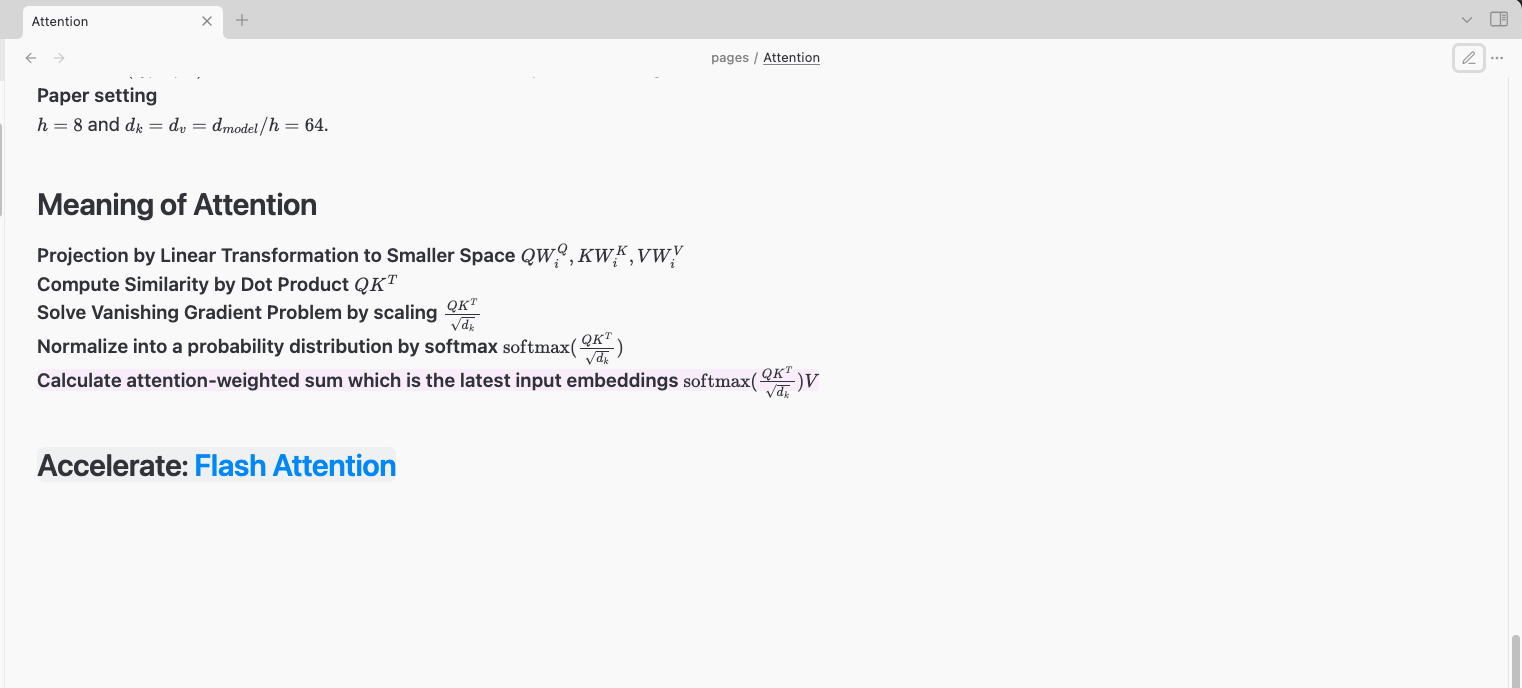
- In Reading mode, the entire line is softly highlighted (pastel color).
- In Live Preview, the marker turns into a vivid colored pill at the end of the line.
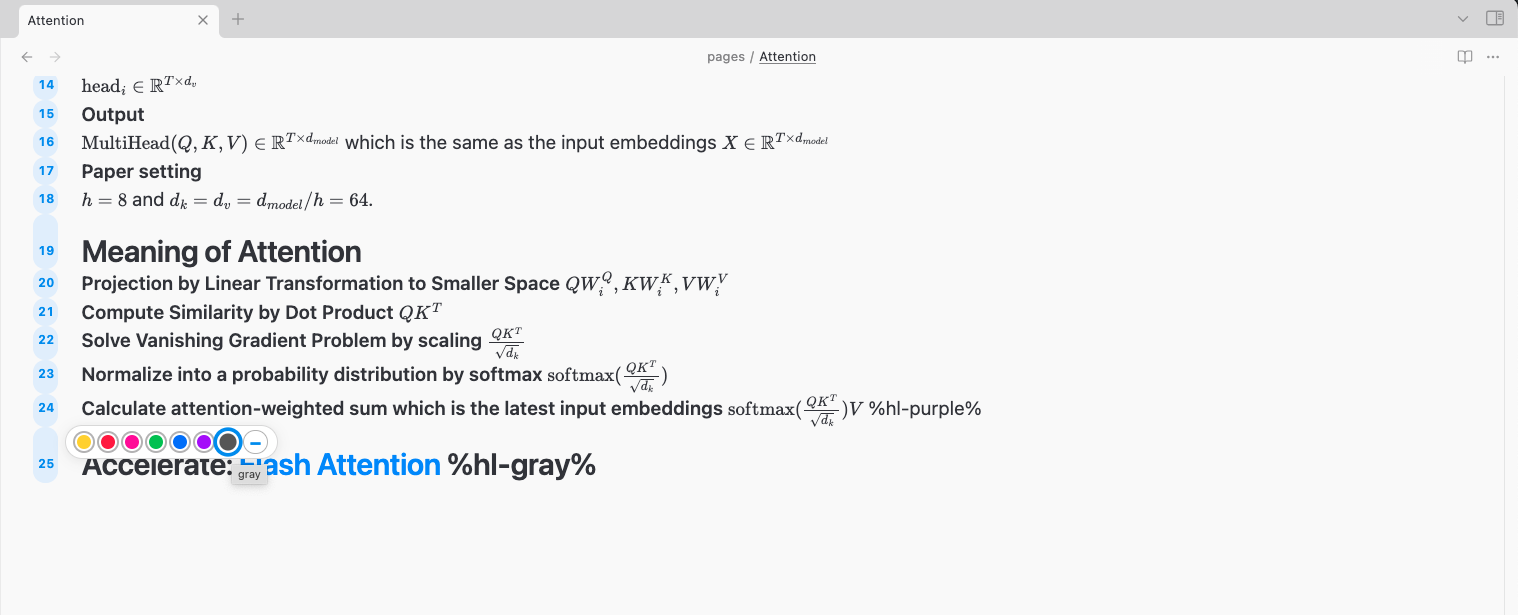
- Quick color picker:
Click a line number to instantly pick a highlight color from the palette. - Supports all basic Obsidian blocks (paragraphs, headings, blockquotes, etc).
- Easy to use, readable in plain Markdown.
🌈 Screenshots
Color Palette in Live Preview
Highlighted Lines in Reading Mode
📝 Usage
-
Highlight a line manually:
Add%hl-yellow%,%hl-blue%,%hl-red%, etc. at the end of any line.This is a normal line. This is important! %hl-yellow% -
Highlight with the palette:
- In Live Preview, click any line number on the left.
- Choose a color from the palette to highlight that line, or click the minus (–) to clear the highlight.
-
See it in action:
- Reading mode: The entire line is softly highlighted.
🚦 Supported Colors
- Yellow
- Red
- Pink
- Green
- Blue
- Purple
- Gray
🗒 TODO
- Highlight in Lists:
Highlight sometimes does not apply to lines inside certain Markdown lists.
(Planned to be fixed in a future update!) - Customization:
Custom highlight colors and palette are planned. - Better rendering of
%hl-color%as color pill in Live Preview:
(Improved support coming soon)
🛠️ Contributing
Pull requests and suggestions are welcome!
📜 License
🙏 Credits
Inspired by the Obsidian community and built with the official plugin template.
For plugin developers
Search results and similarity scores are powered by semantic analysis of your plugin's README. If your plugin isn't appearing for searches you'd expect, try updating your README to clearly describe your plugin's purpose, features, and use cases.