Hugo codeblock highlight
approvedby aarol
Highlights lines in code blocks using Hugo's hl_lines syntax.
Hugo highlight plugin
This is a plugin for Obsidian, which highlights lines in code blocks using the same syntax as Hugo.
Usage
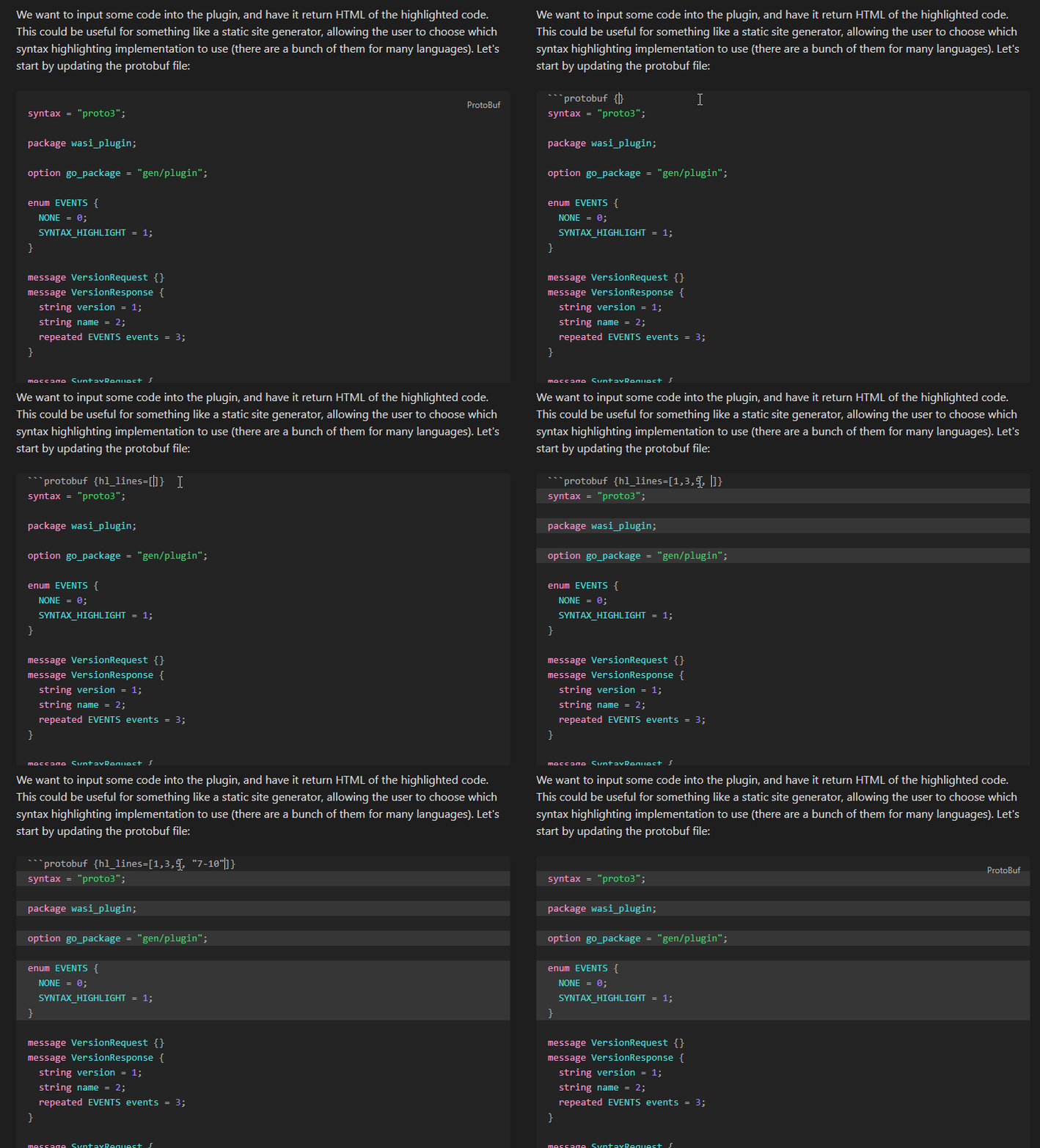
Add the hl_lines option after the language like this:
```js {hl_lines=[1]}
let a = 1;
let b = 2;
```
hl_lines can be a single number, or an array of numbers/ranges (hl_lines=[1, "2", "3-5"])
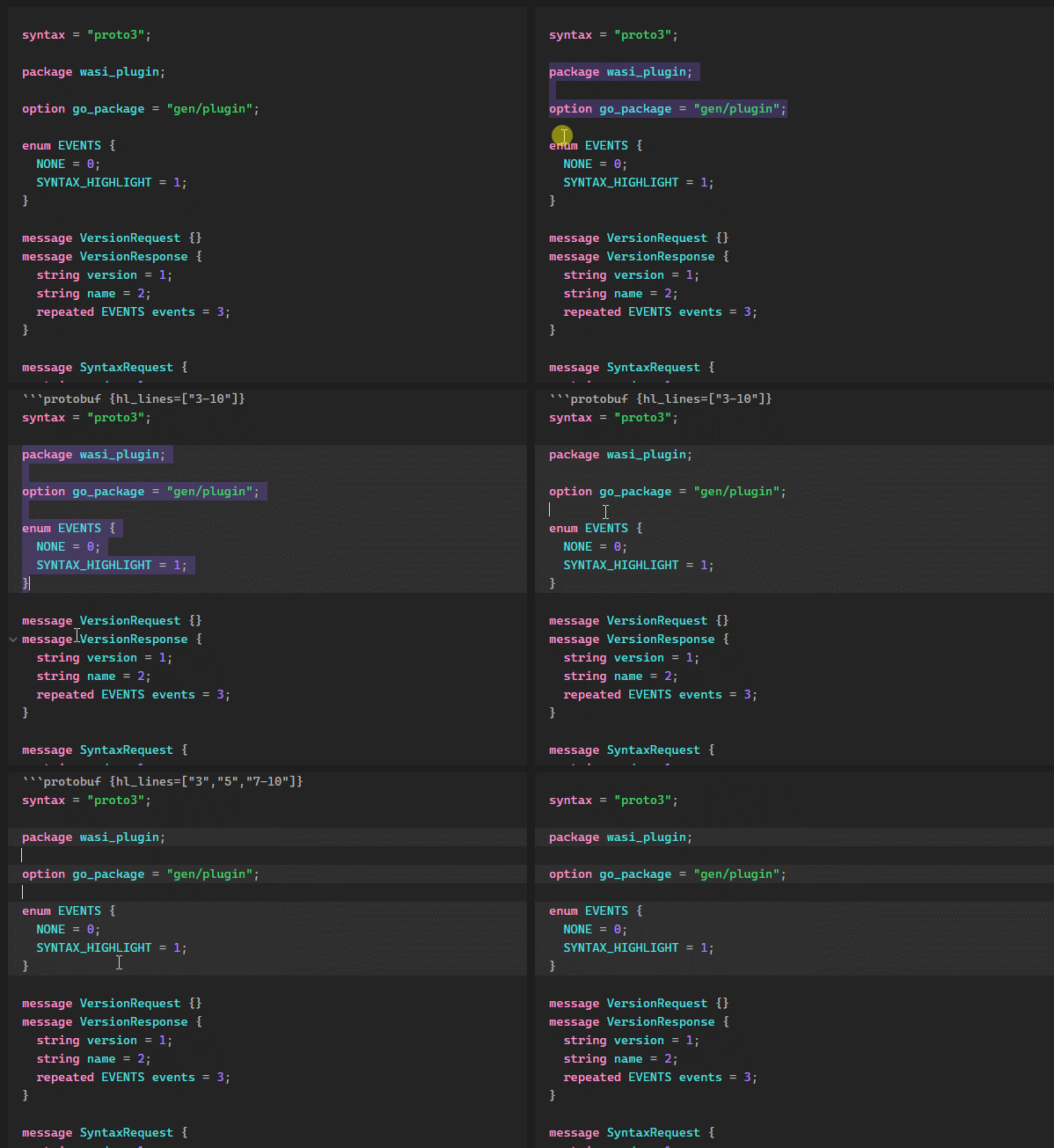
You can also select lines you want to highlight inside codeblocks and click Highlight selected lines in the right-click menu:
Only the hl_lines property is supported.
[!NOTE]
Currently, the plugin only works in 'Live Preview' or 'Source mode'. Reader mode uses a different html presentation & syntax highlighter, which are harder to support.
Developing this plugin
- Install dependencies:
pnpm install - Compile & watch changes:
pnpm dev - Build production release:
pnpm build - Run tests:
pnpm test
Check the Obsidian documentation for more information.
If a feature you need is broken/missing, please create a new pull request instead of creating a new plugin, so that everyone can benefit :)
Releasing new releases
- Update your
manifest.jsonwith your new version number, such as1.0.1, and the minimum Obsidian version required for your latest release. - Update your
versions.jsonfile with"new-plugin-version": "minimum-obsidian-version"so older versions of Obsidian can download an older version of your plugin that's compatible. - Create new GitHub release using your new version number as the "Tag version". Use the exact version number, don't include a prefix
v. See here for an example: https://github.com/obsidianmd/obsidian-sample-plugin/releases - Upload the files
manifest.json,main.js,styles.cssas binary attachments. Note: The manifest.json file must be in two places, first the root path of your repository and also in the release. - Publish the release.
You can simplify the version bump process by running
npm version patch,npm version minorornpm version majorafter updatingminAppVersionmanually inmanifest.json. The command will bump version inmanifest.jsonandpackage.json, and add the entry for the new version toversions.json
API Documentation
For plugin developers
Search results and similarity scores are powered by semantic analysis of your plugin's README. If your plugin isn't appearing for searches you'd expect, try updating your README to clearly describe your plugin's purpose, features, and use cases.