by XianSiqi
Create infinite whiteboards and annotate screenshots with Apple Pencil.
无限白板 · Infinite Whiteboard
Create near-limitless whiteboards in Obsidian, collect screenshots and photos, and write handwritten annotations with Apple Pencil on the same canvas.
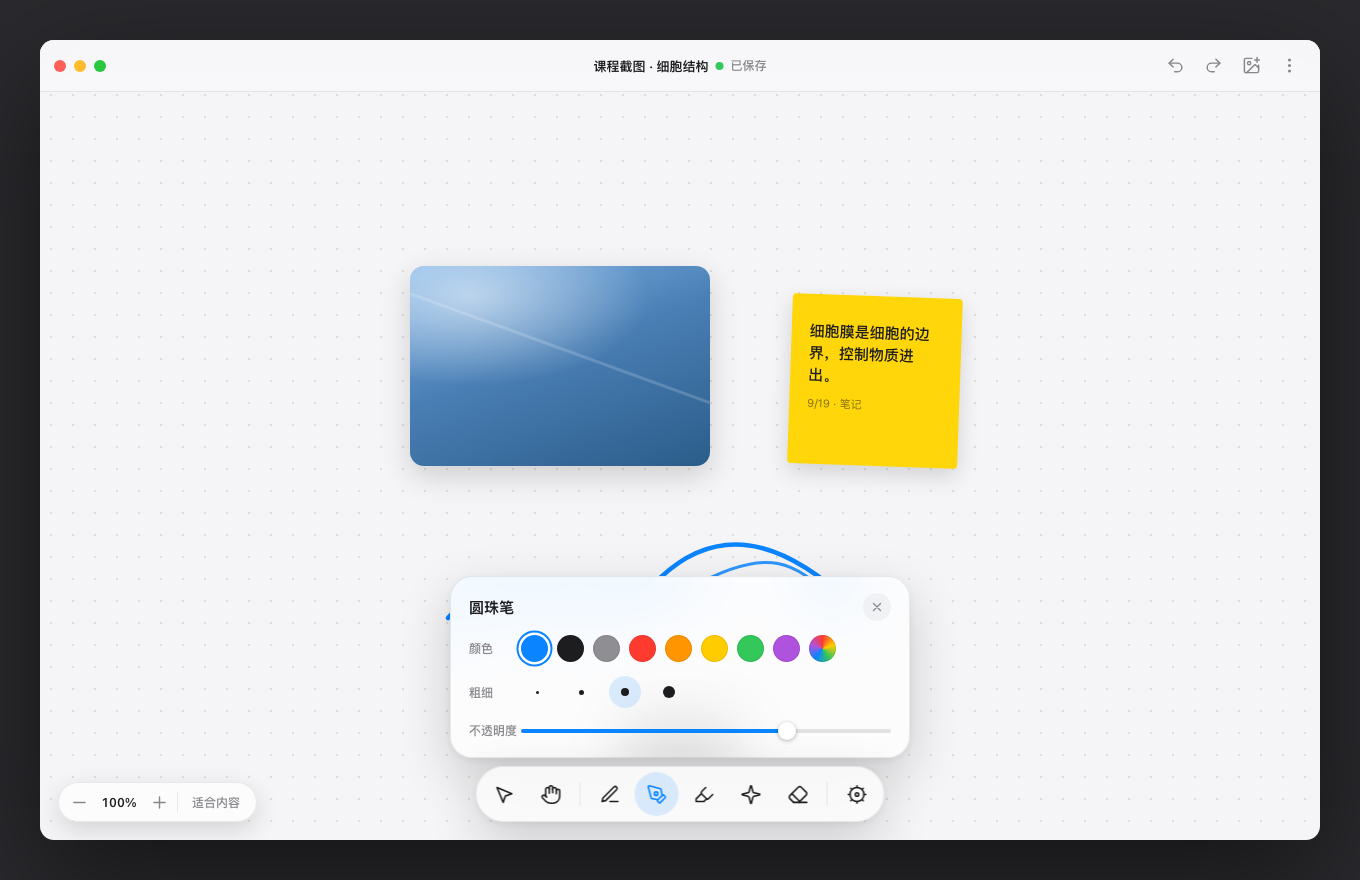
Infinite Whiteboard is a cross-platform infinite canvas plugin for desktop, iPad, iPhone, and Android. It is designed for collecting course screenshots, meeting notes, visual references, and handwritten ideas in one place.
Features
- Infinite canvas with pan, zoom, and fit-to-content controls.
- Drag, select, or paste screenshots and photos, then crop, rotate, or lock them.
- Apple Pencil writing with ballpoint, fountain pen, highlighter, and laser tools.
- Pressure-sensitive strokes with original samples and immutable brush snapshots.
- Partial or whole-stroke erasing with one-step undo per gesture.
- Rectangle selection, freehand lasso, multi-select transforms, alignment, and distribution.
- Local-first storage with no telemetry, online service, or automatic board upload.
Installation
- Open Settings → Community plugins in Obsidian.
- Turn off Restricted Mode.
- Select Browse and search for Infinite Whiteboard.
- Install and enable the plugin.
Usage
- Select the pen icon in the left ribbon, or run Create new infinite whiteboard from the command palette.
- Write on the canvas, drag in images, or paste screenshots.
- Use the stationery toolbar to switch brushes, laser, and eraser tools.
- Use the top toolbar to undo, redo, insert images, or fit the board to its contents.
- Boards are saved as
.boardfiles inside the vault and can be viewed across devices with Obsidian Sync.
Compatibility and data
- Minimum Obsidian version:
1.5.0. .boardfiles currently use schema v5 with continuous migration from older formats.- Images use vault-relative paths and are stored in an
.assetsfolder beside the board. - The plugin sends no network requests and collects no telemetry.
- Concurrent editing of one board is not supported; parallel changes across devices are preserved as conflict copies instead of being silently overwritten.
中文说明
无限白板用于在 Obsidian 中整理截图、照片和 Apple Pencil 手写批注。它提供无限画布、图片导入与裁剪、压感手写、局部或整笔橡皮擦、框选与套索、多选变换、图层排序和撤销重做。
插件采用本地优先设计:画板、附件和画笔偏好保存在用户自己的 Vault 中,不上传画板数据,也不包含遥测或在线服务。跨设备并行修改会保留冲突副本,避免静默覆盖。
开发
npm ci
npm run check
npm run dev
生产构建会生成 manifest.json、main.js 和 styles.css。官方发布使用与 Manifest version 完全一致的 Git 标签,并将这三个文件附加到 GitHub Release。
架构说明见 ARCHITECTURE.md,完整版本记录见 CHANGELOG.md。
作者
贤思齐
许可证
For plugin developers
Search results and similarity scores are powered by semantic analysis of your plugin's README. If your plugin isn't appearing for searches you'd expect, try updating your README to clearly describe your plugin's purpose, features, and use cases.