by viell
Draw symbols that no font has, then write with them inline in your notes like characters. Each one is saved as a plain PNG image.
Inkline
An Obsidian plugin for symbols that no font has: draw one once, then write it in your notes as easily as a letter, as often as it comes up. Each symbol sits inside the line of text like a character, by default at the text's size and in its color.
Install
Inkline runs in Obsidian 1.13.4 or later on desktop. 1.0.0 is its first stable release, and its file format is frozen: symbols saved by 0.9.2 or later open as they are, and every symbol saved from now on keeps opening and looking the same. A symbol saved by a version before 0.9.2 opens as a picture to draw over, without its strokes.
- In Obsidian, open Settings → Community plugins, turn community plugins on if needed, and select Browse.
- Search for Inkline, select it, then select Install and Enable.
Its page in the directory is https://community.obsidian.md/plugins/inkline.
If Inkline does not show there yet, install the ZIP from the latest release:
- Download the install ZIP,
inkline-<version>.zip, from the assets of the release marked Latest on GitHub releases: the newest public release, such as 1.0.0. - Extract it into your vault's
.obsidian/plugins/directory. The ZIP holds its owninkline/folder, so the plugin's three files end up in.obsidian/plugins/inkline/. - In Obsidian, open Settings → Community plugins, turn community plugins on if needed, and enable Inkline.
Once Inkline shows in Obsidian's community plugins, Obsidian offers its updates, however you installed it; until then, update a ZIP installation by hand. The installation guide covers updates, pre-releases, older versions, and installing with BRAT. Release notes describe compatibility changes.
A public release has an even minor version, as 1.0.0, and a pre-release an odd one, as 1.1.0, for trying changes before the next public release. Obsidian's community plugins offer public releases only. Every release, public or not, stays on GitHub with its install ZIP.
Your first symbol
- In a note, put the cursor where the symbol goes, and run Inkline: Insert symbol from the command palette (Ctrl+P, or Cmd+P on macOS).
- Draw the symbol with a mouse or a trackpad. The lines across the drawing area are guides at the text font's lines.
- Type a name, such as
tower, in the field at the top, and press Save, or Ctrl+Enter (Cmd+Enter on macOS). Inkline saves it astower.ink.pngand puts its embed,![[tower.ink.png]], where the cursor was. The note shows it in the line, like a character. - To use it again, type the insert trigger and the first letters of its name in
any note, as
;;towwith the default trigger, and press Enter.
Your first symbol in the guide goes on from there, and Saving and recovery says how to get unsaved work back.
What it is for
Inkline is for writing notes in a script that no font has, so you cannot type it. That is the same work from two directions:
- Working a script out. Some games are built around an invented language, and working it out is the game. You draw the symbols that someone else made.
- Making a script up. A constructed language (a conlang) can have a script of its own. You draw the symbols that you make.
Either way, Inkline does two things:
- Write a symbol down easily. Draw it where you need it, or trace it from a picture, and it sits in the line like a letter.
- Use it again easily. A symbol has a name, and can record how it is read
and what it means. Type the insert trigger,
;;unless you change it in the settings, and a few letters of any of them to write the symbol again in any note. Its readings and translations can be edited at any time without changing a note, and the library finds every note that uses it.
A cipher or a personal shorthand works the same way.
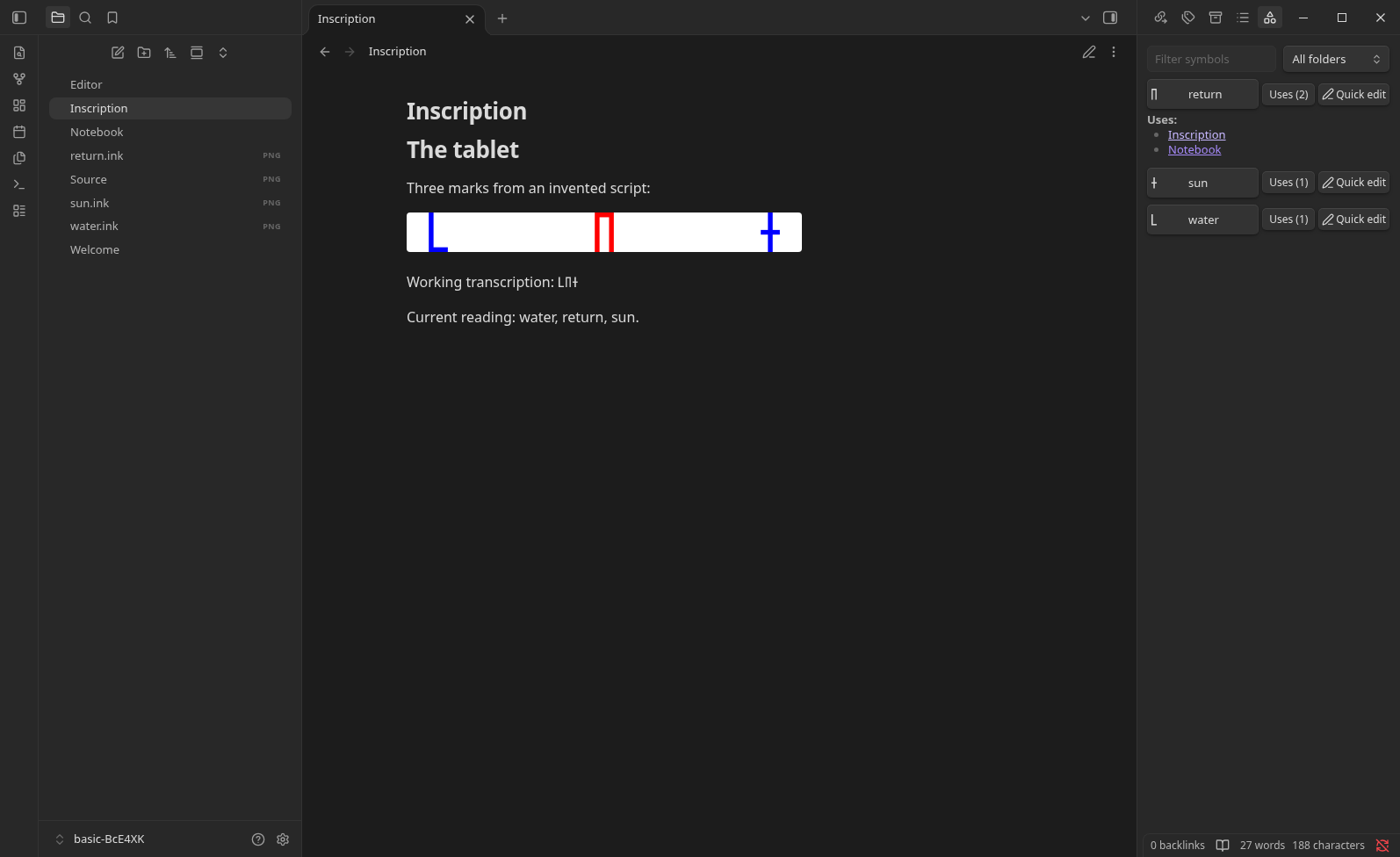
Each symbol is a normal PNG file in your vault, embedded with a normal image link, so your notes still show it if you disable or uninstall the plugin.
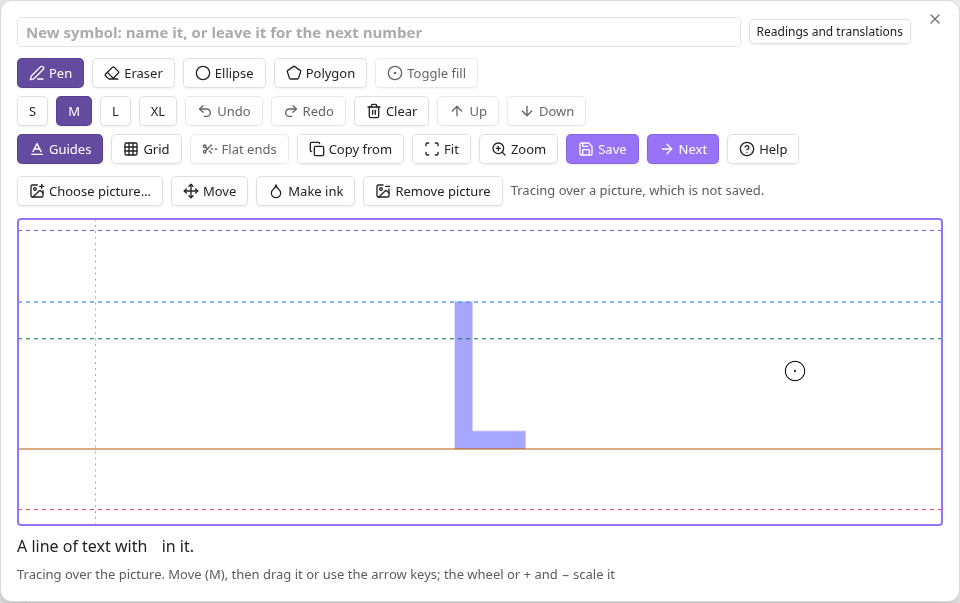
Paste a picture to trace, then turn each sign into ink with Make ink and Next, or draw over it yourself:
Documentation
The user guide covers installing the release ZIP, drawing and inserting symbols, saving and recovery, the keyboard, known limits, and reporting a problem. It describes the newest public release, and marks what is not in it yet Unreleased.
Contributing
Inkline is written and maintained by AI agents, and no person reviews the code. CONTRIBUTING.md explains reporting problems, requesting features, development setup, checks, and pull requests. AGENTS.md adds the agents' maintenance and review rules; RELEASING.md describes publication and its gates. Planned work and decisions live in the issues.
For theme, plugin, and tool authors
docs/rendering.md describes the classes and properties Inkline gives symbols in text, and how a plugin's own view of a note can show them as text. docs/file-format.md specifies what a symbol file holds, for tools that read or write them.
License
MIT. The outline of a stroke is adapted from
perfect-freehand, copyright
2021 Stephen Ruiz Ltd, under the MIT licence; its notice is in
src/ink/freehand.LICENSE.txt and at the top of
the plugin's main.js.
For plugin developers
Search results and similarity scores are powered by semantic analysis of your plugin's README. If your plugin isn't appearing for searches you'd expect, try updating your README to clearly describe your plugin's purpose, features, and use cases.