In-place Diff View
approvedby glech
Renders {old | new} and {note|...} correction markers with a hover tooltip to accept, reject, or delete them. - This plugin has not been manually reviewed by Obsidian staff.
In-place Diff View (Obsidian plugin)
Renders inline review markers from the writing-inplace-diff workflow inside Obsidian:
{old | new}— corrections render inline as struck-through old (red) → new (green){note|observation}— notes render as blue chips- Insertions
{|word}(green) and deletions{word|}(struck-through red)
Hover a marker for a tooltip with actions:
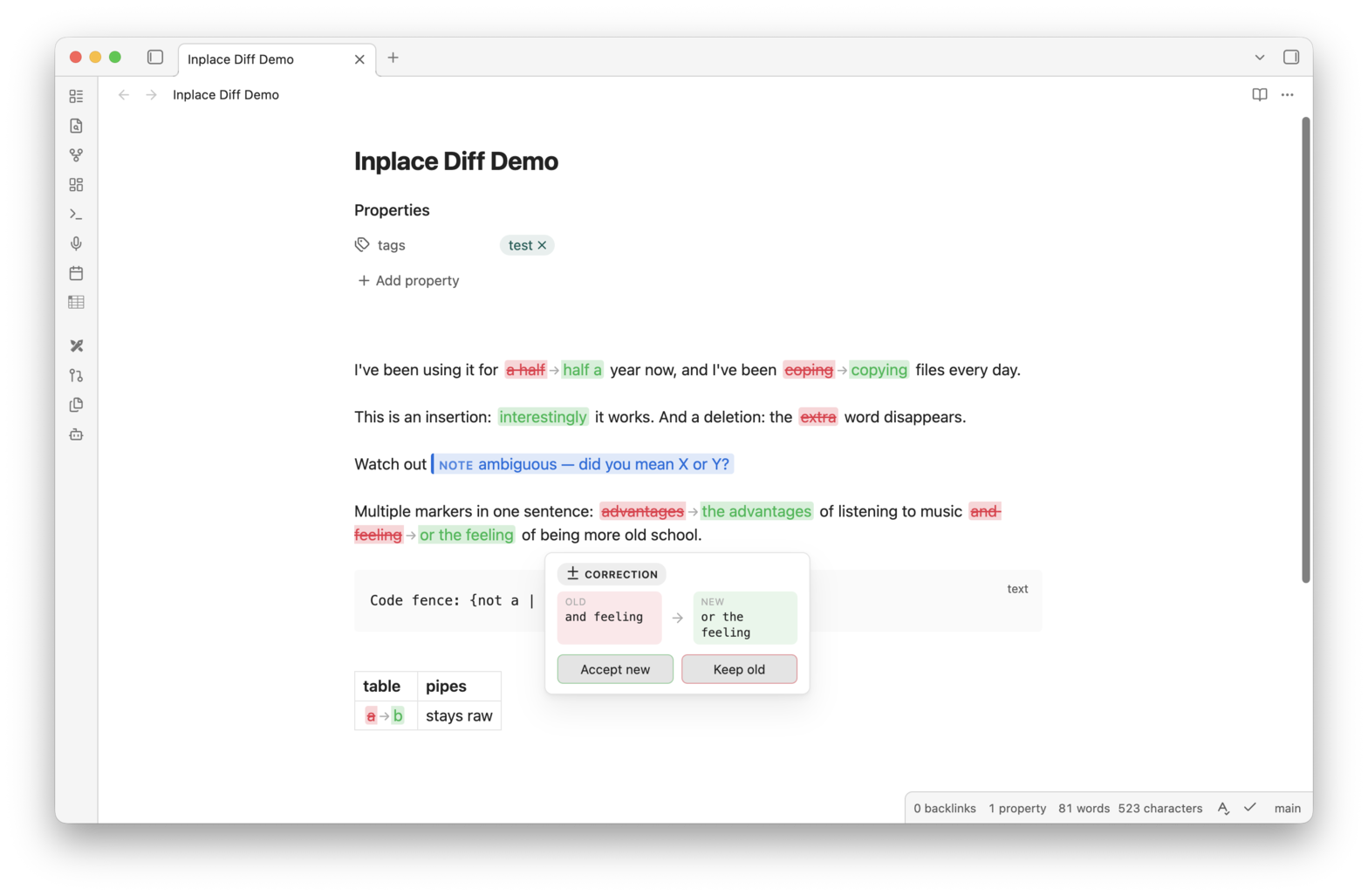
- Corrections: Accept new / Keep old
- Notes: Delete note
Applied changes are written through the editor as a single undoable transaction (⌘Z reverts them). Frontmatter and code fences are never touched; markdown table pipes and trivial {I | I} markers are left raw.
Commands:
- Accept all corrections
- Keep original text for all corrections
- Delete all notes
Works in both Reading view and Live Preview (markers under the cursor stay raw in Live Preview so they remain editable).
Development
npm install
npm run build   # typecheck + production bundle (src/main.ts -> main.js, styles.scss -> styles.css)
npm run dev     # watch mode with inline sourcemaps
Install into a vault by copying main.js, manifest.json, and styles.css into
<vault>/.obsidian/plugins/inplace-diff-view/.
Pairing with an AI agent
The plugin only renders the markers — they're meant to be written by an AI agent (or a careful human) proofreading a copy of your note. This section is the full syntax contract, so you can reproduce the workflow anywhere.
For plugin developers
Search results and similarity scores are powered by semantic analysis of your plugin's README. If your plugin isn't appearing for searches you'd expect, try updating your README to clearly describe your plugin's purpose, features, and use cases.