Track Changes
approvedby philphilphil
Review CriticMarkup suggestions in a side panel. Accept, reject, or reply. - This plugin has not been manually reviewed by Obsidian staff.
Track Changes
Review CriticMarkup suggestions in an Obsidian side panel. Accept, reject, or reply — straight back into the markdown, no sidecar state.
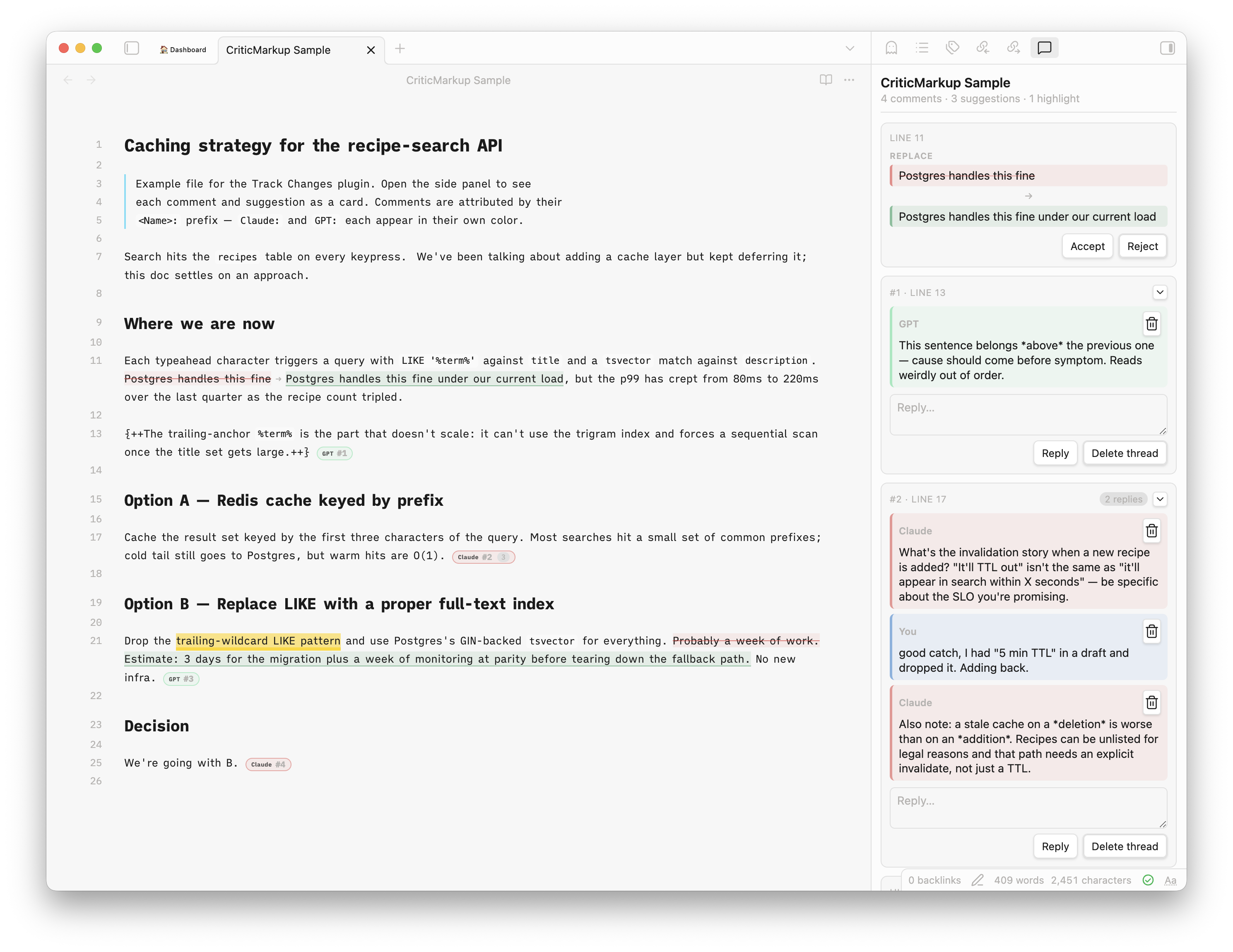
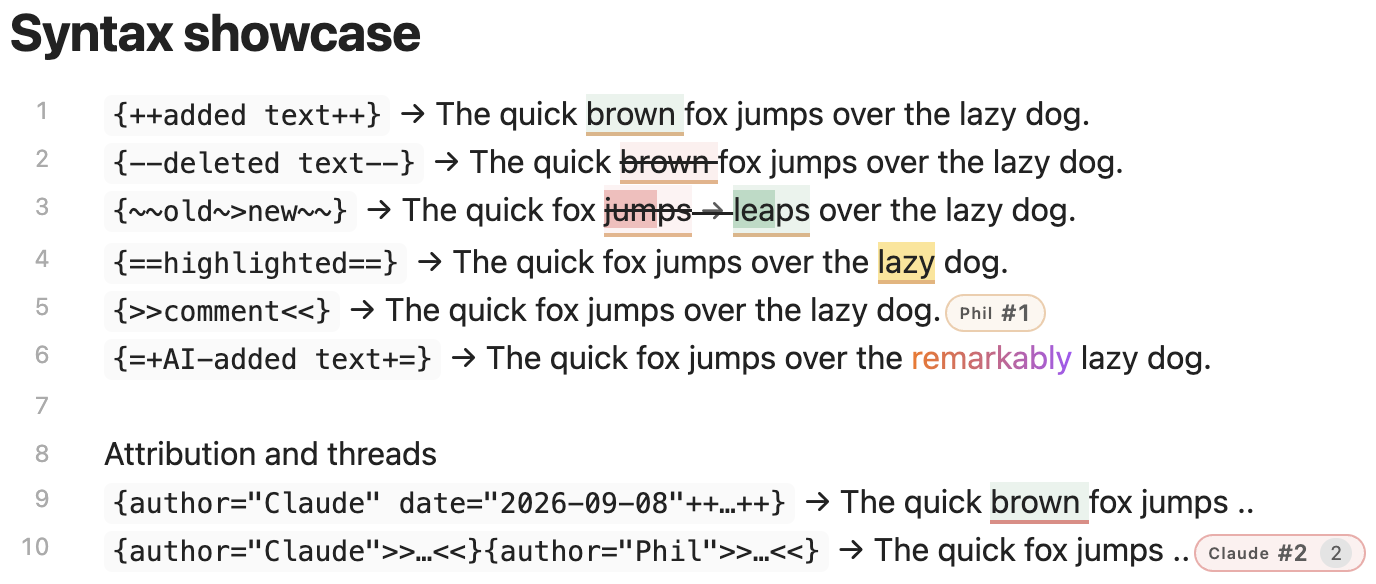
Intended for AI-assisted review: the agent leaves {++…++}, {--…--}, {~~old~>new~~}, {>>comment<<}, {==highlight==} in your notes, you review them here. A sixth mark, {=+…+=}, flags AI-inserted text with a subtle rainbow highlight — visual only, no review card. You can leave the same marks yourself, via commands or the Track changes right-click submenu, so human edits sit alongside the AI's in one review.
docs/SKILL.md is a starting-point reviewer skill you can hand your agent.
Features
- All five CriticMarkup forms with inline styling and a side-panel card per mark, plus
{=+…+=}AI-added-text marks (rainbow, visual-only) - Threaded comments (adjacent
{>>…<<}blocks), multi-author colors - Per-mark metadata —
author="…" date="…"prefixes on any mark drive the author colors and dates - Accept / reject per mark, reply inline, delete per message or thread
- Human authoring — insert or mark selections as any of the five CriticMarkup forms yourself, from the command palette or the Track changes right-click submenu, stamped with your name and date like a reply
- Finalize for publish — resolves all remaining markup in one pass
- Reading mode: accepted preview or raw side-by-side
- Code blocks left alone
Interaction
- Click a mark in Live Preview to edit in place — the raw markup is exposed, the color stays.
- ⌘/Ctrl-click a mark (or set Click highlighted text to open in panel) opens the side panel instead.
- Click a panel card to jump the editor to its chip.
- Source Mode shows raw markup verbatim.
Commands
- Open review panel
- Finalize for publish — accept additions, drop deletions and comments, etc.
- Insert addition, Mark selection as deletion, Mark selection for substitution, Highlight selection, Insert comment — also under Track changes in the editor's right-click menu
Install
Community Plugins → search "Track Changes" (community.obsidian.md).
Manual: drop main.js, manifest.json, styles.css into <vault>/.obsidian/plugins/track-changes/.
Build
npm install && npm run build
License
MIT.
For plugin developers
Search results and similarity scores are powered by semantic analysis of your plugin's README. If your plugin isn't appearing for searches you'd expect, try updating your README to clearly describe your plugin's purpose, features, and use cases.