Jira Linker
approvedby srz2
Quickly format a Jira issue tag as a link to you Jira instance.
Jira Linker
This is an Obsidian plugin enables the ability to quickly add:
- A web based url for a Jira issue
- A local based uri for a local folder for an issue
Now supports multiple Jira Instances
Commands Available
- Link Jira issue
This will link to a Jira instance a given Jira Issue
- Link Jira issue (default instance)
This will link to the default Jira instance of a given Jira Issue
- Link Jira issue to info
This will link to a local file for a given Jira Issue. If the path does not exist, it will be created
Note: The Local Issue Path must be set Note: You can optionally change the "main" file. It defaults to "_Info"
Demo
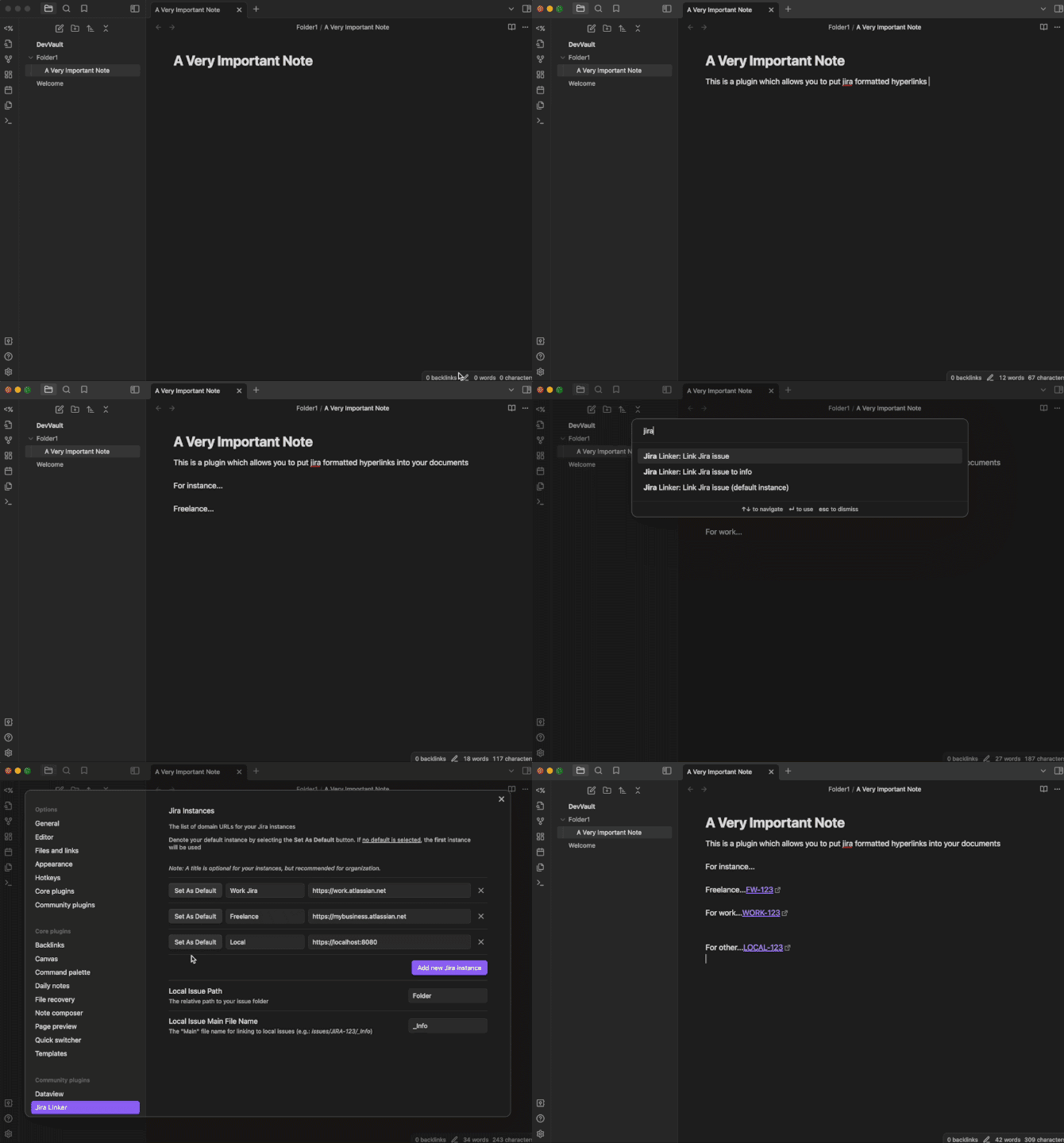
How to use
- Configure needed settings:
- Your Jira Instance URL
- Your local directory which is the root of issues
- Optionally configure the default "main" file
- Highlight your Jira Issue in the editor and invoke the Link Jira issue or Link Jira issue to info command
- Additionally, you can have nothing selected and have a modal ask you for the Jira Issue
- The text will be replaced with the appropriately linked Jira issue
Additional Notes
- You are able to have as many Jira instances as you'd like
- There is only 1 location for the 'in obsidian" local folder
- Unless a specific instance is selected in settings, the default Jira instance used will be the first listed item
Donate
If you like this plugin and find it useful, please consider donating!

For plugin developers
Search results and similarity scores are powered by semantic analysis of your plugin's README. If your plugin isn't appearing for searches you'd expect, try updating your README to clearly describe your plugin's purpose, features, and use cases.