Keyboard Analyzer
approvedby noname-oni
See and analyse your keyboard hotkeys and shortcuts.
Keyboard Analyzer — Obsidian Plugin

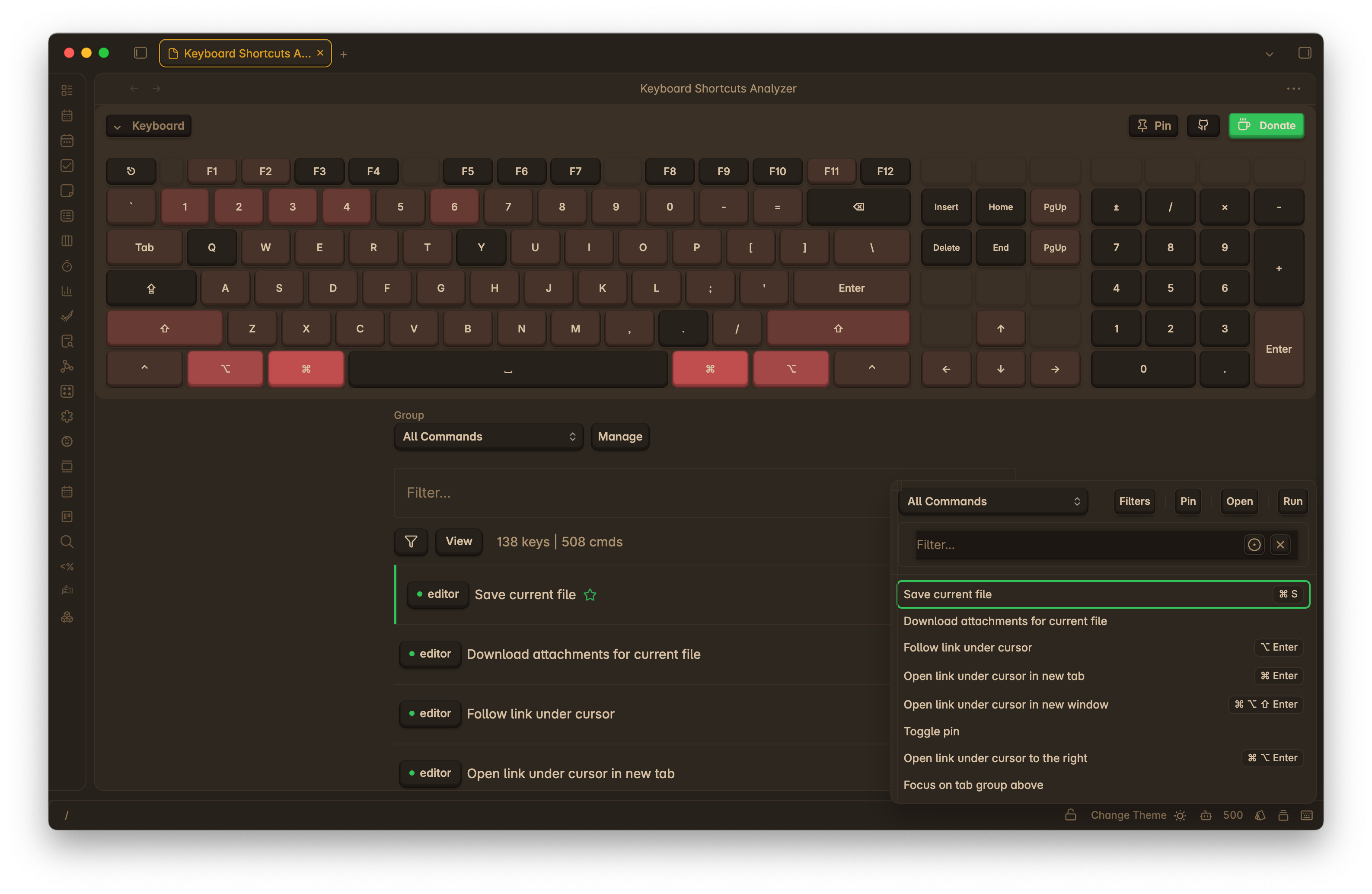
Visualize, search, and analyze your Obsidian hotkeys on a keyboard layout. Quickly spot duplicates and gaps, filter by scope, and optionally include system/editor defaults so you don’t assign over common shortcuts.
Install from Community Plugins: https://obsidian.md/plugins?id=keyboard-analyzer
Features
- Visual keyboard
[REFACTOR]: see which keys are used and by which commands - Hotkey eduit mode
[ALPHA]: test feature for editing hotkeys - Powerful search: by key combo (e.g.,
Ctrl+K), command name, plugin - Duplicates and gaps: highlight conflicts and unassigned areas
- Grouping
[NEW][WIP]: Assign commands to groups, configure group settings and filtration - Quick View Popup
[NEW]: Quick access to commands list with option run commands (Run command twice to start with key listener enabled) - Modifier activation mode
[NEW]: Option to select how active key listener tracks modifier keys - On hold or toggle - Key listener scope
[NEW]: Allow to set key listener scope (e.g., global, plugin view) - System default overlay: avoid colliding with OS/editor shortcuts (See default keys)
- Status-bar entry: click to open quick commands popup
Roadmap
- Hotkey assignment management: allow users to create, edit, and delete hotkey assignments
- Settings migration: persist user settings across updates
- Visual Keyboard Configuration: allow users to customize the visual keyboard layout
- Additional key support: allow support of F13-F24, Meh and Hyper Keys
Installation
Recommended — Community Plugins
- Obsidian → Settings → Community plugins → Browse
- Search “Keyboard Analyzer” (or open the link above)
- Install and enable
Alternative — BRAT / Manual
- BRAT: install Obsidian42 BRAT → “Add beta plugin” → paste repo URL → enable
- Manual: download
main.js,styles.css,manifest.jsonfrom Releases and place in[Vault]/.obsidian/plugins/obsidian-keyboard-analyzer/
More details: docs/installation.md.
Using the Plugin
Open
- Status bar: click the keyboard icon to open quick commands popup
- Command palette: “Keyboard Analyzer: Open Shortcuts View”
Search and filter
- Search by combo (e.g.,
Cmd+Shift+K), command name, plugin, or scope - Toggle: Filter → “Include system defaults” to overlay common OS/editor shortcuts
- Highlights show duplicates and unassigned areas
Compatibility & Privacy
- Platforms: Windows, macOS, Linux.
- Privacy: no analytics; nothing leaves your machine.
Changelog
See CHANGELOG.md for release notes.
Contributing & Support
- Found a bug or have an idea? Please open an issue.
- If this plugin helps you, a Ko‑fi is appreciated 🤍.
Thanks
- Inspiration and help from the Obsidian community, including @SkepticMystic, @HEmile, @pjeby, @Fevol, and others.
MIT License — see LICENSE.
For plugin developers
Search results and similarity scores are powered by semantic analysis of your plugin's README. If your plugin isn't appearing for searches you'd expect, try updating your README to clearly describe your plugin's purpose, features, and use cases.