Command Group
unlistedby masaki39
Group commands and select them quickly with custom keyboard shortcuts.
Obsidian Command Group


Group commands and select them quickly with custom keyboard shortcuts.
✨️Features
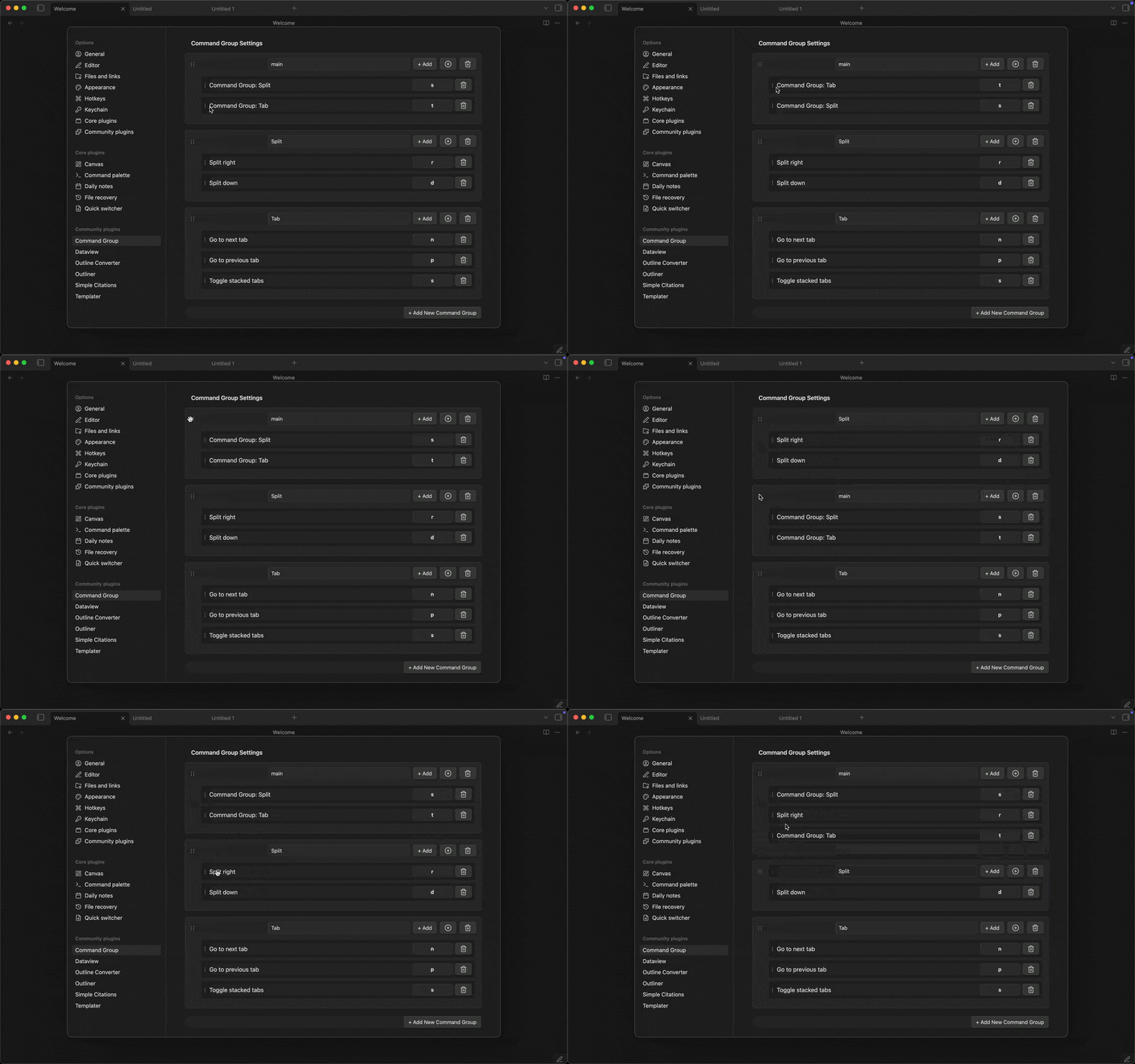
- Create command groups to execute multiple commands.
- Drag and drop commands to reorder them.
- Drag and drop groups to reorder them.
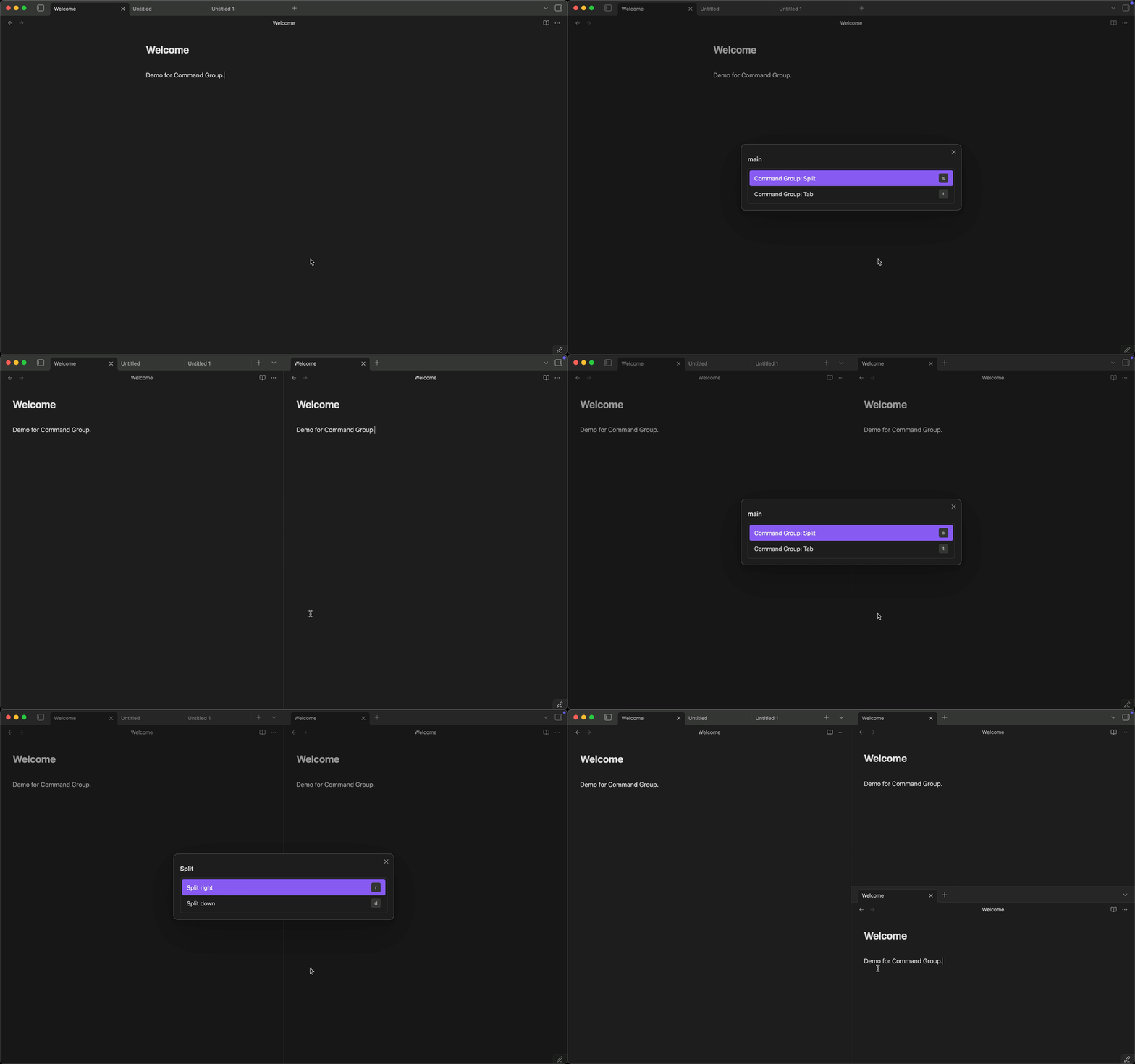
- Vim-style key notation for sequence keys.
- Auto-assigned hotkeys for commands without a sequence key (homerow priority:
a,s,d,f, ...).
🛠️Usage
- Enable community plugins in settings.
- Install via BRAT (Recommended).
- Open Command Group settings tab.
- Create a new group or edit an existing group.
- Add commands to the group.
⌨️Key Notation Guide
📌Basic Notation
Command Group uses Vim-style key notation for sequence keys. You can use:
- Single characters:
a-z,0-9(case-insensitive for lowercase) - Uppercase letters:
Aor<S-a>(both formats work for Shift+a) - Special keys:
<Space>,<Tab>,<F1>, etc. - Modifiers:
C(Ctrl),S(Shift),A(Alt),M(Meta/Cmd/Win)
⚡️Modifier Keys
| Modifier | Meaning | Example |
|---|---|---|
C | Ctrl | <C-n> = Ctrl+n |
S | Shift | <S-a> = Shift+a |
A | Alt | <A-x> = Alt+x |
M | Meta | <M-s> = Cmd/Win+s |
You can combine multiple modifiers: <C-S-x> = Ctrl+Shift+x
💎Special Keys
| Notation | Key | Notation | Key |
|---|---|---|---|
<Space> | Space | <Tab> | Tab |
<BS> or <Backspace> | Backspace | <Del> or <Delete> | Delete |
<Home> | Home | <End> | End |
<PageUp> | Page Up | <PageDown> | Page Down |
<F1> - <F12> | Function keys |
📝Examples
| Input | Meaning | Use Case |
|---|---|---|
j | Just press 'j' | Simple single-key trigger |
A | Shift+a (uppercase A) | Capital letter |
<S-a> | Shift+a (Vim-style) | Same as above |
<C-n> | Ctrl+n | Common shortcut style |
<C-S-x> | Ctrl+Shift+x | Multi-modifier combination |
<Space> | Spacebar | Spacebar trigger |
<F1> | F1 key | Function key |
<M-c> | Meta/Cmd/Win+c | Platform-specific Meta key |
🤖Auto-assigned Keys
Commands without a sequence key automatically get a key assigned when the selection modal opens. Keys are assigned in homerow-first priority order:
a s d f g h j k l → q w e r t y u i o p → z x c v b n m → 1–9 0
Auto-assigned keys appear as dimmed badges in the modal. User-defined keys always take priority and are never overridden.
🚫Reserved Keys
The following keys are reserved for modal navigation and cannot be used as sequence keys:
- Arrow keys (
ArrowUp,ArrowDown,ArrowLeft,ArrowRight) Enter/Escape
These keys are needed to navigate and close the command selection modal.
💡FAQ
Q: What's the difference between A and <S-a>?
A: Both work identically and produce Shift+a. Use whichever feels more natural.
Q: Can I use lowercase in angle brackets like <c-a>?
A: Yes! Modifier letters are case-insensitive, so <c-a> and <C-a> both work.
Q: Why doesn't my incomplete key like <c work?
A: The validation now runs when you leave the field (on blur), so you can type incomplete sequences. Just make sure the final sequence is complete and valid.
Q: Can I use special characters like *, @, or #?
A: Yes! Single characters (including special characters) work as-is. The plugin detects the actual key you press, so it works regardless of your keyboard layout (US, JIS, etc.). For example, typing * as a sequence key will trigger when you press the key that produces * on your keyboard.
Q: How do I set a hotkey for the entire group? A: Click the Configure Hotkey button (🔑) in the group header, which opens Obsidian's hotkey settings pre-filtered to your group.
Q: What happens if I use a duplicate key in the same group? A: The plugin will show an error and prevent saving duplicate keys within the same group. Each sequence key must be unique within its group.
For plugin developers
Search results and similarity scores are powered by semantic analysis of your plugin's README. If your plugin isn't appearing for searches you'd expect, try updating your README to clearly describe your plugin's purpose, features, and use cases.