Vim Cheatsheet
approvedby Rafael Mehdiyev
Searchable, categorized vim command reference inside app. Works alongside the built-in vim key bindings. - This plugin has not been manually reviewed by Obsidian staff.
Vim Cheatsheet for Obsidian
A searchable vim command reference that lives inside Obsidian. Stop alt-tabbing to a browser tab every time you forget a motion, just open the cheatsheet with a hotkey, find what you need, and get back to writing.
Why this exists
Obsidian has built-in vim key bindings, but no built-in way to look up what those bindings actually are. This plugin adds a reference panel that is always one keypress away.
Features
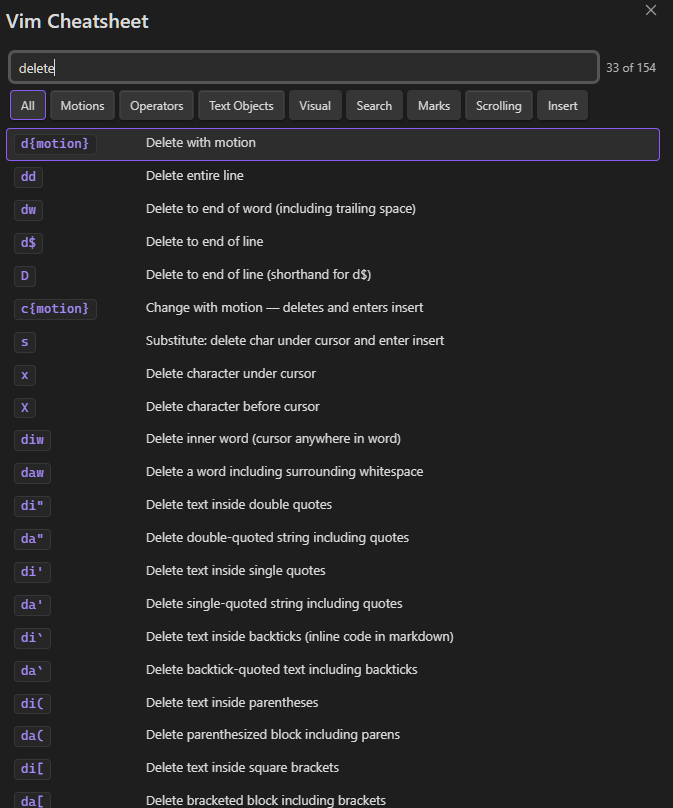
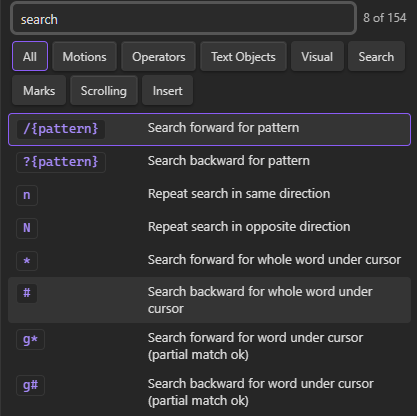
Over 150 commands covering motions, operators, text objects, visual mode, search, marks, scrolling, and insert shortcuts. Filter by category, navigate with arrow keys, or just type to search. The search matches each word separately, so delete line finds dd, D, d$, and more.
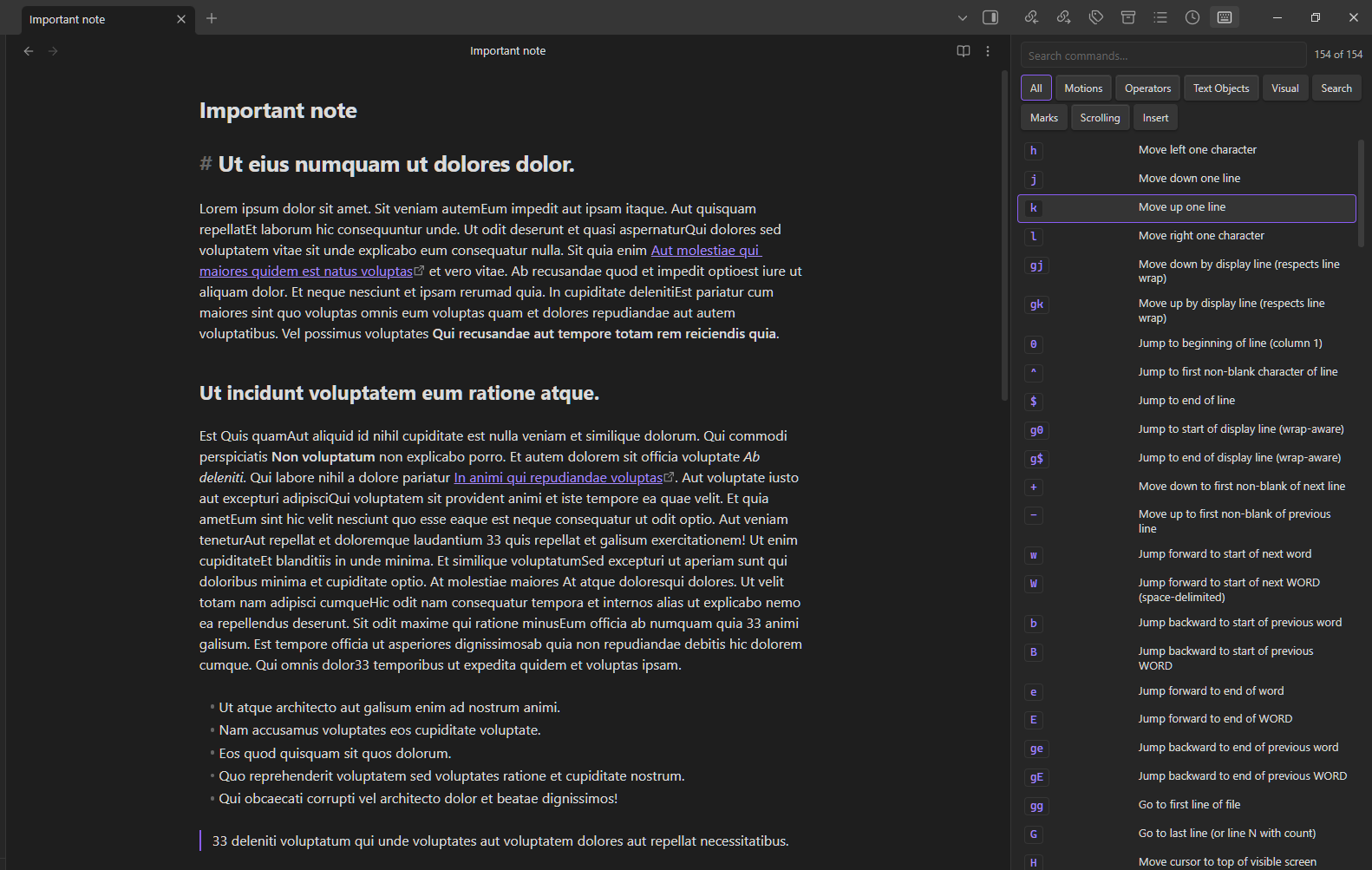
Two ways to open it: as a floating modal you dismiss with Esc, or docked as a sidebar you leave open while you work. Both pick up your Obsidian theme automatically. Examples are shown under each command and can be turned off in settings. Works on mobile.
Screenshots
Modal mode — open with a hotkey, search, dismiss with Esc
Sidebar mode — stays open while you edit
Search
Settings
Installation
Community plugins (recommended)
- Open Settings → Community plugins → Browse
- Search for Vim Cheatsheet
- Click Install, then Enable
Usage
Opening the cheatsheet
| Method | Result |
|---|---|
| Icon in the left ribbon | Opens modal |
Command palette → Open Vim Cheatsheet in Modal | Opens modal |
Command palette → Open Vim Cheatsheet in Sidebar | Opens sidebar panel |
| Custom hotkey | Assign at Settings → Hotkeys, search "Vim Cheatsheet" |
Search
Each word in your query has to appear somewhere in the command or its description.
| Query | Finds |
|---|---|
delete line | dd, D, d$, cc, S |
jump word | w, W, b, B, e, ge |
yank | yy, Y, y{motion} |
insert end | A |
backtick | ci`, di` — useful for editing markdown inline code |
Settings
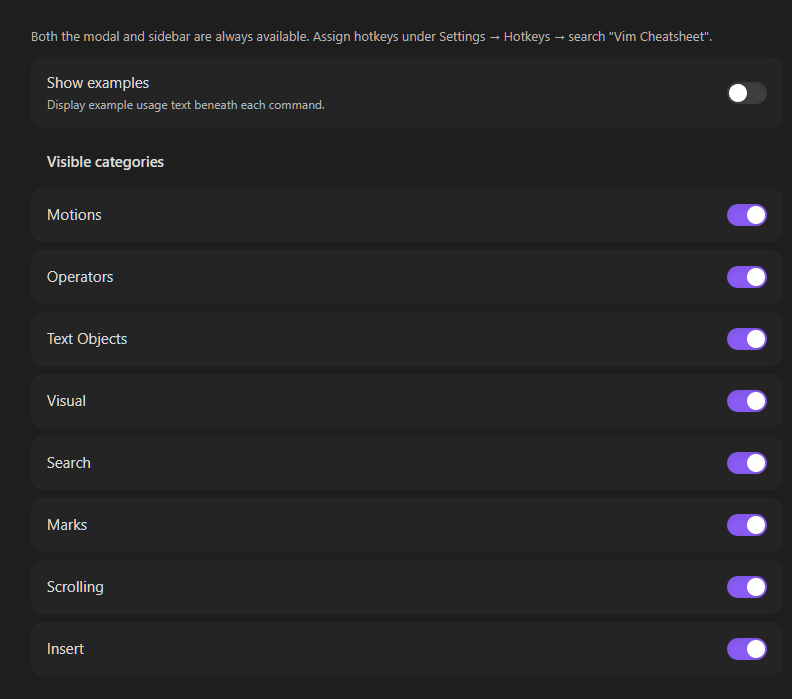
Go to Settings → Vim Cheatsheet to toggle examples on or off, and to hide any categories you never use. To assign hotkeys to either command, go to Settings → Hotkeys and search "Vim Cheatsheet".
Contributing
Bug reports and pull requests welcome at github.com/rafaelmehdiyev/obsidian-vim-cheatsheet.
License
For plugin developers
Search results and similarity scores are powered by semantic analysis of your plugin's README. If your plugin isn't appearing for searches you'd expect, try updating your README to clearly describe your plugin's purpose, features, and use cases.