by minsu choi
Encrypt a note with AES-256-GCM and unlock it inline. A little character hugs a padlock while the note is locked. English and Korean.


Kkongkkongi
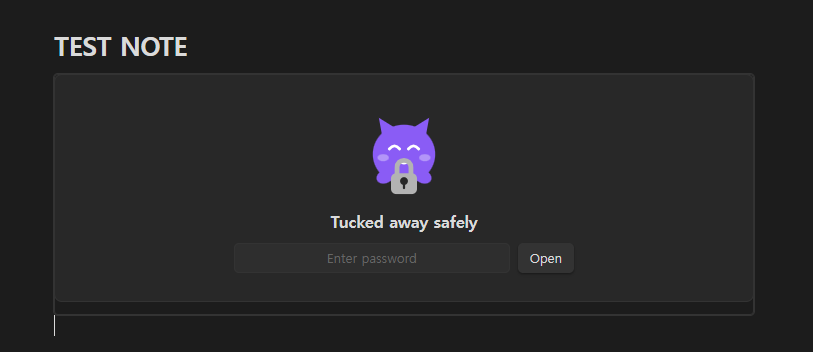
Encrypt a note and unlock it right where it sits. A little character hugs a padlock while your note is locked, and hands it back when you enter the password.
Why this exists
Some "lock" plugins only cover the screen — the .md file stays in plaintext, so opening it in any text editor reveals everything.
Kkongkkongi encrypts the content that gets written to disk. Open a locked note in Notepad and you see ciphertext.
Features
- Real encryption — AES-256-GCM, key derived with scrypt
- Inline unlock — no modal; the content unfolds inside the note
- Locks itself again — on leaving the note, losing window focus, or after a timeout
- Plaintext never hits disk — decrypted content lives only in the DOM
- Tamper detection — a damaged ciphertext fails the GCM auth tag check
- Theme aware — the character follows your light/dark theme
- English and Korean — the interface follows Obsidian's language, or pin one in the settings
How it looks
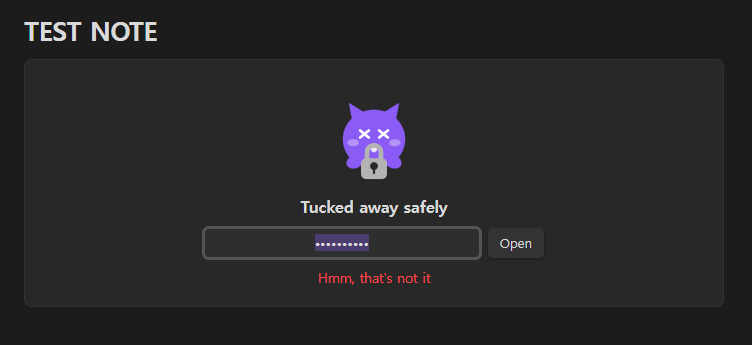
Get the password wrong and the character is startled — it shakes, then settles back.
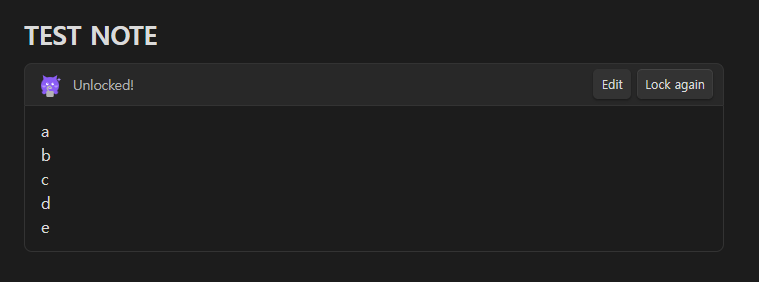
Get it right and the note unfolds in place, fully rendered as markdown.
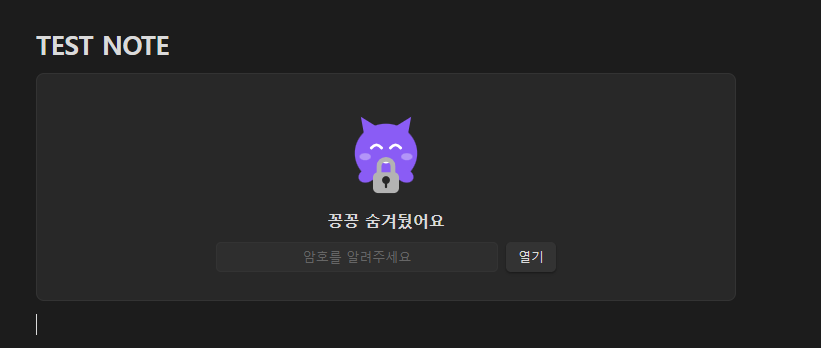
The same note with Obsidian set to Korean:
Usage
Command palette (Ctrl/Cmd + P):
| Command | What it does |
|---|---|
| Lock this note | Asks for a password twice, then encrypts the note |
| Remove lock permanently | Writes the content back as plaintext |
| Lock everything that is open | Immediately re-locks any unlocked block |
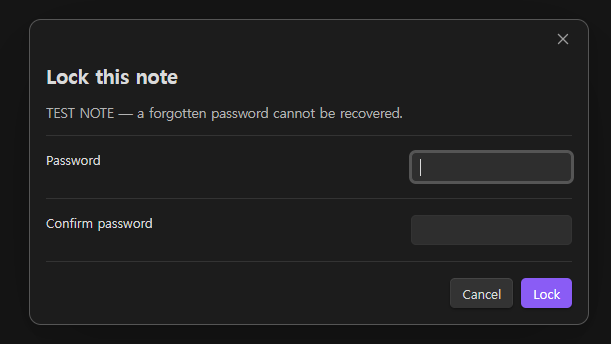
After locking, opening that note shows the character asking for a password. Enter it and the content renders as markdown. Move to another note and it locks again.
Settings
| Setting | Default |
|---|---|
| Language | Follow Obsidian |
| Show the character | On |
| Lock when leaving the note | On |
| Lock when the window loses focus | On |
| Auto-lock after (seconds) | 0 (off) |
Storage format
A locked note is stored like this:
```kkong-v1
{"v":1,"salt":"...","iv":"...","tag":"...","data":"..."}
```
| Cipher | AES-256-GCM |
| Key derivation | scrypt (N=32768, r=8, p=1), 32-byte key |
| salt | 16 bytes, regenerated on every lock |
| IV | 12 bytes, regenerated on every lock |
| Auth tag | 16 bytes |
Only standard primitives from Node's built-in crypto module. No home-grown cryptography.
Caveats
[!WARNING] A forgotten password cannot be recovered. There is no recovery path by design. Back up important notes before locking them.
- Encrypted notes are excluded from content search and the graph view — the file only holds ciphertext.
- Source mode shows the ciphertext. Content unfolds in Reading view and Live Preview.
- Uses Node's
crypto, so it is desktop only. - This does not protect the disk itself. Pair it with BitLocker, FileVault or Cryptomator if you are worried about a stolen device.
Installation
Community plugins
Settings → Community plugins → Browse → search Kkongkkongi → Install → Enable
Manual
- Download
manifest.json,main.jsandstyles.cssfrom Releases - Put them in
<vault>/.obsidian/plugins/kkongkkongi/ - Restart Obsidian and enable the plugin
Development
No build step — main.js is plain CommonJS and runs as written.
node --check main.js     # syntax
node test/test.js        # tests: crypto, format, i18n, state transitions, character
Adding a language: add a table to LOCALES in main.js keyed by the two-letter code, and add the option to the language dropdown. The test suite checks that every locale has the same keys and the same placeholders.
License
MIT
For plugin developers
Search results and similarity scores are powered by semantic analysis of your plugin's README. If your plugin isn't appearing for searches you'd expect, try updating your README to clearly describe your plugin's purpose, features, and use cases.