by Fran
Tasks and periodic notes for Obsidian: schedule plain Markdown tasks into day, week, month, quarter and year notes.
Klaar
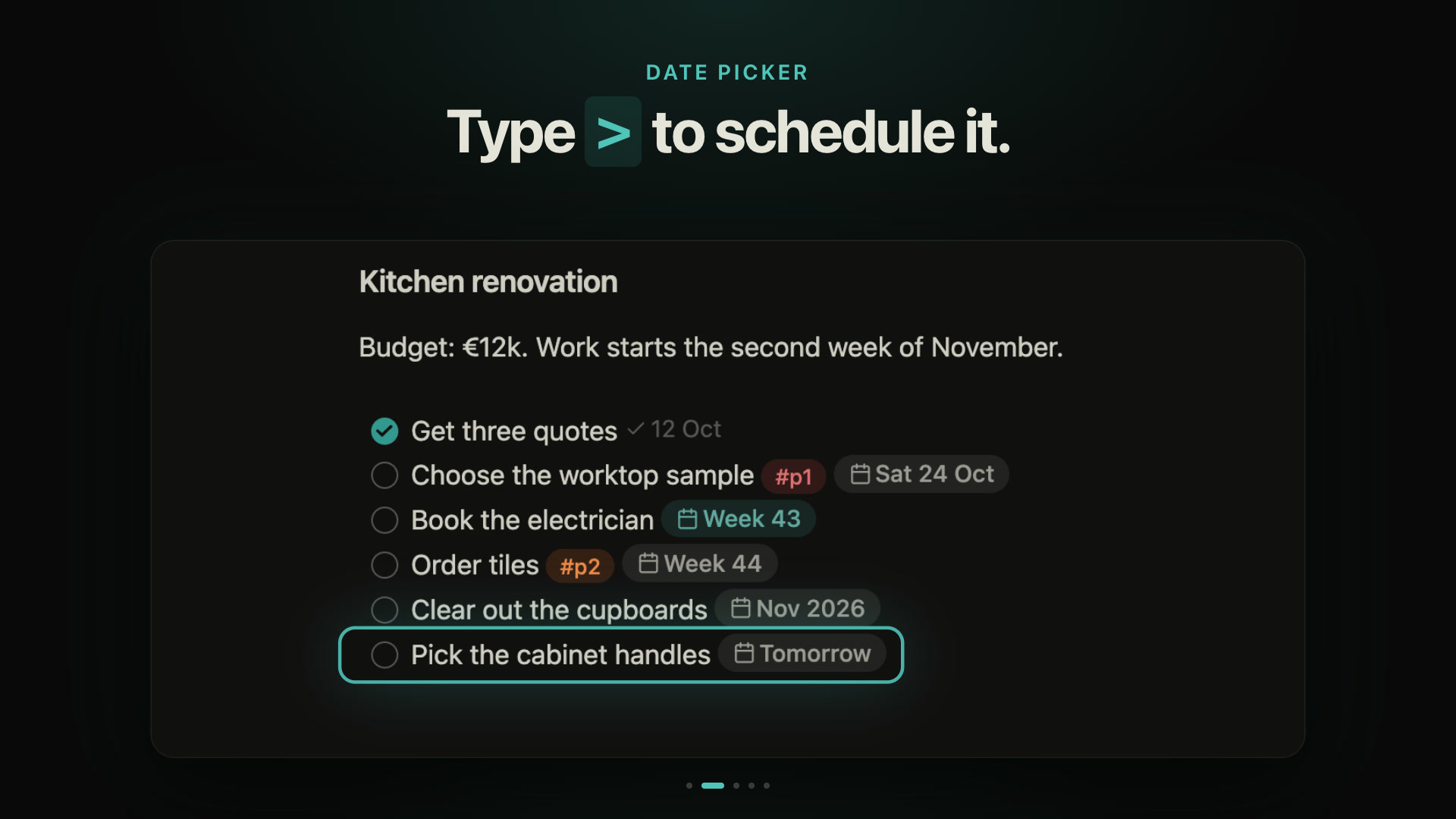
Tasks and journal notes for Obsidian. Your tasks stay plain Markdown checkboxes in your own notes: type > to schedule one, and it shows up in that day's, week's, month's or year's note.
Install
Requires Obsidian 1.13.0 or newer.
- BRAT: add
i-am-fran/obsidian-klaarin the BRAT plugin and enable Klaar. - Manual: copy
main.js,manifest.jsonandstyles.cssfrom the latest release into<vault>/.obsidian/plugins/klaar/, then enable Klaar in Settings → Community plugins. To check the files were built from this repository:gh attestation verify main.js --repo i-am-fran/obsidian-klaar.
Klaar reads the Markdown files in your vault, on your device, to find tasks. It makes no network requests. Found a bug? Please report it.
What it does
- Schedule with
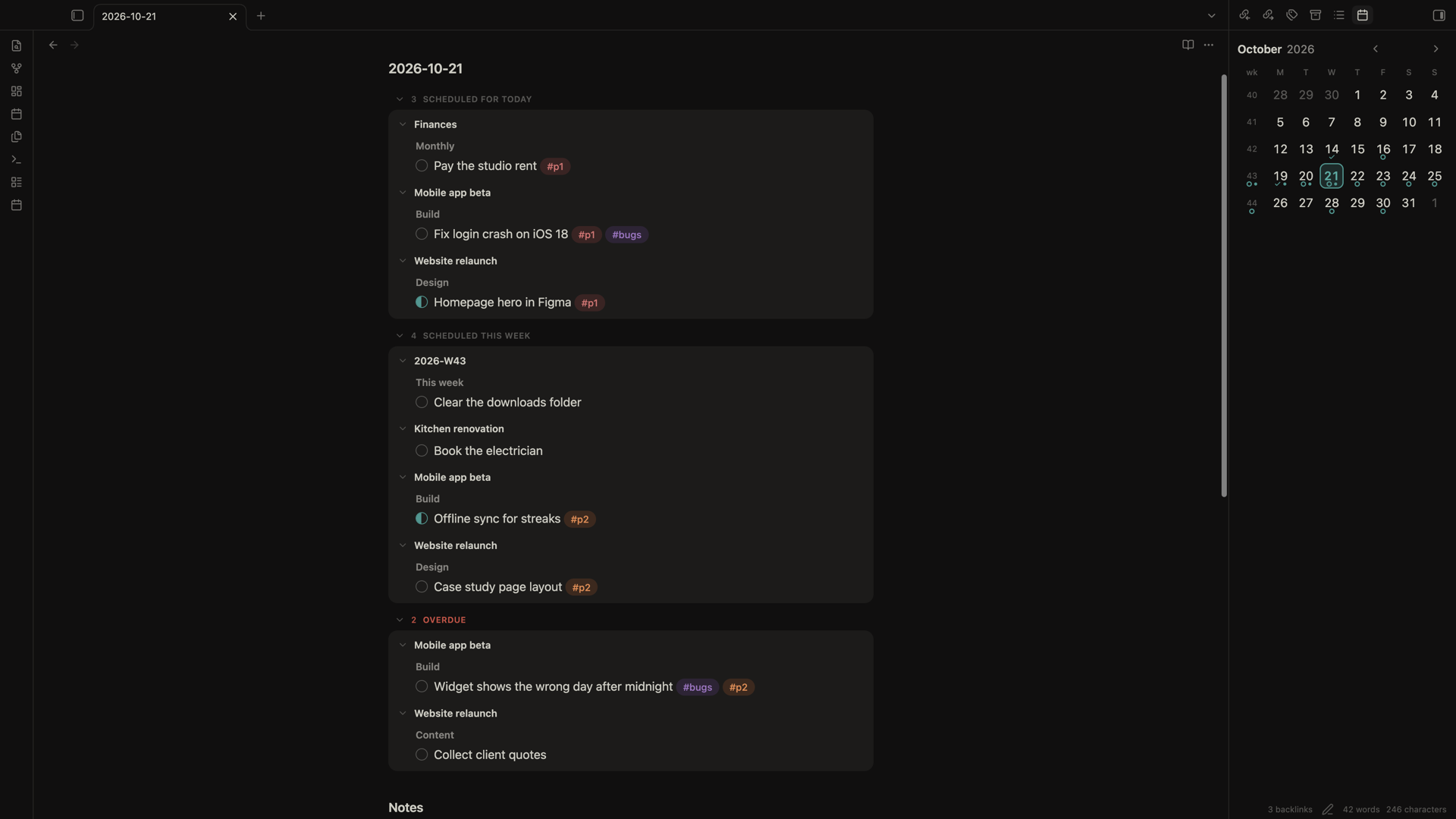
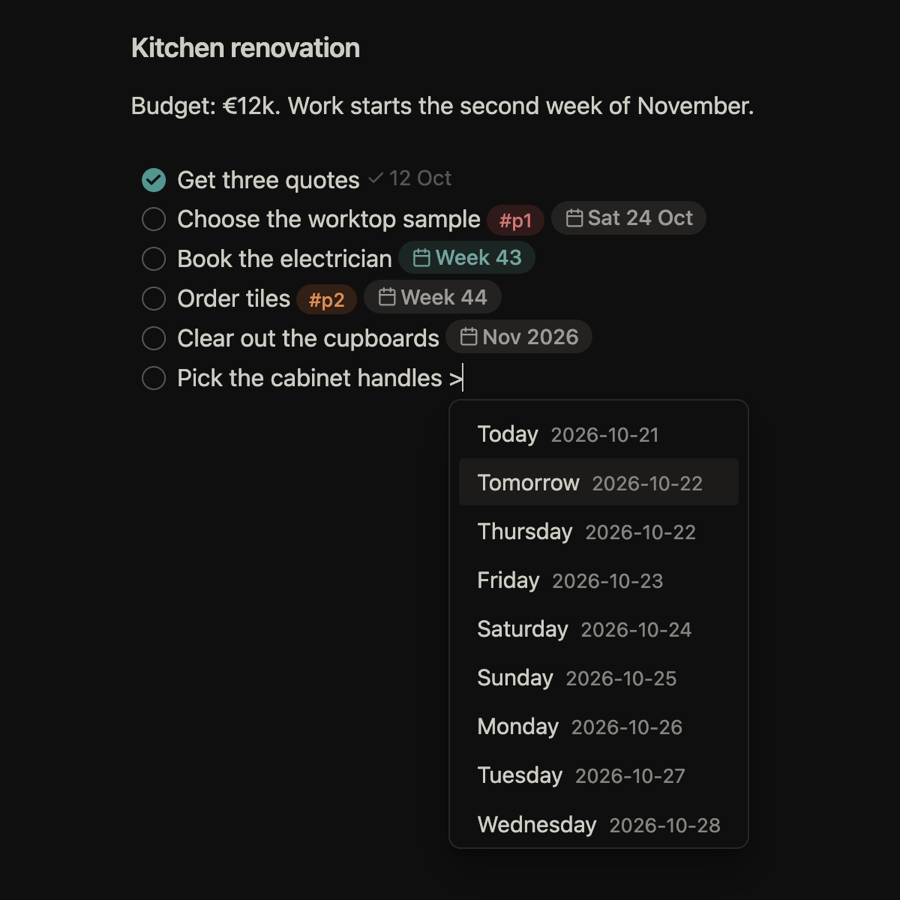
>. On a task line, type>and pick Today, Tomorrow, a weekday, a week, a month, a quarter or a year. Klaar writes a link like>[[2026-10-23]]or>[[2026-W43]]. "Move task to…" does the same from the command palette or right-click menu. - Journal notes show what's due. Day, week, month, quarter and year notes list the tasks scheduled for them, plus the ones from the period above and below, and Overdue on today's note. Tick a task there and its source note updates. Nothing is written into the note.
- Calendar. A sidebar month view with week numbers. Click a day or week to open its note, drag a task onto a day to reschedule it.
- Tags and priority.
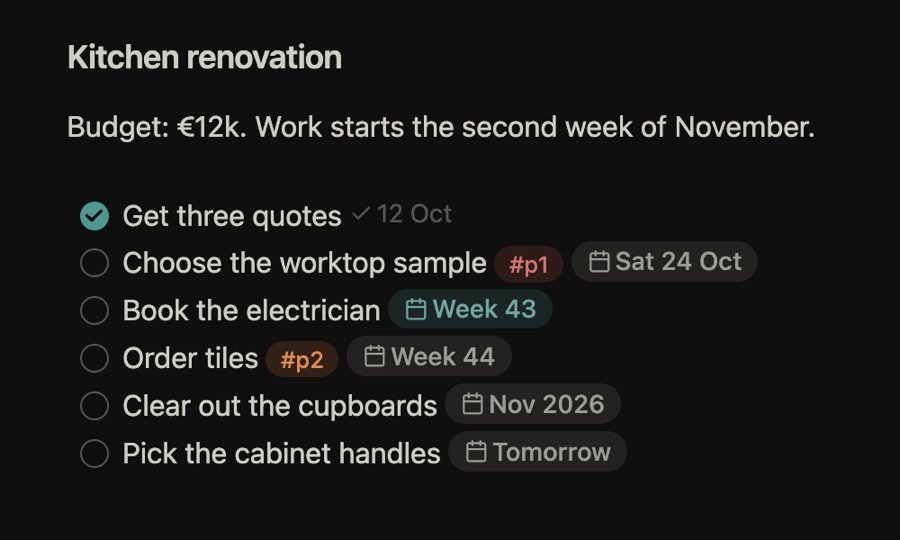
#p1,#p2,#p3and#bugs(or your own tags) become coloured pills. Commands cycle priority and toggle in progress. - Date chips.
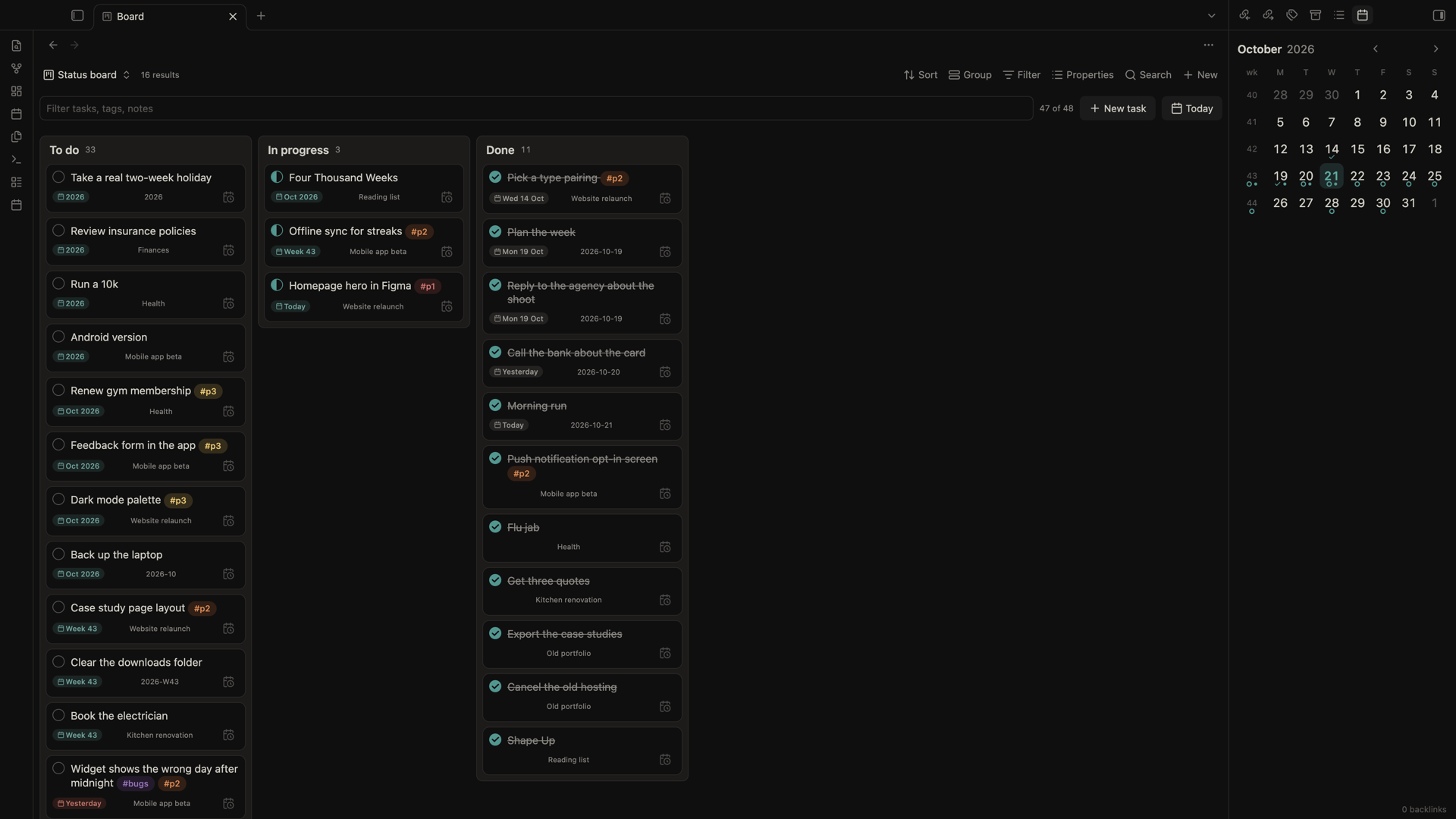
>[[2026-10-23]]reads asFri 23 Oct,TodayorWeek 43, red when overdue. - Bases views. "Klaar Table" and "Klaar Board" show the tasks of any base. Drag a card to Done, In progress, a priority or a date column and Klaar rewrites just that line.
Task syntax
| Line | Meaning |
|---|---|
- [ ] text | open |
- [x] text | done (Klaar can add (@done [[YYYY-MM-DD]])) |
- [/] text | in progress |
- [>] text | next |
- [<] text | someday |
- [-] text | cancelled |
Schedule keys: 2026-10-19 (day), 2026-W43 (ISO week, Monday start), 2026-10 (month), 2026-Q4 (quarter), 2026 (year). A task written in a journal note without a > link belongs to that note's period. Any other marker, such as [!], isn't a Klaar task and is left alone.
Settings
Journal notes folder (default Daily), which period types are on (quarterly is off by default), the completed date stamp, the [/], [>] and [<] markers, tag colours and roles, and how date chips look.
Support
Klaar is free. If it helps you, you can buy me a coffee:

Development
npm install
npm run dev     # watch build to main.js
npm run build   # type-check and production build
npm test        # vitest
npm run lint    # eslint
To release, bump the version with npm version <version> --no-git-tag-version and add a ## <version> section to CHANGELOG.md. When that reaches main, the Release workflow tags it and publishes the release.
MIT licensed.
For plugin developers
Search results and similarity scores are powered by semantic analysis of your plugin's README. If your plugin isn't appearing for searches you'd expect, try updating your README to clearly describe your plugin's purpose, features, and use cases.