LaTeX Symbol Picker
approvedby ryxwaer
Draw or search a LaTeX symbol in a side panel and insert it at the cursor, auto-wrapping in math delimiters when needed. Powered by a Detexify-style handwriting classifier. - This plugin has not been manually reviewed by Obsidian staff.
★ 1 stars↓ 612 downloadsUpdated 3mo agoMIT
LaTeX Symbol Picker
An Obsidian side panel to find LaTeX symbols and quickly insert them at your cursor.
Features
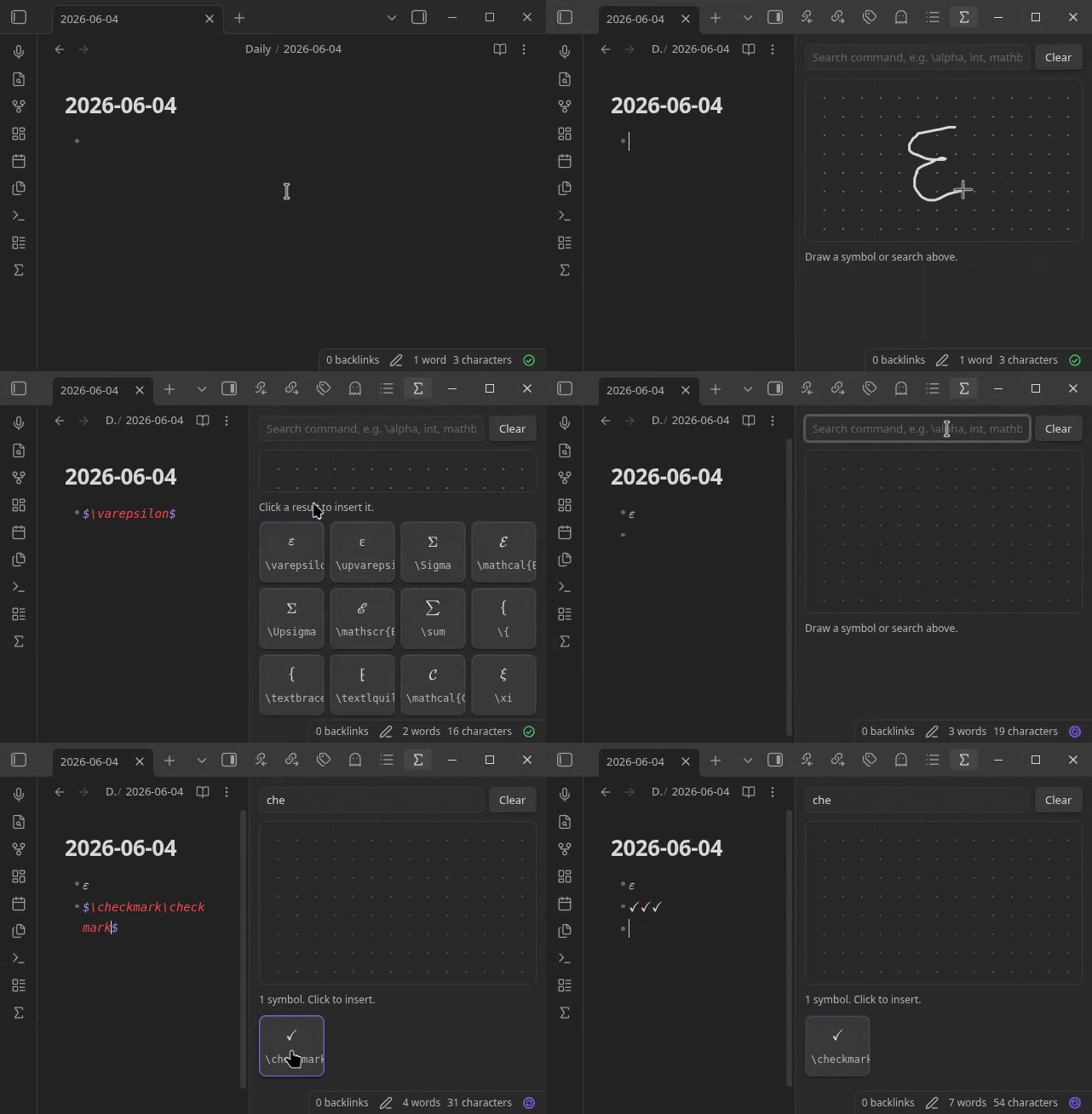
- Draw symbols with mouse, finger, or stylus to find them by shape (inspired by Detexify).
- Search by name using common synonyms, so you can find a symbol even without knowing LaTeX.
- Click to insert a symbol at the cursor, auto-wrapped in
$...$when you are not already inside a math context. - History of picked symbols is tracked and recent symbols are available at the bottom of panel for quick reuse.
- Fully offline: the classifier and its training data ship with the plugin. Only symbols that Obsidian's MathJax can render are included.
Usage
- Open the panel from the ribbon (sigma icon) or the command "LaTeX Symbol Picker: Open panel".
- Draw a symbol on the canvas, or type part of a command or its name in the search box.
- Click a result to insert it at the cursor in the active note.
For plugin developers
Search results and similarity scores are powered by semantic analysis of your plugin's README. If your plugin isn't appearing for searches you'd expect, try updating your README to clearly describe your plugin's purpose, features, and use cases.