LiftOff
approvedby hpasic
Mobile-first gym workout tracker. Log sets, reps, and weights with speed-optimized UX. Data stored as markdown in your vault. - This plugin has not been manually reviewed by Obsidian staff.
LiftOff
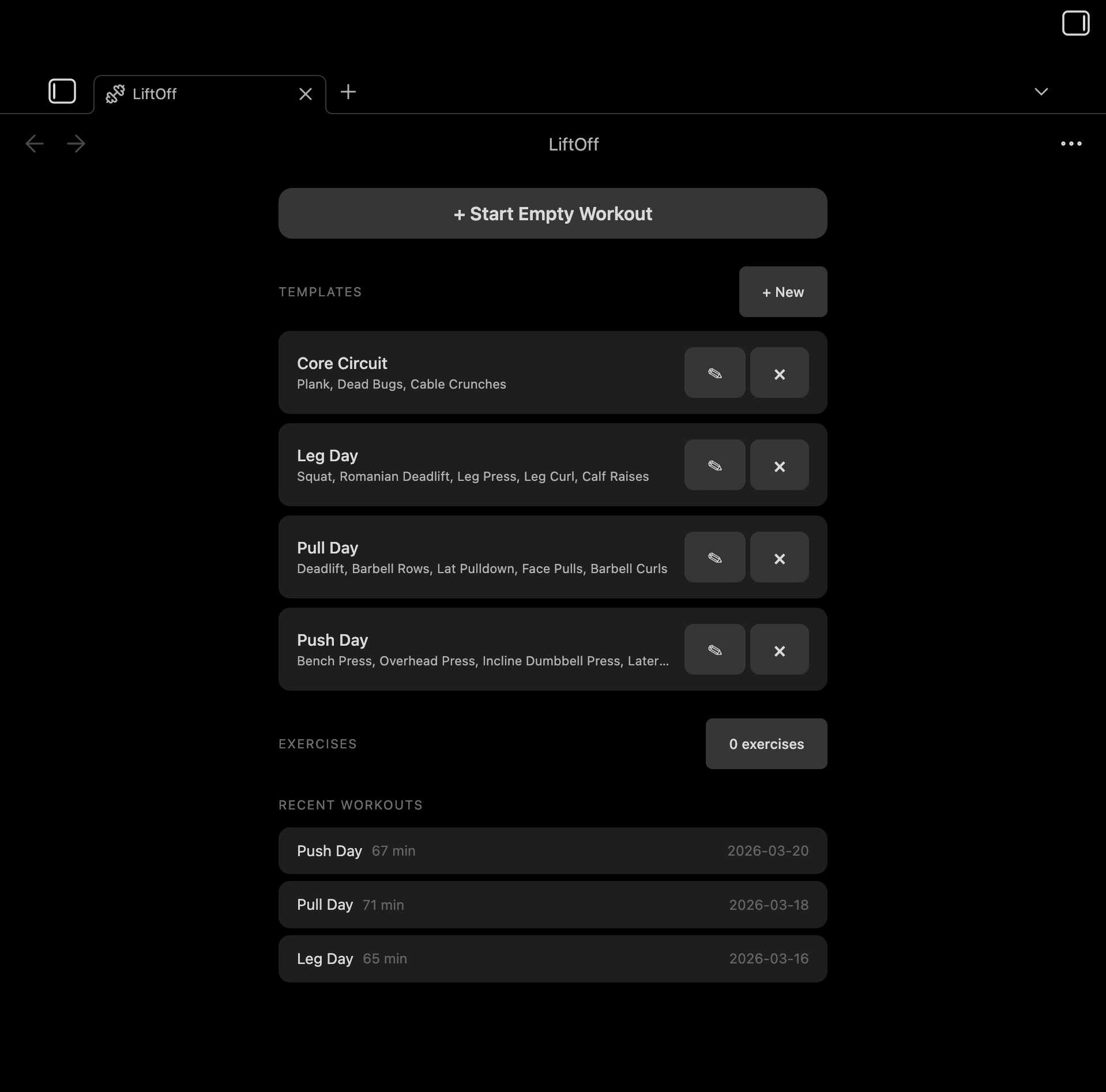
Mobile-first gym workout tracker for Obsidian. Log sets, reps, and weights with speed-optimized UX. All data stored as markdown in your vault.
Features
- Start workouts from templates or build your own
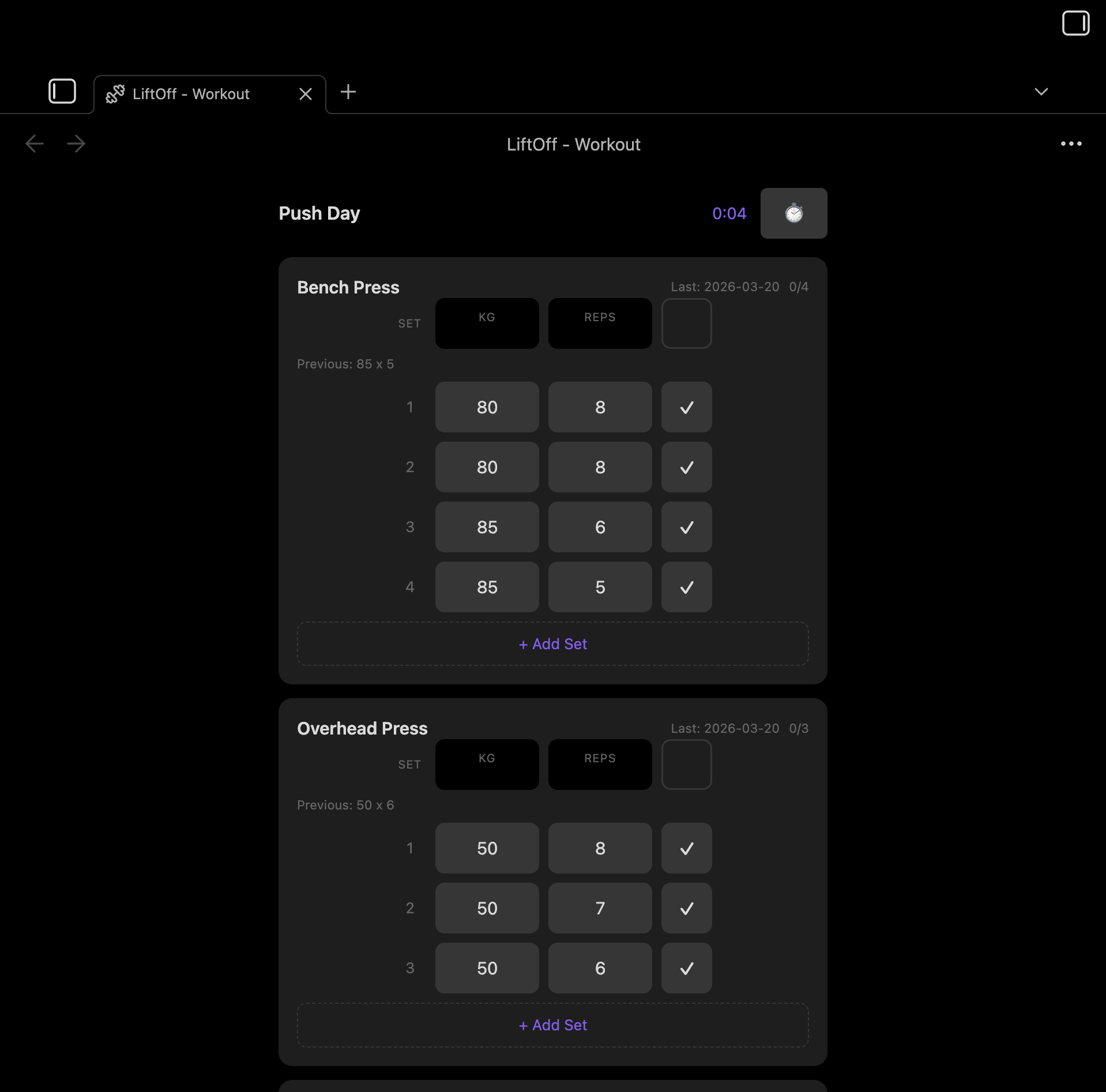
- Log sets with weight and reps, pre-filled from your last session
- Tag sets as warmup, working, drop, or failure — just tap the set number to cycle
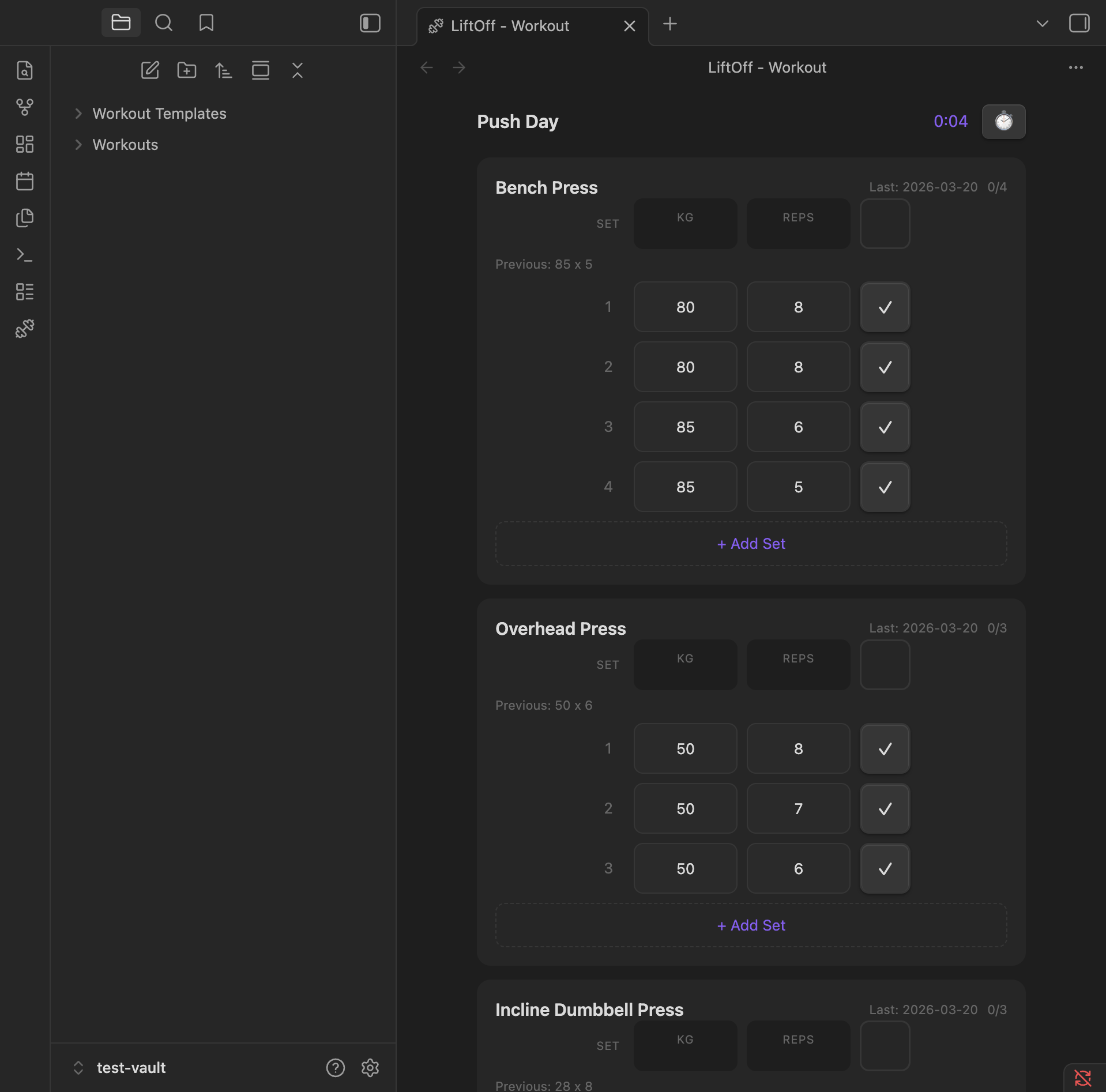
- Automatic personal-record detection with a 🏆 badge the moment you beat a best
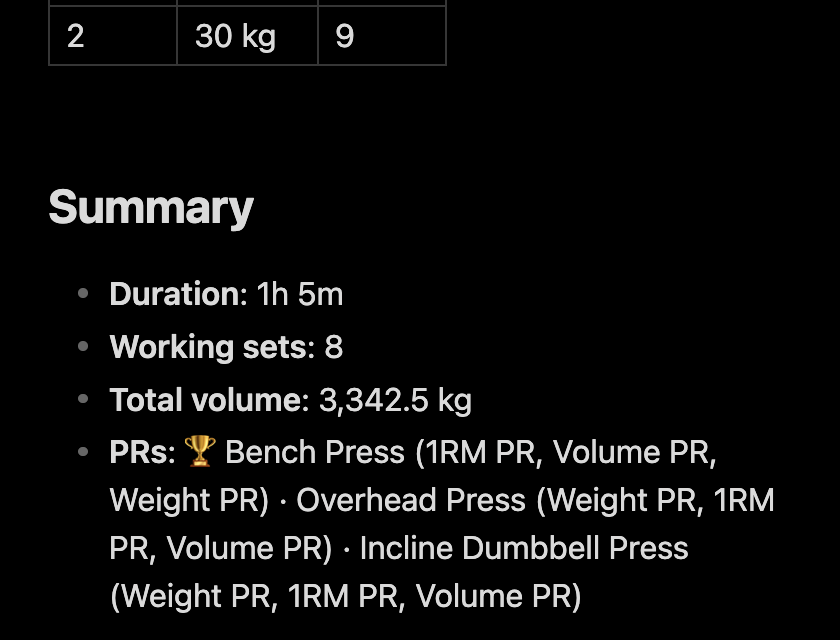
- Post-workout summary appended to every note: duration, working sets, total volume, and PRs
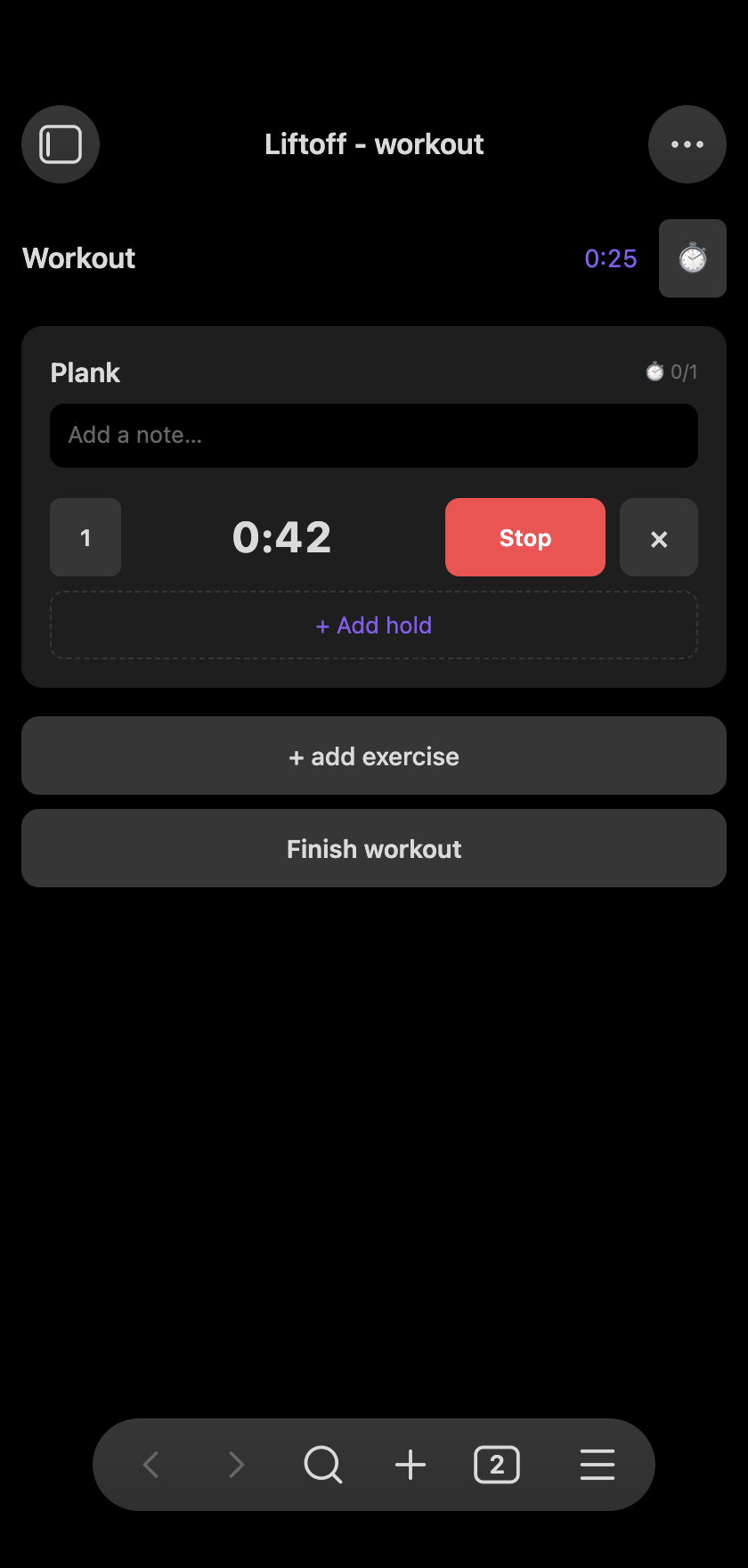
- Duration exercises — a count-up stopwatch for planks, dead hangs, and L-sits
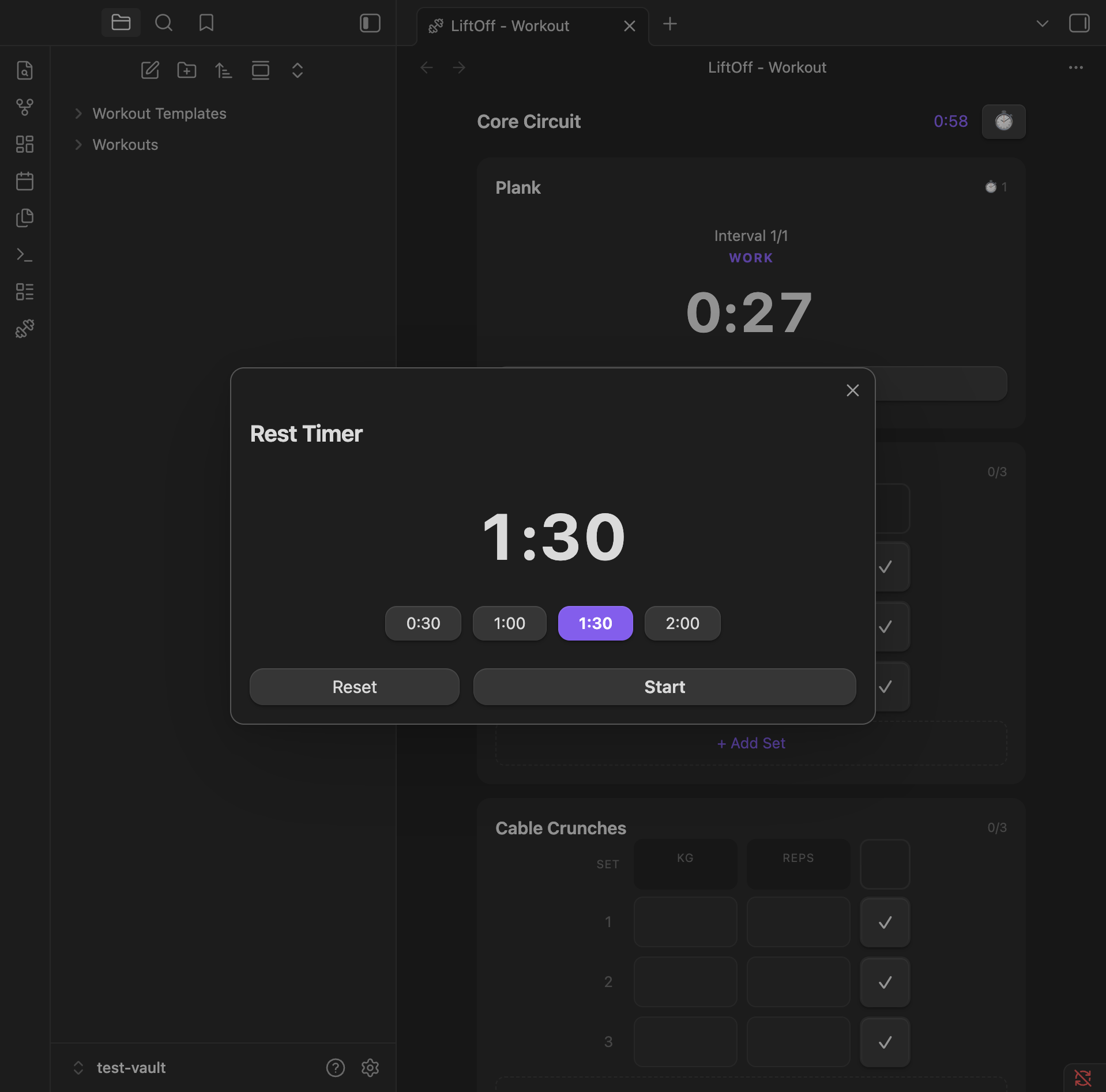
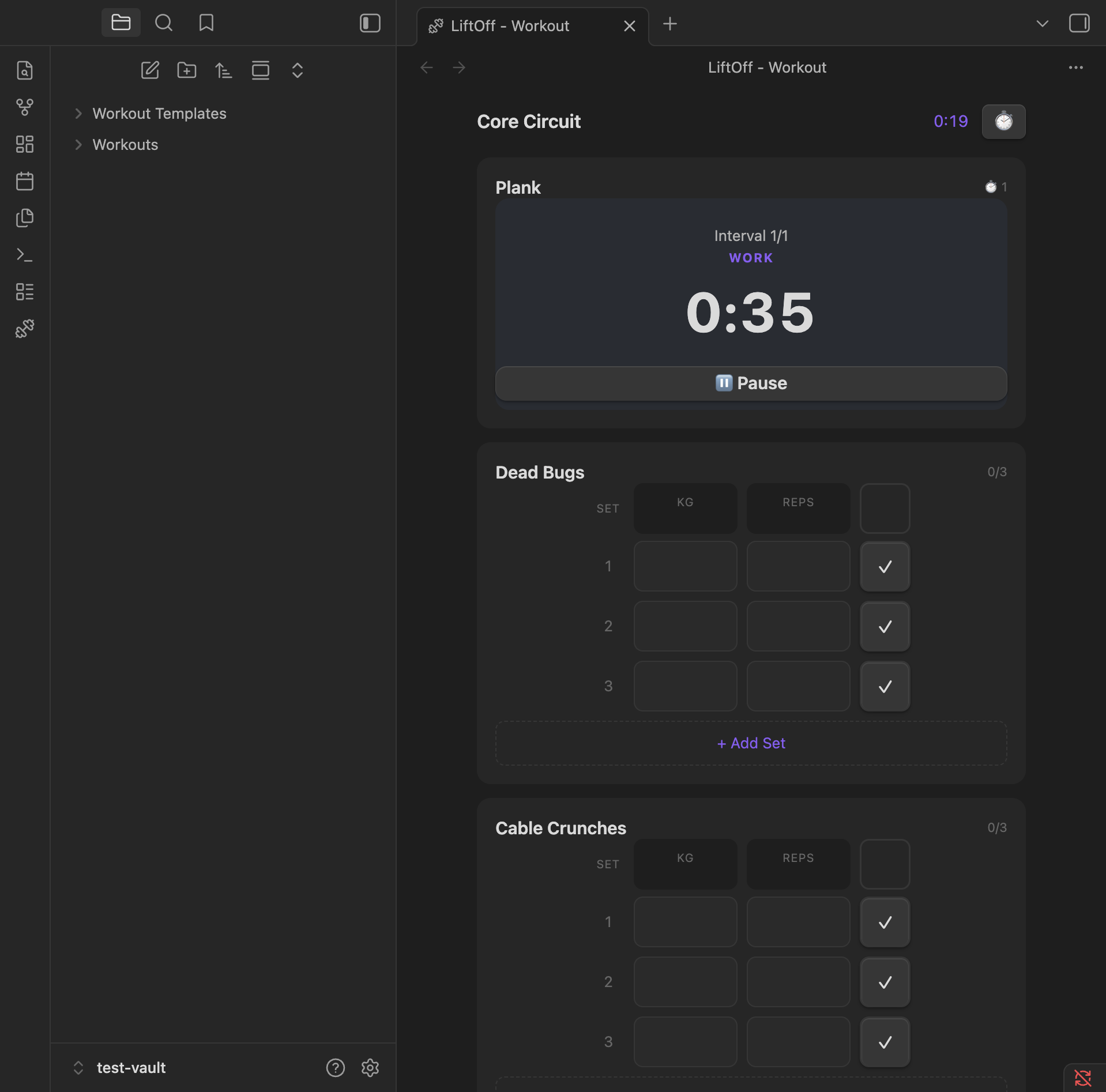
- Built-in rest timer with auto-start, plus an interval timer for HIIT
- Free-text notes per exercise
- Exercise library with search
- Workout history stored as plain markdown files
- Works great on mobile
Workout tracking
Log sets with weight and reps. Previous session data is pre-filled so you can pick up where you left off. Tap the set number to cycle its type — Warmup, working, Drop, or Failure — and warmups and drop sets are automatically excluded from volume and PR calculations. Add a free-text note to any exercise to capture how it felt.
Personal records
When a working set beats your history, LiftOff flashes a 🏆 badge on the row. It tracks three kinds of PR:
- Heaviest weight ever lifted for the exercise
- Best estimated 1RM (Epley:
weight × (1 + reps / 30)) - Best single-set volume (
weight × reps)
Bests update mid-workout, so back-to-back PRs both light up.
Post-workout summary
Every saved workout gets a ## Summary section with total duration, working-set count, total volume, and the PRs you hit — a clean, readable record right in the note.
Timers and holds
A built-in rest timer with preset durations, an interval timer for HIIT-style work/rest sets, and count-up duration holds for static exercises like planks, dead hangs, and L-sits.
Settings
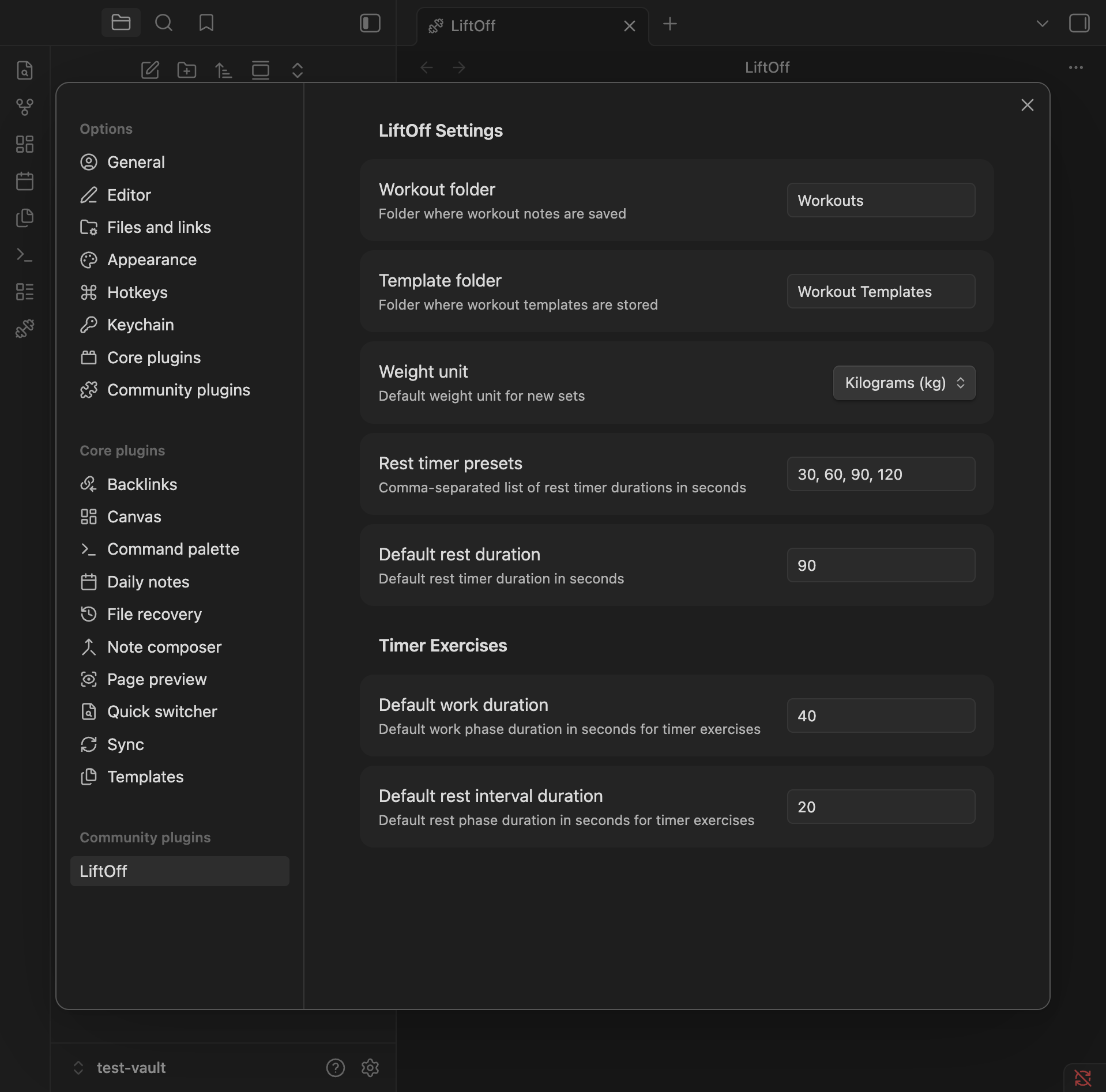
Configure workout and template folders, default weight unit, and rest timer presets.
Installation
From Community Plugins
- Open Settings > Community Plugins
- Search for "LiftOff"
- Click Install, then Enable
Manual
- Download
main.js,manifest.json, andstyles.cssfrom the latest release - Create a folder
your-vault/.obsidian/plugins/liftoff/ - Copy the downloaded files into that folder
- Enable the plugin in Settings > Community Plugins
For plugin developers
Search results and similarity scores are powered by semantic analysis of your plugin's README. If your plugin isn't appearing for searches you'd expect, try updating your README to clearly describe your plugin's purpose, features, and use cases.