Gym Workout Tracker
approvedby piero24
Track gym workouts with templates, calendar view, and quick data entry. No vault clutter, all data in one file. - This plugin has not been manually reviewed by Obsidian staff.
🏋️♂️ Gym Workout Tracker for Obsidian
Your completely private, friction-free fitness companion right inside your second brain.


Gym Workout Tracker is a sleek, powerful Obsidian plugin designed to track your fitness journey seamlessly. With a built-in database of 1,300+ exercises, interactive templates, and beautiful calendar visualizations, logging your workouts has never been this smooth.
Zero vault clutter, zero subscriptions, and complete offline privacy.
✨ Features That Do The Heavy Lifting
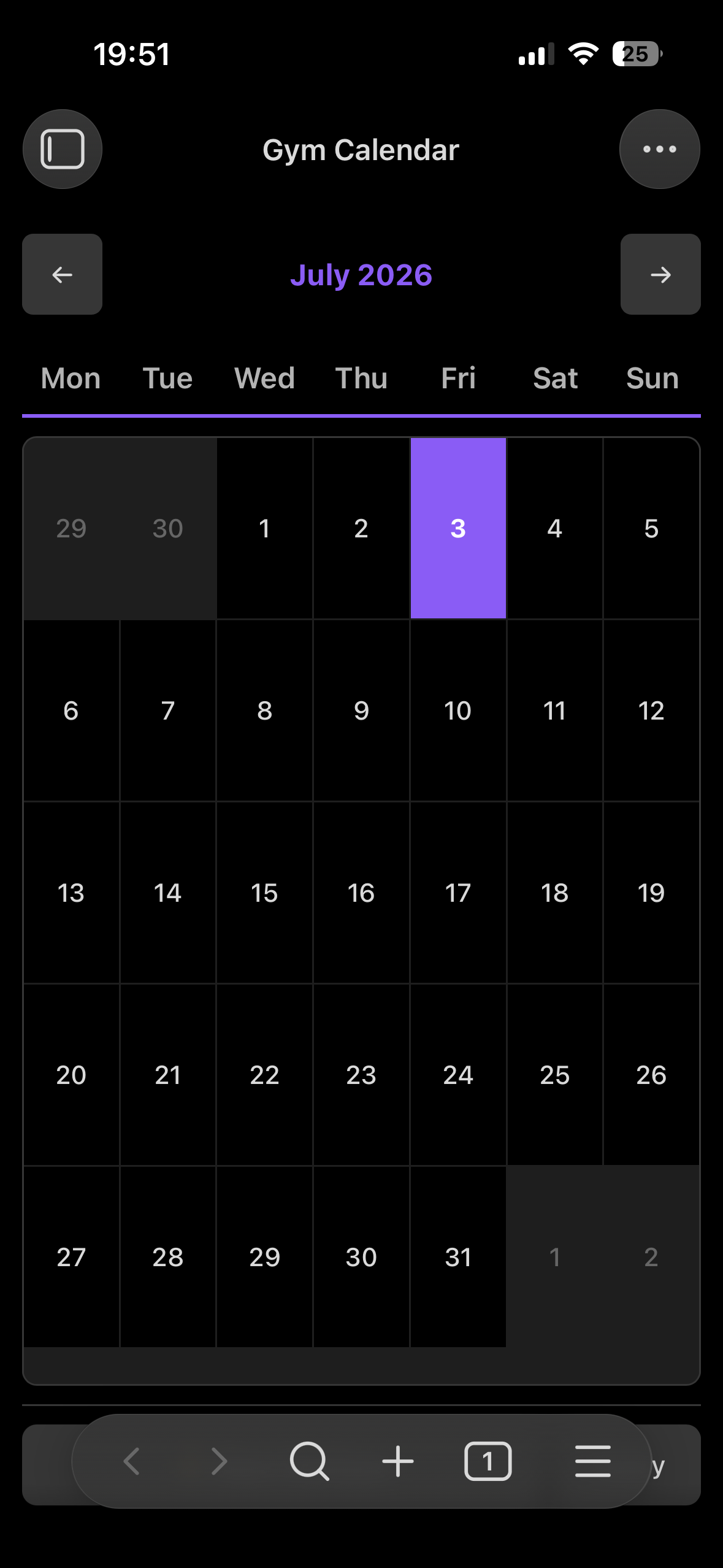
- 📅 Interactive Calendar: A gorgeous monthly calendar that marks your workout days with subtle indicators. Just click a date to jump straight into logging!
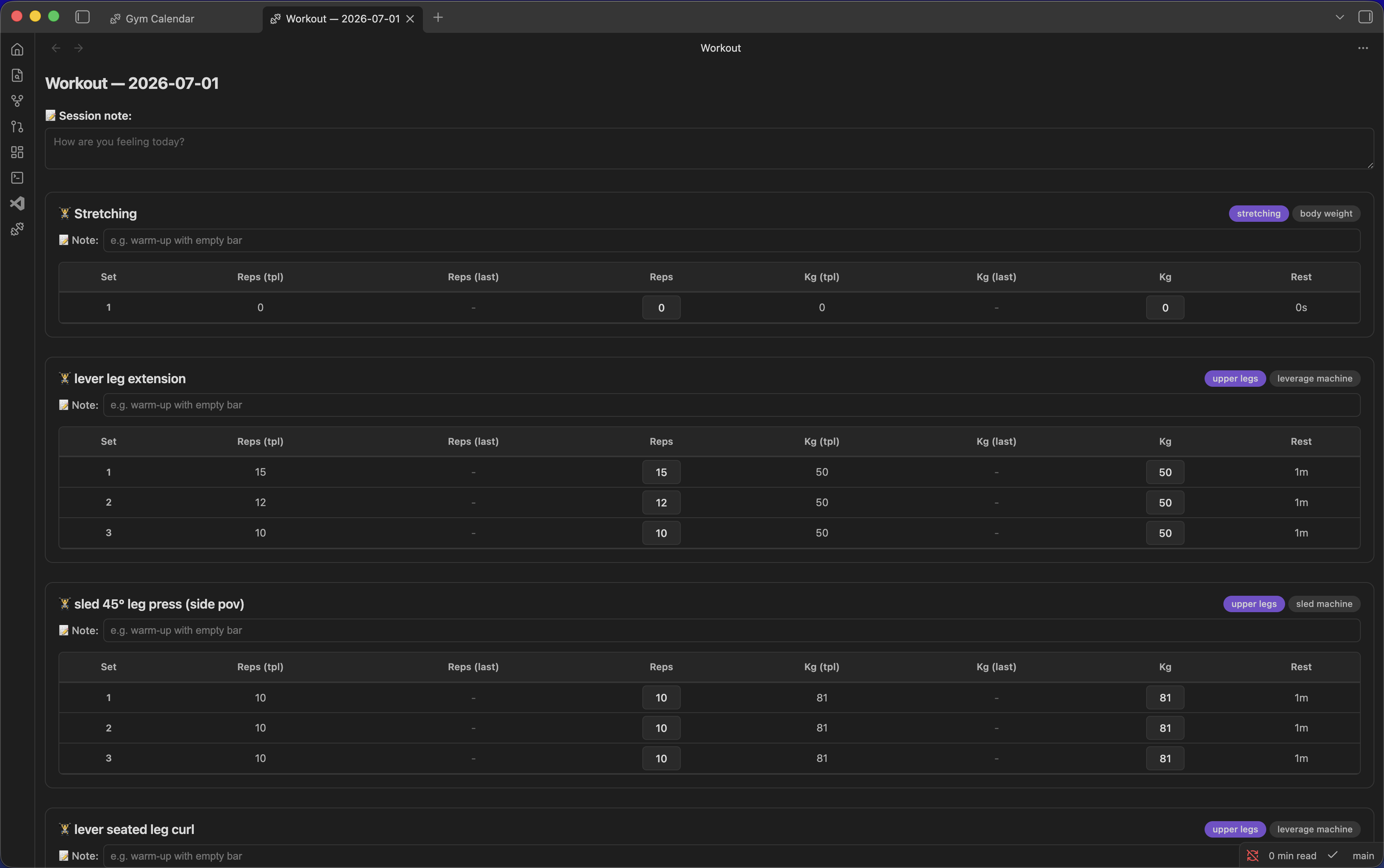
- 📚 1,300+ Exercises Database: Search and autocomplete from a massive database of exercises. Includes exercise names and tags for equipment and muscle groups.
- 📋 Smart Templates: Build reusable templates like "Push Day", "Legs", or "Cardio". Reorder exercises effortlessly with drag-and-drop.
- 📈 "Last Time" Auto-Fill: Let the app remember for you. Every new set automatically pre-fills your numbers from the last session so you always know what you need to beat.
- 💾 Clutter-Free Auto-Save: You don't have to save a dozen markdown files per week. Everything lives in a single JSON file behind the scenes, leaving your vault perfectly clean.
- 🔌 Obsidian Graph Integration: Toggle an option to have your workout data file appear right in your Obsidian Graph View!
🚀 Quick Start
Logging your first workout takes literally 10 seconds:
- Click the dumbbell icon in your Obsidian ribbon, or use the Command Palette to run
Open gym calendar. - Click on Today's Date.
- Pick a Template (or create a new one on the fly).
- Tap out your sets, reps, and weights. Everything saves instantly as you type!
📦 Installation
1. Community Plugins (Recommended)
You can find the plugin straight from Obsidian:
- Open Obsidian Settings -> Community plugins
- Make sure "Safe mode" is off
- Click Browse and search for Gym Workout Tracker
- Click Install and then Enable
2. Manual Installation
If you prefer doing things manually or want the absolute bleeding-edge version:
- Download the latest
main.js,styles.css, andmanifest.jsonfrom the Releases page. - Create a folder named
gym-workout-trackerinside your.obsidian/plugins/directory. - Place the downloaded files into that folder.
- Reload Obsidian and enable the plugin in your settings.
⚙️ Customization
Head over to the plugin settings to tweak the app to your liking:
- Unit Swapping: Easily switch between
kgandlbs. All past data will mathematically convert automatically! - First Day of the Week: Choose between Sunday or Monday to match your calendar habits.
- Storage Strategy: By default, data is saved hidden in plugin settings. But you can easily point it to a Vault file (e.g.,
.gym-tracker/data.md) so it seamlessly syncs via Obsidian Sync, iCloud, or Git.
🤝 Credits
The massive exercise database (names, categories, equipment, and tags) included in this plugin is sourced from the fantastic exercises-dataset by Hasan Eylül Drm.
Enjoying the plugin? Leave a star on the repo! ⭐
For plugin developers
Search results and similarity scores are powered by semantic analysis of your plugin's README. If your plugin isn't appearing for searches you'd expect, try updating your README to clearly describe your plugin's purpose, features, and use cases.