Workout Journal
unlistedby I-am-Rudi
Track your workouts, exercises, and fitness progress in Obsidian
Workout Journal
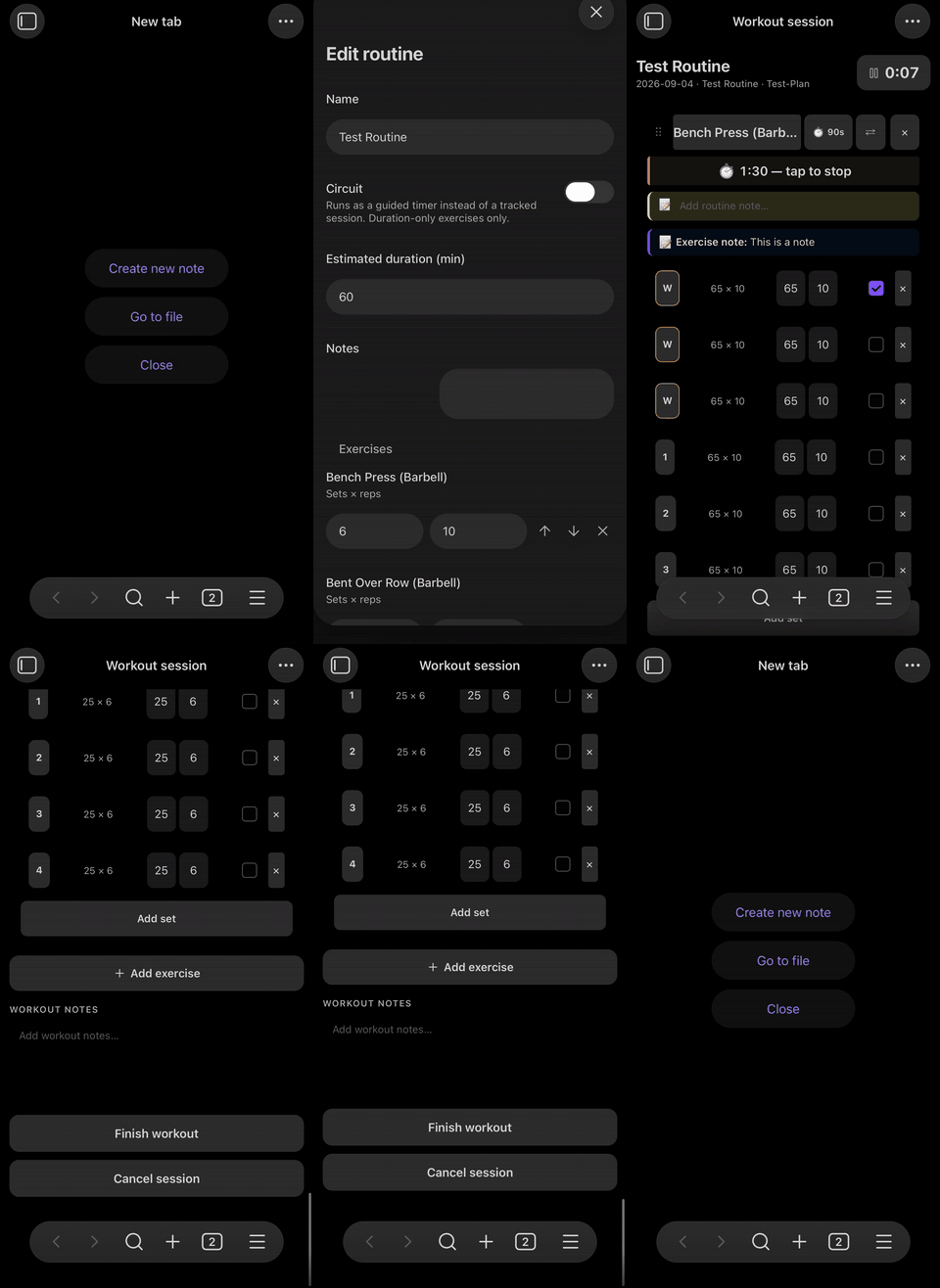
A completely free workout tracking solution for Obsidian that stays integrated with your vault while providing a full fitness-app like interface. You get an active session view, edit windows for the different note types (exercises, routines, and workout plans), and an app-like dashboard to manage it all from. Still every element of it lives in your vault. Every part is represented in a markdown note, and thus can be integrated into your personal knowledge management system. Everything is in plain text: You own your data.
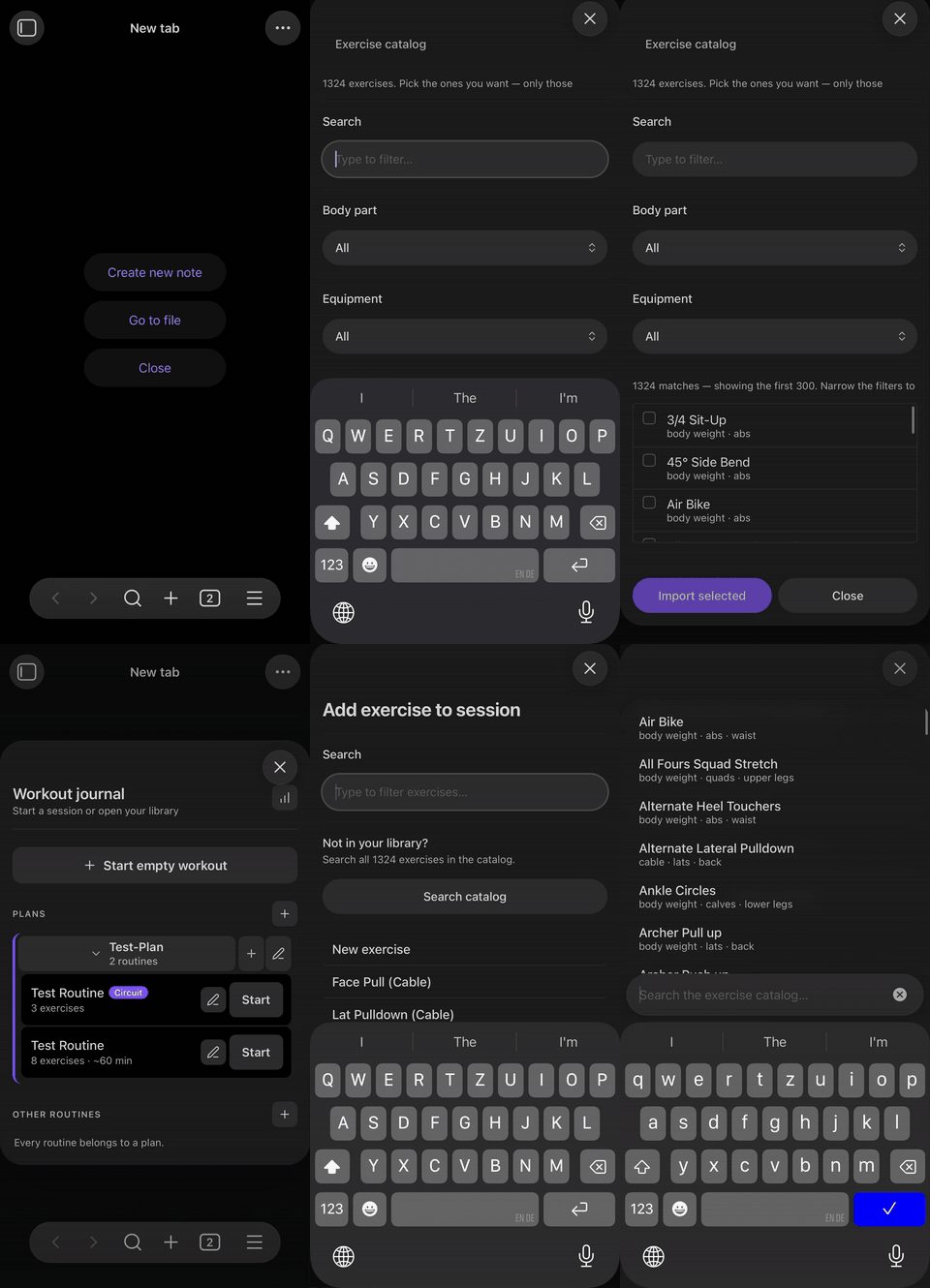
A big issue with fitness tracking is usually the first setup: setting up your exercise library, migrating your routines and history. This is why this plugin comes with an exercise catalog of 1,324 exercises with instructions. Don't worry only exercises you actually use will show up in your Vault, so no needless clutter! The second issue is solved for those coming from Strong, simply export your history from there and get it into your vault with the "Import from Strong" feature in settings. You can automatically get all exercises you have used in a completed workout and from these completed workouts you can also extract the full routine with the provided command.
(I know many people use Hevy now, hope I can add this soon. I heard the export is pretty similar too Strong.)
Team Plain-Text
- Your data stays yours: One markdown note per workout, exercise, routine, and plan, plus a flat CSV of every set you have ever done. Nothing is locked in a proprietary database.
- It talks to the rest of your vault: Exercises, routines and plans are all notes, so they link, they show up in graph view, and Dataview can query them.
- It still feels like an app when it matters: During a session you are not editing YAML — you are tapping through sets with a rest timer running.
A side note: Because everything is just markdown, you can have self-written scripts and even your agent of choice create and edit your Routines and Plans for you. Full automation without paying for an additional subscription!
Active Session View
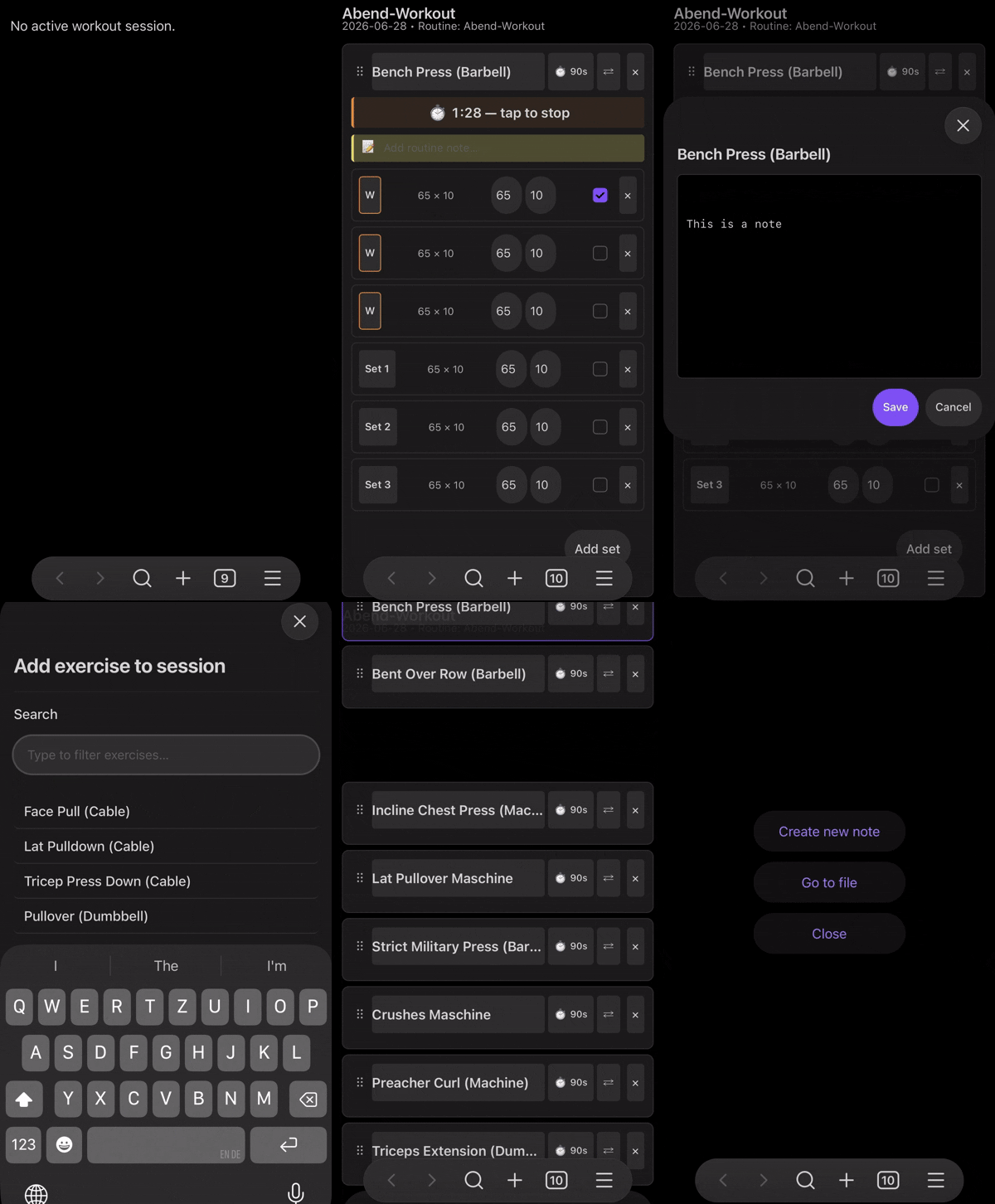
The active session view is mainly built for mobile. It has all the features you would want (I hope, if not feel free to open a feature request ;D):
- Automatic fill of last performed stats.
- Automatic rest timer
- Session timer
- Show exercise notes, history and description
- Add routine specific notes to exercises
- Add a note to the workout
- Add new sets, exercises, switch them out or re-order via drag and drop
- Change set type to Warmup, Myoreps or Drop Set
- On finish you can overwrite with the changes you made or ignore and automatically finish unfinished sets
If you come from a fitness app this should look and feel familiar:
Dashboard
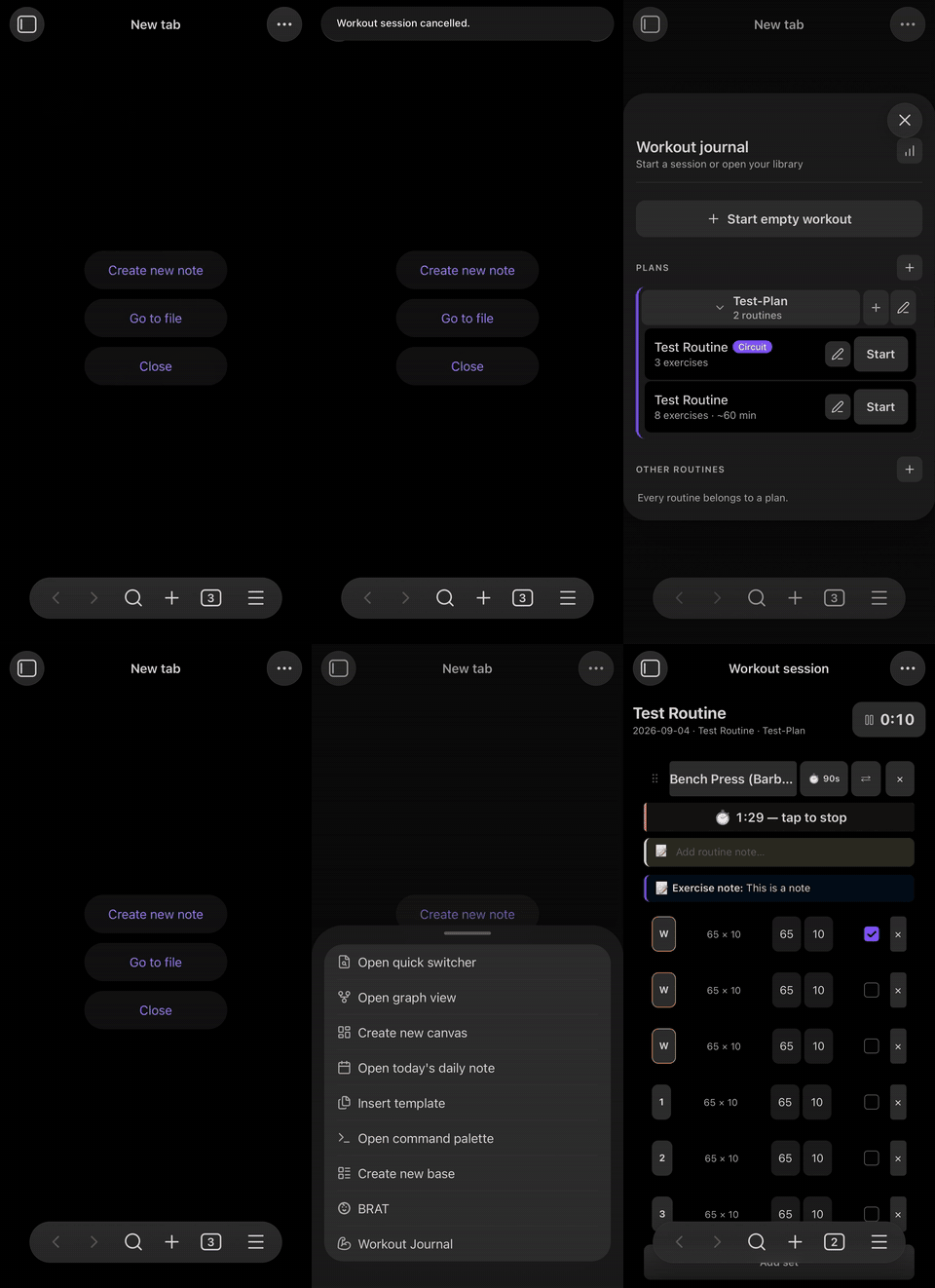
Pretty much what you expect:
- Start an empty workout, or start a routine from your library
- Reenter an unfinished workout
- Routines organized in Plans that act as folders
- Add new Plans and routines, or edit existing ones
- Browse your exercise library — search it, pull new exercises in from the catalog, or create your own, and tap one to open its note
- Page back through every workout you have logged, and tap one to open its note
- See your workout statistics
Exercises
Built your Exercise Library quickly from the catalog of 1,324 exercises or get them from the Strong import. If both can't get you what you need, you can create your own in the exercise editor. You can also merge the description from the catalog into exercises you have created. There are many different types: strength (kg,reps), cardio (min,km), reps-only (reps), duration-only (s).
Routines and Plans
Both feature an editor, that can be accessed from the command palette or directly from a dashboard. Routines organize a collection of exercises with sets, and exercise-specific notes into a workout. Plans organize a collection of routines into a multi-day schedule (settings specific days of the week is optional). Due to the inherent nature of everything being a note that can just be referenced, routines can be assigned to multiple plans without duplicating them.
Plan notes can be used to jot down notes about the your fitness plan related to it. Those notes wont show up in the interfaces the plugin provides.
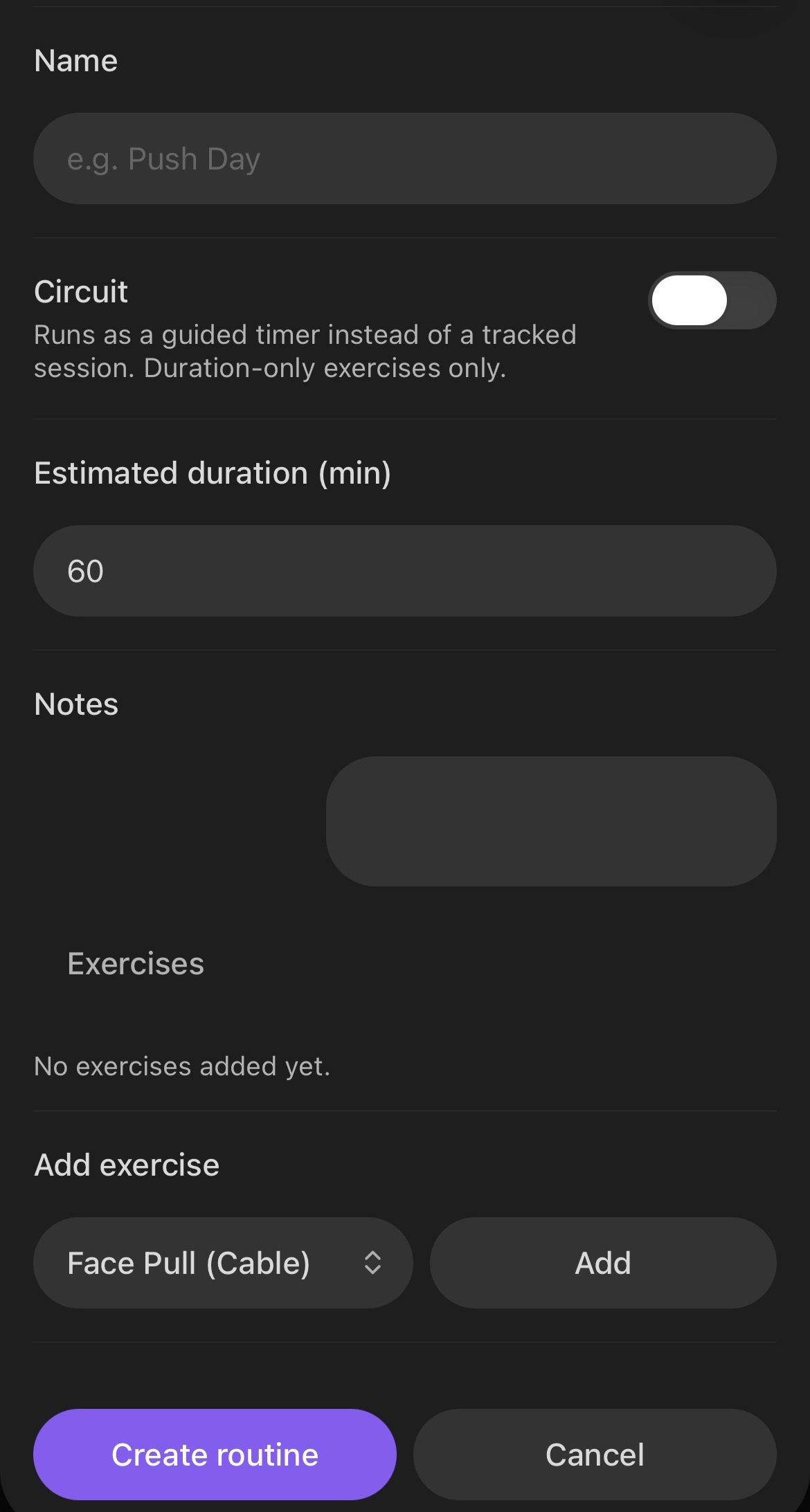
An active session — sets, rest timer, notes |
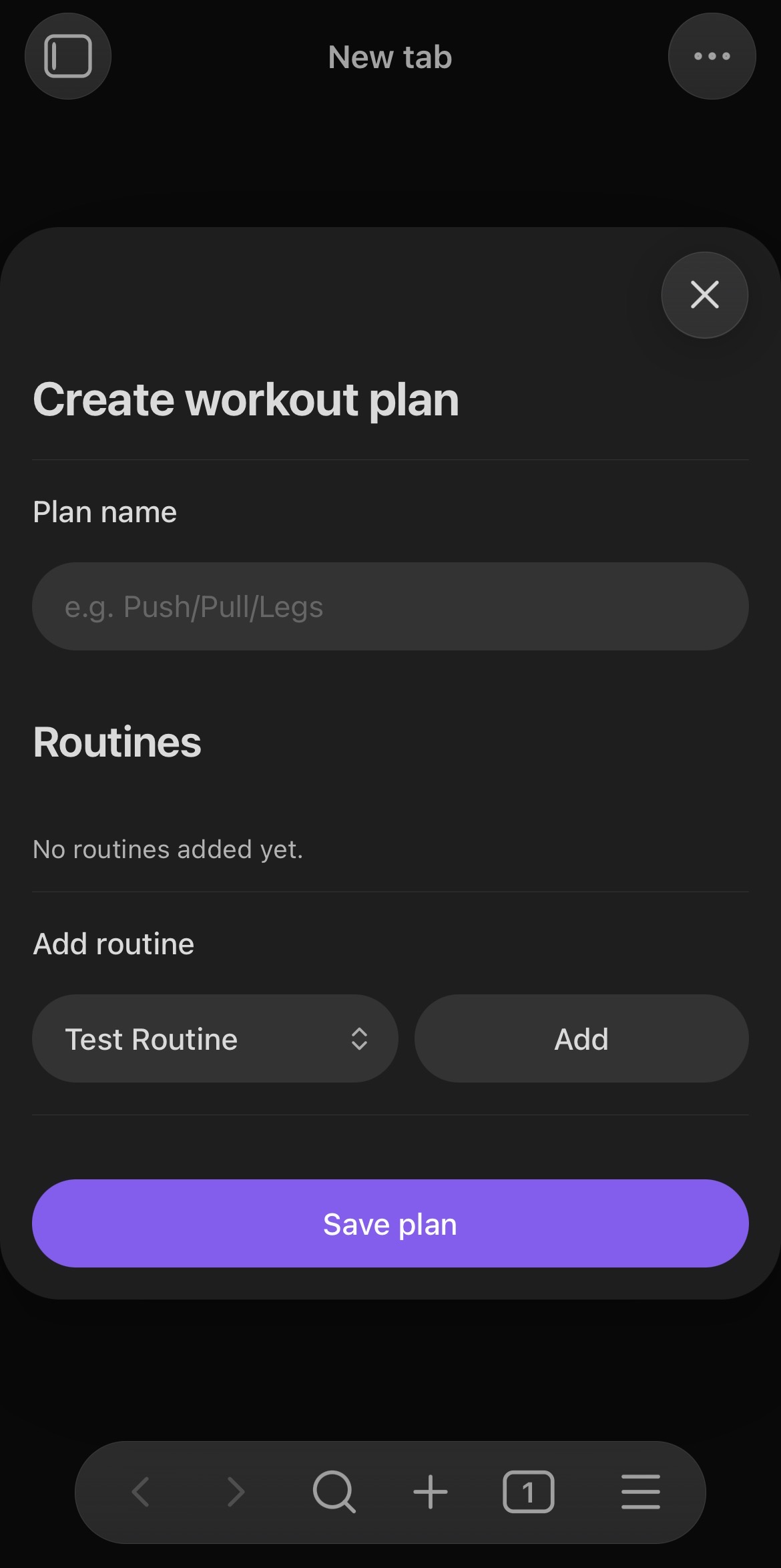
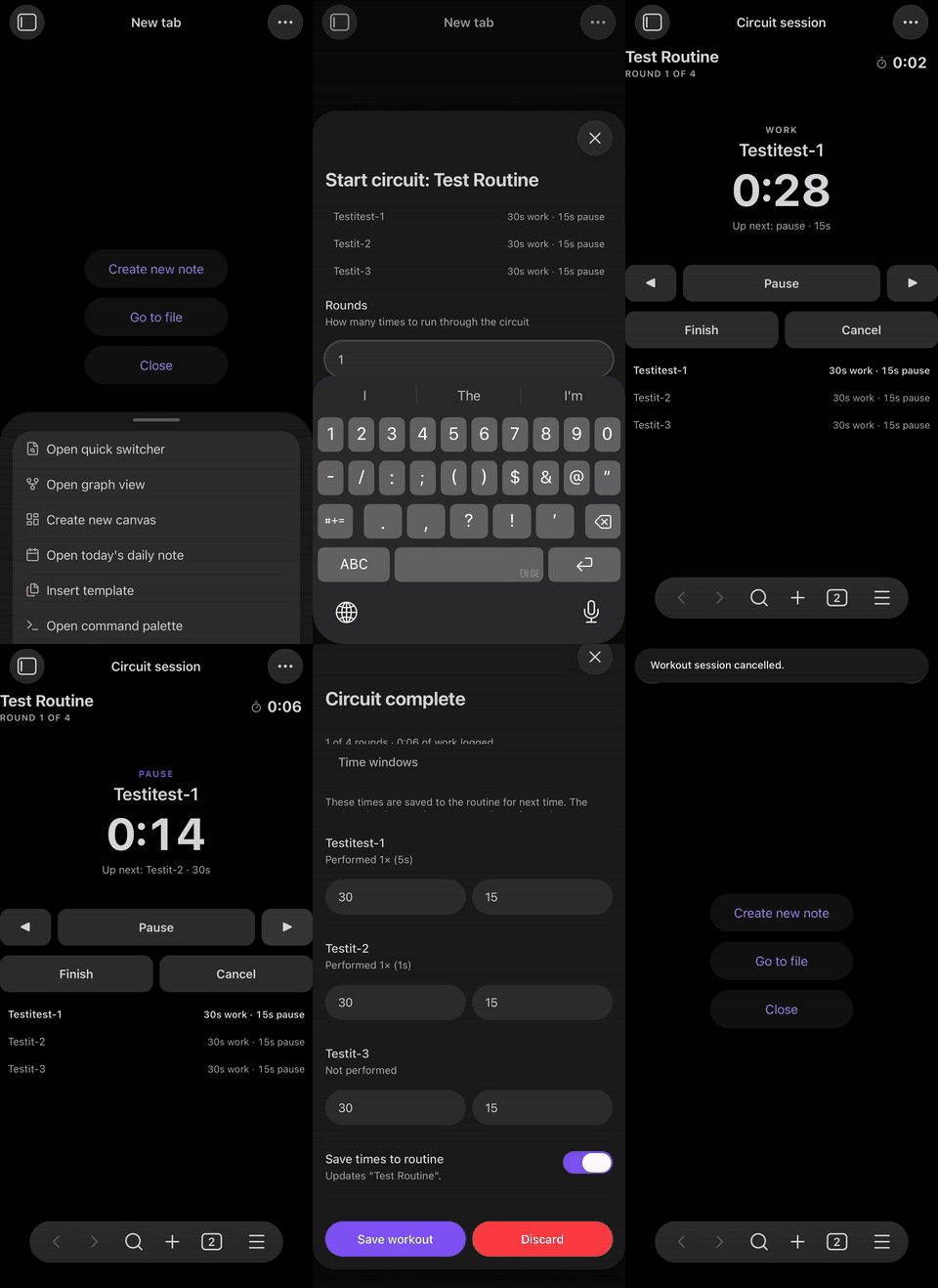
A circuit — guided work and pause windows |
Circuit Training
For those who like to do circuit training, simply change the type of the routine in the interface, or alternatively set the boolean property in the YAML frontmatter of the routine note. If you start it in an active session it will automatically enter it in circuit mode. All of the exercises in the routine must be duration-only for that.
This is what you are greeted with:
Configuration
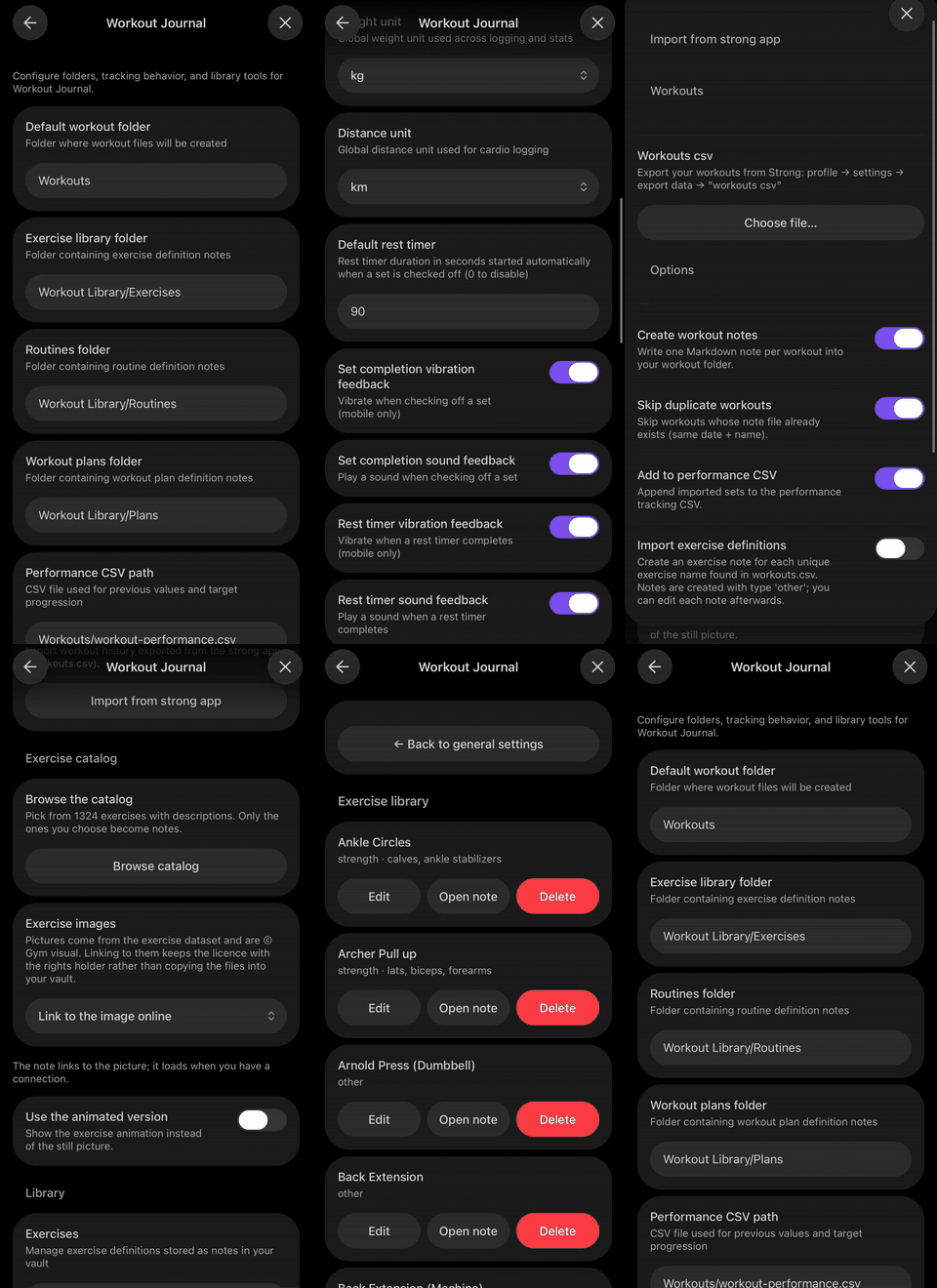
Settings → Community plugins → Workout Journal:
- Folders for workouts, exercises, routines and plans
- Units — kg or lb, km or mi
- Rest timer default, plus sound and vibration feedback
- Exercise images — link to them, or turn them off entirely
- Note templates — extra frontmatter and body content merged into everything the plugin creates, so it fits your existing vault conventions
- Library management for exercises, routines and plans
Installation
You can simply get it from the Obsidian community plugins browser, or install it manually:
With BRAT (recommended for beta testing)
- Install the BRAT plugin
- Open BRAT settings and click Add beta plugin
- Enter
https://github.com/I-am-Rudi/obsidian-workout-journal.git - Choose a version (
latest, or a specific release tag) - Click Add plugin, then enable Workout Journal under community plugins
Manual installation (development)
- Clone this repository
npm installnpm run build- Copy
main.js,manifest.jsonandstyles.cssinto<your vault>/.obsidian/plugins/workout-journal/ - Enable the plugin in Obsidian settings
Getting started
The fastest path from a fresh install to your first logged set:
- Open settings and point the plugin at the folders you want it to use
- Open the exercise catalog and import a handful of exercises you actually train — or skip this and add them as you go
- Tap the ribbon icon
- Press "+" to build a routine from those exercises
- Press "start" to start the routine in an active session
Interfaces
- Ribbon icon — the landing page: resume a session, start an empty workout, or pick any routine, grouped under the plan it belongs to
- Command palette — everything the plugin can do, including starting a session from the note you have open
- Settings — manage your library, routines and plans, configure folders and units, and run imports
How an exercise note is laid out
Everything the catalog adds goes under a ## Description heading. Everything
under ## Notes is yours — the plugin writes there only when you edit it
yourself, and never overwrites it.
---
wj-type: exercise
wj-id: ds-0025
wj-name: Barbell Bench Press
wj-muscle-groups: [pectorals, triceps, deltoids]
wj-exercise-type: strength
wj-equipment: barbell
wj-source: exercises-dataset
wj-source-id: "0025"
---
# Barbell Bench Press
## Description

Lie flat on a bench with your feet planted…
*© Gym visual — https://gymvisual.com/*
## Notes
Left shoulder twinges above 80 kg. Elbows tucked 45°.
During a session, tapping an exercise name opens that note in three tabs — Note, History and Description — so you can check your form cues, see what you lifted last month, and scribble something down without leaving the workout. Your notes also show up as a blue ribbon in session view.
Pictures and network use
[!note] The exercise descriptions are bundled with the plugin and work completely offline. The pictures are not: the note contains a link, and Obsidian loads it from a CDN when you look at it.
This is deliberate. The picture files are © Gym visual and are not covered by the dataset's MIT licence, so the plugin links to them where they are already published rather than copying them into your vault. If you would rather not load anything from the network, set Exercise images to No image in settings and the plugin will only ever write text.
How your data is stored
Every note the plugin manages uses wj--prefixed YAML frontmatter, with
wj-type marking what it is: exercise, routine, plan or workout.
---
wj-type: workout
wj-id: "1672531200000"
wj-date: "2025-06-26"
wj-name: "Morning Run"
wj-duration: 30
wj-exercises:
  - name: "Running"
    sets:
      - duration: 30
        distance: 3
wj-notes: "Beautiful morning for a run"
---

# Morning Run

**Date:** 2025-06-26
**Duration:** 30 minutes

## Exercises

### Running

| Set | Reps | Weight | Duration | Distance | Rest |
| --- | ---- | ------ | -------- | -------- | ---- |
| 1   | -    | -      | 30       | 3        | -    |

## Notes

Beautiful morning for a run
Alongside the notes, every completed set is appended to a flat performance CSV. That is what drives the previous-values pre-fill, and it means you can pull your whole training history into a spreadsheet whenever you want.
Credits and licence
The plugin is MIT licensed — see LICENSE.
The exercise catalog comes from hasaneyldrm/exercises-dataset. The data is MIT licensed; the exercise images are © Gym visual and are used by linking only. See NOTICE.md for the full attribution.
Originally forked from obsidian-workout-tracker.
For plugin developers
Search results and similarity scores are powered by semantic analysis of your plugin's README. If your plugin isn't appearing for searches you'd expect, try updating your README to clearly describe your plugin's purpose, features, and use cases.