by Ellie Aster Aguilera
Line Breaker will make keeping markdown pretty comfier. One enter press and you’ll be writing the next paragraph, one backspace press and you’ll get rid of trailing spaces.
★ 1 stars↓ 10 downloadsUpdated 2d agoMIT
Line Breaker
Annoyed of having to repeatedly press enter and backspace all the time? Line Breaker plugin will make keeping markdown pretty comfier. One enter press and you’ll be writing the next paragraph, one backspace press and you’ll get rid of trailing spaces.
Demonstration
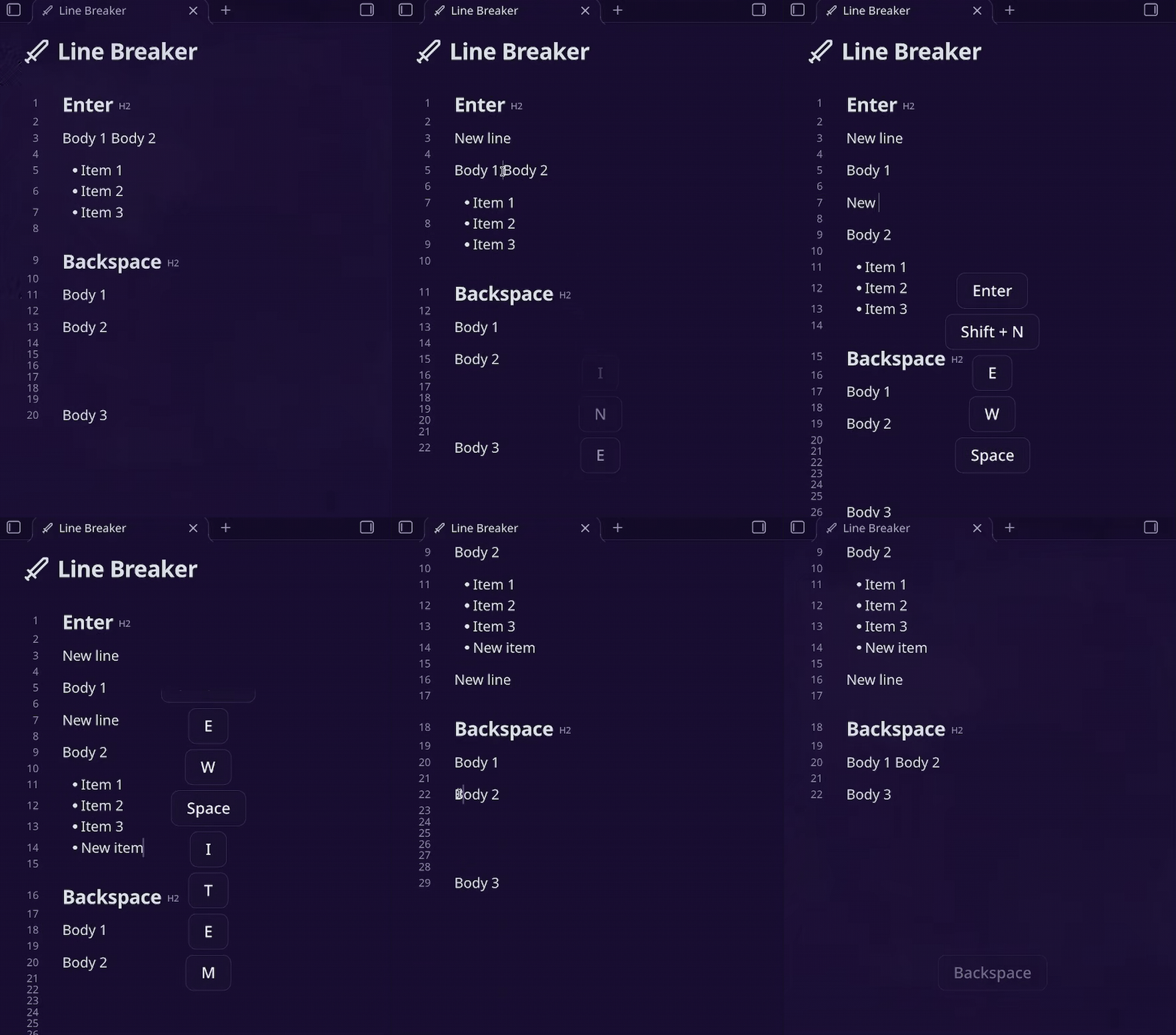
Features
- Enter
- Begin / End of H, P, HR: makes two line breaks.
- In the middle of H or P: breaks the line in two adding one blank line above and below removing spaces or tabs before or after the caret.
- In a blank line between any kind of blocks (except it only has space or tabs) it makes a blank line above and below.
- End of the closing fence of a code block: two line breaks, like a paragraph.
- It ignores: Lists, quotes, callouts, footnotes, code blocks, math blocks, tables.
- Shift + Enter
- Begin / End of H, P, HR: Obsidian default enter behavior.
- Begin / End of lists, quotes, callouts, footnotes: make two line breaks.
- In the middle of lists, quotes, callouts, footnotes: breaks the line in two adding one blank line above and below removing spaces or tabs before or after the caret.
- It ignores: Code blocks, math blocks, tables
- Delete / Shift + Delete
- On an empty line: same as Backspace on that line.
- At the end of a line: joins the line below with a space, same as Backspace at the start of that line.
- Backspace
- On a blank line (even it if has spaces or tabs) removes all blank lines above except one even if they had spaces or tabs.
- On a blank line if there are no blank lines above then joins the above and below line separating them with a space.
- Beginning of any block if there are more than one blank lines above removes all blank lines above except one even if they had spaces or tabs
- Beginning of any block if there are no blank lines above then joins the above and below line separating them with a space but removing any other spaces or tabs if any.
- Shift + Backspace
- Obsidian default backspace behavior.
Support me!
For plugin developers
Search results and similarity scores are powered by semantic analysis of your plugin's README. If your plugin isn't appearing for searches you'd expect, try updating your README to clearly describe your plugin's purpose, features, and use cases.