by Tyler Carrol
Adds a Bases map view with polygon areas, routes, and point markers.
Maps+ Plugin for Obsidian


Adds a Bases map view for Obsidian that can render point markers, polygon areas, and routes.
Examples
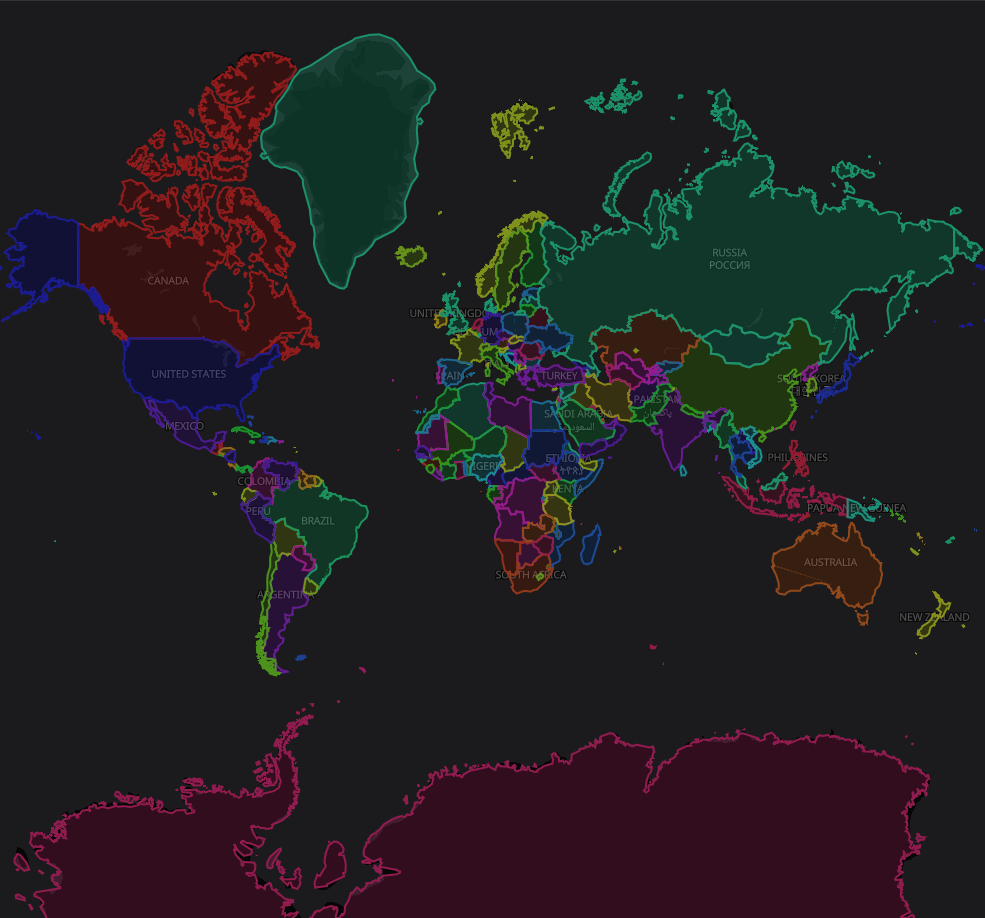
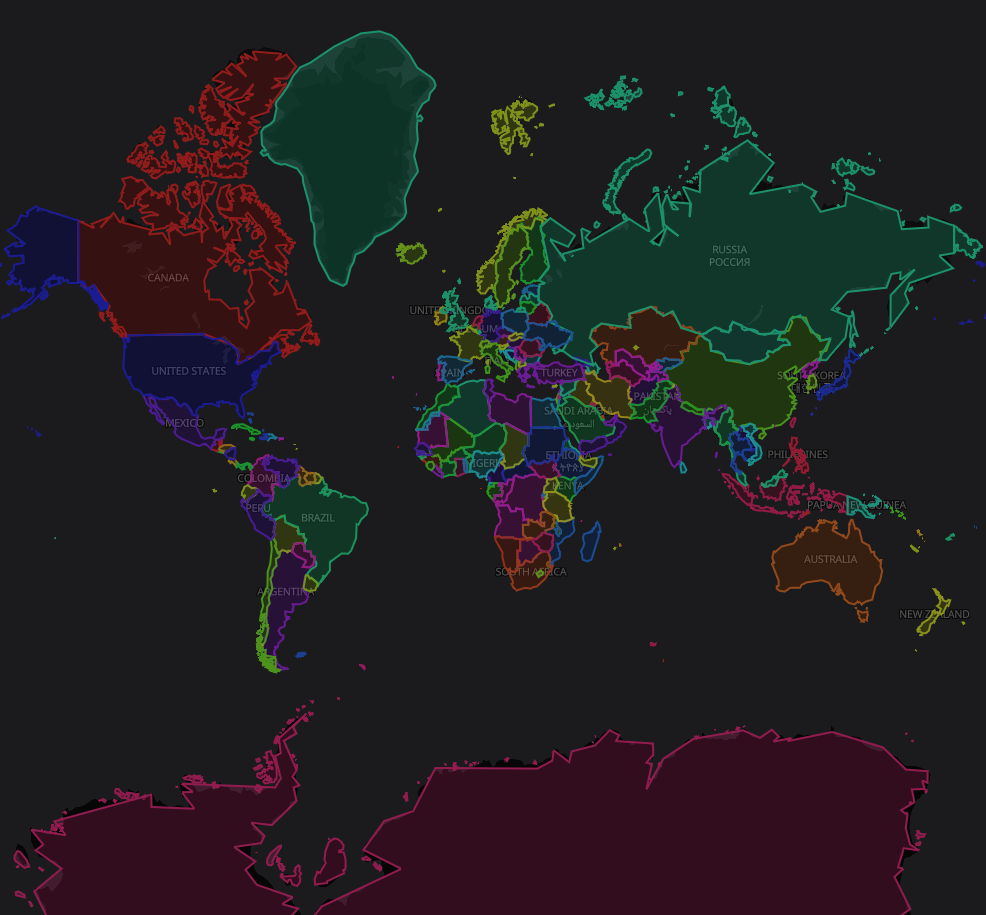
Countries
Can render many points at once (this image has >500k points)
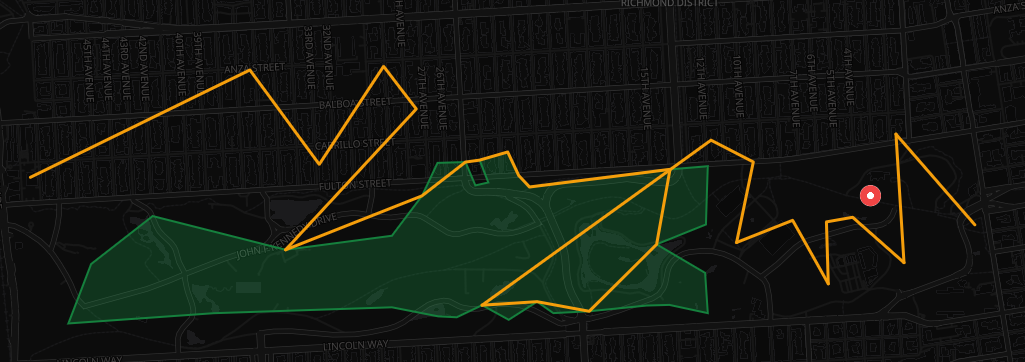
Areas & Routes
Can render areas, routes and points all at the same time
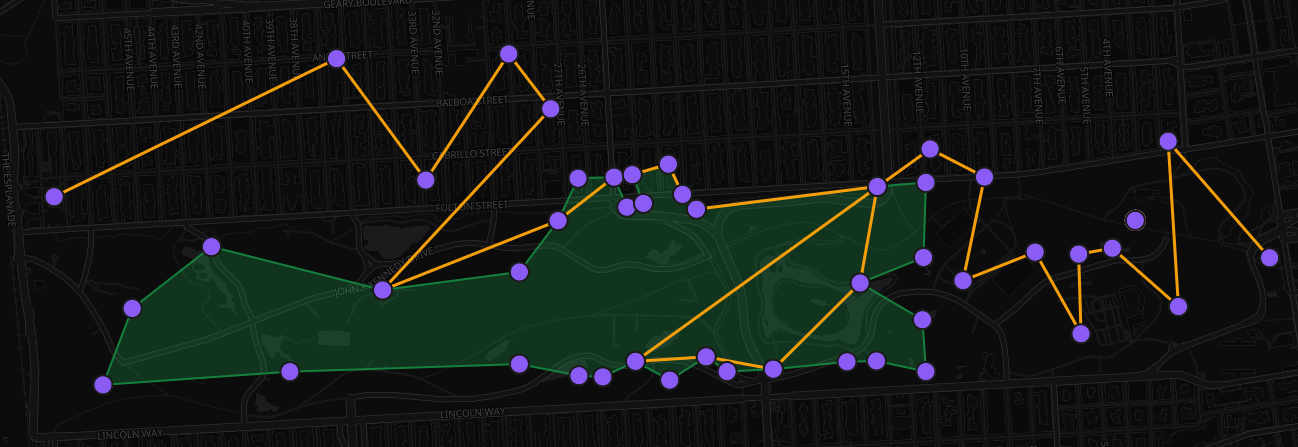
Edit Mode
Can switch to edit mode, to drag-and-drop points (with optional snap-to-point mode as well)
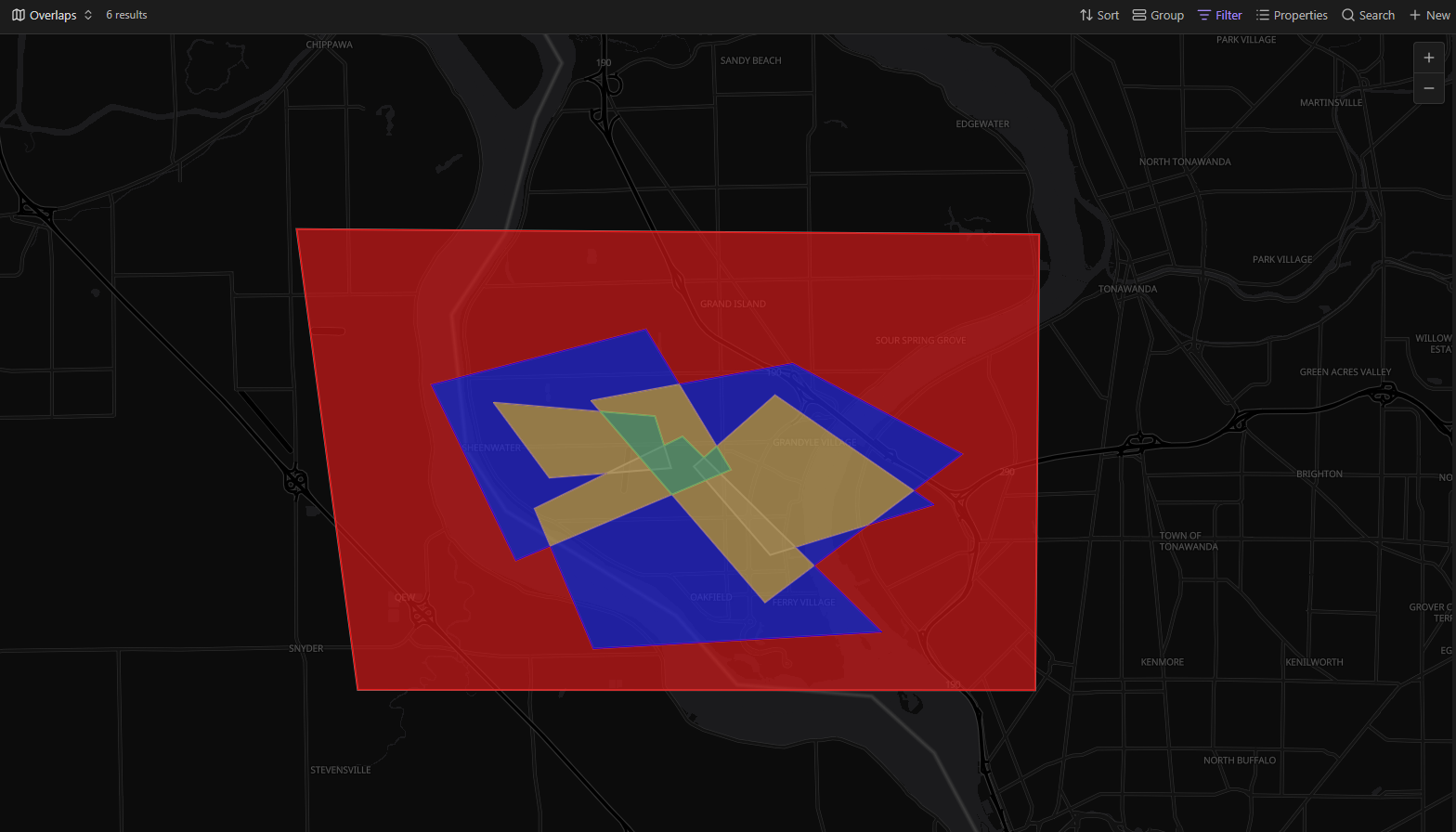
Overlaps
Can use multiple overlapping areas to color different colors for classification
Point Reduction
Can limit points per object to make rendering quicker (this image is limited to 1k points per country)
Why this is a separate view
Obsidian's official Maps plugin does not currently expose a public extension API for adding extra geometry types to its built-in view. This plugin therefore registers a companion Bases view named Maps+ that follows the same workflow while adding polygon and route support.
What it supports
- Point markers from a coordinates property
- Polygon areas from a property containing three or more coordinate pairs
- Routes from a property containing two or more coordinate pairs
- Per-note marker, fill, stroke, and route colors
- Click a marker, area, or route to open its note
Area property formats
Use a property selected as Area coordinates in the Bases view options. Supported formats:
area:
  - [37.77986, -122.42905]
  - [37.78139, -122.42515]
  - [37.77773, -122.42252]
  - [37.77501, -122.42625]
or:
area: "[[37.77986, -122.42905], [37.78139, -122.42515], [37.77773, -122.42252], [37.77501, -122.42625]]"
Route property formats
Use a property selected as Route coordinates in the Bases view options. Supported formats:
route:
  - [37.77161, -122.51073]
  - [37.77144, -122.49524]
  - [37.77043, -122.45458]
or:
route: "[[37.77161, -122.51073], [37.77144, -122.49524], [37.77043, -122.45458]]"
Example Bases view
views:
  - type: maps-plus
    name: Areas and routes
    coordinates: note.coordinates
    markerColor: note.markerColor
    areaCoordinates: note.area
    areaFillColor: note.areaFillColor
    areaStrokeColor: note.areaStrokeColor
    routeCoordinates: note.route
    routeColor: note.routeColor
    defaultZoom: 13
Privacy / external services
The map view loads its basemap style and tiles from OpenFreeMap (tiles.openfreemap.org). No note content is uploaded by this plugin, but the service will receive the usual tile requests needed to draw the map.
Install for development
- Install dependencies:
npm install - Build the plugin:
npm run build - Copy
main.js,manifest.json, andstyles.cssto:
/.obsidian/plugins/maps-plus/
4. In Obsidian, enable **Settings → Community plugins → Maps+**.

## Fastest way to try it

This repository includes a ready-made demo vault in `/maps-plus-demo-vault`.

1. Run `npm run build`
2. Copy `main.js`, `manifest.json`, and `styles.css` to `maps-plus/.obsidian/plugins/maps-plus/`
3. Open `maps-plus` in Obsidian
4. Open `maps-plus/Maps.base`

See `maps-plus/README.md` for the included example notes.
For plugin developers
Search results and similarity scores are powered by semantic analysis of your plugin's README. If your plugin isn't appearing for searches you'd expect, try updating your README to clearly describe your plugin's purpose, features, and use cases.