Markdown shortcuts
approvedby julesguesnon
Write Markdown from shortcuts.


Obsidian Markdown Shortcuts
This is a plugin for Obsidian (https://obsidian.md).
Why?
If you're used to software like Notion, going from assisted markdown to plain markdown may be a bit hard if you're not used to it. You'll probably have to work with a cheatsheet open in a tab in order to make sure you're not doing it wrong.
Also some syntaxes are a bit cumbersome to write like the table one.
So, if you're learning markdown or too lazy to write a table, this plugin is for you.
How it works?
Show the commands
All you have to do is to write a > whenever you want in a file, then make your choice.

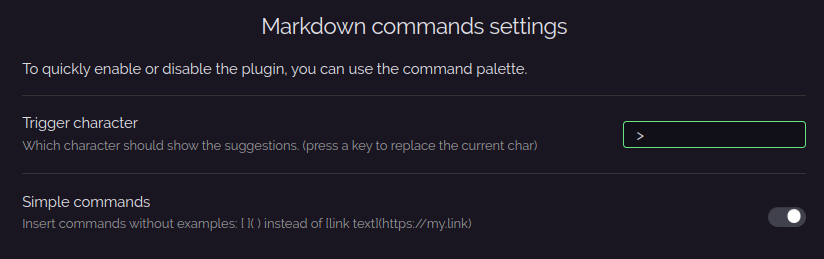
Configure the plugin
Trigger characterSet the character that will trigger the commands.Simple commandsInsert commands without examples.
How to install?
First, you need to have Obsidian v0.12.17+.
-
Go to
Settings > Community plugins -
Turn safe mode to
off -
Go to the releases page
-
Download the latest
markdown-commands-<version>.zip -
Put the zip into
<vault-folder>/.obsidian/plugins(if the folder plugins doesn't exist you can create it) -
Extract it
-
Enable the plugin in the settings and you're ready to go

Any issue or suggestion?
If you're facing an issue feel free to open a new one and describe as much as possible the issue, the context of the issue, etc...
If you think that the plugin is missing something or could be improved, feel free to open an issue and describe your idea.
For plugin developers
Search results and similarity scores are powered by semantic analysis of your plugin's README. If your plugin isn't appearing for searches you'd expect, try updating your README to clearly describe your plugin's purpose, features, and use cases.