Typing Assistant
approvedby jambo2018
Support multiple shortcut menus to improve input efficiency.
★ 63 stars↓ 49,531 downloadsUpdated 8mo agoMIT
Typing Assistant
Typing Assistant is a plugin that improves writing efficiency and provides a user experience similar to that of Notion

Demo 1
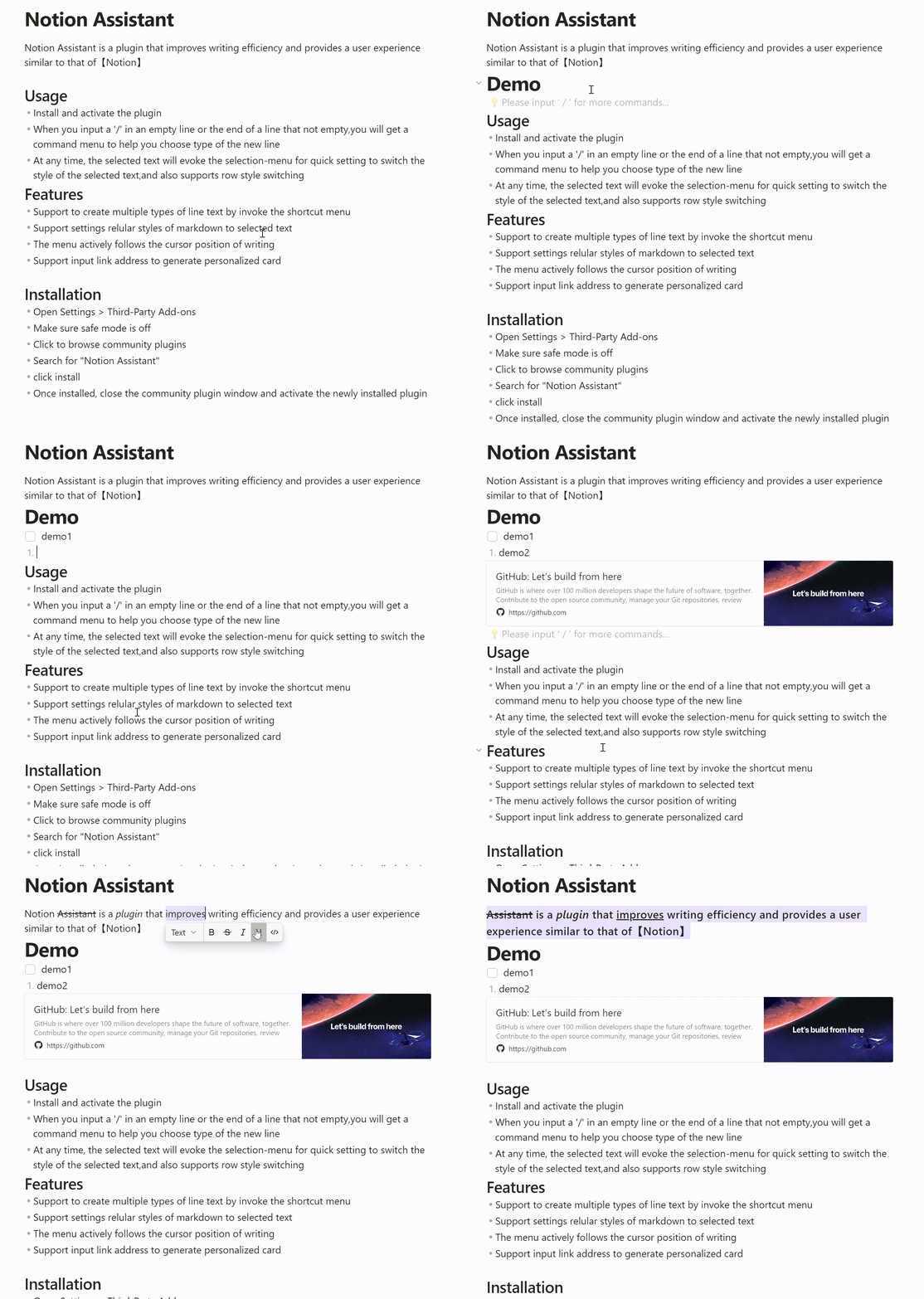
Demo 2
Usage
- Install and activate the plugin
- When you input a '/' in an empty line or the end of a line that not empty, you will get a command menu to help you choose type of the new line
- At any time, the selected text will evoke the selection-menu for quick setting to switch the style of the selected text,and also supports row style switching
Features
- Support to create multiple types of line text by invoke the shortcut menu
- Support settings regular styles of markdown to selected text
- The menu actively follows the cursor position of writing
- Support input link address to generate personalized card
- Supports custom command combinations and drag-and-drop sorting
- Support quick search of commands
Installation
- Open Settings > Third-Party Add-ons
- Make sure safe mode is off
- Click to browse community plugins
- Search for "Typing Assistant"
- click install
- Once installed, close the community plugin window and activate the newly installed plugin
For plugin developers
Search results and similarity scores are powered by semantic analysis of your plugin's README. If your plugin isn't appearing for searches you'd expect, try updating your README to clearly describe your plugin's purpose, features, and use cases.