Masking Type
approvedby telehakke
Mask bold, italic, and highlight
Masking Type
Features / 機能概要
This plugin adds the following features to Obsidian.
このプラグインはObsidianに以下の機能を追加します
-
To aid memorization, hide text in bold, italics, and highlighted text.
-
太字、斜体、ハイライトされたテキストを隠し、暗記作業をサポートする
Installation / インストール方法
Obsidian Settings > Community plugins > Browse > Type 'masking' into the search box > Select the 'Masking Type' card > Install > Enable
Obsidianの設定 > コミュニティプラグイン > 閲覧 > 検索ボックスに「masking」と入力 > 「Masking Type」のカードを選択 > インストール > 有効化
Usage / 使い方
Hide text / テキストを隠す
Items that are turned on in the settings are filled in.
設定でオンにした項目が塗りつぶされます
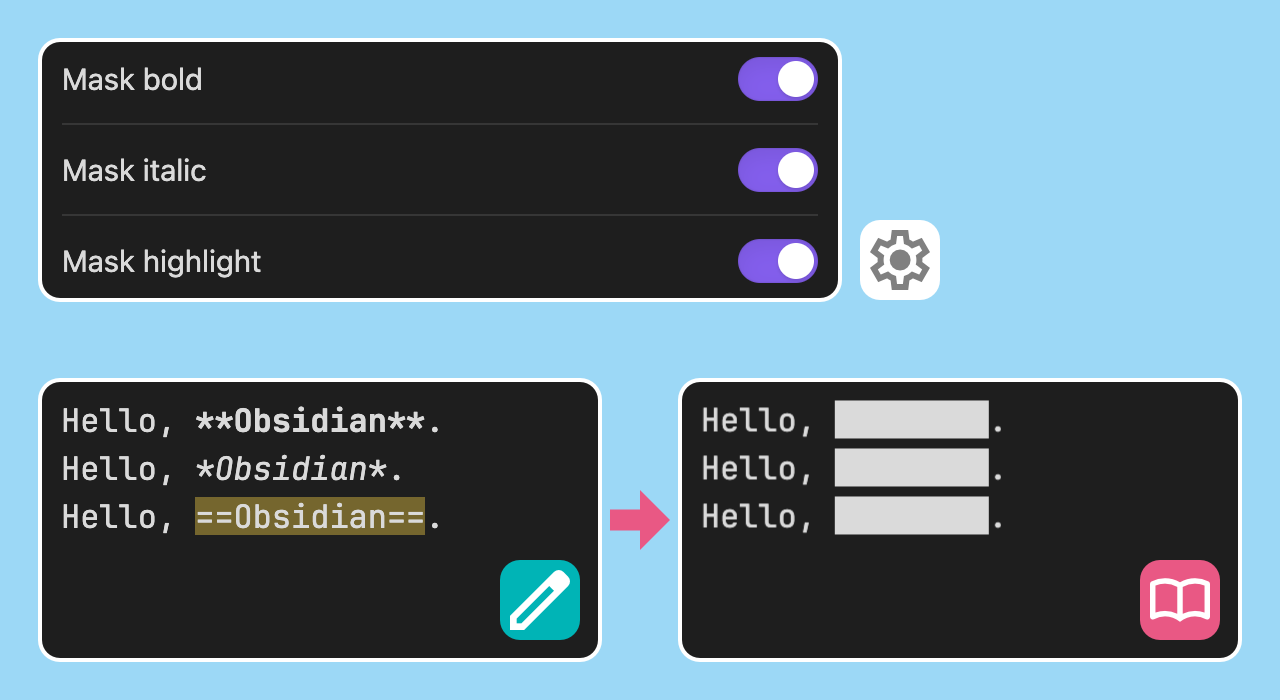
Display text / テキストを表示
Click on the filled area.
塗りつぶされた部分をクリックしてください
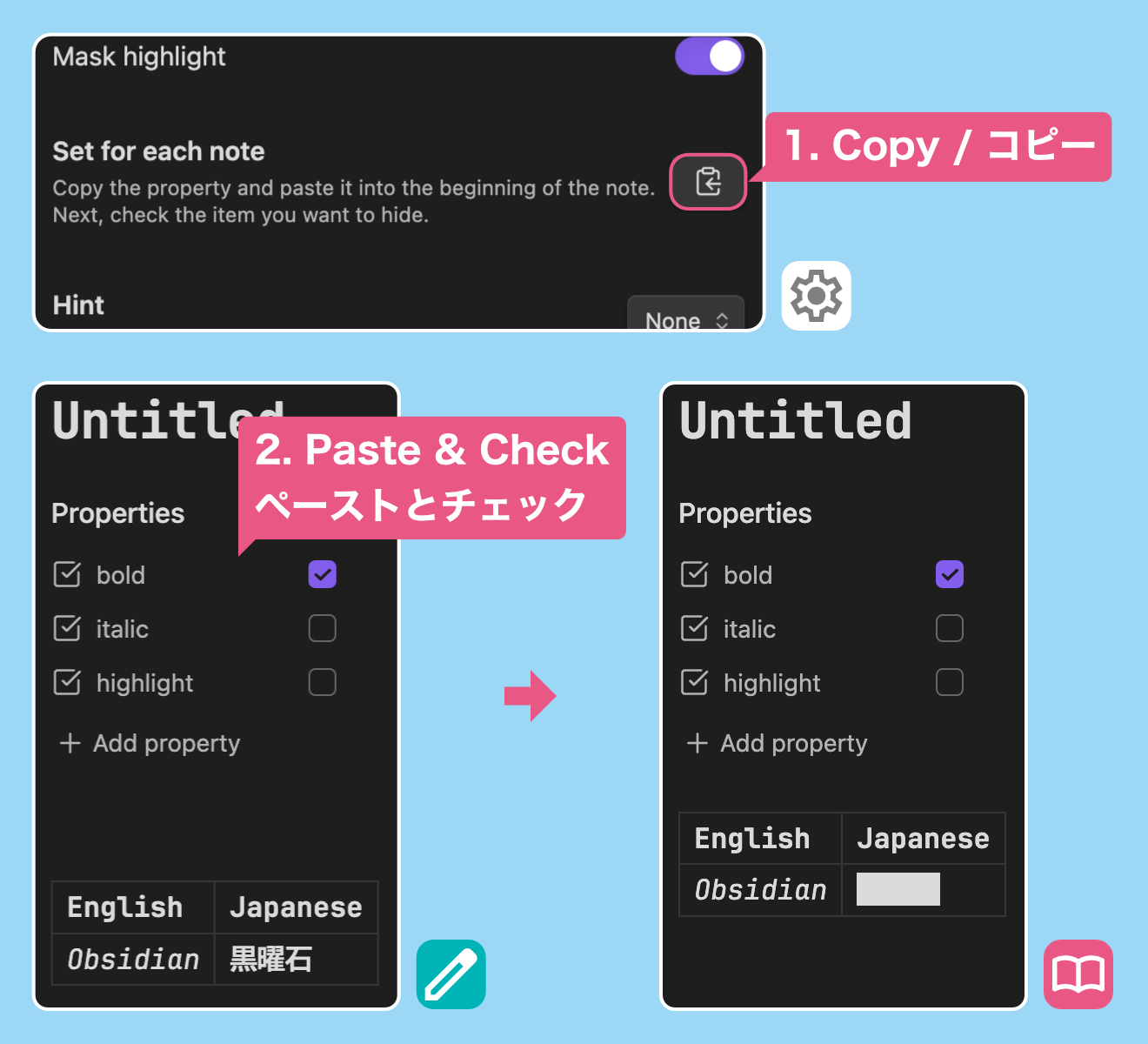
Set for each note / ノートごとに設定する
Copy the property from the settings and paste it into the beginning of the note.
Next, check the item you want to hide.
設定からプロパティをコピーし、ノートの先頭にペーストします
次に、隠したい項目にチェックを付けてください
Show hints / ヒントを表示する
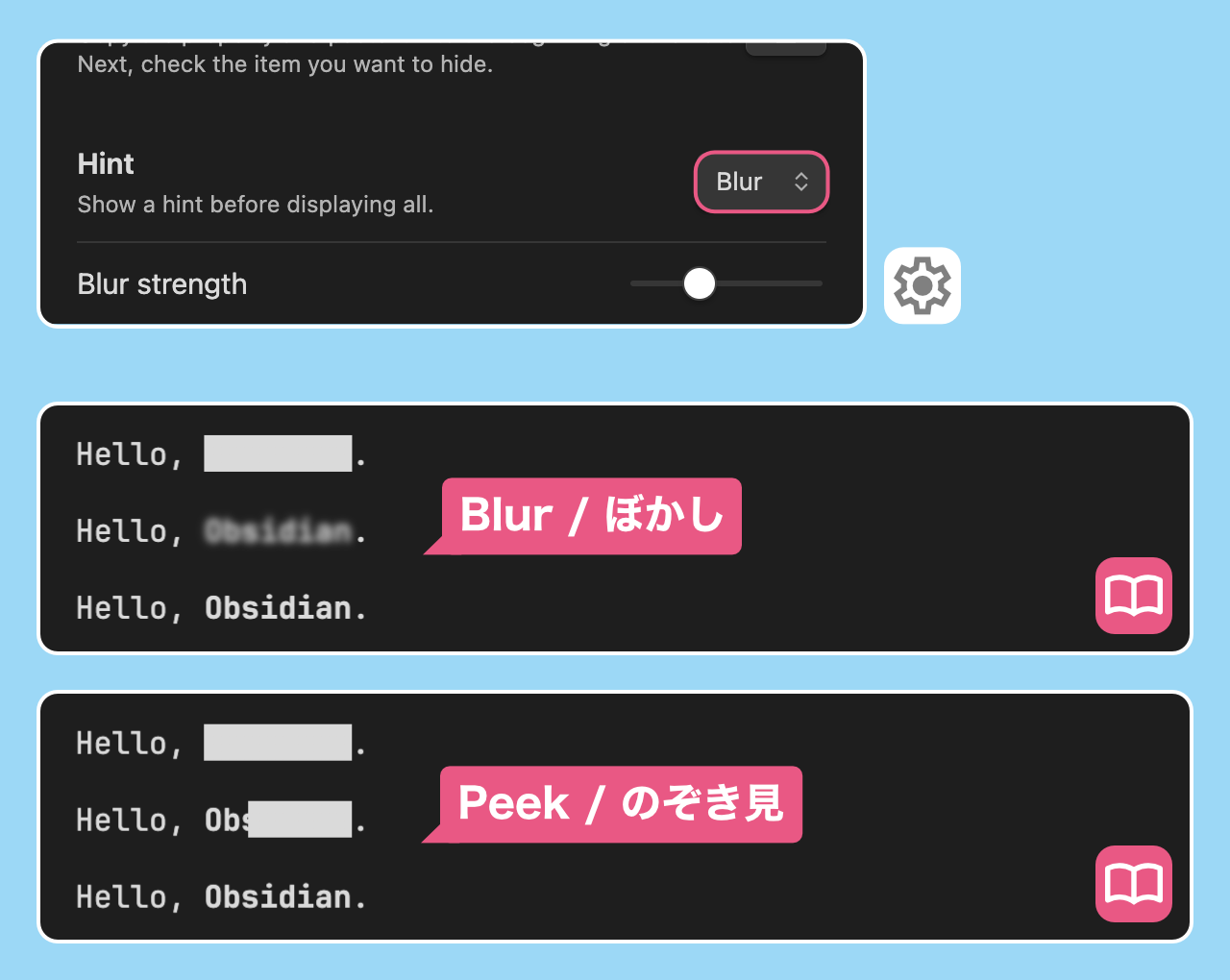
By selecting the type of hint from the settings, a hint can be displayed before all text is displayed.
設定からヒントの種類を選択することで、全体を表示する前にヒントを表示することができます
Hint type / ヒントの種類
- Blur / ぼかし
- Peek / のぞき見
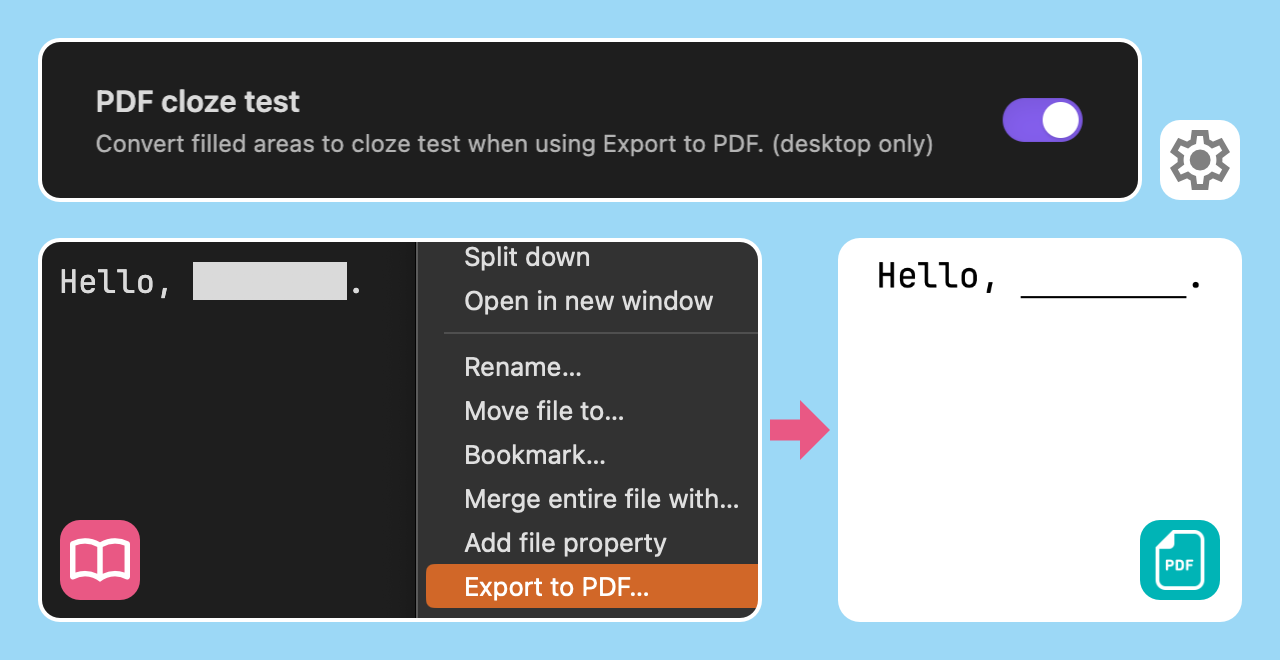
PDF cloze test / PDF の穴埋め化
Convert filled areas to cloze test when using Export to PDF. (version 1.1.0~, desktop only)
PDF にエクスポートを使用する際に、塗りつぶし箇所を穴埋め問題に変換します(バージョン 1.1.0~、デスクトップ専用)
For plugin developers
Search results and similarity scores are powered by semantic analysis of your plugin's README. If your plugin isn't appearing for searches you'd expect, try updating your README to clearly describe your plugin's purpose, features, and use cases.