Masonry Pinboards
approvedby Vitaly Maltsev
Pinterest-like waterfall masonry layout for folders, pin-boards, tags and such - This plugin has not been manually reviewed by Obsidian staff.
★ 4 stars↓ 984 downloadsUpdated 2mo agoMIT
Obsidian Masonry
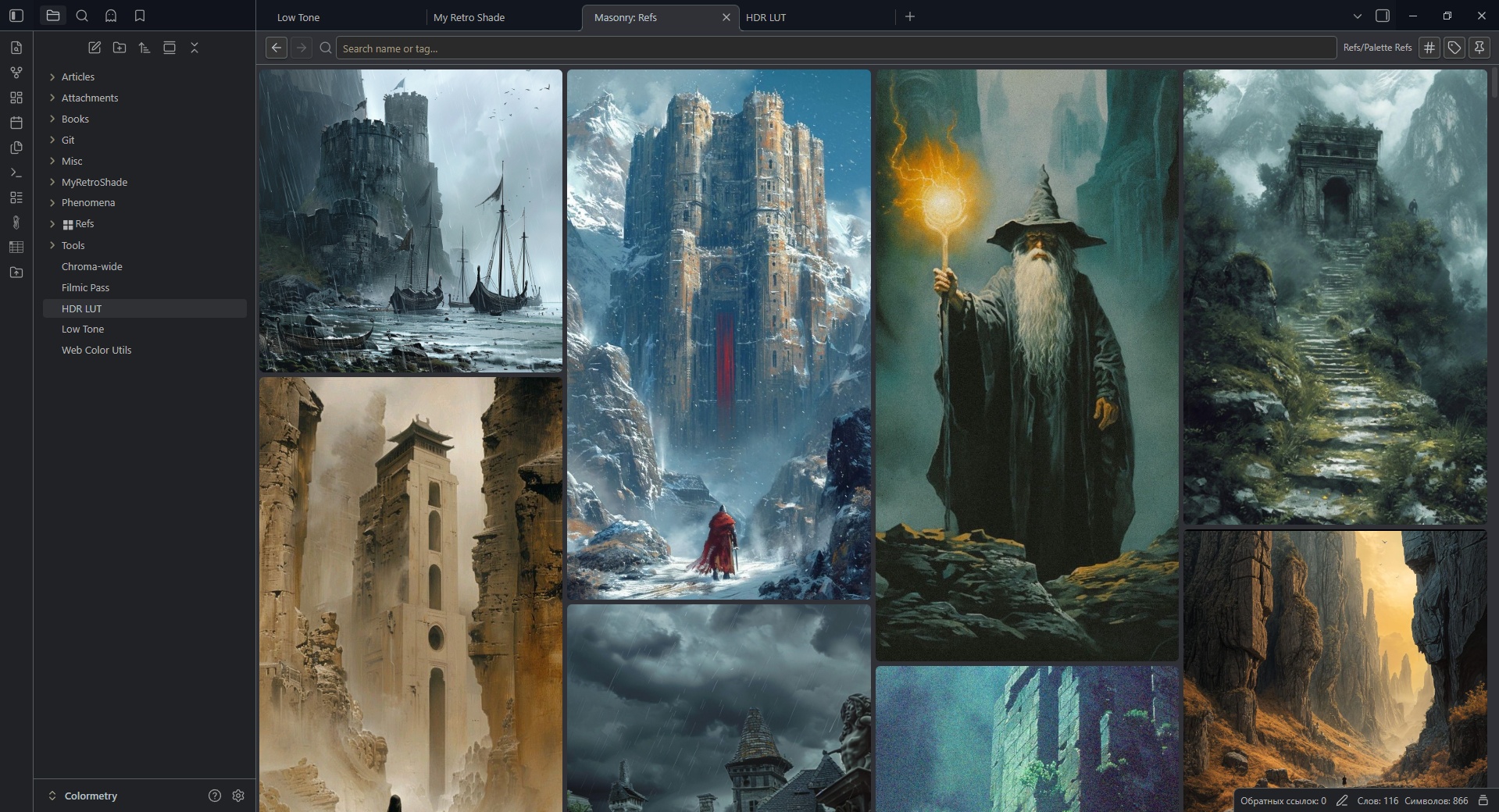
An Obsidian plugin that displays folder contents in a Pinterest-like masonry layout with tag management, pin boards, and drag-and-drop.
Usage
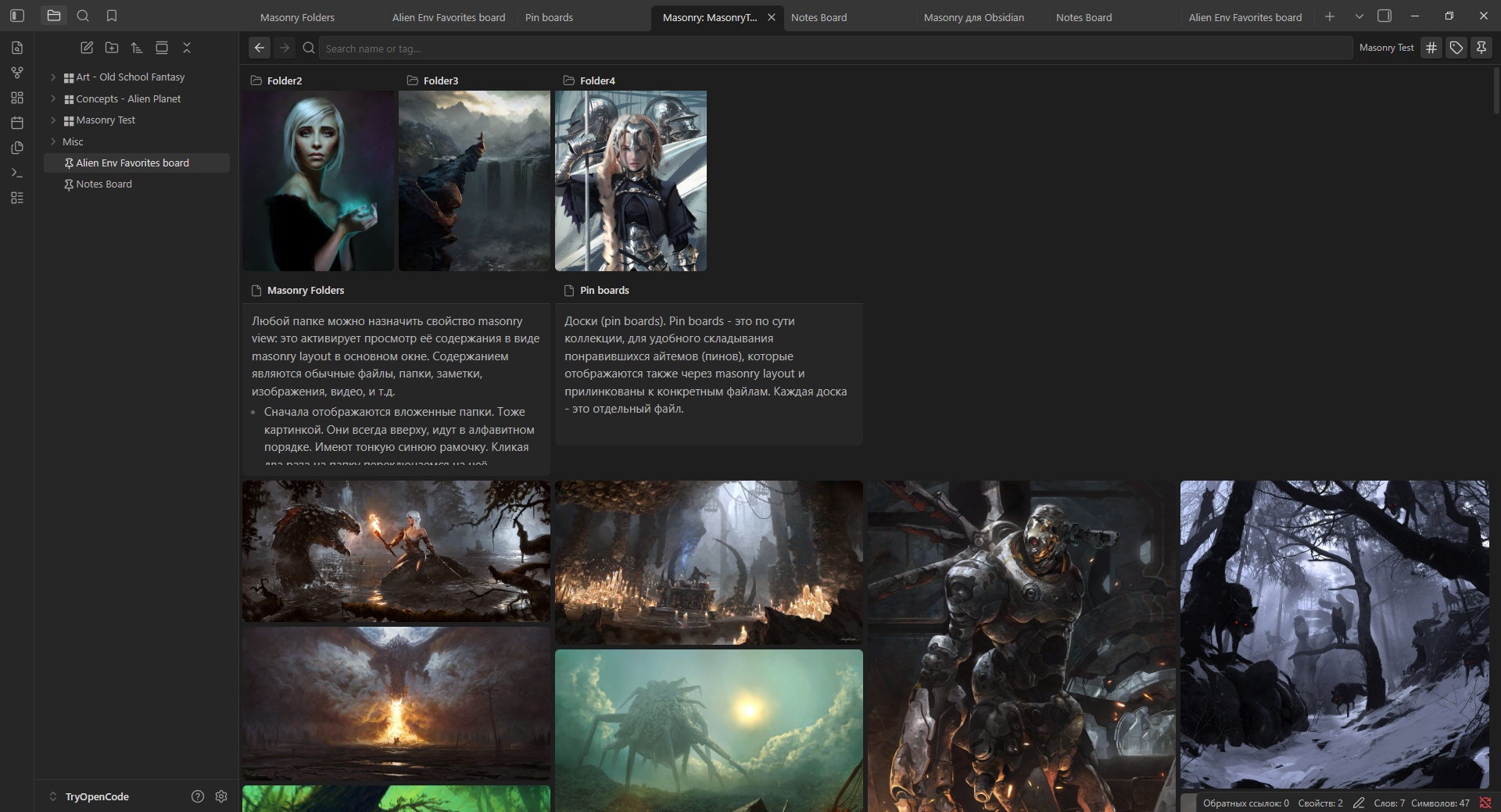
- You can use folders to view it's content as masonry tiles (call them items). You work with actual files it this case.
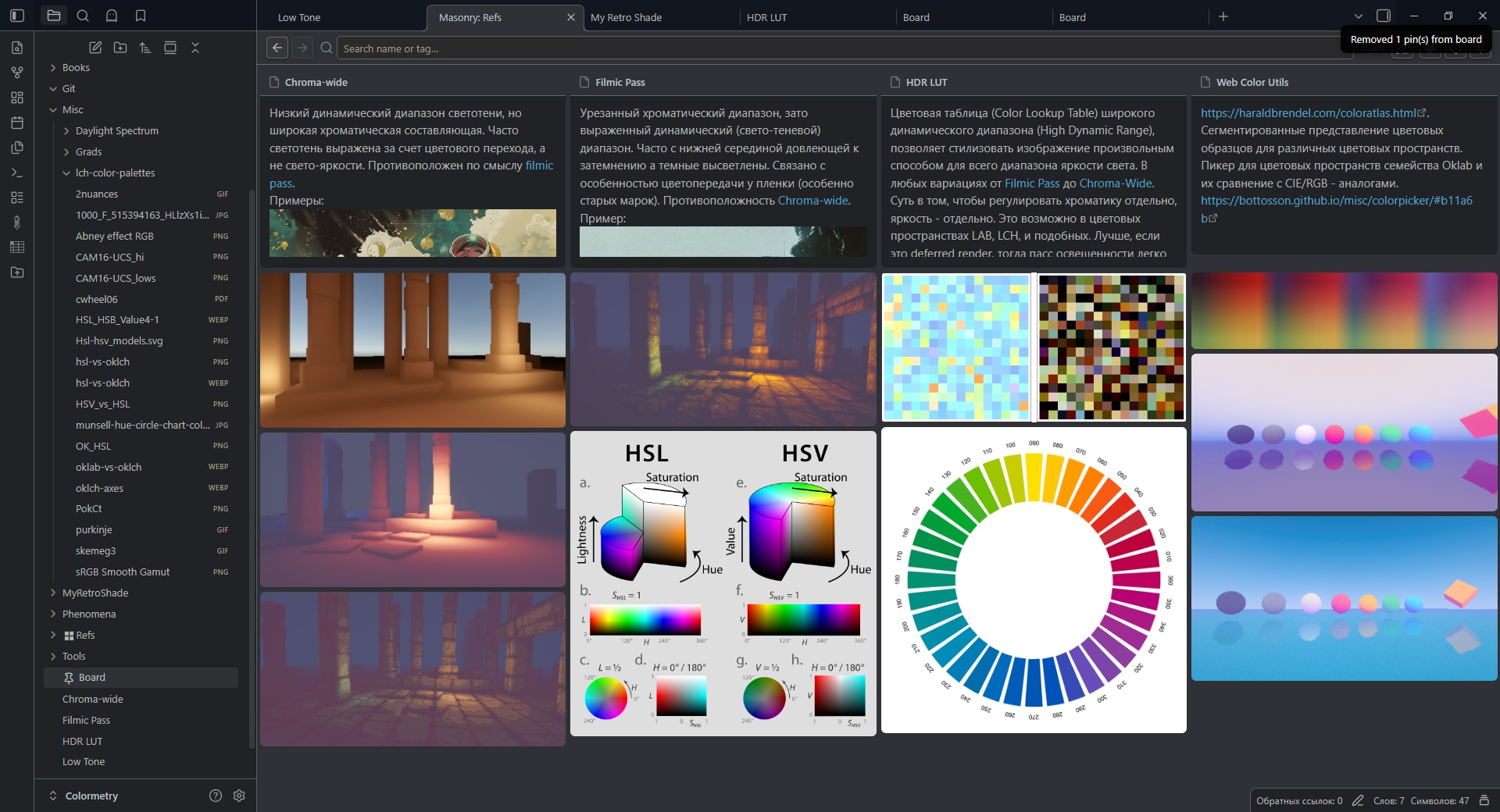
- You can create a pin boards and pin any files to it, and view as masonry tiles (call them pins). You work with only a record in collection, not files itself.
- You can add tags to items/pins.
- To turn folder in to a masonry layout right-click on a folder → Enable Masonry View. You will see a tile icon appear next to the folder name (call them a masonry folder).
- Click on a masonry folder label to view it's content, click on foldout triangle to open/close folder. Double click on label also work as foldout.
- Right-click in files explorer → Create Pin Board to make a board
- Drag notes, images, or other files onto a pin board (to pin), or a masonry folder (to move)
- Use Ctrl + Click to select several items in masonry view
- Add tags to items/pins if you wish
- Use the search bar to filter by name or tag (
#tagname) - Double-click on images to preview it
- Right-click on items/pins for context menus and quick actions
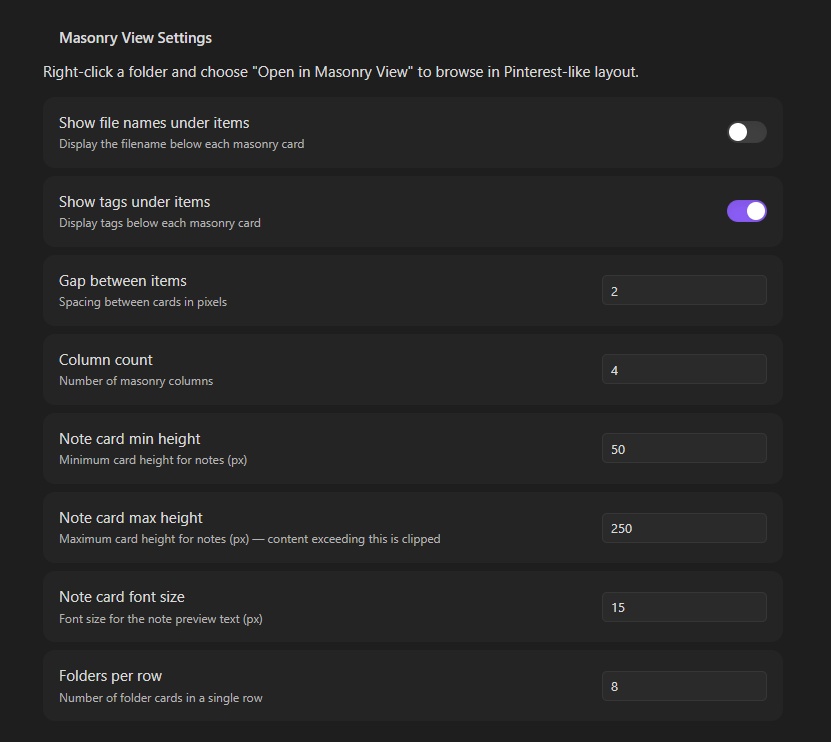
- Settings: use plugin settings to customize
For plugin developers
Search results and similarity scores are powered by semantic analysis of your plugin's README. If your plugin isn't appearing for searches you'd expect, try updating your README to clearly describe your plugin's purpose, features, and use cases.