Memo Lite
approvedby artemislin
Capture fleeting notes and ideas quickly. Organize memos with tags, review them with an activity heatmap, search instantly, and share them as image cards. - This plugin has not been manually reviewed by Obsidian staff.
Memo Lite
A lightweight memo plugin for Obsidian. Capture fleeting notes and ideas quickly, organize them with tags, review them with an activity heatmap, and share them as image cards.
Note: The plugin UI is currently Chinese-only. An English UI is on the roadmap.
Features
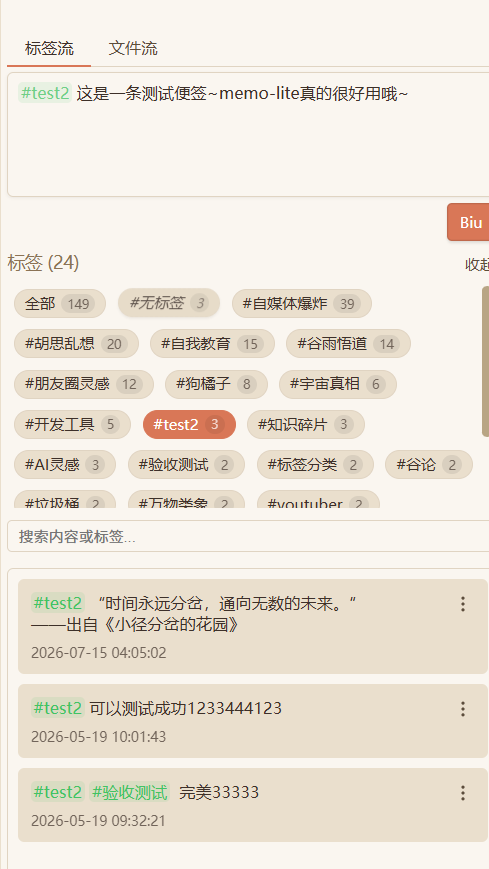
- 📝 Quick capture — jot down ideas without breaking your workflow
- 🏷️ Tags — organize memos with
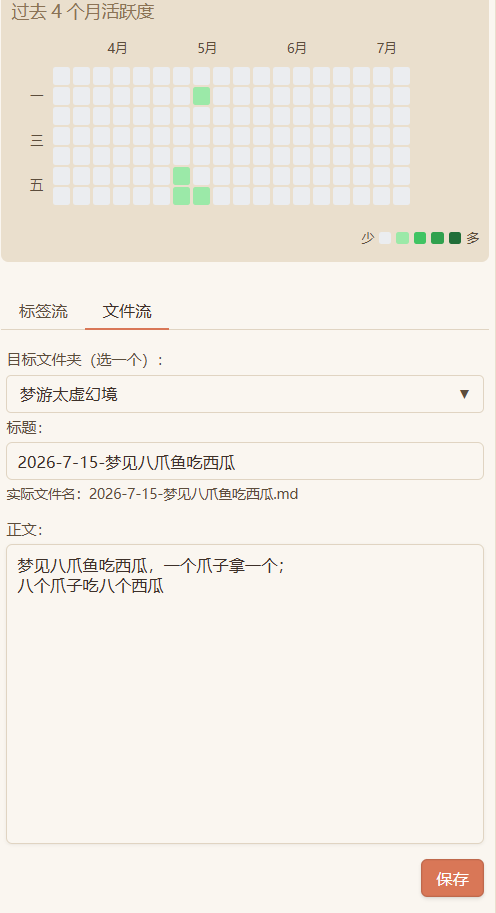
#tags; autocomplete suggests existing tags as you type, with live highlighting - 📊 Activity heatmap — GitHub-style visualization of your writing habit; click a day to filter memos
- 🔍 Instant search — search all memos as you type
- 📌 Pin — keep important memos on top
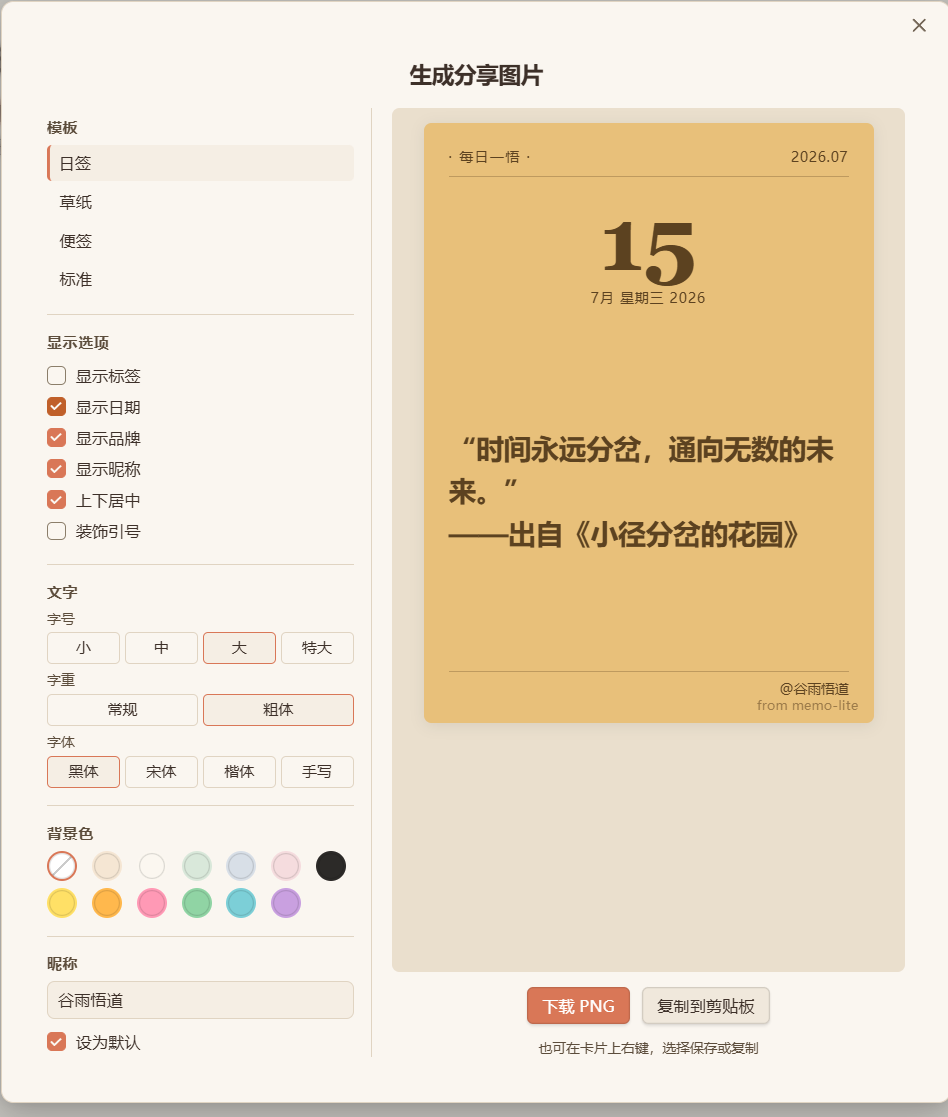
- 🖼️ Share as image card — turn any memo into a polished PNG (4 templates × 13 backgrounds), download or copy to clipboard
- 🔢 Word count — per-memo statistics from the card menu
- ✏️ In-place editing — double-click a memo to edit; a card menu offers share / edit / pin / delete
- 📋 Templates — optionally create memos from your Obsidian templates
- 📁 File Flow — a quick note-to-file creator: register up to 5 target folders, type a title (live filename preview) and body, and save straight to a standalone
.mdfile. Tag autocomplete draws from all tags in your vault (including nested paths), and unsaved drafts survive view close and app restart
Screenshots
Data & privacy
- Memos are stored as plain Markdown files inside your vault (default folder
Memos/, configurable) with lightweight HTML-comment IDs — they remain fully readable, searchable, and syncable by Obsidian itself - Uninstalling the plugin never deletes your notes; there is nothing to export because everything already lives in your vault
- The plugin makes no network requests and collects no telemetry; image cards are rendered entirely locally
- Desktop only for now (
isDesktopOnly: true)
Installation
From the Community plugins directory
- Open Settings → Community plugins and make sure Restricted mode is off
- Click Browse, search for Memo Lite
- Install and enable
Manual installation
- Download
main.js,manifest.json, andstyles.cssfrom the latest release - Create the folder
<your-vault>/.obsidian/plugins/memo-lite/and put the three files inside - Reload Obsidian and enable the plugin in Settings → Community plugins
Usage
- Click the feather icon in the ribbon (or run the command Memo Lite: 打开视图)
- Type your thought in the input box, use
#tagsto categorize, then hit the save button - Filter memos by tag, by heatmap day, or with the search box
- Double-click a memo to edit it; use the card menu for share / pin / delete / word count
- Optional: enable File Flow in settings to quickly create standalone notes in your favorite folders
中文说明
Memo Lite 是一个轻量级的 Obsidian 笔记插件:随手记录灵感,用 #标签 分类,用热力图回顾记录习惯,一键把 memo 生成分享卡片。
核心功能:快速记录 / 标签自动补全与高亮 / GitHub 风格活跃度热力图(点击某天可筛选)/ 即时搜索 / 置顶 / 分享卡片(4 模板 × 13 背景,下载或复制 PNG)/ 字数统计 / 双击编辑 / 模板支持 / 文件流——注册常用文件夹(最多 5 个),填标题(实时文件名预览)写正文,直接生成独立 .md 文件;正文标签补全来自整个 vault 的所有标签(含嵌套路径),未保存内容自动暂存草稿、重启不丢。
数据与隐私:所有 memo 以纯 Markdown 存在你的 vault 里(默认 Memos/ 文件夹,可改),卸载插件笔记不丢;插件不发起任何网络请求、无遥测;目前仅支持桌面端,界面为中文。
使用:点击侧边栏羽毛图标打开视图 → 输入框记录想法(# 触发标签补全)→ 保存。设置里可开启文件流。
License
MIT © ArtemisLin
For plugin developers
Search results and similarity scores are powered by semantic analysis of your plugin's README. If your plugin isn't appearing for searches you'd expect, try updating your README to clearly describe your plugin's purpose, features, and use cases.